Is Your Site Agent-Ready is a free tool from Cloudflare that scans any website and scores it across the emerging standards that AI agents rely on to browse, interact, and transact.
It checks categories spanning discoverability, content accessibility, bot access control, protocol discovery, and agentic commerce, then delivers a pass/fail breakdown with copy-paste fix instructions for each failing check.
AI agents now do more than summarize pages. They browse documentation, inspect APIs, follow discovery files, authenticate into apps, and complete multi-step tasks.
That shift created a new technical question for site owners: can agents reliably find, read, and use your website? Cloudflare built this app to answer that question with a single scan.
Features
- Scores a site across five audit categories: Discoverability, Content Accessibility, Bot Access Control, API/Auth/MCP/Skill Discovery, and Commerce.
- Checks robots.txt for existence, valid format, sitemap directives, and AI-specific bot rules.
- Detects whether a site serves Markdown responses when an agent sends an
Accept: text/markdownrequest header. - Audits Content Signals in robots.txt, the IETF draft standard that lets publishers declare separate preferences for AI training, AI inference, and search indexing.
- Checks for a Web Bot Auth directory at
/.well-known/http-message-signatures-directoryso bot-operated sites can sign outbound requests. - Detects an API Catalog at
/.well-known/api-catalogper RFC 9727 for automated API discovery. - Audits OAuth server discovery metadata per RFC 8414 and RFC 9728.
- Checks for an MCP Server Card at
/.well-known/mcp/server-card.jsonfor Model Context Protocol compatibility. - Detects an Agent Skills index at
/.well-known/agent-skills/index.json. - Checks for WebMCP tool registration via the
navigator.modelContextAPI. - Reports informational results for three agentic commerce protocols: x402, Universal Commerce Protocol (UCP), and Agentic Commerce Protocol (ACP).
- Generates a copy-and-paste prompt for each failing check, formatted for direct use in coding agents such as Cursor, Claude Code, or Windsurf.
- Exposes a stateless MCP server at
/.well-known/mcp.jsonyou can run scans programmatically.
Use Cases
- Audit a content-heavy blog or documentation site to find which AI crawler rules, sitemap issues, and Markdown negotiation gaps are lowering the site’s readability for AI agents.
- Build a SaaS product, check whether the API, OAuth endpoints, and MCP server are discoverable before launching agent integrations.
- Create a commerce platform for agent-driven purchasing review x402, UCP, and ACP compatibility ahead of a product launch.
- Use the Agent Skills index links in scan results to access per-standard SKILL.md files and understand the exact implementation steps for each protocol.
Example Scan: ScriptByAI.com
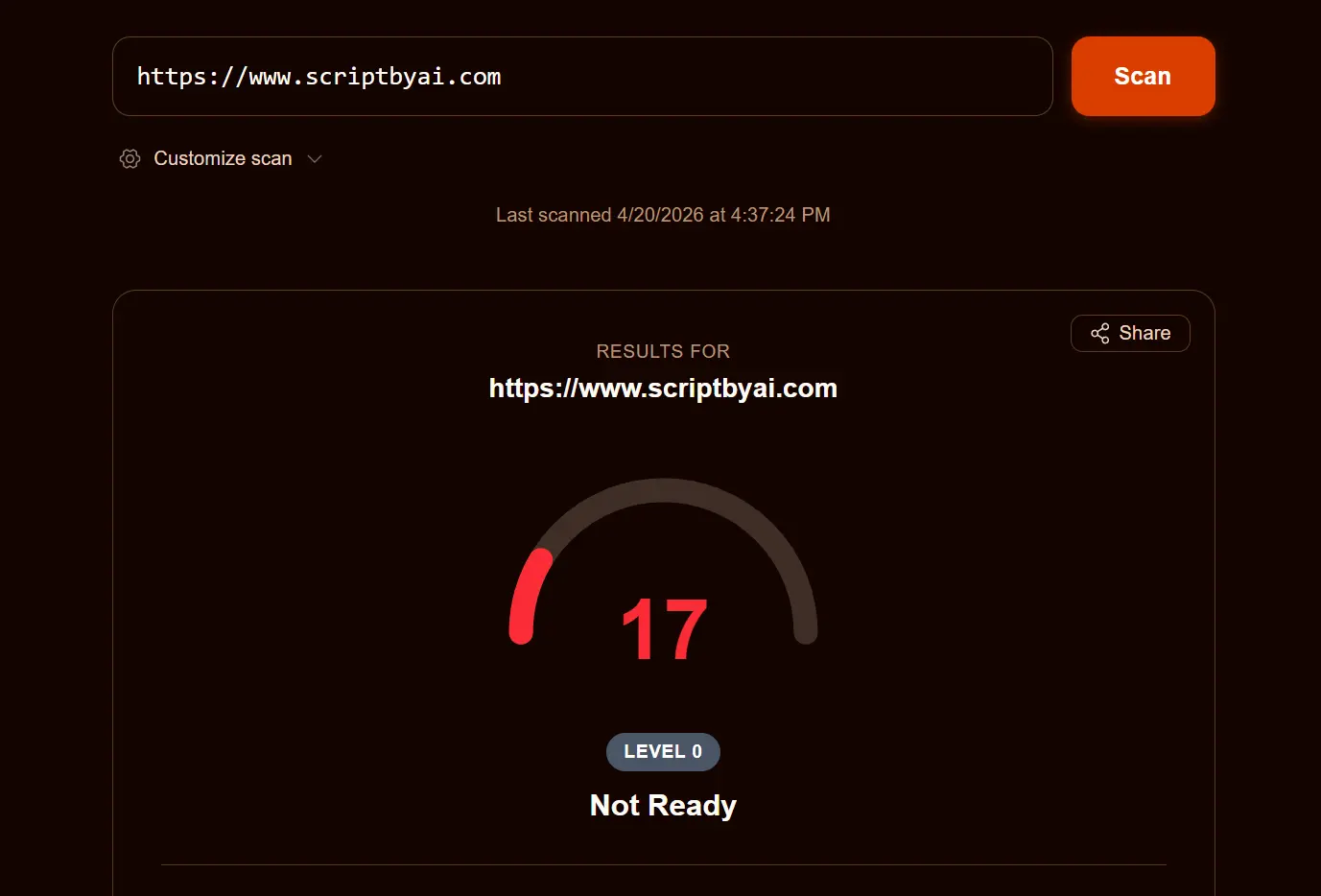
A scan of ScriptByAI.com results in an overall Agent Ready score of 17, classified as “Not Ready.”
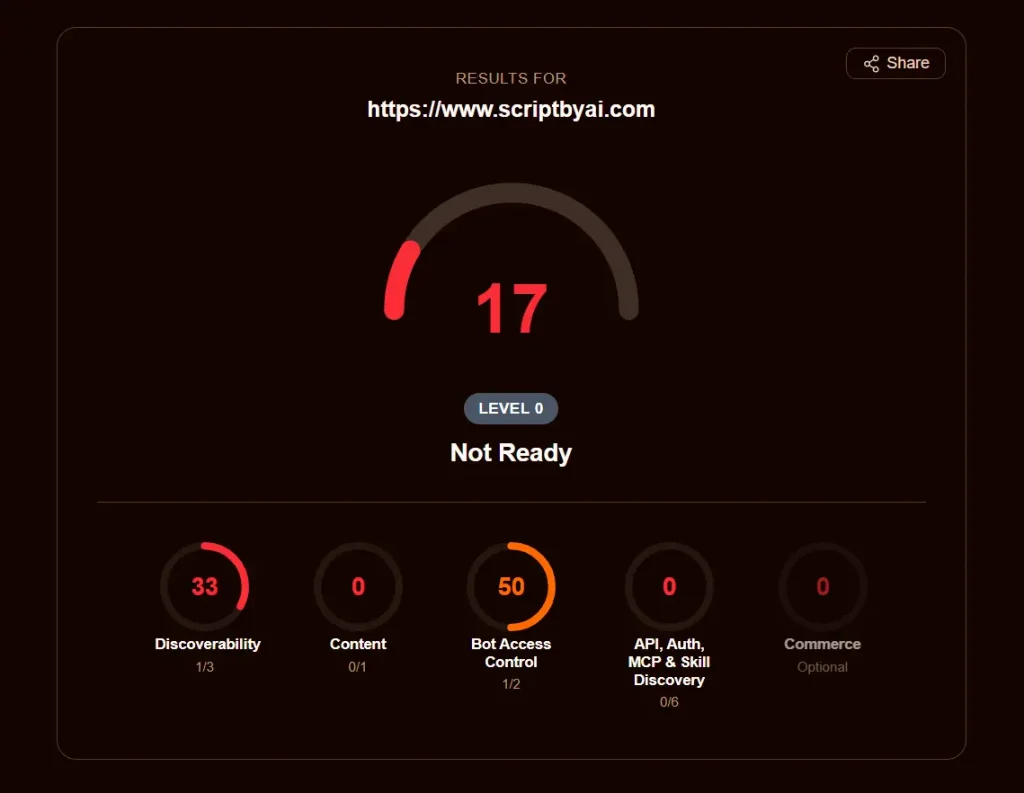
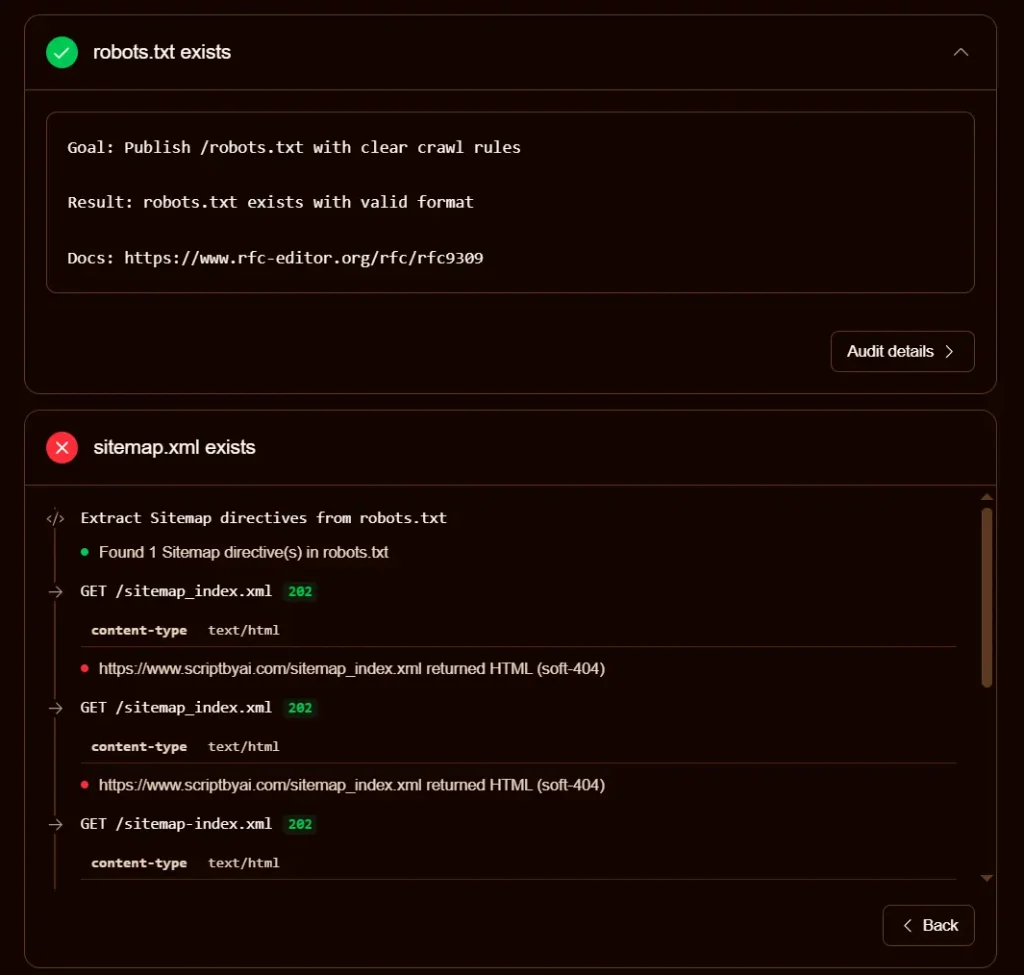
The single passing check in Discoverability confirms a valid robots.txt file exists. The sitemap check fails because the URL in the robots.txt Sitemap directive returns HTML on a 202 status code, which the scanner treats as a soft-404. The Link headers check fails because the homepage returns no Link response headers.
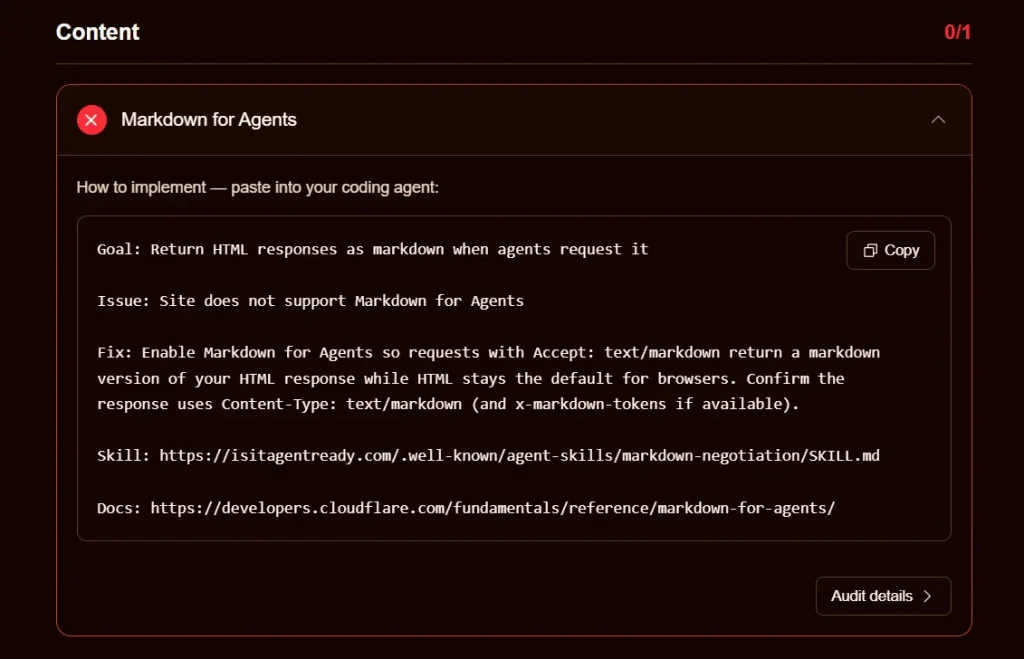
Content scores zero because the site returns text/html on requests that include Accept: text/markdown, so Markdown content negotiation is not supported.
In Bot Access Control, the wildcard User-agent: * directive technically covers AI bots but no specific AI bot user agents are declared, so the AI bot rules check passes with a note rather than a full pass. Content Signals are absent from robots.txt entirely.
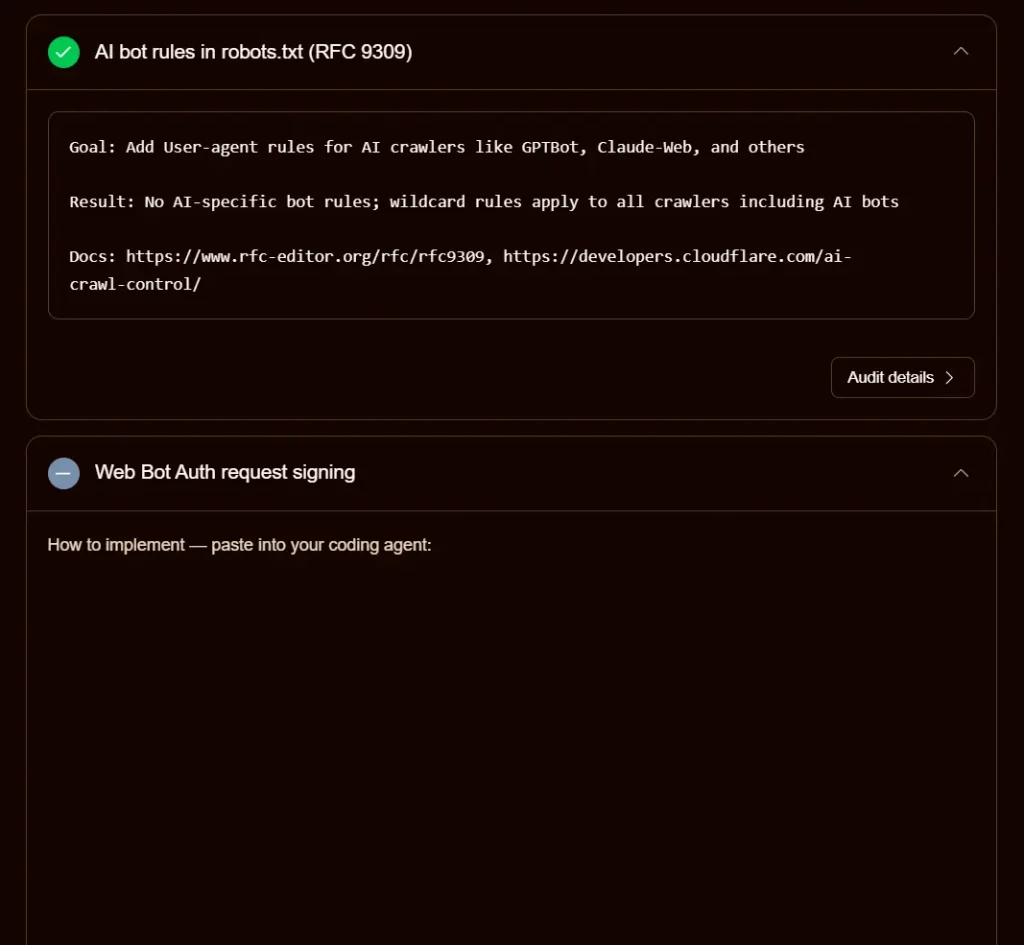
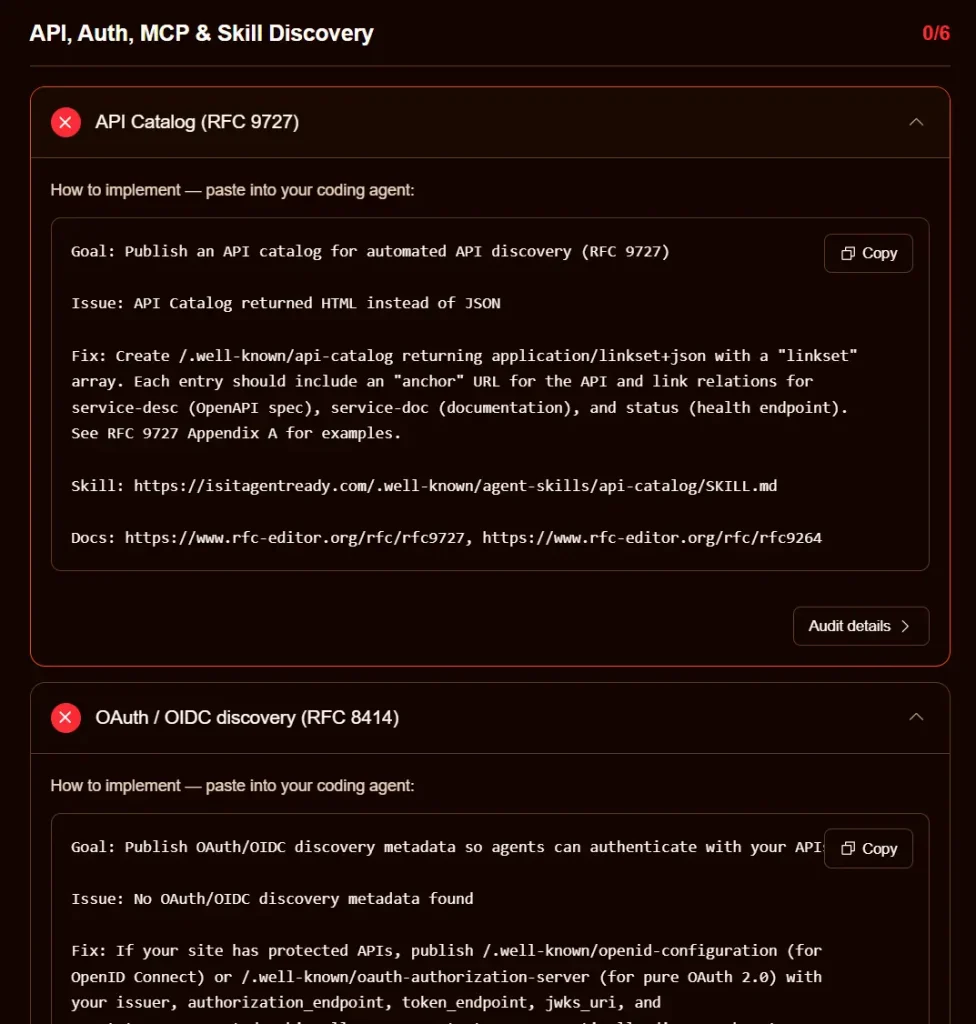
All six API/Auth/MCP checks return soft-404 HTML responses, confirming no protocol discovery endpoints are published.
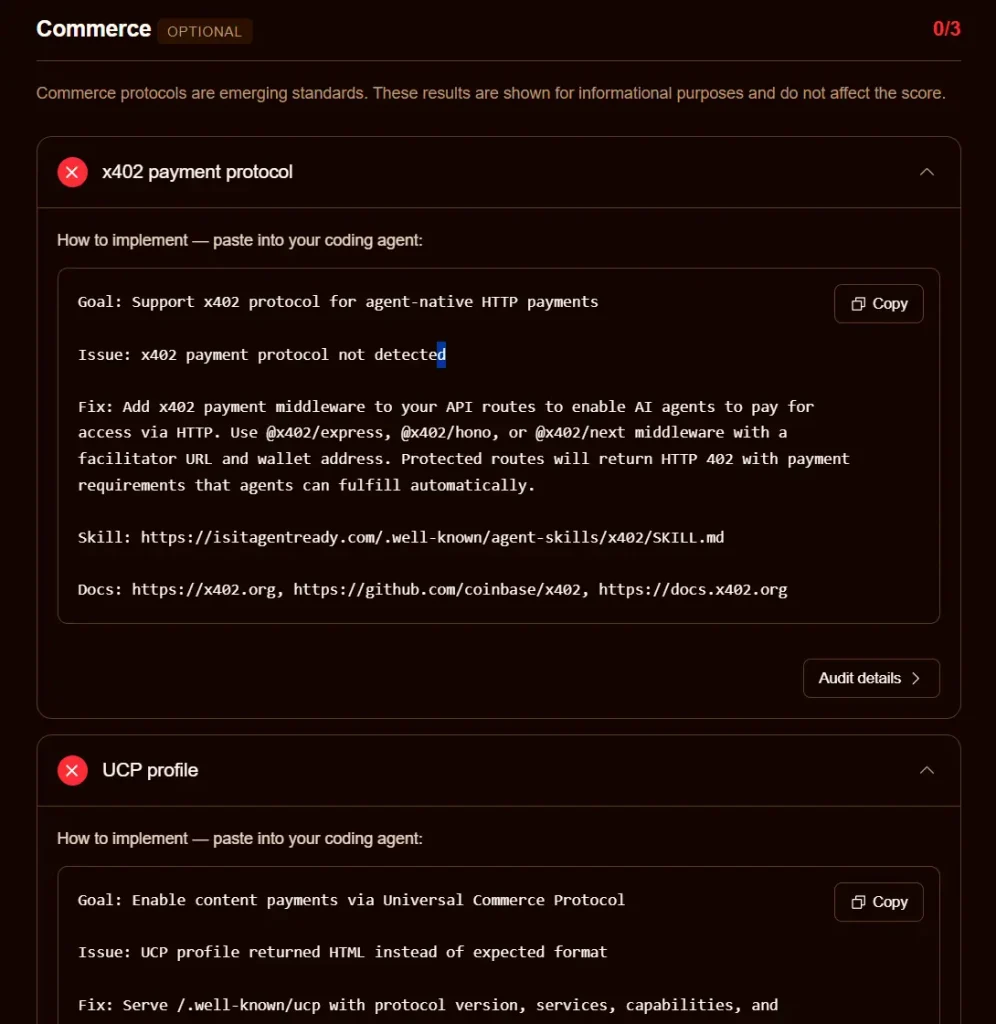
The Commerce section notes that x402, UCP, and ACP are all absent, though these results do not count toward the overall score.
How to Use It
1. Visit Is Your Site Agent-Ready website, enter a full site URL, and click Scan.
2. Click Customize Scan before running to select a site type and toggle individual checks on or off:
Discoverability
- robots.txt
- Sitemap
- Link headers
Content Accessibility
- Markdown negotiation
Bot Access Control
- AI bot rules
- Content Signals
- Web Bot Auth
API / Auth / MCP
- API Catalog
- OAuth discovery
- OAuth Protected Resource
- MCP Server Card
- A2A Agent Card
- Agent Skills
- WebMCP
Commerce (informational only, does not affect score)
- x402
- UCP
- ACP
3. Read and act on results. Each failing check shows a Goal, an Issue summary, and a Fix description. Click Improve the score on the results page to see all fixes together.
4. Click the Copy button on any individual fix to copy a prompt ready to paste into a coding agent.
5. Click Audit Details to see the full HTTP request/response trace the scanner used to reach its conclusion.
6. Use the MCP server for programmatic scans. Any MCP-compatible agent can call the scan_site tool directly via the Streamable HTTP server at:
https://isitagentready.com/.well-known/mcp.json7. Use the Cloudflare URL Scanner API. To include agent readiness in a URL Scanner API request, pass agentReadiness: true in the options object:
curl -X POST https://api.cloudflare.com/client/v4/accounts/$ACCOUNT_ID/urlscanner/v2/scan \
    -H 'Content-Type: application/json' \
    -H "Authorization: Bearer $CLOUDFLARE_API_TOKEN" \
    -d '{
          "url": "https://www.example.com",
          "options": {"agentReadiness": true}
        }'
The response includes the full agent readiness report alongside existing TLS, DNS, and performance data.
Pros
- Free with no account or API key required.
- Fix instructions are pre-formatted as coding agent prompts.
- Per-check audit details expose full HTTP request/response traces.
- Covers both established standards (robots.txt, OAuth, sitemaps) and new protocols (MCP Server Card, Agent Skills, WebMCP) in a single scan.
Cons
- Does not check for llms.txt by default.
- Some checks, particularly WebMCP detection via headless browser, take longer than others and may add latency to full scans.
- Scans publicly accessible URLs only.
Related Resources
- Cloudflare Agents Documentation: Reference documentation for building and deploying AI agents on the Cloudflare platform.
- Cloudflare Radar AI Insights: Weekly updated chart tracking adoption of AI agent standards across the top 200,000 domains on the internet.
- Content Signals Specification: The IETF draft standard for declaring AI training, AI inference, and search preferences in robots.txt.
- RFC 9727: API Catalog: The RFC defining the
/.well-known/api-catalogformat for automated API discovery. - x402 Protocol: Documentation for the HTTP 402-based payment protocol for agent-native transactions.
- Agent Skills Discovery RFC: The Cloudflare-published RFC draft for the
/.well-known/agent-skills/index.jsonformat.
FAQs
Q: Is Is Your Site Agent-Ready free to use?
A: Yes. The web-based tool is completely free. The Cloudflare URL Scanner API integration requires a Cloudflare account and API token.
Q: What is an agent readiness score?
A: The score reflects how well a site supports the emerging standards that AI agents use to discover content, access APIs, authenticate, and transact.
Q: What does a failing sitemap check mean?
A: The scanner attempts to fetch the sitemap from paths listed in robots.txt and from default paths like /sitemap.xml. If all responses return HTML rather than valid XML, the check fails. This commonly happens when a WordPress plugin generates a sitemap index at a custom path, or when a CDN or hosting layer intercepts sitemap requests and serves a 200 or 202 HTML page rather than the actual XML file.
Q: What is Markdown content negotiation and why does it matter for AI agents?
A: When a server supports Markdown content negotiation, it returns a clean Markdown version of a page in response to requests that include the Accept: text/markdown header. HTML pages include navigation, ads, footers, and markup that consume large amounts of token context in language models. Markdown responses strip all of that, reducing token consumption by up to 80% per page according to Cloudflare’s measurements.
Q: What are Content Signals in robots.txt?
A: Content Signals are directives defined in an IETF draft standard that let site owners declare separate AI-related permissions inside robots.txt. A site can use a Content-Signal directive to specify whether its content can be used for AI training (ai-train), AI inference and grounding (ai-input), and traditional search indexing (search).