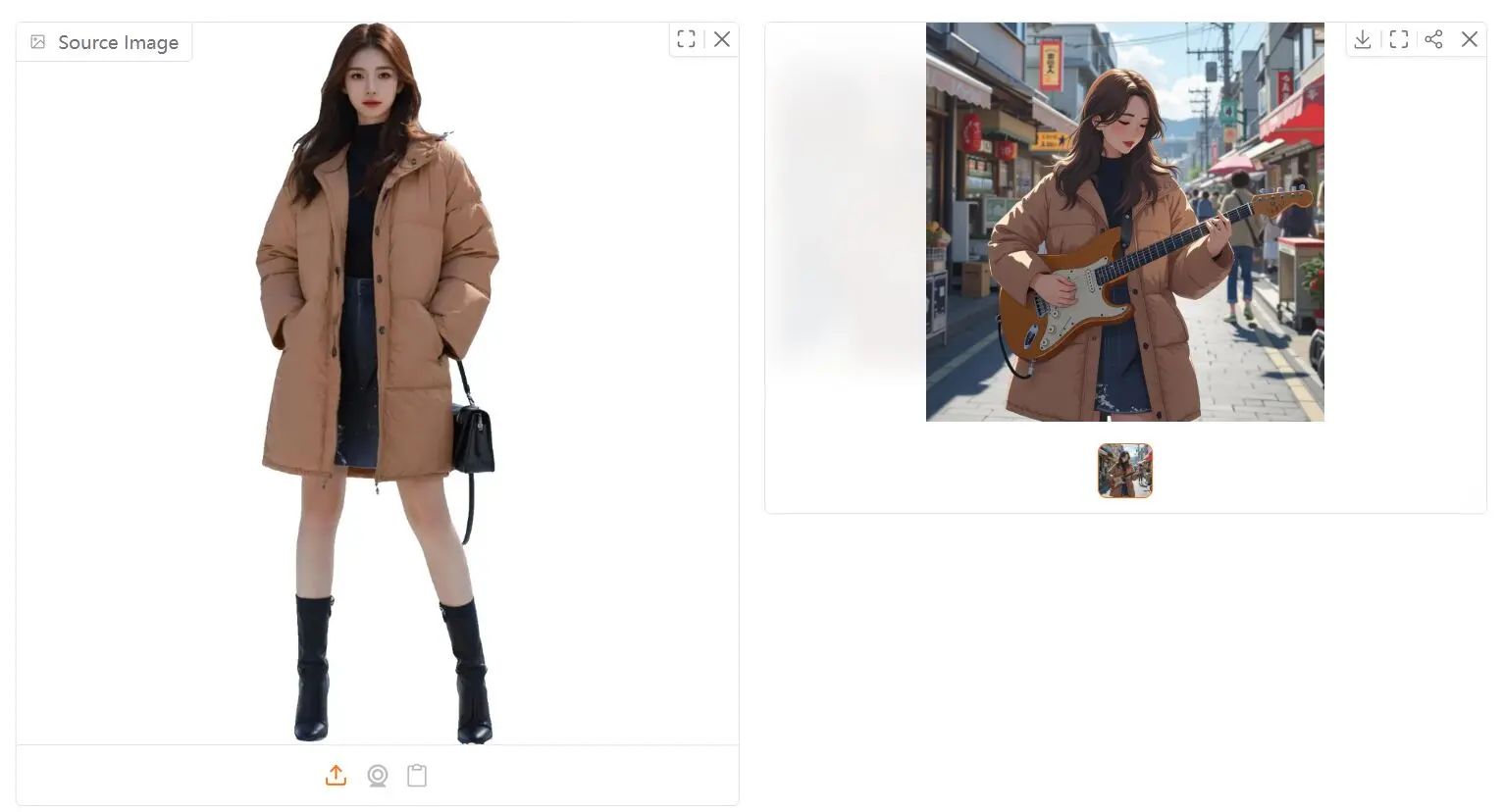
InstantCharacter is an open-source AI tool that lets you personalize images of characters using a diffusion transformer framework.
Built on InstantCharacter diffusion transformer framework, it lets you generate variations of a character from a single reference image while maintaining exceptional image quality and character consistency.
Playground
Features
- Single-image personalization: Generate new images from just one reference photo
- No fine-tuning required: Create customized characters instantly without model training
- Open-domain generalization: Works with diverse character types, appearances, and styles
- High-fidelity output: Produces detailed, high-quality images that maintain character consistency
- Style flexibility: Apply different artistic styles like Makoto Shinkai or Studio Ghibli
- Text-driven editing: Control character poses, activities, and settings through text prompts
Use Cases
- Character artists and designers: Quickly visualize existing characters in new environments or styles without redrawing
- Game developers: Generate concept art variations for character development and storytelling
- Animation pre-production: Test character designs in different scenarios before committing to full animation
- Social media content: Create unique, personalized images for profiles, posts, or creative projects
- Personal projects: Transform photos of yourself, friends, or original characters into stylized artwork
How to Use It
- Visit InstantCharacter Hugging Face Space: https://huggingface.co/spaces/InstantX/InstantCharacter
- Upload your character image. Pro tip: remove the background first for better results. You can use a free background removal tool online if needed.
- Enter your text prompt. Describe what you want the character to be doing. Be as specific as you like.
- Select your style. Choose from “None,” “Makoto Shinkai style,” or “Ghibli style.” Experiment to see what you like best.
- Click the Submit button. And wait for the magic to happen!
- Download and share! Show off your customized character image.
Pros
- Free to use: No cost to experiment and create.
- Easy to use: Simple interface, no technical expertise required.
- Character Consistency: Maintains character identity across different styles.
- Good Image Quality: Produces high-fidelity images, particularly with background removal.
- Style Options: Provides preset styles for quick variations.
Cons
- Limited Style Options: Only three style options are available currently.
- Hugging Face Space Dependency: Relies on the Hugging Face space, which might have usage limits or downtime.
- Text Prompt Limitations: The AI isn’t perfect and might not always perfectly interpret complex prompts.
Related Resources
- The InstantCharacter GitHub repository for technical documentation and code
- Original research paper detailing the technical foundations