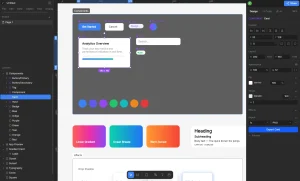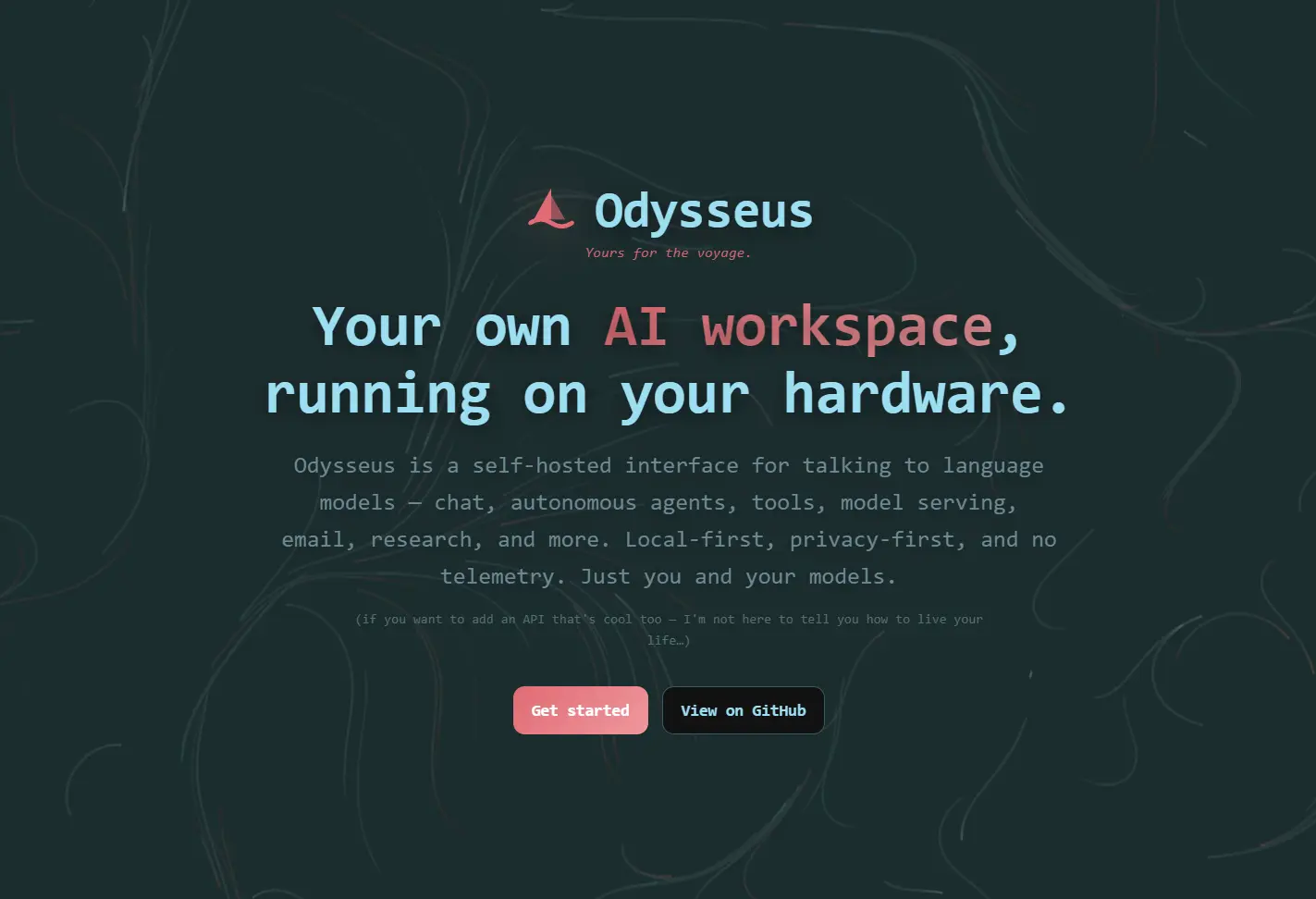
Odysseus is a free, open-source, self-hosted AI workspace that runs chat, autonomous agents, model serving, research, documents, email, notes, tasks, calendar tools, memory, and model comparison on your own hardware.
Most self-hosted AI setups are fragmented: one tool for chat, another for Ollama, another for research, another for files, another for memory, and another for email automation.
Odysseus puts all of it in one locally hosted workspace. The memory layer (ChromaDB + fastembed) builds a knowledge base about your preferences and tasks over time. The agent improves on repeated work; each session picks up from the existing context.
Features
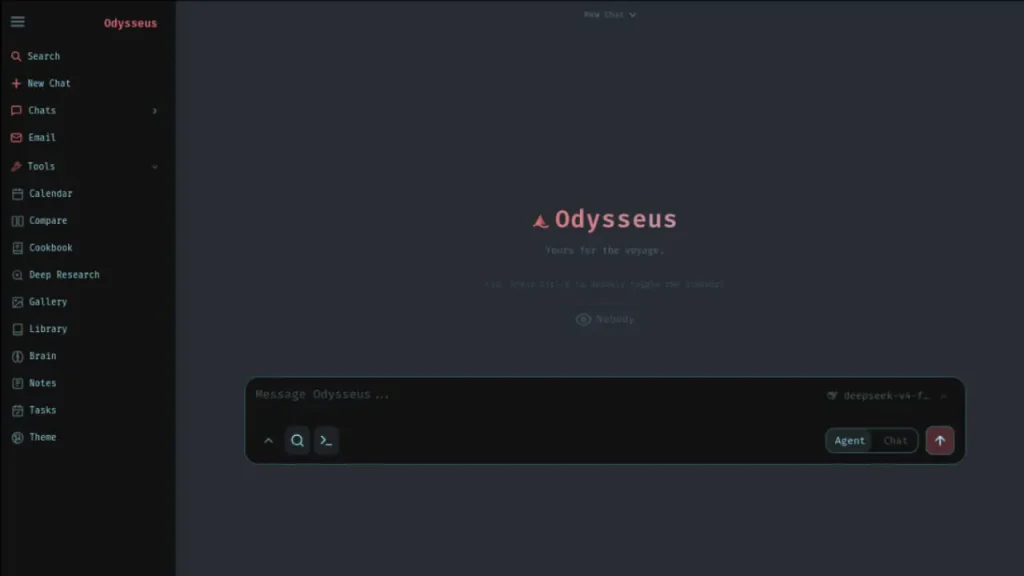
- Chat with local models and API providers through vLLM, llama.cpp, Ollama, OpenRouter, and OpenAI.
- Run autonomous agents with MCP, web access, files, shell tools, skills, and memory.
- Scan hardware through Cookbook and match models by VRAM, GGUF, FP8, AWQ, fit score, and serving path.
- Run multi-step Deep Research workflows that gather sources, read content, and synthesize a visual report.
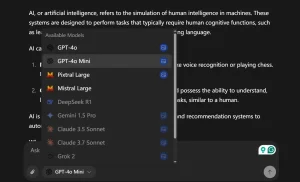
- Compare models side by side through blind testing and synthesis.
- Write Markdown, HTML, CSV, and code-like documents in a multi-tab editor with AI edits and suggestions.
- Store persistent memory and skills through ChromaDB, fastembed, vector retrieval, keyword retrieval, import, and export.
- Connect IMAP and SMTP email for triage, urgency reminders, tags, summaries, reply drafts, and spam detection.
- Manage notes, reminders, tasks, scheduled agent runs, local calendars, CalDAV sync, and
.icsimport/export. - Use the responsive PWA on mobile with touch gestures and installable app behavior.
- Manage file uploads, vision input, PDF input, web search, sessions, presets, theme editing, image editing, and 2FA.
Use Cases
- Run a private ChatGPT-style workspace on your own machine or server.
- Compare local models before choosing a default model for coding, writing, research, or email.
- Build an agent workspace that can use files, shell access, MCP tools, memory, and scheduled tasks.
- Manage research, documents, notes, email, and calendar work inside one self-hosted interface.
- Connect a personal email account through IMAP. The AI triages urgency, drafts replies, and filters spam.
- Set up the agent with shell and file tools on a cron-style schedule so it acts on recurring tasks automatically.
Odysseus vs OpenClaw
Odysseus and OpenClaw both target self-hosted AI control, but they solve different problems.
Odysseus works better as a full AI workspace for local models, research, documents, memory, model comparison, and agent tools.
OpenClaw works better as a personal AI assistant that acts through chat apps and automates real-world tasks such as inbox cleanup, email replies, calendar work, and flight check-ins.
| Category | Odysseus | OpenClaw |
|---|---|---|
| Main purpose | Self-hosted AI workspace. | Personal AI automation assistant. |
| Best fit | Local model users who want one interface for chat, agents, research, documents, email, memory, and model serving. | Users who want an AI assistant reachable from chat apps and connected to personal workflows. |
| Primary interface | Web workspace with chat, tools, documents, research, settings, and model controls. | Messaging apps such as WhatsApp, Telegram, and other chat-based entry points. |
| Model focus | Stronger focus on local model serving, hardware-aware model selection, Ollama, llama.cpp, vLLM, and API providers. | Stronger focus on task execution through personal assistant workflows. |
| Agent workflow | Agents can use tools, MCP, files, shell, web, skills, and memory inside the workspace. | Agents focus on acting through connected apps and automating personal tasks. |
| Research workflow | Includes Deep Research for multi-step source gathering and report creation. | Better suited for action workflows than research workspace workflows. |
| Productivity tools | Documents, notes, tasks, calendar, email, memory, file uploads, and model comparison live in one interface. | Email, calendar, inbox, messaging, and personal task automation sit closer to the core use case. |
| Setup profile | Better for users comfortable with self-hosting, Docker, model endpoints, GPU choices, and local AI stacks. | Better for users who want an assistant connected to everyday communication channels. |
| Privacy angle | Local-first workspace with no telemetry and optional API providers. | Open-source personal assistant model with user-owned data positioning. |
| Main trade-off | Broader workspace means more setup, configuration, and security responsibility. | Broader automation access creates higher risk when connected to sensitive accounts. |
Use Odysseus when you want a private AI workbench that can run local models, compare outputs, manage documents, use memory, and run research or agent workflows from one self-hosted interface.
Use OpenClaw when you want an assistant that can act from the chat apps you already use.
Odysseus vs ChatGPT
Odysseus and ChatGPT both give you an AI workspace, but they serve different ownership models.
Odysseus is the better choice when you want a self-hosted workspace for local models, private data, model comparison, agents, documents, memory, email, and calendar workflows.
ChatGPT is the better choice when you want a managed AI assistant with strong hosted models, web search, file analysis, image tools, data analysis, memory, and minimal setup.
| Category | Odysseus | ChatGPT |
|---|---|---|
| Main purpose | Self-hosted AI workspace. | Hosted AI assistant. |
| Best fit | Local model users who want control over models, data, tools, and deployment. | Users who want a polished AI assistant that works immediately in the browser or app. |
| Hosting model | Runs on your own machine or server. | Runs as a cloud service from OpenAI. |
| Setup | Requires Docker, native install, or platform-specific setup. | Requires an account or app access. |
| Model control | Supports local models through Ollama, llama.cpp, vLLM, and API providers. | Uses OpenAI-hosted models inside ChatGPT plans. |
| Local models | Built around local-first workflows. | Does not run local models inside the ChatGPT app. |
| Agent tools | Supports MCP, shell, files, web, skills, memory, and scheduled tasks. | Supports hosted agent workflows in supported plans and tool modes. |
| Research | Includes Deep Research-style workflows inside a self-hosted workspace. | Includes web search, deep research, and agent features in supported plans. |
| Documents and files | Includes a local document editor and file workflows. | Supports file uploads, file analysis, Canvas, and data analysis. |
| Email and calendar | Includes IMAP, SMTP, CalDAV, tasks, notes, and reminders. | Can connect to third-party data sources in supported agent workflows. |
| Privacy model | Stronger for local-only workflows and self-controlled storage. | Better for managed convenience, but prompts and files use OpenAI’s service model. |
| Free angle | Free MIT-licensed software, with separate hardware or API costs. | Free tier available, with stricter limits on advanced features. |
| Main trade-off | More control requires more setup and security responsibility. | Less setup means less control over hosting and model infrastructure. |
Use Odysseus when you want a private AI workspace that can run on your own hardware and connect to local model backends.
Use ChatGPT when you want a ready-to-use AI assistant with strong hosted models and broad built-in tools.
How to Install Odysseus
The repository now lives at odysseus-dev/odysseus. Its default dev branch receives the newest changes first and can be less stable. Use the main branch when you prefer the more curated branch.
Docker (Recommended)
Docker Compose starts Odysseus with bundled services such as ChromaDB, SearXNG, and ntfy. The default setup binds the web UI to 127.0.0.1.
git clone https://github.com/odysseus-dev/odysseus.git
cd odysseus
cp .env.example .env
docker compose up -d --build
Open http://localhost:7000 when the containers are healthy. The first admin password appears in docker compose logs odysseus. Set APP_PORT=7001 in .env if port 7000 is already in use.
Keep APP_BIND=127.0.0.1 for local use. Set APP_BIND=0.0.0.0 only when you intentionally need LAN or reverse-proxy access.
Use the curated branch. Clone main directly if you want to avoid the faster-moving default development branch:
git clone -b main https://github.com/odysseus-dev/odysseus.gitNVIDIA GPU support. The host needs working NVIDIA Docker passthrough before you enable the Odysseus GPU overlay. The repository includes a diagnostic helper:
scripts/check-docker-gpu.shAfter GPU passthrough works, add the NVIDIA overlay to .env:
COMPOSE_FILE=docker-compose.yml:docker/gpu.nvidia.ymlRebuild and verify that Docker can see the GPU:
docker compose up -d --build
docker compose exec odysseus nvidia-smi -L
AMD GPU support. Run the AMD diagnostic first:
scripts/check-docker-amd-gpu.shThen add the reported render group ID with the AMD overlay:
COMPOSE_FILE=docker-compose.yml:docker/gpu.amd.yml
RENDER_GID=989
Replace 989 with the render group ID reported on your host. Verify the device passthrough inside the container:
docker compose exec odysseus sh -lc 'test -e /dev/kfd && test -d /dev/dri && ls -l /dev/kfd /dev/dri/renderD*'Ollama with Docker. If Ollama already runs on the host, add http://host.docker.internal:11434/v1 as an endpoint in Settings. Ollama must listen outside its own loopback address:
OLLAMA_HOST=0.0.0.0:11434 ollama serveDiagnostics.
docker compose ps
docker compose logs --tail=120 odysseus
docker compose logs odysseus | grep -E 'ChromaDB|MemoryVectorStore|DEGRADED'
Native Linux or macOS
Native installs require Python 3.11 or newer. Cookbook also needs tmux for background model downloads and serving.
git clone https://github.com/odysseus-dev/odysseus.git
cd odysseus
python3 -m venv venv
source venv/bin/activate
pip install -r requirements.txt
python setup.py
python -m uvicorn app:app --host 127.0.0.1 --port 7000
Use --host 0.0.0.0 only when you intentionally want LAN or reverse-proxy access.
Apple Silicon (M-Series Mac)
Docker on macOS cannot use the Metal GPU for Cookbook model serving. Run Odysseus natively on an M-series Mac when you want GPU-accelerated local model workflows:
git clone https://github.com/odysseus-dev/odysseus.git
cd odysseus
./start-macos.sh
The macOS launcher starts at http://127.0.0.1:7860. It can use llama.cpp or Ollama for Metal-backed local models. vLLM and SGLang require CUDA or ROCm and do not run on macOS.
Build a clickable macOS app wrapper with:
./build-macos-app.shWindows
The native Windows launcher creates the Python environment, installs dependencies, runs setup, and starts the server:
git clone https://github.com/odysseus-dev/odysseus.git
cd odysseus
powershell -ExecutionPolicy Bypass -File .\launch-windows.ps1
Open http://localhost:7000 and sign in with the generated admin password. For local GPU model serving on Windows, an existing Ollama installation can be connected through http://localhost:11434/v1. vLLM and SGLang GPU serving generally requires Linux or WSL2.
Browser MCP (Optional)
Odysseus includes an optional browser MCP based on @playwright/mcp. If the package is not available locally, cache it once and restart Odysseus:
npx -y @playwright/mcp@latest --versionConfiguration Reference
| Variable | Default | Description |
|---|---|---|
LLM_HOST | localhost | Primary LLM server host used for model discovery. |
LLM_HOSTS | None | Optional comma-separated list of additional model hosts. |
OPENAI_API_KEY | None | Optional OpenAI API key when OpenAI models are used. |
SEARXNG_INSTANCE | http://localhost:8080 | SearXNG URL. Docker Compose overrides it for the bundled service. |
DATABASE_URL | sqlite:///./data/app.db | Database connection string. |
AUTH_ENABLED | true | Authentication switch. Keep it enabled for shared or network-accessible deployments. |
APP_BIND | 127.0.0.1 | Docker web UI bind address. Change only when LAN or reverse-proxy access is intentional. |
APP_PORT | 7000 | Docker web UI port. |
LOCALHOST_BYPASS | false | Development-only auth bypass for loopback requests. |
CHROMADB_HOST | localhost | ChromaDB host for manual host runs. Docker Compose uses the bundled ChromaDB service. |
CHROMADB_PORT | 8100 | Host-run ChromaDB port. Docker Compose uses port 8000 inside the stack. |
EMBEDDING_URL | Optional | OpenAI-compatible embeddings endpoint. |
Alternatives & Related Resources
- Automate Anything: 10 Best & Open-source AI Agents
- 10 Best MCP Servers for Web Developers
- The Ultimate Claude Code Resource List
- Free AI Workspace for Teams and Agents – Kanwas AI
- Free All-in-One AI Workspace for iOS – Mode AI
- Openclaw: Your 24/7 Personal AI Employee
Pros
- Free MIT license.
- Local model support.
- Optional API providers.
- Built-in model comparison.
- Deep research workflow.
- Persistent memory and skills.
- Email and calendar tools.
- Works on mobile.
Cons
- Setup demands technical comfort.
- Security needs careful handling.
- GPU support varies by platform.
- Cloud APIs can add cost.
- No hosted SaaS version.
FAQs
Q: Is Odysseus free?
A: Yes. Odysseus is MIT-licensed and free to self-host. There is no paid plan. Running it requires your own hardware, and you may optionally add API keys for cloud model providers like OpenAI or OpenRouter.
Q: Does Odysseus require an account or external signup?
A: No external signup. On first boot, the app generates a local admin password. You create your own user accounts inside the app.
Q: Does Odysseus send my data to an external server?
A: No data leaves your machine by default. Data transmission only occurs when you use a cloud API provider you have explicitly added, when SearXNG performs a web search, or when email integration contacts your IMAP/SMTP server.
Q: What hardware do I need?
A: The interface and agent logic run on any machine with Python 3.11+ or Docker. Hardware requirements for local model serving depend on the model you pick. The Cookbook feature scans your GPU’s VRAM and recommends models that fit. Ollama is the most practical path for GPU serving on Windows and macOS.
Q: Can I connect OpenAI or other cloud models?
A: Yes. Odysseus supports OpenAI and OpenRouter alongside local backends. Add the API key in Settings. Cloud API access is optional; the workspace runs with local-only models.
Q: Is it safe to expose Odysseus to the public internet?
A: No. The tool grants shell access, file operations, email integration, and API token management. A misconfigured public deployment is a meaningful security risk. Place it behind a TLS-terminating reverse proxy, keep AUTH_ENABLED=true, disable open signup, and review per-user privilege settings before any network exposure.
Q: How does Cookbook work?
A: Cookbook scans your hardware, scores 270+ catalogued models by VRAM fit, and lists compatible options. Select a model and click to download and serve it. In Docker, downloaded models live in ./data/huggingface and survive container recreation. Cookbook needs tmux on native Linux and macOS installs for background downloads.