Snag by Parallel is a free shopping tool that turns products you’ve discussed with ChatGPT, Claude, or another AI assistant into a wishlist with prices from online stores.
It matches the products to store listings so you can compare offers for the models you’re thinking of buying.
Ask your assistant to list the products you discussed, open the link in the reply to import them into Snag, then review the retailer offers or share the list.
Key Features
- Import products you’ve discussed with an AI assistant.
- Match products and model numbers to listings from online retailers.
- Compare store offers and see how each price measures against the product’s list price.
- Open product pages to inspect available offers, expert-review links, and buyer ratings.
- Search for products to add manually and share a wishlist through a link.
What You See When Comparing Prices
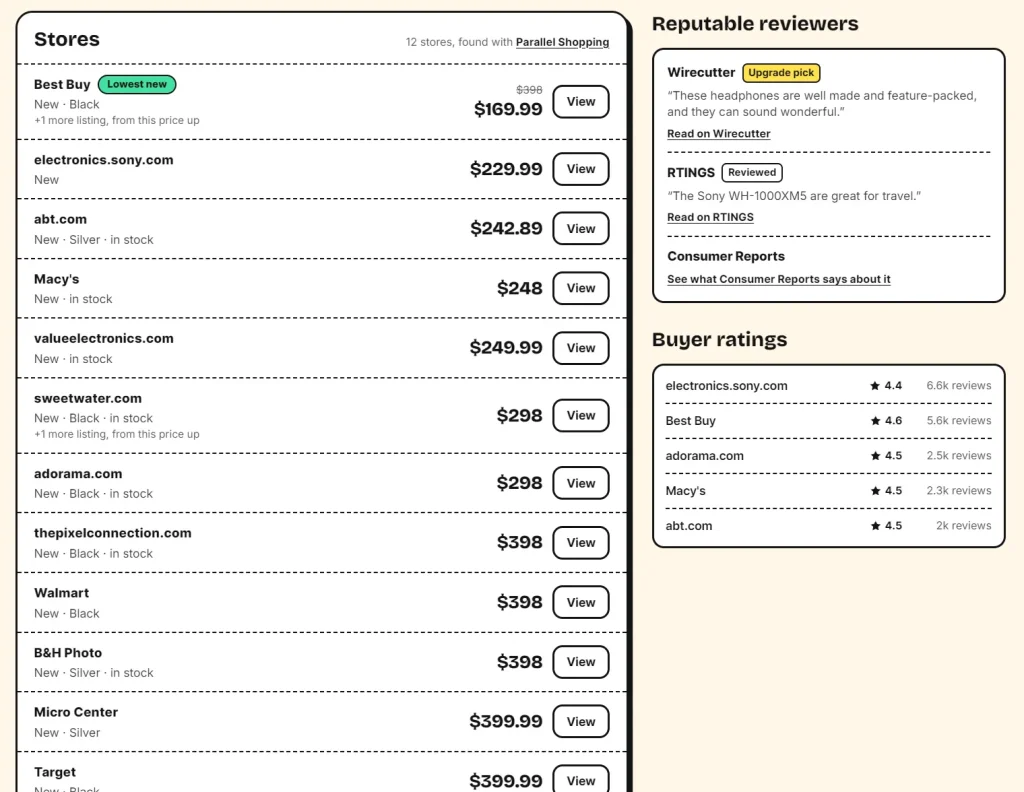
Snag gathers store offers for each matched product. A listing can show the retailer, price, condition, color, and stock information, along with a View link that takes you to the store.
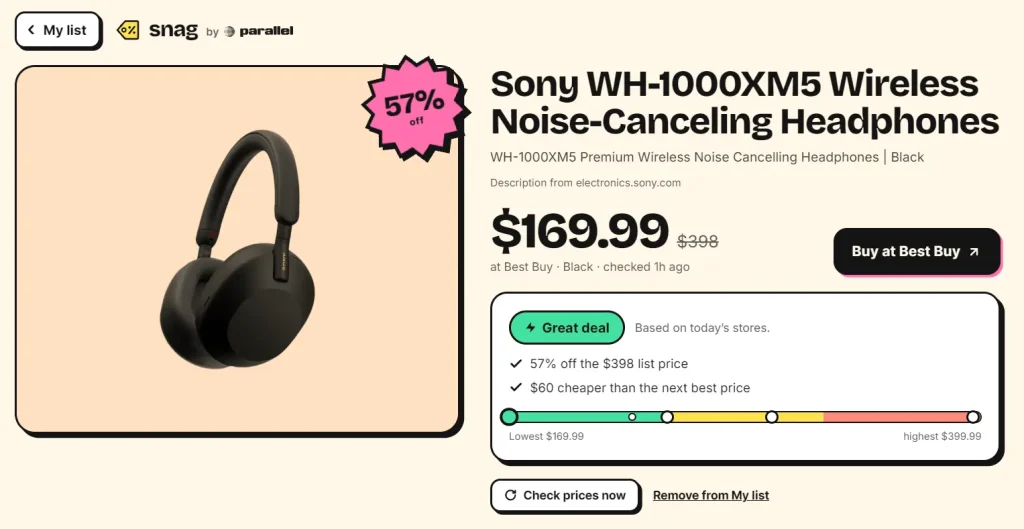
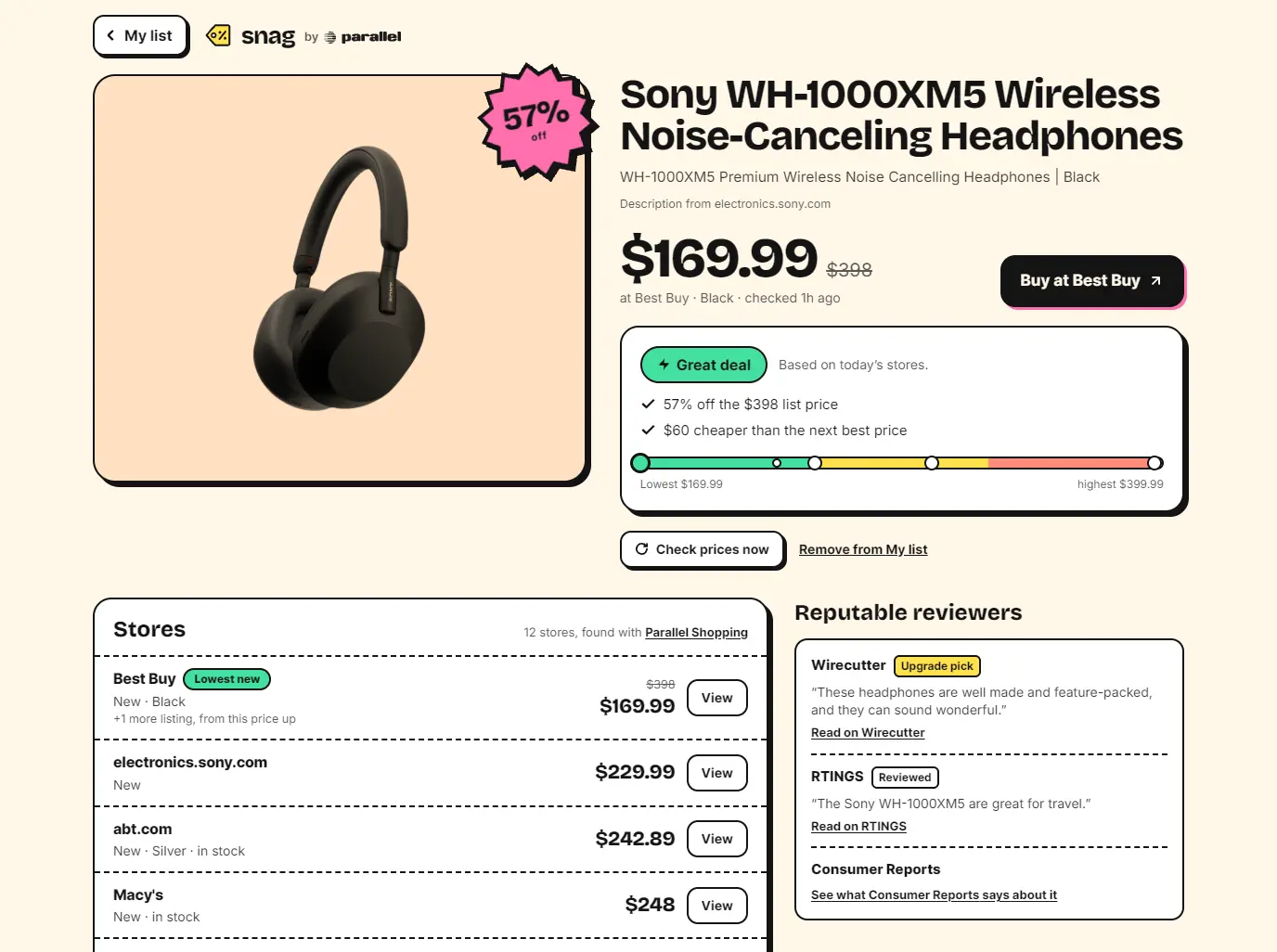
In the Sony WH-1000XM5 headphones example, Snag shows offers from several stores alongside review links from Wirecutter and RTINGS.
Snag ranks deals against each product’s list price and gives priority to established retailers and sellers that pass its automated trust checks.
How to Use Snag by Parallel
1. Visit Snag by Parallel and select Add from ChatGPT or Add from another agent. Copy the prompt offered on the site into the assistant you use.
2. Ask the assistant for a list of products you’ve considered buying. It can draw on the conversations and memories it has access to.
3. Open the Add N items to snag link in the assistant’s reply. The link passes the product names to Snag, which matches them to store listings and creates your wishlist.
4. Select a product to compare retailer offers. Check the model and variant, then choose View to open the store listing you want to inspect.
5. To add something your assistant missed, search for it on Snag and select Add. You can also share your finished list using its link.
Pros
- Turns products mentioned in AI chats into one shopping list.
- Compares offers from multiple retailers.
- Provides free access, manual product search, and shareable lists.
Cons
- Your AI assistant may overlook older conversations or miss a specific model.
- You need to check product matches and retailer details.
- A discount against list price does not show historical price trends.
Alternatives & Related Resources
- Find The Best Products & Deals With The Vetted AI Shopping Agent
- Ad-Free AI Product Search That Respects You – Lumigo
- Free AI-Powered Product Research – Reddit Scout