The Claude Requirements Gathering System is a free, open-source CLI tool that guides you through capturing accurate software requirements using Claude Code.
It examines your codebase, asks logical yes/no questions, and generates a structured requirements document without expecting you to know code.
Features
- Code-Aware Questions: The AI reads your code before asking anything.
- Simple Yes/No Format: No more long-winded explanations. Just say yes, no, or “idk.”
- Automated Documentation: It generates a full requirements spec when you’re done.
- Product Manager Friendly: No deep technical knowledge is needed to answer the questions.
How to Use It
1. Clone the Repository from GitHub.
git clone https://github.com/rizethereum/claude-code-requirements-builder.git2. Copy the commands directory into your project’s .claude/commands/ folder. This makes the slash commands available to Claude.
3. Make a directory in your project to store the output.
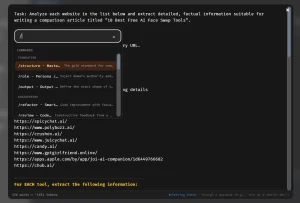
mkdir -p requirements4. Begin the process with the /requirements-start command followed by a description.
/requirements-start add social media share buttons5. Respond to the two sets of five yes/no questions.
6. Once done, a complete requirements document will be generated in its own folder inside the /requirements directory.
Pros
- Prevents AI Drift: Its biggest strength is forcing the AI to slow down and understand the task before coding. This saves a ton of time.
- Creates Clear Documentation: The output is a clean, markdown-formatted requirements document that serves as a great source of truth.
- Empowers Non-Technical Users: Product managers can kick off the requirements for a feature without needing to know the underlying code.
- Improves Consistency: By asking about existing patterns and services, it encourages developers to reuse code and maintain a consistent architecture.
Cons
- Command-Line Only: This tool is for people comfortable working in a terminal. There is no graphical user interface.
- Limited to Yes/No: While the yes/no format is efficient, it can feel restrictive if a feature requires a more nuanced discussion. You can’t provide open-ended context outside of the initial prompt.
- Requires Claude: The system is specifically designed with commands for Claude and isn’t meant for other AI models.
FAQs
Q: Is this a standalone application?
A: No, it’s a collection of command definitions and a workflow system that runs within Claude Code, a version of Claude designed for software development tasks.
Q: What happens if I don’t know the answer to a question?
A: You can simply type “idk”. The system is designed with smart defaults based on common best practices and its analysis of your codebase.
Q: Does this write the code for me?
A: No, its sole purpose is to generate a detailed requirements document. You would then use that document to instruct an AI (or a human developer) to write the actual code.