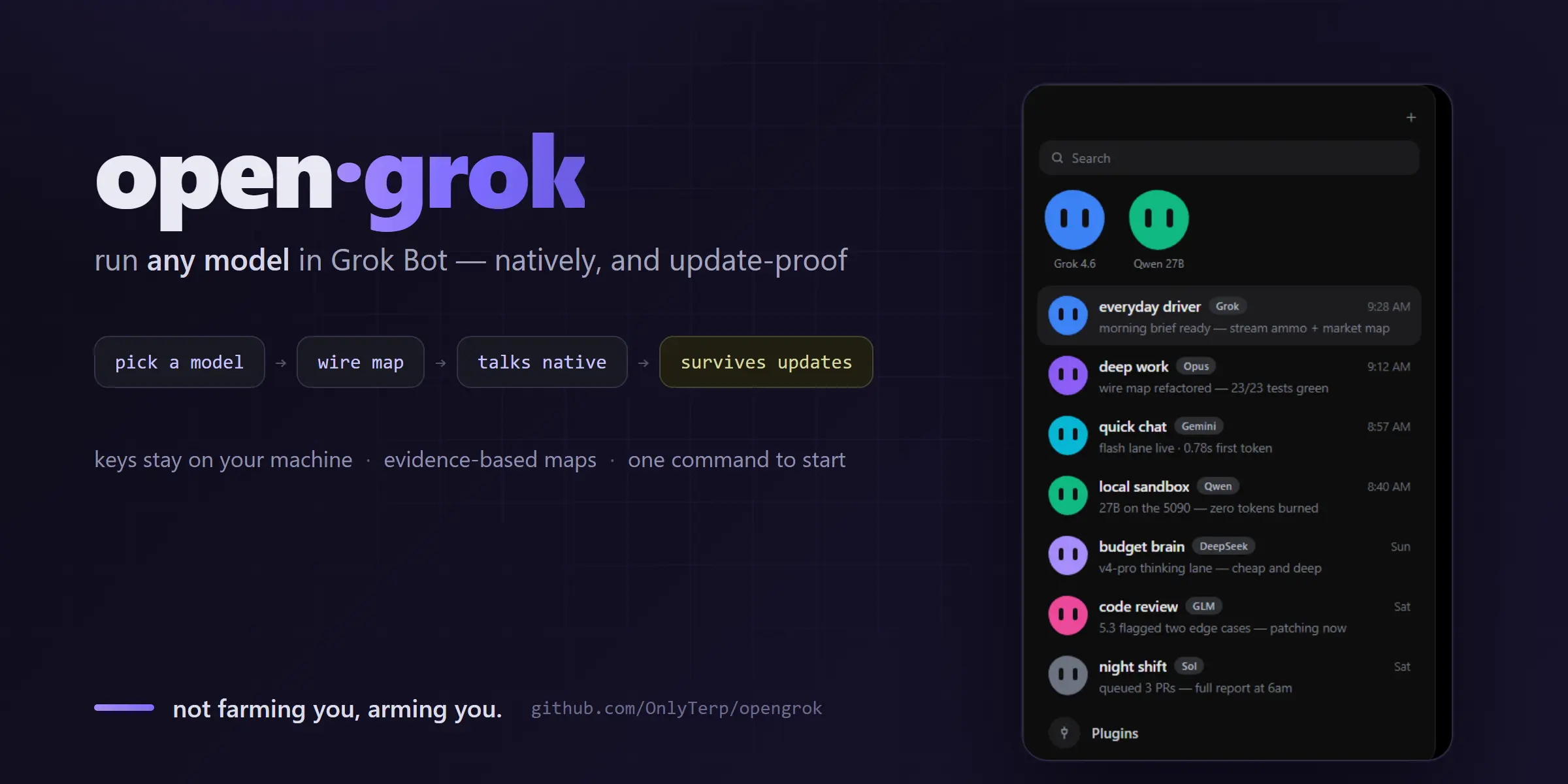
opengrok is an open-source Grok Bot integration for assigning different AI models to individual agents, testing each connection, and saving the binding from a browser-based model picker. It works with cloud providers and local model services, including setups that need provider-specific reasoning controls.
Its provider maps handle verified differences in thinking controls, reasoning effort, and model IDs. Grok Bot’s native BYOK handles ordinary API-key providers. opengrok handles connections that need subscription authentication, local shims, custom model bindings, or update checks.
Key Features
- Per-agent model picker: Assign a different model to each Grok Bot agent.
- Live model tests: Send a real request before saving a binding.
- Provider wire maps: Apply verified reasoning and thinking controls.
- Native BYOK coexistence: Use key-based and hop connections together.
- Subscription model access: Connect supported plan-backed models through local shims.
- Local model connections: Connect llama.cpp through the configured local service.
- Update drift checks: Detect changed host files, services, caches, and persistence files.
- Provider wire probe: Test reasoning behavior before creating a provider map.
- Cloud-host support: Install a binding consumer for Grok Bot cloud agents.
How opengrok Works
opengrok stores each agent’s model choice in model-bindings.json. A binding contains the model ID, a local hop endpoint, and optional model parameters such as reasoning effort or thinking state. The hop shim handles authentication and forwards the request. A provider map translates verified controls for the selected model family. Credentials stay outside the binding file.
Grok Bot agent
      ↓
model-bindings.json
      ↓
hop shim + provider map
      ↓
provider API or local model server
Provider-Specific Model Handling
Provider APIs expose reasoning controls in different request shapes. opengrok applies mappings that have been verified for each model family. Unmapped behavior keeps the provider’s original request behavior.
| Model family | Current handling |
|---|---|
| Grok / xAI | Maps Grok Bot effort values to xAI reasoning values, including max to xhigh. |
| GLM / Zhipu | Supports verified thinking controls and effort values, including a thinking off switch. |
| Claude plan connections | Leaves thinking state to the Claude authentication shim. |
| Gemini | Uses verified tiered model handling for supported model IDs. |
| DeepSeek | Applies the verified thinking request shape when thinking mode is selected. |
| Local models | Connects configured local services with their existing request behavior. |
Native BYOK vs the opengrok Hop Lane
Grok Bot can use native BYOK and opengrok hop connections in one setup. Authentication method and request handling determine which connection type is required.
| Native Grok Bot BYOK | opengrok hop lane |
|---|---|
| Plain API-key authentication | Subscription or OAuth-backed authentication |
| Standard OpenAI-compatible API | Provider-specific reasoning behavior |
| Provider defaults are sufficient | Explicit effort or thinking control |
| Minimal local configuration | Per-agent bindings and local shims |
| Direct provider connection | Verified provider maps |
How to Install opengrok
setup.py detects Windows, macOS, or Linux, looks for a Grok Bot configuration, checks known local services, adopts an existing binding file when available, creates the required configuration, records a health-check baseline, and opens the browser picker.
Run these commands to clone the repository and start the setup.
git clone https://github.com/OnlyTerp/opengrok
cd opengrok
python setup.py
Create Your First Binding
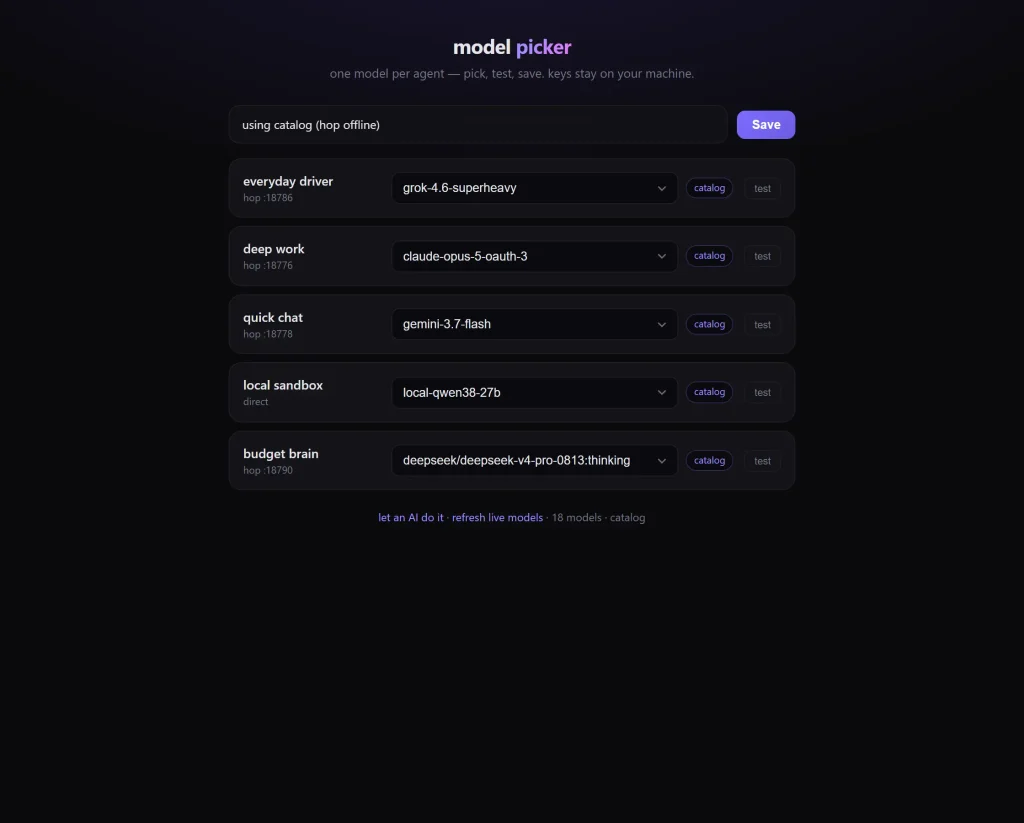
You will see a picker opens at the end of setup. Select one model for each agent, run the live test, then save the binding.
- Select a Grok Bot agent.
- Choose its model connection.
- Run the live model test.
- Save the binding.
Check the Installation
Use doctor.py to check the installed configuration and recorded baseline. qa.py helps you check provider maps, references, and secret-handling rules.
python tools/doctor.py
python tools/qa.py
Cloud Agents Need a Host Patch
Stock Grok Bot cloud hosts keep their original model handling until opengrok’s binding consumer is installed. tools/apply-box-patch.py patches the cloud host so it can read the custom binding and send the selected agent through the configured hop.
A complete cloud binding moves through four states. The binding is saved locally, the file reaches the cloud computer, the consumer is installed, and a regular Grok Bot message reaches the configured hop. The picker’s live test verifies the hop connection. A regular message from the bound agent verifies the cloud host connection.
Update Checks and Provider Verification
Grok Bot updates can replace host files or change local configuration. doctor.py --init records a baseline, and later doctor runs can flag drift in watched files, services, caches, and persistence files.
The wire probe checks whether a model reasons by default, whether its thinking switch changes behavior, and which effort values the API accepts. Provider maps use captured requests and regression tests. Unverified controls keep the provider’s default behavior.
python tools/wire-probe.py \
  --base https://api.example.com/v1 \
  --model their-model \
  --key-env THEIR_API_KEY
Pros
- Per-agent model selection
- Verified provider reasoning controls
- Native BYOK and hop connections together
- Cloud and local model connections
- Credentials outside binding files
- Update drift detection
Cons
- Cloud agents require host patching
- Provider maps exist only for verified behavior
- Subscription models can require authentication shims
- Upstream updates can break host patches
- Some provider connections are roadmap items
FAQs
Does opengrok require Grok Bot?
Yes. opengrok configures model connections for Grok Bot agents, and its setup script looks for an existing Grok Bot configuration. The project acts as an integration around Grok Bot and depends on Grok Bot for the agent environment.
What happens to the cloud-host patch after a Grok Bot update?
An upstream update can replace patched host files. Run python tools/doctor.py after an update, review any reported drift, and reapply the cloud-host patch when the host bundle has changed.
Alternatives & Related Resources
- Grok Build: SpaceXAI’s Open-source Terminal AI Coding Agent
- OpenMausBot: Claude, Codex as Persistent AI Bots (Grok Bot Alternative)
- OpenClaude: Open-Source Coding Agent for Cloud and Local Models
- Pi Coding Agent: Extensible AI Terminal Agent for Developers