Imagecleanr AI is no longer available. For removing unwanted objects, text, people, and other distractions from images, explore the alternatives below.
Alternatives
FLUX Erase
FLUX Erase removes objects, text, and unwanted marks from images through AI inpainting. It is the closest replacement for quick browser-based image cleanup.
Hama App
Hama App lets you brush over unwanted people, objects, blemishes, and distractions in a photo, then rebuilds the selected area with AI.
Photoeditor.ai
Photoeditor.ai removes unwanted objects, text, blemishes, and other distractions from uploaded photos. It is a practical option for quick photo cleanup on desktop or mobile.
AIvory
AIvory is a local Mac photo editor with AI object removal, background removal, restoration, and upscaling. It suits users who prefer an offline workflow.
BrushEdit
BrushEdit is an open-source AI image inpainting tool for more advanced edits. Use it when object removal is part of a broader image-editing workflow.
Imagecleanr is a free AI tool that removes unwanted elements (such as text, people, objects, or watermarks) from your images.
Simply upload your photo, choose what to remove, and the AI will do the rest!
It is perfect for photographers, social media users, graphic designers, and anyone who wants to edit or enhance their photos.
How to use it:
1. Visit the Imagecleanr AI tool at imagecleanr.com.
2. Upload your image from your device. Imagecleanr supports most image formats and sizes. For optimal results, upload images with a resolution of at least 720p. Very large images may require a bit more processing time.
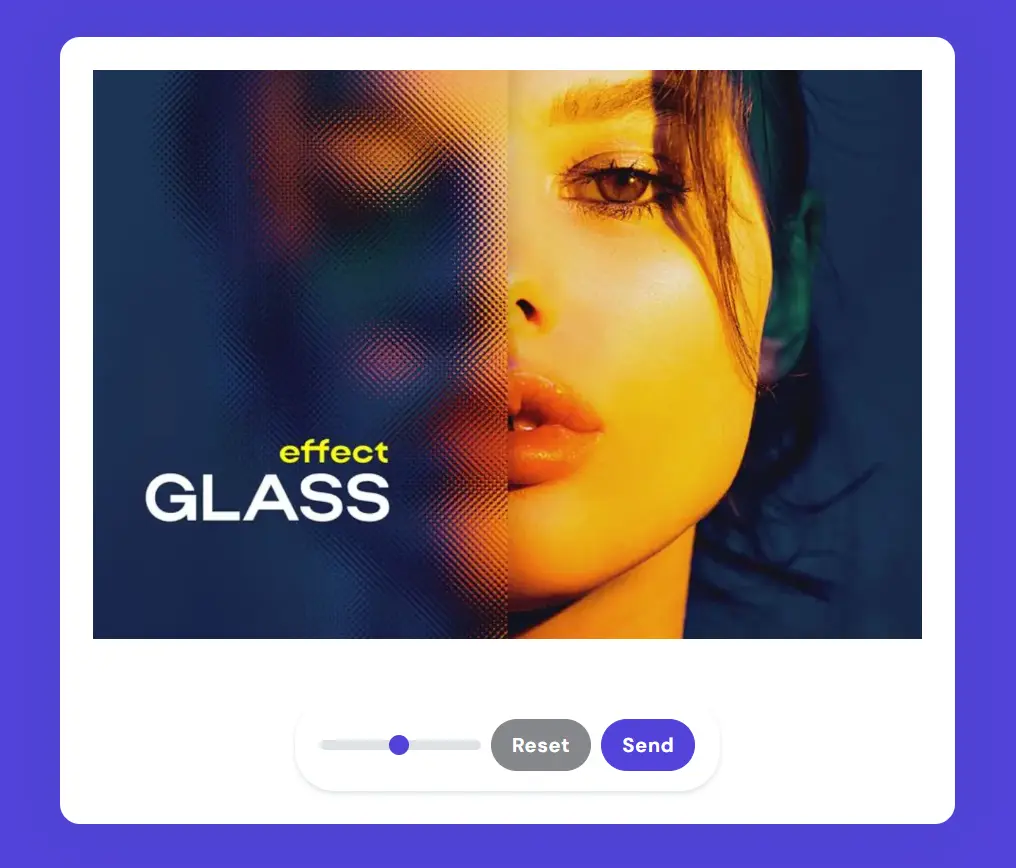
3. Use the brush tool to mark the parts of the image you want to remove, such as people, objects, text, watermarks, or obstructions.
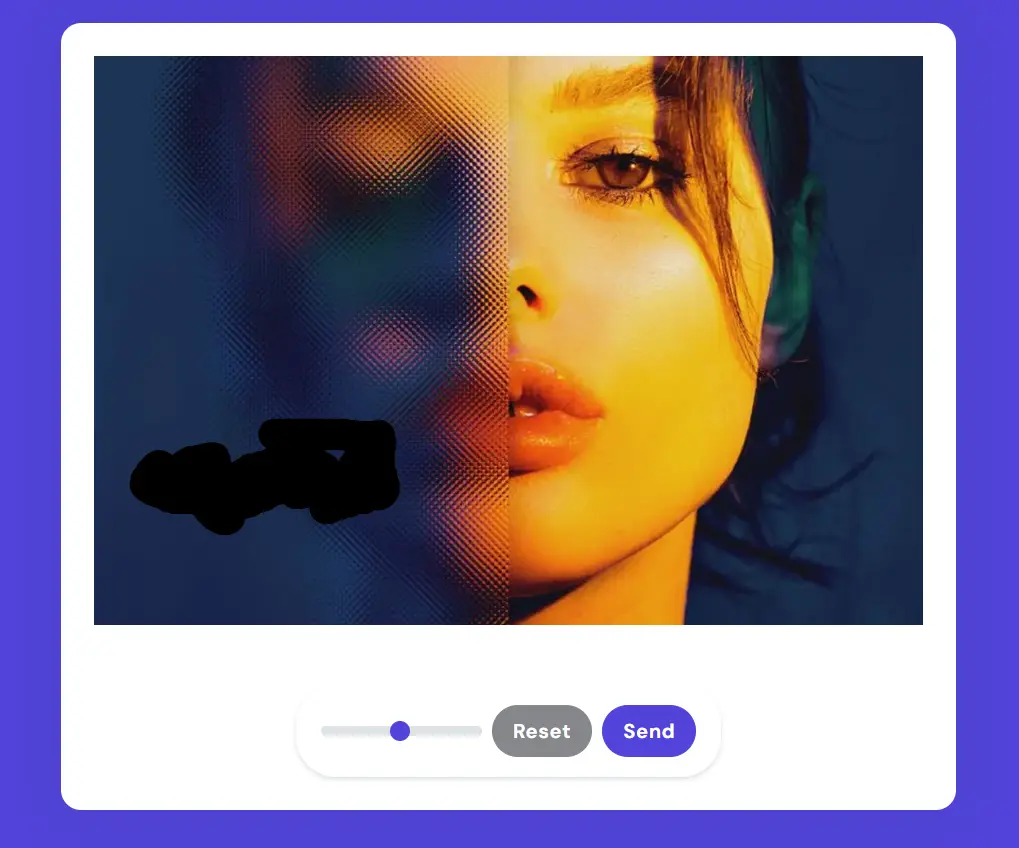
4. Hit the ‘Send’ button and the AI swiftly processes your request, typically within seconds, depending on the image’s complexity.
5. Preview the cleaned image. If it’s not perfect, feel free to modify your selections and try again. Remember, Imagecleanr is free and allows unlimited attempts.