Taylor Swift AI’s original website is no longer accessible. For creating AI-generated portraits, fictional fan art, and realistic images from text descriptions, explore the alternatives below.
Alternatives
PixPark AI
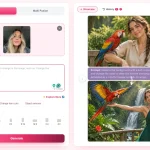
PixPark AI generates images from text prompts and uploaded reference photos. You can describe a subject, outfit, background, lighting, and composition to create realistic portraits or stylized artwork. It is the closest general-purpose replacement for the original text-to-image workflow.
CGDream
CGDream creates images from text prompts, reference images, and 3D models. It includes artistic filters, custom aspect ratios, image variations, and inpainting tools for refining individual parts of a generated image.
Free GPT Image 2 Generator
Free GPT Image 2 Generator creates images from written descriptions and edits uploaded reference photos. It supports photorealistic portraits, character illustrations, and creative scenes, with photography and illustration presets. The free service allows up to 30 generations per day.
Taylor Swift AI is a free AI image generation tool designed for fans to create unique, high-quality, and realistic images of Taylor Swift from text descriptions.
This tool is perfect for fans who want to see Taylor Swift in scenarios that don’t exist in photoshoots or music videos. Want to see Taylor as a superhero? How about Taylor Swift in a vintage 1920s dress? You can use the tool to bring any vision of Taylor Swift to life.
How to use it:
1. Visit the Taylor Swift AI website and describe the Taylor Swift photo you want to create. For example, I’ve always wondered what Taylor Swift would look like as an office worker, so I entered “decorating, office, uniform, chignon.”

2. Select the desired aspect ratio for your image. Options include standard sizes like 1:1 or 16:9, or you can customize it to your liking.

3. Click the ‘Generate’ button, and the AI will begin processing your request. Your image will typically be created within a minute. In my case, the AI generated a photo of a blonde Taylor Swift with red lipstick, sporting a blue and white plaid dress while standing near an office desk filled with electronics:

4. If you’re not satisfied with the resulting image, you can refine the prompt and regenerate a new version. This AI tool is entirely free to use and has no limit on the number of generations you can request.
While rare, Taylor Swift AI may occasionally generate inappropriate (NSFW) content. Please keep this in mind while using the tool.