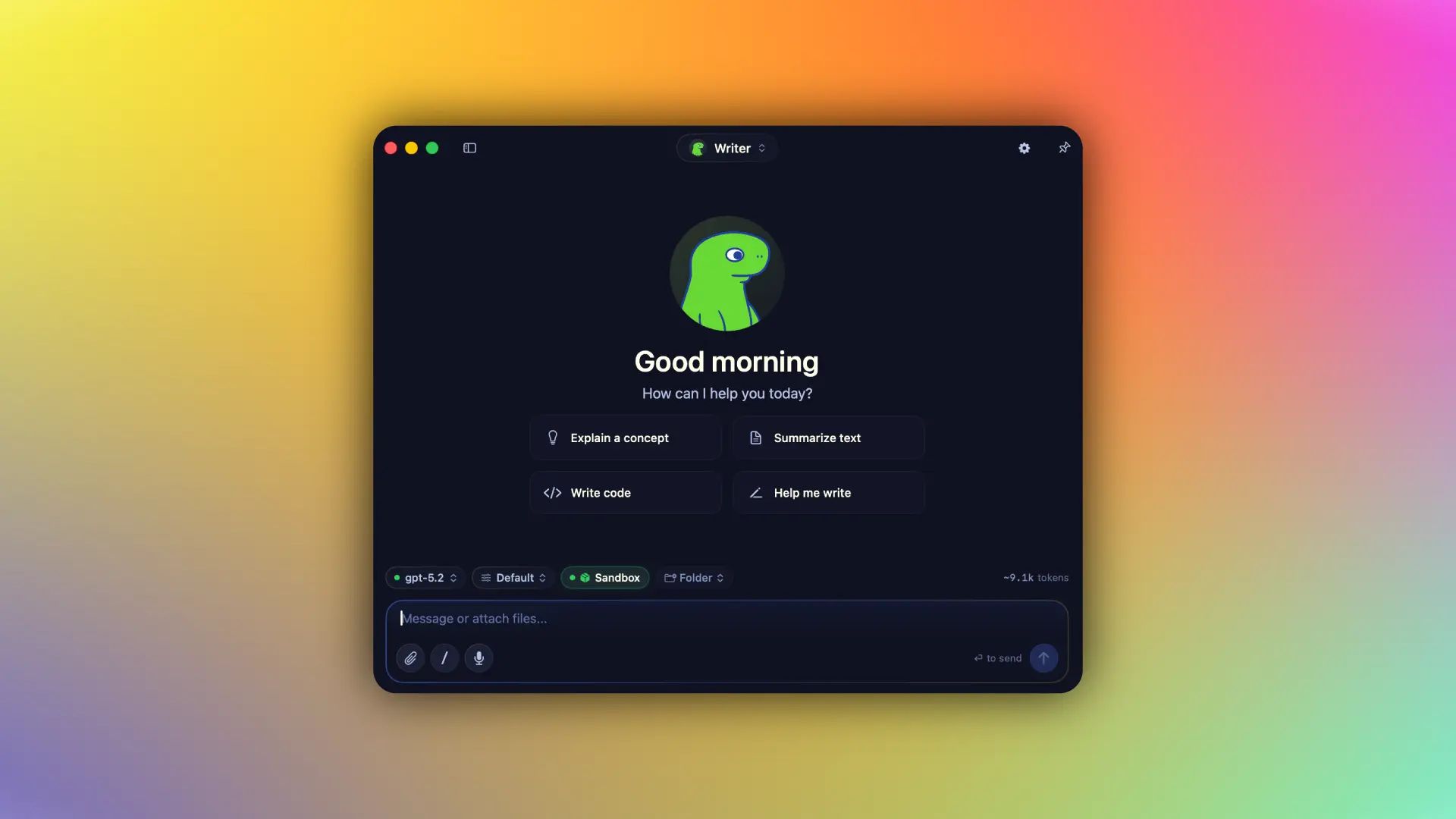
Osaurus is a free, open-source AI agent platform designed for macOS (Apple Silicon Macs).
It runs local models, connects to cloud models, stores separate memory for each agent, works with files and tools, and includes MCP, automation, and optional sandboxed code execution.
The app requires macOS 15.5 or later. The Sandbox and Apple Foundation Models require macOS 26 or later.
A local model alone does not create a persistent assistant. A new chat usually starts with a new context, and tools, memory, project files, and automation often live in separate applications.
Osaurus keeps those parts attached to saved agents. A research agent can keep its memory and instructions when you switch its model from local MLX inference to Claude, Gemini, or another provider.
How Osaurus Differs from Ollama and LM Studio
Osaurus overlaps with Ollama and LM Studio, but the three products place their attention in different areas.
| Tool | Primary Focus | Main Difference |
|---|---|---|
| Ollama | Running models and connecting them to AI applications and agents | Osaurus stores agent memory, tools, configuration, and recurring workflows inside its own application |
| LM Studio | Downloading, running, testing, and serving local models through a desktop interface and developer APIs | Osaurus organizes the experience around saved agents that can use local and cloud models |
| Osaurus | Persistent agents with memory, tools, files, automation, and multiple model sources | The agent remains available across sessions and model changes |
You can keep using Ollama or LM Studio after installing Osaurus. Both can serve as model sources. Osaurus can also run compatible MLX models directly on Apple Silicon.
A saved Osaurus agent keeps its own instructions, memory, and configuration. Changing the model does not require creating a new agent or rebuilding its setup.
Key Features
- Runs compatible MLX models directly on Apple Silicon.
- Connects Ollama and LM Studio as model sources.
- Stores separate memory and instructions for each agent.
- Gives a chat access to one selected working folder with file, search, and Git tools.
- Connects local plugins and remote tools through MCP.
- Runs agents on schedules and reacts to folder changes through watchers.
- Executes code inside an isolated Linux VM on macOS 26 or later.
- Connects OpenAI, Anthropic, Gemini, xAI, OpenRouter, and other remote providers.
- Exposes APIs compatible with OpenAI, Anthropic, Open Responses, and Ollama clients.
What You Can Do with Osaurus
You have a folder full of research notes, PDFs, and Markdown files that will keep changing over the next few weeks. Give one agent access to that project, keep routine extraction on a local model, and switch to a stronger cloud model when the work reaches a difficult synthesis step. The saved agent keeps its existing memory after the model changes.
A codebase that you return to every day does not need to start from a blank conversation each morning. Open the project as a Working Folder and keep the coding agent focused on the same repository, with file search and Git tools available inside that scope.
Drop new files into a monitored folder and assign an agent to process them as they arrive. This setup fits recurring work such as sorting documents, extracting information from incoming files, or generating periodic project summaries.
Already using Cursor or Claude Desktop? Connect them to the Osaurus MCP bridge and make the tools installed in Osaurus available from the client you already work in.
Long-running work is easier to separate by role. Research, coding, and administrative tasks can live in different saved agents, each with its own instructions and memory.
How to Use Osaurus
Install Osaurus
Download the DMG and move Osaurus into the Applications folder, or install it with Homebrew:
brew install --cask osaurusThen launch the app from Spotlight.
Connect a Model
Start with one model source.
You can download a compatible MLX model inside Osaurus, connect Ollama, connect LM Studio, or add a cloud provider.
Create an Agent
Create an agent for a recurring area of work and set its instructions and default model.
Each agent keeps its own memory and configuration. A research agent can retain project facts and previous sessions separately from a coding agent.
Open a Working Folder
Select a folder from the chat interface for file-based work. The chat receives file, search, and Git tools scoped to that folder.
A first task could be:
Read the Markdown files in this folder and create a concise project overview with the main topics, unresolved tasks, and important file relationships.Use the Sandbox for Code Execution
The Sandbox is available on macOS 26 or later. It runs shell commands, Python, Node.js, compilers, and package managers inside an isolated Linux VM.
A chat can use a Working Folder or the Sandbox. Osaurus does not activate both modes in the same chat.
Add MCP and Automation
MCP connects external tool servers to Osaurus and exposes Osaurus tools to compatible clients.
Schedules start an agent at a specified time. Watchers start an agent after a monitored folder changes.
Local Privacy and Cloud Model Boundaries
Local models process inference on the Mac. Osaurus stores chat history, agent memory, tools, and other local application data on the machine.
A request sent to a cloud model includes the prompt and the conversation context required for that request. The selected cloud provider receives that content. Osaurus keeps its stored agent data and memory on the Mac.
An optional on-device privacy filter can inspect cloud-bound prompts for personal or sensitive information. Detected items can be reviewed and redacted before the request is sent.
The packaged application includes settings for anonymous usage analytics and crash reporting. Both can be turned off. Source builds keep those systems disabled by default.
MCP and Developer Access
Osaurus can expose its tools to MCP-compatible clients.
A client can connect through the command-based MCP bridge:
{
  "mcpServers": {
    "osaurus": {
      "command": "osaurus",
      "args": ["mcp"]
    }
  }
}
Osaurus can also connect to remote MCP providers and add their tools to the agent environment.
The local server accepts several familiar API formats, including OpenAI-, Anthropic-, Open Responses-, and Ollama-compatible requests. Existing applications can point supported requests at the Osaurus server.
The main CLI commands are:
| Command | Purpose |
|---|---|
osaurus ui | Open the Osaurus interface |
osaurus serve | Start the local server |
osaurus status | Check server status |
osaurus stop | Stop the local server |
osaurus mcp | Start the MCP stdio bridge |
Pros
- Native Swift app for Apple Silicon.
- Local models can work offline.
- Separate memory for each agent.
- Local and cloud model access.
- Built-in MCP server and client.
- Native tools and recurring automation.
- MIT-licensed open-source code.
Cons
- Apple Silicon only.
- Sandbox requires macOS 26.
- Larger local models need more memory.
- Working Folder and Sandbox cannot overlap.
- Advanced setups require several configuration steps.
Alternatives & Related Resources
- Hermes Agent: Free Self-Improving AI Agent (Native App Released)
- Openclaw: Your 24/7 Personal AI Employee
- Build a Local, Private Mac AI Voice Assistant – LocalClicky
- IronClaw: A Free Open-Source Rust Alternative to OpenClaw