OpenMotion is an open-source AI video studio for creating motion graphics and editing videos with a coding agent.
Give Claude Code, Codex, or another connected agent a reference video and your brand materials, and it can reconstruct the shots as editable HTML-based scenes.
You can review the cut in OpenMotion Studio, adjust the timeline, and export an MP4 along with the source project.
It was designed as an open-source alternative to Claude Motion and CapCut for reference-video recreation, programmable motion graphics, and reusable designs.
Key Features
- Recreate the shot order, transitions, animated typography, and pacing of a reference video using your own copy and media.
- Create original motion graphics from a brief using HTML, CSS, JavaScript, images, footage, and audio.
- Edit scenes with an AI agent or adjust clips, tracks, and timing directly in OpenMotion Studio.
- Browse reference videos, editable templates, and more than 300 Motion.md guides for motion design.
- Connect Claude Code, Codex, WorkBuddy, DeepSeek Harness, and other agents through the relevant Skills and MCP setup.
- Generate supporting images, video clips, music, and voice-over through configured model providers.
- Generate, import, and edit captions in Studio, then export subtitle files in SRT or VTT format.
- Export full videos or individual scenes as MP4s, and share editable projects as ZIP archives.
How OpenMotion Turns a Reference Into an Editable Video
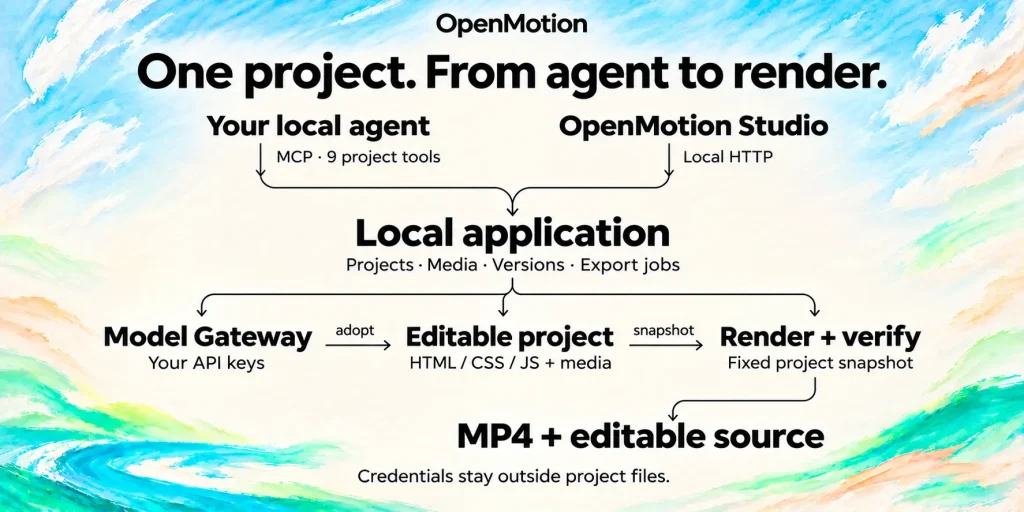
Imagine a 20-second product launch video with large animated headlines, fast cuts between screenshots, and a logo reveal. You want to use its motion and pacing for a launch of your own product.
Choose that video in OpenMotion’s template library or supply a clip or link to your agent. The agent studies the reference and develops a shot-by-shot remake using your screenshots, product copy, logo, colors, and audio. It uses the footage, timecodes, transcripts, and other reference material it can access to work out the sequence and timing.
Motion.md helps document the creative direction. These Markdown guides describe the order of shots, transitions, text animation, camera movement, timing, and sound cues. A Brand Kit section holds approved product details and materials, and the guide can reference design documents for typography and colors. Your agent reads those instructions when planning the remake.
The agent builds the composition using HTML, CSS, JavaScript, and media files. OpenMotion uses the HyperFrames video engine to preview and render that source. The resulting project is editable in Studio, where you can inspect individual scenes, rearrange clips, and revise the timing.
For example, you might ask the agent to preserve the reference’s opening reveal, insert a recording of your application’s interface, and replace the final title with your launch message. You can play the new sequence in Studio, adjust how long each screen stays visible, and export the approved cut.
Reference videos and editable templates
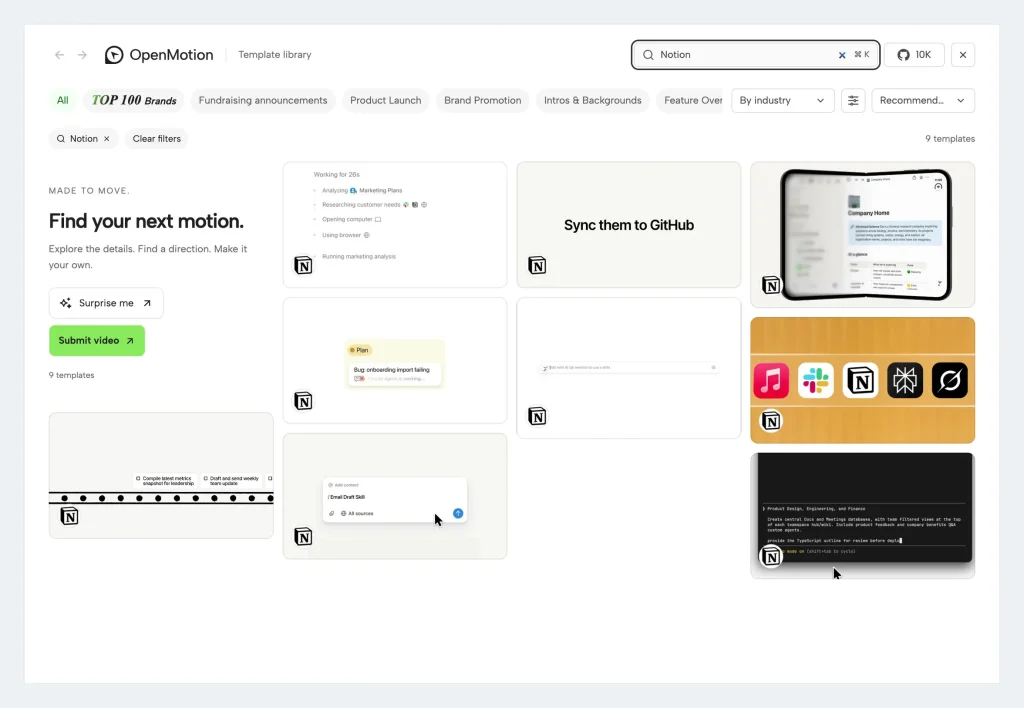
The official OpenMotion template library offers two useful starting points.
A reference-only video provides visual material and production notes that guide reconstruction.
An editable template includes source files your agent can adapt directly.
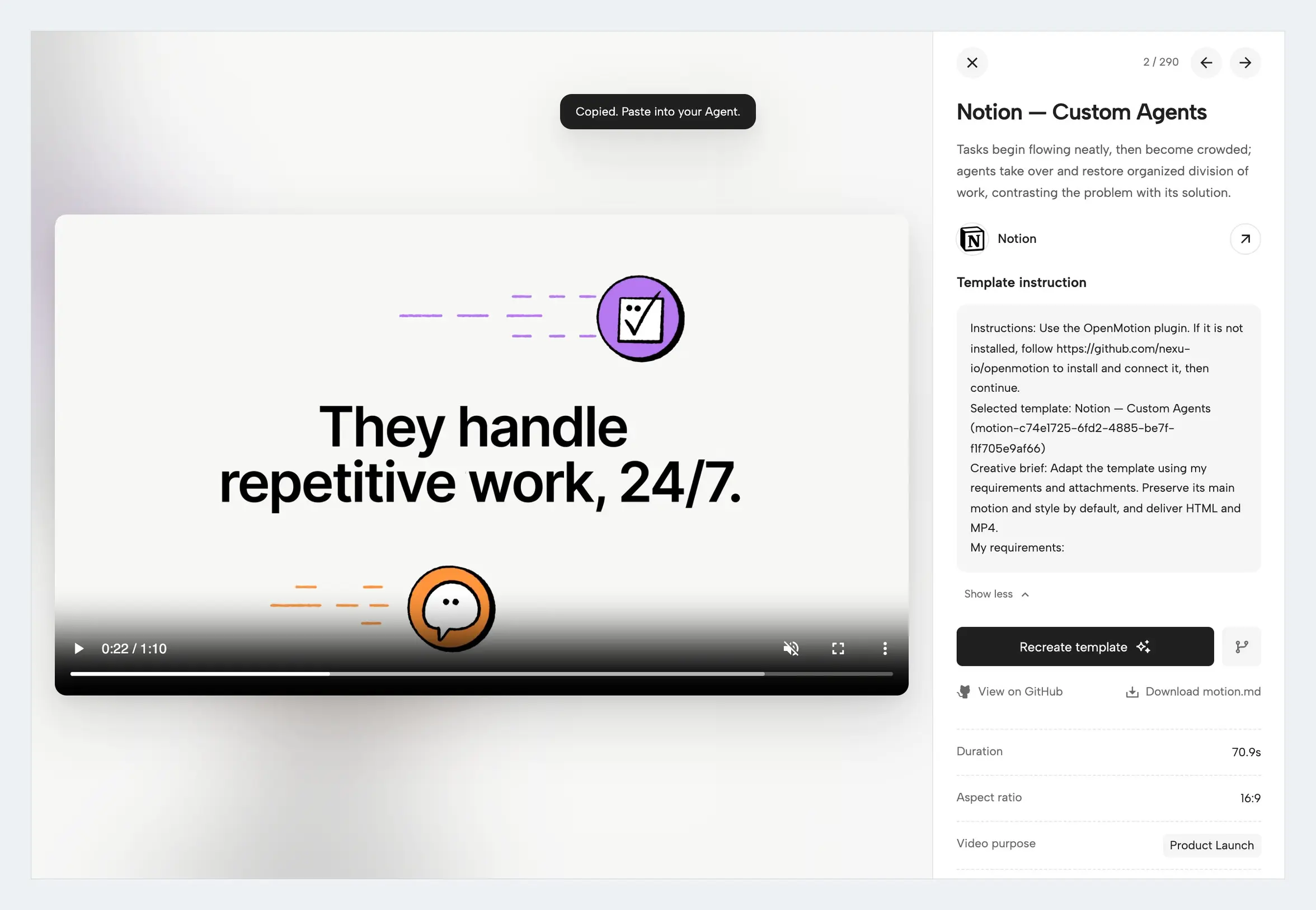
On a template’s detail page, you can inspect the reference, view its motion notes, and use Recreate template to obtain an instruction for your agent.
With an editable template, the agent can revise existing scenes. A reference-only video requires the agent to reconstruct its scenes and motion using the reference and production notes.
Edit the Cut, Captions, and Audio in Studio
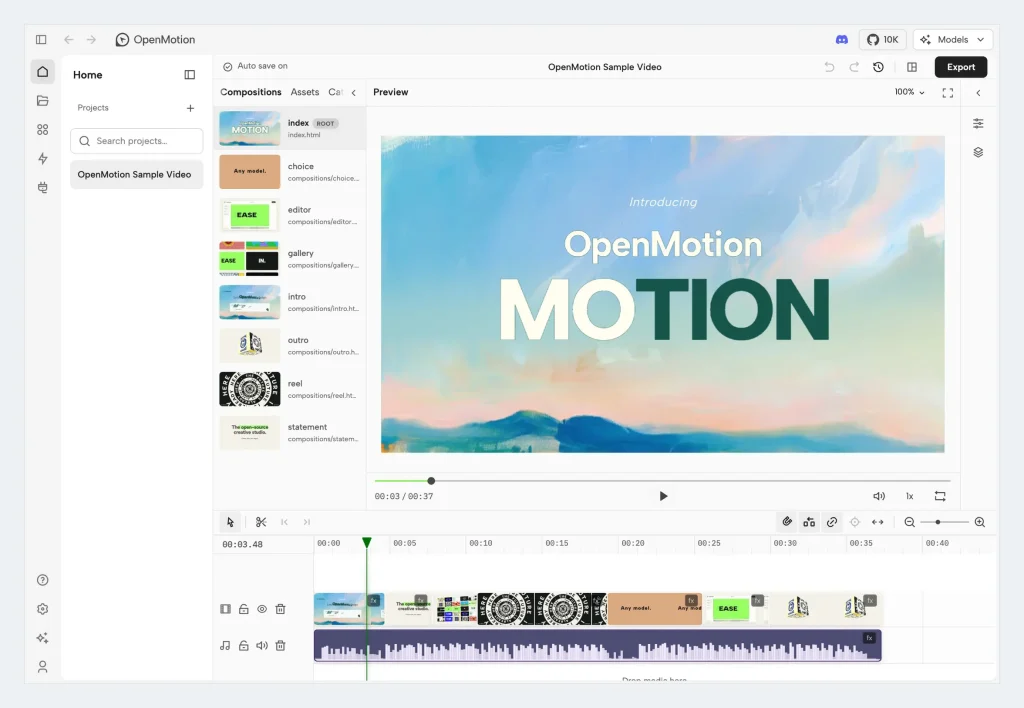
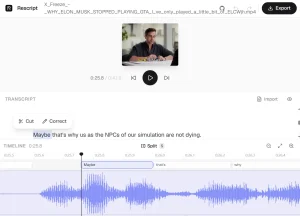
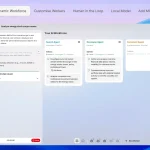
OpenMotion Studio displays the video preview alongside its scene timeline and media tracks. You can move clips, adjust their start and end times, arrange footage and audio, and edit the composition after an agent-generated cut. Agent changes and manual revisions use the project files behind that timeline.
Suppose the opening feels slow. Ask your agent to shorten it and insert a screen recording after the headline. In Studio, inspect the revised sequence, move the insert to the right moment, and adjust the transition into the next shot. The timeline previews clip placement before you drop it, and undo and redo track the edits.
For a vertical short or a landscape product demo, ask the agent to create a separate project version with the desired framing and captions.
Review each cut in Studio and export the files for the destination service. Uploading and scheduling posts on social platforms are separate steps.
Add AI-Generated Images, Clips, Music, and Voice
OpenMotion can use footage and audio you supply, or generate additional media for the composition. In Model Settings, configure supported model providers and select models for images, video, music, and text-to-speech. The Model Gateway sends generation requests, stores results in the project, and makes them available for preview and timeline editing.
For a software promo, your screenshots might form the main demonstration while a generated illustration establishes the opening scene. You could add a short video insert, background music, and narration from an approved script. You select the generated assets to keep and arrange them with your recorded footage in the editable composition.
The project includes provider routes for services such as fal.ai and Atlas Cloud, with model choices that depend on the connected accounts and current provider catalogs. You can also produce a complete edit using only imported footage, images, and audio.
How to Install OpenMotion and Create Your First Video
Install the OpenMotion application
If you use Codex, run:
npx --yes --package "@openmotion/app@latest" openmotion setup --host codexFor Claude Code, run:
npx --yes --package "@openmotion/app@latest" openmotion setup --host claudeThe setup connects the selected agent to OpenMotion’s local runtime, Studio, and MCP tools.
Build OpenMotion from source
git -c filter.lfs.process= -c filter.lfs.smudge= -c filter.lfs.required=false clone --depth 1 --single-branch --branch main https://github.com/nexu-io/openmotion.git
cd openmotion
npm ci
npm run build:studio
npm start
Open the studioUrl or previewUrl shown in the terminal to see the local Studio and template library.
You can also add the project’s main Skill through the Skills CLI:
npx skills add nexu-io/openmotion --skill openmotionInvoke the openmotion Skill in your agent to finish setting up the local application and MCP connection. The Skill installation provides agent instructions, and the runtime setup connects those instructions to the editor and project tools.
Make your first video from a template
Once your agent is connected, open the template library and select a reference video or an editable template. Review its preview and motion notes, then use Recreate template to send the relevant instruction to your agent.
For example, use this brief:
Use OpenMotion to remake the shot structure and pacing of this reference for my product. Use my logo, screenshots, brand colors, and attached script. Create a 30-second vertical video with an animated headline, two short feature demonstrations, captions, and a closing call to action. Open the editable project in Studio for review. After I approve the edit, export an MP4 and the editable project ZIP.
Review the scenes, captions, and timing in Studio. You can request another agent revision or make adjustments on the timeline, then render the approved video. The MP4 is ready for distribution, and the project ZIP retains the editable material for future changes.
Pros
- You can revise the agent’s first cut through both project-source changes and Studio’s timeline.
- Motion.md guides and source-backed templates give agents detailed references for branded video recreation.
- You retain editable project files alongside MP4 and subtitle exports.
Cons
- Setting up a coding agent, local runtime, and video-rendering dependencies takes more work than using a browser-based editor.
- Rebuilding a reference-only video requires access to suitable source material and time for visual review.
Frequently Asked Questions
Can I import an existing HyperFrames project?
Yes. In All projects → Import projects, OpenMotion accepts ZIP archives containing a supported HyperFrames native project and its media. Import creates an editable copy.
Is Motion.md an editable video file?
Motion.md is the creative guide an agent reads to understand the reference’s shots, timing, and design. The editable video project contains the actual HTML, CSS, JavaScript, and media that Studio opens and renders.
Alternatives & Related Resources
- OpenFilm: AI Video Agent for Claude Code and Codex
- OpenMontage: Open-Source AI Video Production System
- Mortiflix: Open-Source Local AI Video Generator with Claude
- Takes for Mac: Record and Edit Videos with Claude Code