Claude Cowork launched in January 2026 as Anthropic’s first true desktop AI agent. It plans tasks, accesses local folders, creates and edits files, and executes multi-step workflows with minimal supervision. This separates it from traditional chatbots.
Claude Cowork has three major limitations that restrict adoption. It is currently a research preview, restricted to macOS (Feb 12, 2026 update: Cowork is now available on Windows), and available only to Claude Pro or Max subscribers. Pricing ranges from approximately $20 to $200 per month. The closed-source nature of the product and the tight platform lock-in further limit flexibility for advanced users, teams, and privacy-conscious workflows.
This explains why many users now search for open-source Claude Cowork alternatives that offer similar agent-style capabilities without subscription pressure or operating system restrictions. Users want local or self-hosted execution, transparent permission control, flexible model selection, and full ownership of their data and workflows.
This article compares the best open-source Claude Cowork alternatives available today. Each project supports autonomous task execution, filesystem access, and multi-step planning, while prioritizing user control, extensibility, and local-first operation. You choose your own models, manage where your data lives, and customize how you deploy—all without depending on Anthropic’s platform.
TL;DR
| Name | Core Backend | Best For |
|---|---|---|
| Openclaw (Clawdbot) | Anthropic / OpenAI | Chat-based & Voice workflows |
| OpenWork (Different AI) | OpenCode | Developers requiring extensibility |
| Open Claude Cowork (DevAgentForge) | Claude Code / MiniMax | Users wanting a direct GUI clone |
| OpenWork (Accomplish) | Ollama / OpenAI / Anthropic | Privacy & local model users |
| Open Claude Cowork (Composio) | Composio / Claude SDK | Heavy SaaS tool integration |
| Hello-Halo | Claude Code SDK / Any API | General users & remote control |
| DeepSeek-Cowork | DeepSeek / Claude Code | Budget-conscious users |
Top 7 Open-source Claude Cowork Alternatives
Table Of Contents
1. Openclaw (formerly Clawdbot & Moltbot)
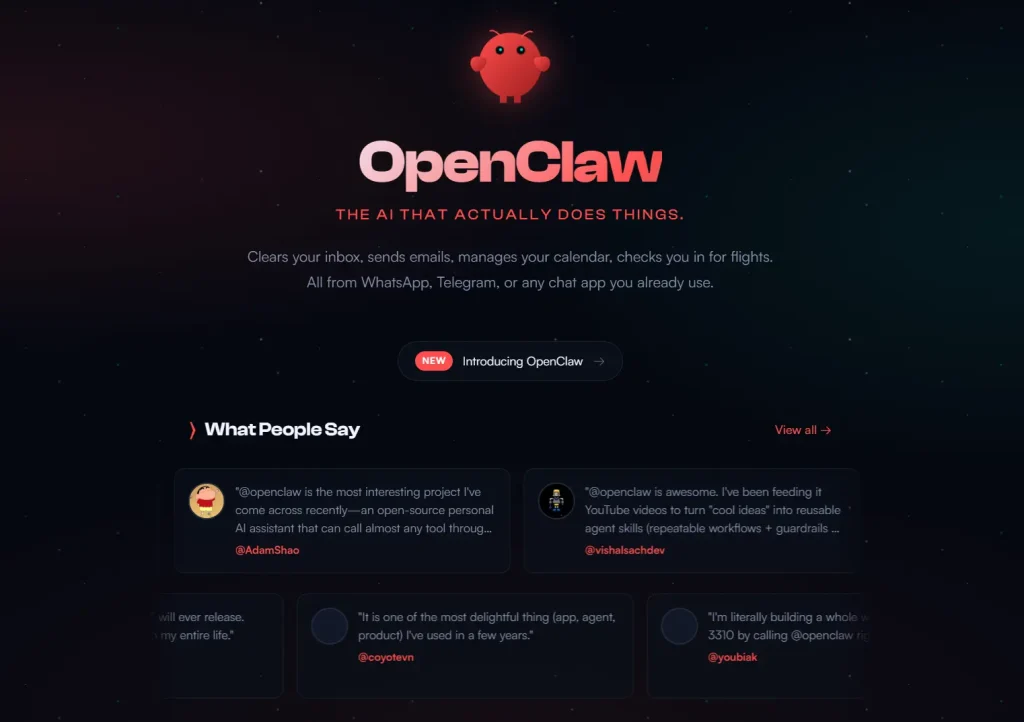
Best for: Users who want to interact with their agent via messaging apps (WhatsApp, Slack, Discord) or voice.
Overview:
Openclaw (previously Clawdbot & Moltbot) takes a different approach by functioning as a personal AI assistant that lives in the communication channels you already use. Instead of a dedicated desktop window, it runs a local gateway that connects the agent to platforms like WhatsApp, Telegram, Slack, and Discord. It supports advanced interaction modes, including a “Live Canvas” for visual outputs and “Voice Wake” for always-on speech interaction on mobile and desktop.
Features:
- Multi-Channel Support: Interacts via WhatsApp, Telegram, Slack, Discord, Signal, iMessage, and more.
- Voice & Talk Mode: Supports continuous voice conversation and “Voice Wake” on macOS, iOS, and Android.
- Live Canvas: An agent-driven visual workspace for rendering content.
- Local Gateway: A single control plane manages sessions, tools, and events locally.
Deployment & Requirements:
- OS: macOS, Linux, Windows (via WSL2).
- Dependencies: Node.js 22+; requires configuring specific channel tokens (e.g., Slack Bot Token, Telegram Token).
- Models: Anthropic (recommended) or OpenAI.
Advantages Over Cowork:
- Ubiquity: You can instruct the agent from your phone via WhatsApp or your work Slack, rather than being tied to a specific desktop app.
- Voice Interaction: Native support for spoken commands and responses offers a hands-free workflow.
Pros:
- Massive flexibility in how you communicate with the agent.
- Centralizes workflows across personal and professional messaging apps.
- Includes a setup wizard to simplify the complex configuration.
Cons:
- Setup is more technical than a simple drag-and-drop installation.
- Giving an AI access to your terminal and file system carries inherent risks. You must configure sandboxing and permissions carefully.
Website / Repository: github.com/openclaw/openclaw
2. OpenWork (Different AI)
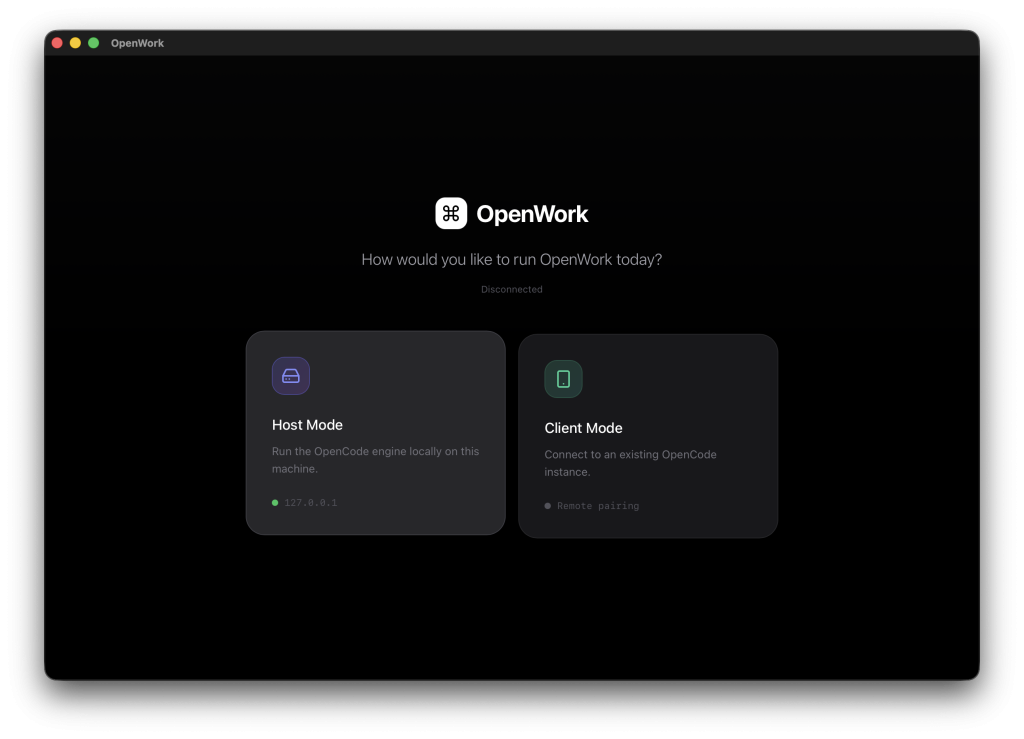
Best for: Development teams deploying agent systems on remote servers with skill-based workflow management.
Overview:
OpenWork presents a dual-mode architecture supporting both local host execution and remote client connections. Host mode spawns OpenCode servers with user-selected project folders as working directories. The interface connects via the OpenCode SDK v2 client, subscribing to server-sent events for real-time updates.
The skill management system differentiates OpenWork from basic agent wrappers. Install skills from OpenPackage repositories, import local skill folders into .opencode/skill directories, and define repeatable workflows as templates. The permission framework surfaces privileged operation requests through UI dialogs before execution.
Execution plan rendering displays OpenCode todos as timeline visualizations. Users track progress across parallel subtasks, monitor resource consumption, and intervene when plans require adjustment.
Features:
- Host and client modes supporting local and remote OpenCode deployments
- Skill manager integrating with OpenPackage plugin ecosystem
- Template system for saving and reusing common workflows
- Folder picker using Tauri dialog plugin for secure access control
- Server-sent events subscription for real-time execution updates
Deployment & Requirements:
Installation requires Node.js with pnpm and Rust toolchain for Tauri compilation. OpenCode CLI must be available on system PATH. Development mode runs via pnpm dev, production builds target desktop platforms through pnpm build:web.
Remote server deployments configure hostname and port parameters. Client mode connects to existing OpenCode instances by URL, allowing distributed team access to shared agent infrastructure.
Advantages Over Cowork:
Remote server architecture enables team collaboration without individual desktop deployments. Plugin system extends capabilities through OpenCode’s native extension mechanism. Template sharing creates reusable workflows across projects.
Limitations Compared to Claude Cowork:
Developer-focused architecture requires technical configuration. No native macOS app distribution. Setup complexity exceeds single-binary installations.
Pros:
- Extensible through OpenCode plugin ecosystem
- Remote deployment supports distributed teams
- Auditable execution logs for compliance workflows
- Permission system for privileged operation control
Cons:
- Requires Rust toolchain for building from source
- Complex setup process compared to packaged applications
- No pre-built binaries for quick installation
Website / Repository: https://github.com/different-ai/openwork
3. Open Claude Cowork (DevAgentForge)
Best for: macOS and Linux users who want Claude Agent SDK functionality without terminal interaction.
Overview:
DevAgentForge created a desktop application that wraps Claude Agent SDK in a native interface. The tool reuses existing Claude Code configuration files, providing compatibility with any model that works through Anthropic-compatible APIs. You can create sessions with custom working directories, view streaming token output with syntax highlighting, and manage tool permissions through interactive approval dialogs.
The architecture separates concerns through Electron layers. The main process handles session lifecycle and SQLite storage. The renderer displays markdown with syntax-highlighted code blocks and real-time tool call visualization. The backend integrates directly with the Claude Agent SDK without modification.
Features:
- Session management with custom working directories per task
- Token-by-token streaming output with markdown rendering
- Tool permission control requiring explicit approval for sensitive operations
- Full compatibility with existing
~/.claude/settings.jsonconfiguration - SQLite-based conversation history with safe deletion
Deployment & Requirements:
Local installation requires Bun or Node.js 18+. The Claude Code CLI must be installed and authenticated before running Open Claude Cowork. You can download pre-built binaries for macOS Apple Silicon, macOS Intel, Windows, or Linux distributions. The application reads API keys and model configurations from the standard Claude Code settings file.
Hardware requirements match Claude Code specifications. Apple M1/M2/M3 builds run on Apple Silicon. Intel builds support x64 processors. Memory consumption scales with model context windows and concurrent tool executions.
Advantages Over Cowork:
Cross-platform support extends beyond macOS limitations. Linux compatibility addresses server deployment scenarios. Windows builds remove OS restrictions entirely. Model flexibility allows using any Anthropic-compatible API endpoint, including local Claude Code deployments or proxy services.
Limitations Compared to Claude Cowork:
GUI features remain minimal compared to Anthropic’s interface. No built-in connector ecosystem for external services. Skill templates require manual implementation. Browser automation needs separate tooling.
Pros:
- Zero configuration required beyond the existing Claude Code setup
- Complete conversation history stored locally
- The permission system prevents unexpected file modifications
- Active development with regular updates
Cons:
- Requires Claude Code installation as a prerequisite
- Limited visual file preview capabilities
- No integrated browser automation
- Session management lacks cloud synchronization
Website / Repository: https://github.com/DevAgentForge/Claude-Cowork
4. Openwork (Accomplish)
Best for: Users wanting model provider flexibility with local-first privacy guarantees.
Overview:
Accomplish.ai built Openwork around provider-agnostic architecture. The system supports OpenAI, Anthropic, Google, xAI, and Ollama models through a unified interface. You can select providers at runtime, switching between cloud APIs and local Ollama deployments without reconfiguration.
The desktop application runs agent workflows locally, spawning OpenCode processes through node-pty for task execution. API keys store securely in OS keychains rather than configuration files. Folder permissions grant workspace access on a per-task basis.
Automation capabilities extend beyond basic file operations. The system handles document creation with format conversion, file management with content-based organization, tool connections through local API integrations, and custom skill definitions for repeatable tasks.
Features:
- Multi-provider model support, including OpenAI, Anthropic, Google, xAI, Ollama
- Local-first architecture with no cloud dependencies
- Folder-based permission system for controlled filesystem access
- Skill learning for custom automation workflows
- Browser workflow automation through local API integrations
Deployment & Requirements:
macOS Apple Silicon support ships as DMG installers. Windows support remains in development. Installation requires no prerequisites beyond downloading and mounting the disk image. The application bundles all dependencies, including OpenCode runtime.
Model selection affects deployment requirements. Cloud providers need API keys configured through the settings interface. Ollama deployments require local Ollama installation with desired models pulled.
Advantages Over Cowork:
Model flexibility removes vendor lock-in. Ollama support eliminates API costs for users running local inference. No subscription requirements reduce long-term operational expenses. Open source codebase allows customization.
Limitations Compared to Claude Cowork:
macOS-only deployment matches Cowork’s platform restriction. No connector ecosystem for external services. Skill system requires manual configuration. Browser automation limited compared to Anthropic’s Chrome integration.
Pros:
- No subscription costs beyond model API usage
- Ollama integration for completely local operation
Cons:
- Requires API key management across providers
- No cloud synchronization of sessions
Website / Repository: https://github.com/accomplish-ai/openwork
5. Open Claude Cowork (Composio)
Best for: Users requiring extensive external tool integration through Composio’s 500+ tool ecosystem.
Overview:
Composio developed an Electron application bridging Claude Agent SDK and Opencode SDK with their Tool Router platform. The architecture supports provider switching at runtime. Claude mode leverages Anthropic’s agent capabilities. Opencode mode routes to GPT-5, Grok, GLM, MiniMax, and other providers through unified SDK interfaces.
Tool Router integration provides authenticated access to Gmail, Slack, GitHub, Google Drive, and 500+ additional services. MCP server configuration loads from server/opencode.json, establishing connections to Composio backend infrastructure. Tool calls stream in real-time with input and output visualization in the sidebar.
Session management differs by provider. Claude mode uses SDK session tracking. Opencode mode maintains conversation state through event-based architecture. Both approaches support multi-turn conversations with full context retention.
Features:
- Dual-provider architecture supporting Claude Agent SDK and Opencode SDK
- Composio Tool Router access to 500+ external services
- Real-time tool call visualization with input/output display
- Progress tracking through todo list integration
- Server-sent events streaming for token-by-token responses
- Persistent chat sessions with context maintenance
Deployment & Requirements:
Installation requires Node.js 18+ and Electron build toolchain. Backend server runs on Express, frontend uses Vanilla CSS with Marked.js for markdown rendering. Composio API key configuration enables tool integrations.
MCP configuration writes automatically to server/opencode.json during initial request. The file contains Tool Router URL and authentication headers. Opencode reads this configuration at startup to load available tools.
Two-terminal setup needed for operation. First terminal runs backend server on port 3001. Second terminal launches Electron application. Server must start before application load.
Advantages Over Cowork:
Extensive tool integrations exceed Cowork’s connector ecosystem. Multi-provider support allows model experimentation. Open architecture permits custom tool development. Local deployment maintains data privacy.
Limitations Compared to Claude Cowork:
Two-process architecture increases setup complexity. No packaged installers for quick deployment. Tool configuration requires Composio account. MCP file management needs manual oversight if customizing beyond defaults.
Pros:
- 500+ tools through Composio integration
- Multiple LLM provider options
- Real-time progress visualization
Cons:
- Requires Composio account and API key
- Two-process architecture complicates startup
- No pre-built binaries distributed
Website / Repository: https://github.com/ComposioHQ/open-claude-cowork
6. Halo
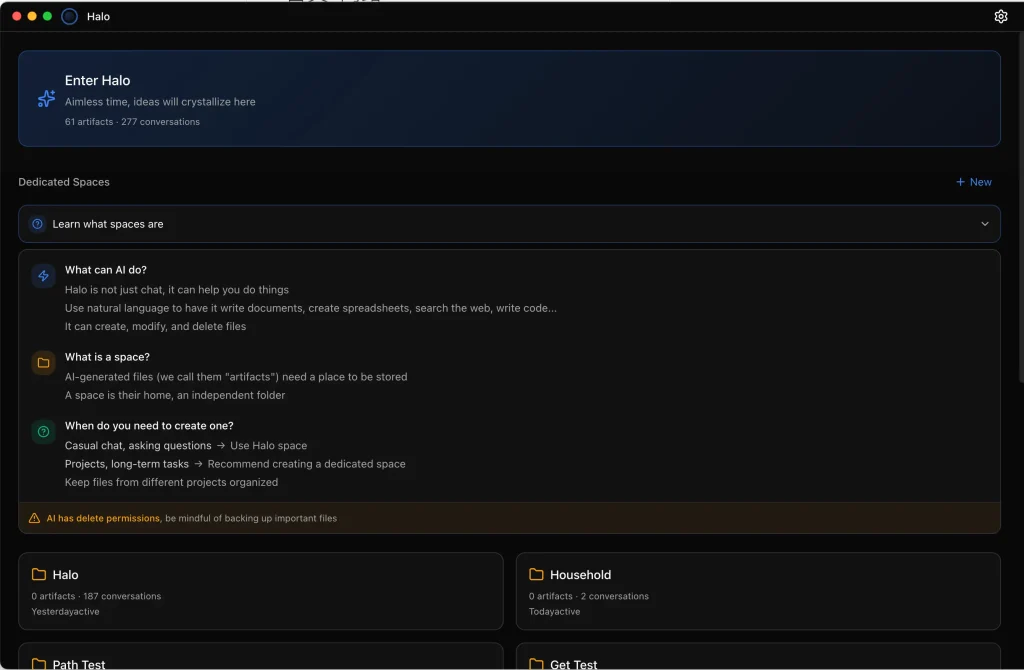
Best for: Users requiring mobile access to desktop agent capabilities and cross-platform deployment.
Overview:
Halo wraps Claude Code CLI functionality in a visual interface spanning desktop and web platforms. The remote access architecture allows controlling desktop instances from mobile browsers, tablets, or other computers. Space-based isolation organizes projects into independent workspaces with separate files, conversations, and context.
The artifact rail displays every file generated during execution. Code previews render with syntax highlighting. HTML outputs load in embedded viewers. Image artifacts display inline. Markdown documents render with full formatting support.
AI browser integration embeds a Chromium instance under agent control. The system performs web scraping without external libraries, fills forms programmatically, executes testing workflows, and automates research tasks through browser manipulation.
Features:
- Remote access enabling control from mobile, tablet, or web browsers
- Space system for isolated project workspaces
- Artifact rail with real-time file preview across formats
- AI browser for automated web interaction
- MCP server support for Model Context Protocol extensions
- Multi-language support, including English, Chinese, Spanish
Deployment & Requirements:
Pre-built binaries support macOS Apple Silicon, macOS Intel, Windows, and Linux AppImage distributions. Web access requires enabling remote settings in the desktop application. No external server infrastructure needed for remote functionality.
Installation involves downloading platform-specific packages and running installers. Configuration accepts Anthropic, OpenAI, or DeepSeek API keys. Remote access generates authentication tokens for secure connection from external devices.
Advantages Over Cowork:
Cross-platform availability removes macOS restriction. Remote access provides mobility unavailable in desktop-only solutions. AI browser integration handles web automation natively.
Limitations Compared to Claude Cowork:
Browser implementation differs from Anthropic’s Chrome extension approach. No built-in connector ecosystem. Template system less developed than Cowork’s skill library. Self-hosted infrastructure required for team deployments.
Pros:
- Access agent from any device via web interface
- Complete cross-platform support including Linux
- AI browser embedded in application
- Dark and light themes with system awareness
Cons:
- Remote access security depends on user network configuration
- Browser automation capabilities vary by website complexity
Website / Repository: https://github.com/openkursar/hello-halo
7. DeepSeek-Cowork
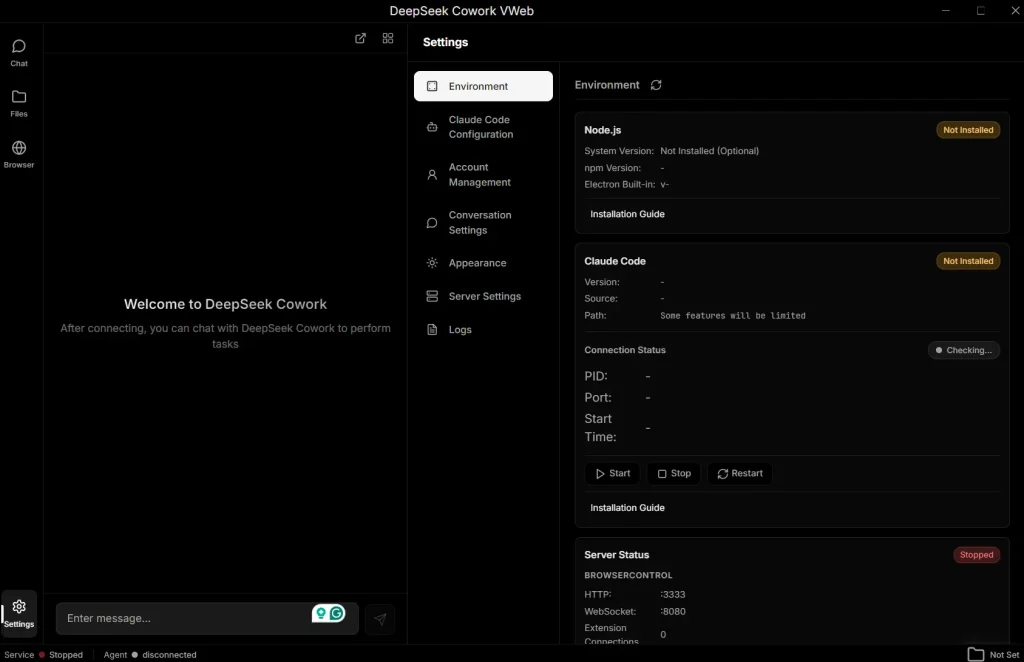
Best for: Users seeking a low-cost alternative with mobile access and browser automation.
Overview:
DeepSeek-Cowork addresses the high cost of AI assistance by leveraging the affordable DeepSeek API while maintaining the agentic capabilities of the original Claude Code kernel.
It uses a “Hybrid SaaS” architecture: the interface runs via a desktop app or web browser, while the core logic and data storage remain on your local machine (LocalService). It also integrates with “Happy,” an open-source mobile client, allowing you to monitor and control tasks from your phone.
Features:
- Browser Automation: Uses the “JS Eyes” extension to open pages, extract data, and batch-fill forms.
- Hybrid Architecture: Offers a unified experience across a native Electron app and a web browser interface.
- Mobile Integration: Connects with the Happy app (iOS/Android) for end-to-end encrypted remote control.
- Persistent Memory: The agent retains conversation context and user habits across sessions.
Deployment & Requirements:
- OS: Windows, macOS, Linux.
- Dependencies: Node.js 18+; DeepSeek API key recommended.
- Modes: Desktop (Electron), Web (Hybrid), or CLI.
Advantages Over Cowork:
- Cost Efficiency: DeepSeek’s API pricing is significantly lower than Anthropic’s subscription model.
- Browser Control: Native browser extension allows for complex web-based tasks like scraping and form submission.
Pros:
- Extremely low operating costs.
- Data remains local.
- Strong browser automation capabilities.
Cons:
- Hybrid architecture requires understanding the separation between the local service and the frontend.
- Relies on the availability and performance of the DeepSeek API.
Website / Repository: github.com/imjszhang/Deepseek-Cowork
Which One Fits Your Workflow?
| Use Case | Recommended Tool | Why? |
|---|---|---|
| Local & Privacy | OpenWork (Accomplish) | Supports fully offline workflows with Ollama; data stays on the device. |
| Remote Management | Hello-Halo | Unique mobile remote access feature allows control away from the desk. |
| SaaS Automation | Open-Claude-Cowork | Best-in-class integration with 500+ external apps via Composio. |
| Budget Automation | DeepSeek-Cowork | Leverages low-cost models and browser automation for affordable execution. |
| Chat & Voice | Openclaw | Lives inside your messaging apps (Slack, WhatsApp) and supports voice commands. |
| Developers | OpenWork (Different AI) | Extensible plugin architecture and detailed execution logs suit technical workflows. |
| Claude Code Users | Claude-Cowork | Drop-in replacement for the CLI tool with a visual interface. |
Final Thoughts
Open-source Claude Cowork alternatives address platform restrictions, subscription costs, and vendor lock-in affecting Anthropic’s implementation. You control which models you use, where your data lives, how you deploy, and what features you customize.
The tradeoff is setup time. Pre-configured cloud services reduce friction at the cost of flexibility. Open-source tools require installation, configuration, and occasional troubleshooting in exchange for transparency and control.
When evaluating options, consider current requirements, technical expertise, budget constraints, and long-term platform strategy when selecting between proprietary and open alternatives.
FAQs
Q: Is Claude Cowork open source?
A: No. Claude Cowork remains proprietary software from Anthropic. The underlying Claude Code technology uses the Claude Agent SDK, which is distributed as a package but not open source. The open-source alternatives here achieve similar results using compatible frameworks or their own implementations.
Q: Can open-source AI agents replace Claude Cowork?
A: Open-source alternatives replicate core functionality including filesystem access, multi-step task execution, and autonomous planning. Some gaps remain: fewer pre-built connectors, less polished browser automation, and simpler interfaces. Users comfortable with technical configuration can achieve equivalent results. Non-technical users may find Cowork’s integrated experience smoother for initial adoption.
Q: Do these tools run locally?
A: All tools listed support local deployment. Openwork (accomplish-ai) with Ollama runs completely offline. Other options require API access for model inference but execute all file operations locally. Remote deployment options exist for OpenWork (different-ai) when team collaboration needs justify server infrastructure.
Q: Do they require paid APIs?
A: Model access determines costs. Ollama integration in Openwork (accomplish-ai) eliminates API expenses. Claude Agent SDK implementations require Anthropic API keys with per-token billing. Multi-provider tools accept OpenAI, Google, or xAI keys based on user preference. Total costs depend on usage volume and selected model tiers.
Q: Are open-source AI agents safe to use?
A: Safety depends on deployment practices. All listed tools execute code with filesystem access, creating potential for unintended modifications. Permission systems mitigate risks by requiring approval for destructive operations. You should review tool outputs before approval, limit workspace access to non-critical directories, and maintain backups of important files. Open source code allows security audits unavailable with proprietary software.
Related Resources
- 7 Best CLI AI Coding Agents (Open Source)
- 7 Best OpenClaw Alternatives for Safe & Local AI Agents
- AI Coding Agents: Discover more open-source command-line AI coding agents.
- Free AI Tools for Developers: Discover the best free AI tools for developers.
- Vibe Coding: Discover free & open-source vibe coding AI tools.
Changelog
01/30/2026
- Rename Moltbot to Openclaw
01/29/2026
- Added Moltbot and Deekseek Cowork