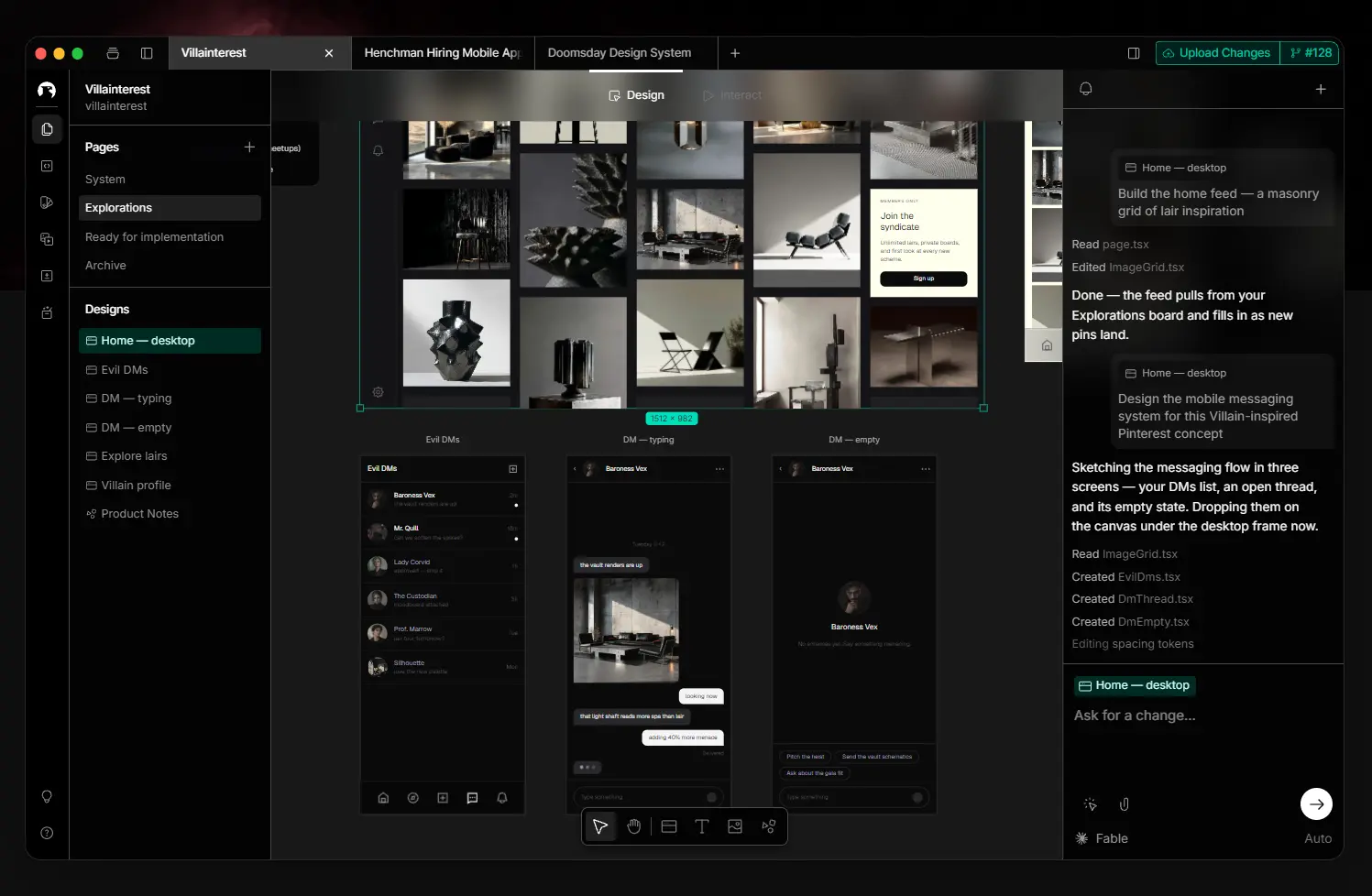
Onlook is a free, open-source Mac app for designing websites and web apps directly in their codebases.
It displays your running site on a visual canvas. Select an element, describe a change, and Claude Code or OpenAI Codex edits the project files as the page updates.
You can explore alternative designs beside the live app, refine them with your existing coding agent, and send finished changes to your team as GitHub pull requests.
Key Features
- Display your running website in movable canvas frames at desktop, tablet, and mobile sizes.
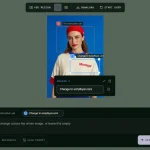
- Select an element in Design mode and ask Claude Code or Codex to edit its content, styling, or layout.
- Switch to Preview mode to navigate the working site and check a design in context.
- Create standalone design artifacts, try independent variations, and reuse ideas across projects.
- Use your existing Claude or ChatGPT account to power AI editing in your local project.
- Keep design experiments in separate Git working copies and branches.
- Export artifacts as HTML, PDF, PNG, or JPEG, or send code changes through GitHub pull requests.
How Onlook Works with Your Website
Open a local codebase, and Onlook creates a working copy, installs the project’s dependencies, and starts its normal development server. The running app appears in a browser frame on the canvas. Add more frames to view different pages or compare a mobile layout with its desktop version.
In Preview mode, you can click through the app as a visitor would. Switch to Design mode to select an element and request an edit.
For example, if a landing page’s hero section takes up too much space on mobile, select it and ask the agent to reduce the height, tighten the spacing, and keep the primary button visible.
The agent works with your existing components and design system. Onlook can open React, Next.js, Vite, and other web projects that run locally with a development command.
Explore Design Ideas with Artifacts
Onlook has two ways to work visually. A frame displays a page in your running app. An artifact is a standalone HTML-based design on the canvas that you can develop independently of the codebase.
Ask for several pricing-page concepts, sketch a blank artifact, or add a reference image and refine the design through chat. Artifacts let you compare ideas beside your actual product before changing its code.
When an idea is ready, right-click the artifact and choose Build in this project. The agent uses the design as a reference and implements it with the project’s components.
You can also export an artifact as a self-contained HTML file, PDF, PNG, or JPEG. To preserve an earlier concept while exploring a new direction, request a variation, which creates an independent artifact.
Send Design Changes to GitHub
Each Onlook project has its own Git working copy and branch. After you connect your GitHub account, the status control in the top bar offers actions such as Create PR and Upload Changes.
Select Create PR to have the agent prepare a pull request against the repository’s main branch.
The pull request contains ordinary source-code changes for engineers to review. Onlook can also upload later edits to the same PR, bring in changes from the main branch, and help address failing checks or merge conflicts.
You team can then review and merge the changes through the usual GitHub process.
How to Get Started
- Download the Mac desktop app for Apple Silicon or Intel, move it to Applications, and sign in with Google, GitHub, or email.
- Choose Sign in with Claude Subscription or Sign in with ChatGPT Subscription. Onlook checks your Claude Code access or downloads its own Codex agent, then confirms the connection.
- Select Add codebase and choose your local project folder. Onlook makes a working copy and starts the app. Select New Draft if you want to begin a design from scratch.
- Ask, “Change the main heading on the home page to Hello from Onlook.” For a targeted change, click the element first. The updated page appears on the canvas, where D enters Design mode and P enters Preview mode.
- Share your work. Open a GitHub pull request for code changes, or export an artifact to share a design concept.
Build Onlook from Source
You can build the open-source desktop app on a Mac with Xcode Command Line Tools, Git, Node.js 24, and Bun 1.4.2 installed. Run:
git clone https://github.com/onlook-dev/onlook.git
cd onlook
bun install --frozen-lockfile --cpu='*'
bun run build
bun dev
Pros
- Designs are implemented in real project files and can be reviewed as GitHub pull requests.
- Live frames and standalone artifacts support both in-product edits and early design exploration.
- The editor is free and open source, with AI editing powered by an existing coding agent account.
Cons
- The desktop app is currently limited to macOS.
- AI editing requires a Claude or ChatGPT subscription.
- Existing apps need a working local development server for live canvas previews.
FAQ
Does Onlook use my repository’s existing agent instructions?
Yes. Claude Code reads instructions such as CLAUDE.md and .claude/rules, and Codex uses AGENTS.md. Onlook adds visual design context to the agent’s work in your project.
Can Onlook open a folder that is not already a Git repository?
Yes. Onlook creates a Git repository in its own working copy if the selected folder does not already use Git. It leaves the original folder unchanged. For GitHub pull requests, use a clone of the repository your team wants to review.
Alternatives & Related Resources
- Free AI-Native Design Editor (Figma Alternative) – OpenPencil
- Penpot: Open-Source Figma Alternative for UI Design and AI Workflows
- Doop: Open-Source Paper.design Alternative for AI Agents
- Claudable: Free, Open-Source AI Web Builder powered by Claude Code