SMRY.ai is an AI article reader for turning web articles into clean text, AI summaries, article chat, audio, highlights, and notes. Paste an article URL into the web app, use the smry.ai/ URL prefix, or open a page through its bookmarklet or optional browser extension.
SMRY works with many soft and metered paywalls when the article text is accessible to its extraction system. Hard paywalls are different: SMRY cannot retrieve subscriber-only text that a publisher sends only after authentication.
SMRY.ai at a Glance
| Product type | AI article reader and summarizer |
| Free access | Yes, with daily AI limits |
| Account required | No for core reading, summaries, and article chat |
| Paywall support | Many soft and metered paywalls; hard paywalls are not supported |
| Access methods | Web app, URL prefix, bookmarklet, and optional browser extension |
| Paid plan | Optional SMRY Pro |
What SMRY.ai Can Do
- Creates a clean reader view from supported article URLs.
- Generates AI summaries with multiple summary styles.
- Answers follow-up questions through article chat.
- Reads article text aloud with adjustable playback controls and AI voices.
- Saves highlights and notes for later reference.
- Turns public YouTube videos with available captions into readable transcripts for summaries and chat.
- Exports highlights and syncs reading data across devices with Pro.
Can SMRY.ai Read Paywalled Articles?
A soft paywall loads the article text and then restricts access with a meter, registration prompt, cookie-based limit, overlay, or similar browser-side control. SMRY can often extract this content when a usable copy of the article is available.
A hard paywall blocks the full article at the server until the reader signs in with an authorized subscription. SMRY cannot retrieve text that the publisher never sends to unauthenticated visitors.
| Paywall type | How access works | SMRY support |
|---|---|---|
| Soft paywall | The article text loads before a browser-side restriction hides or limits it. | Often works |
| Metered paywall | The publisher limits the number of free articles or tracks previous visits. | Varies by publisher |
| Hard paywall | The full text is sent only after subscriber authentication. | Not supported |
SMRY.ai Free Plan and Pro
The free plan includes up to 20 AI summaries and 20 article-chat uses per day. Basic text-to-speech includes two voices and one free listen per day. Core reading, summaries, and article chat work without an account within the free limits.
SMRY Pro adds unlimited AI summaries and article chat, premium AI models, 10 text-to-speech voices, up to 20 premium voice listens per day, export and sync tools, unlimited history, and ad-free reading. Annual Pro costs $36 per year, which works out to $3 per month.
How to Use SMRY.ai
1. Open the SMRY.ai website.
2. Paste the URL of the article you want to read or summarize.
3. Open the reader to view the extracted text, generate a summary, ask questions, listen to the article, or save highlights.
4. For a faster shortcut, add smry.ai/ before an article URL. For example, smry.ai/example.com/article sends that page directly to SMRY. The bookmarklet and optional browser extension provide one-click access from supported pages.

SMRY.ai Alternatives & Related Resources
- iBrief focuses on fast URL-based article summaries with a simpler workflow.
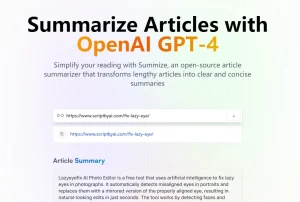
- Summarization AI summarizes webpages through Gemini, Claude, or OpenAI models with user-provided API keys.
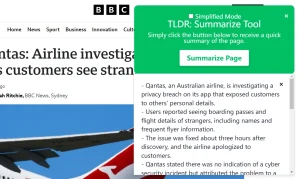
- justTLDR is a browser extension for summarizing webpages and YouTube videos through supported AI chat services.
Frequently Asked Questions
Does SMRY.ai work on mobile?
Yes. SMRY works in mobile browsers. Paste an article URL into the web app to use the reader without installing a mobile app.
Can SMRY.ai summarize YouTube videos?
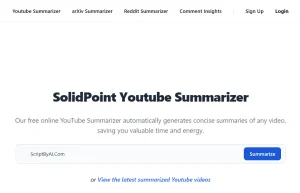
Yes. Paste a public YouTube URL with available captions or auto-generated subtitles to get a readable transcript. You can summarize the transcript or ask questions about it.
What if SMRY.ai cannot open an article?
Common causes include a hard paywall, strict anti-bot protection, or an extraction method that SMRY does not support. Access can also break after a publisher changes its site structure.
Last Updated: Aug 07, 2026