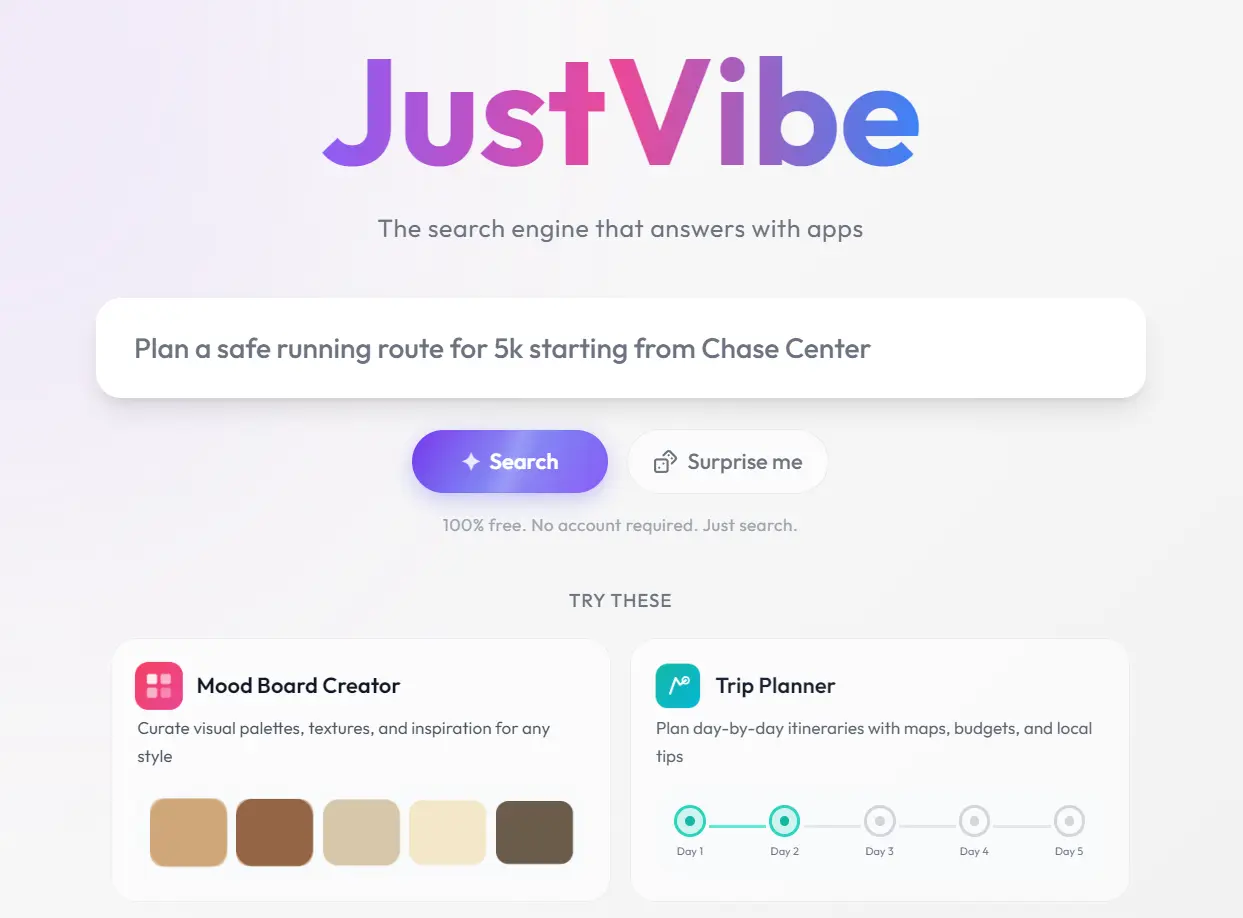
JustVibe is a free AI search engine that turns your requests into interactive browser apps for travel, planning, design, calculation, and research tasks.
It runs on your local browser with no account or installation, while Google Gemini models generate new apps inside a browser sandbox.
You already have a five-day Tokyo trip to organize, but the usual search process scatters useful details across destination guides, map results, hotel pages, and restaurant lists.
Enter the task description in JustVibe, and it returns a trip-planning UI where you can review the itinerary, adjust details, and keep the app for later.
Features
- Generates a complete interactive app from a single written search query.
- Builds a custom app in a few minutes when nothing in the existing library matches the search.
- Saves every generated app permanently to a personal Library, reachable later by its own URL.
- Runs on Google’s Gemini models inside a sandboxed browser environment..
- Edits any app, including ones another user built, by selecting a component and typing a comment.
- Fetches live data during use, including stock prices and commerce inventories, for apps that need current numbers.
How to Use
1. Search your task in plain language. Type something specific, like “plan a safe running route for a 5k starting from Chase Center” or “what can I make with eggs, spinach, feta,” into the JustVibe search bar.
2. Let JustVibe match or build. If an existing app in the library fits, it renders right away. If nothing fits, JustVibe builds a new one in a few minutes, and you can watch it come together or browse related apps while it works.
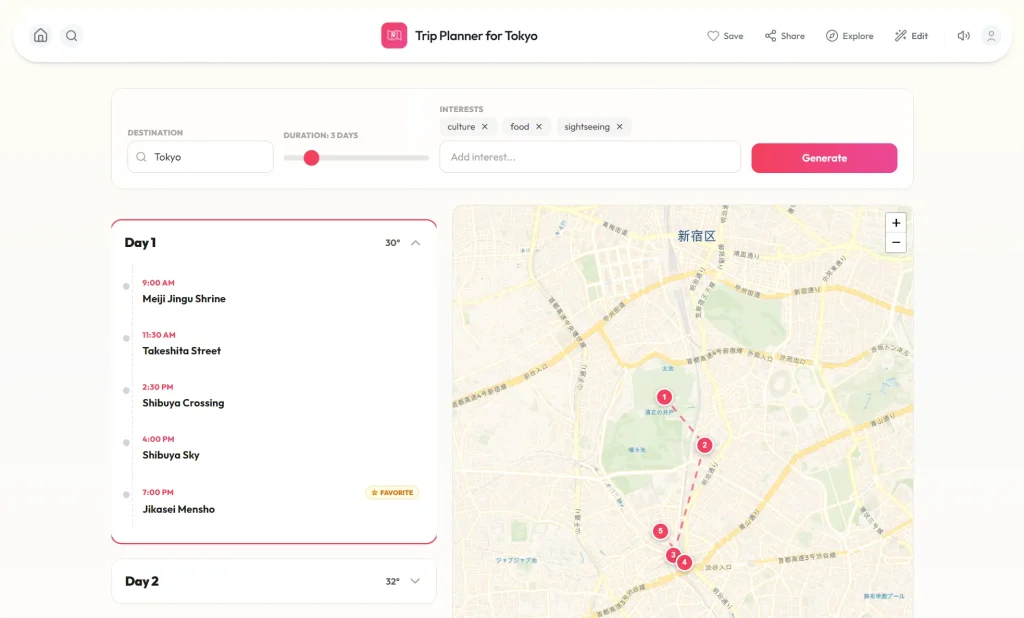
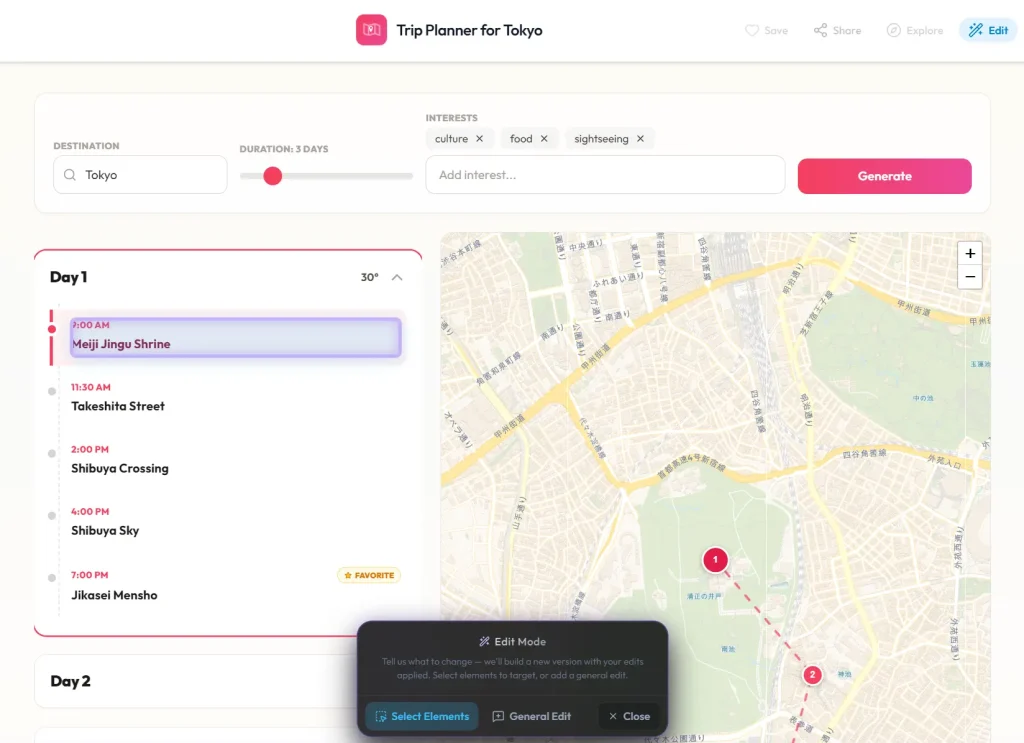
3. Customize it by chatting. Open edit mode from the search result, select the part of the app you want changed, and describe the edit in plain language. JustVibe generates a new version with that change applied.
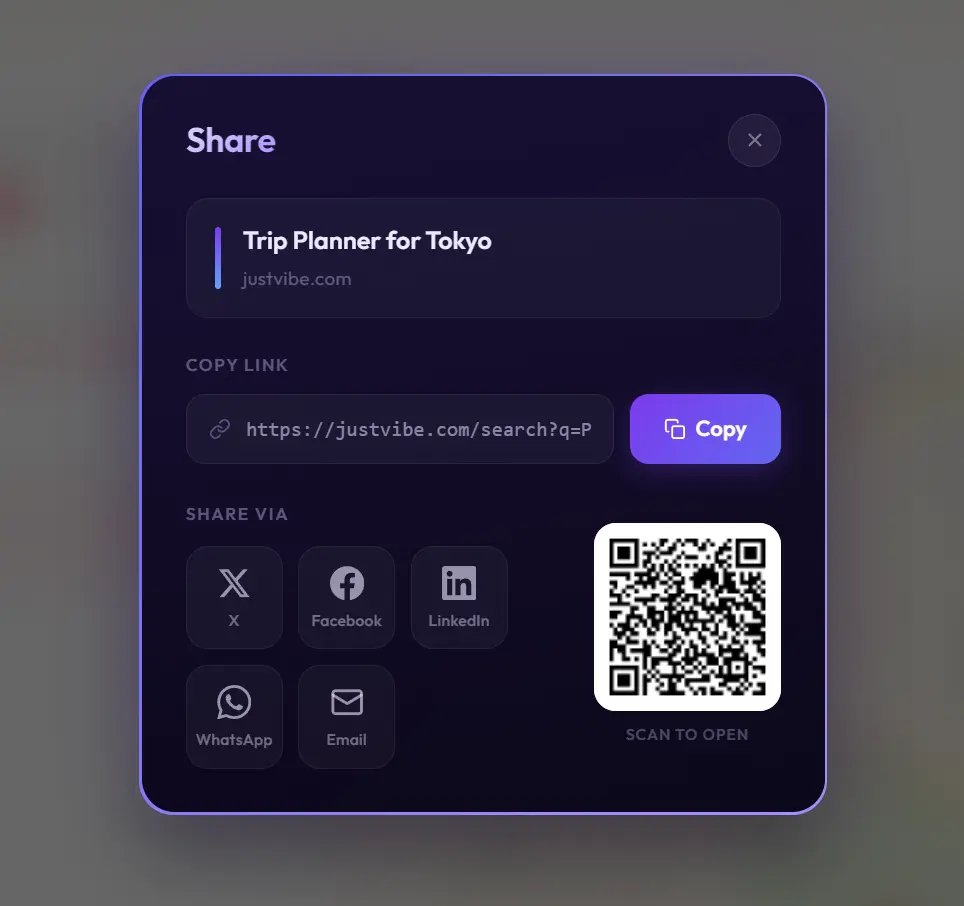
4. Save and share the link. Every app you touch lands in your personal Library automatically. The URL for any app works permanently, even for people who never open a JustVibe account.
Alternatives & Related Resources
- Opal: Google’s No-Code Mini-AI App Builder
- Claudable: Free, Open-Source AI Web Builder Powered by Claude Code
- Create Full-Stack Apps From a Single Prompt With App.Build
- Deepsite: Free AI Website Generator Based on DeepSeek
Pros
- Free browser access.
- No account required.
- Custom interactive app generation.
- Conversational app editing.
- Reusable app Library.
- Direct link sharing.
- Browser search integration.
Cons
- Generated apps can contain errors.
- Prompts and chats are collected.
- No code export.
- Custom builds can take minutes.
FAQs
Q: How does JustVibe differ from a general AI chatbot?
A: A chatbot usually returns a conversational answer that you read or copy elsewhere. JustVibe generates an interface with controls, fields, calculations, visual elements, or editable output tied to the task.
Q: How does JustVibe compare with Google Opal?
A: JustVibe begins with a search request and chooses or generates an app around that immediate task. Opal exposes a visual workflow where creators can inspect and revise the sequence of prompts, model calls, and outputs. JustVibe fits consumer tasks, while Opal gives app creators more control over workflow logic.
Q: What information should a good JustVibe prompt include?
A: State the desired app, required inputs, constraints, and expected result. A trip request should include destination, duration, budget, traveler type, and interests. A calculator request should identify each input, the calculation method, and the result fields.
Q: Are public JustVibe apps published automatically?
A: No. Public directory pages pass duplicate-intent and stability checks before they enter the directory and sitemap.
Q: Can someone else edit the app after you share the link with them?
A: Yes. JustVibe lets anyone open a shared app, select any component, and describe a change, regardless of who originally built it.
Q: Do my apps sync across devices?
A: Without an account, apps live in your browser’s local storage. Clearing site data wipes your Library, and there’s no cross-device sync.