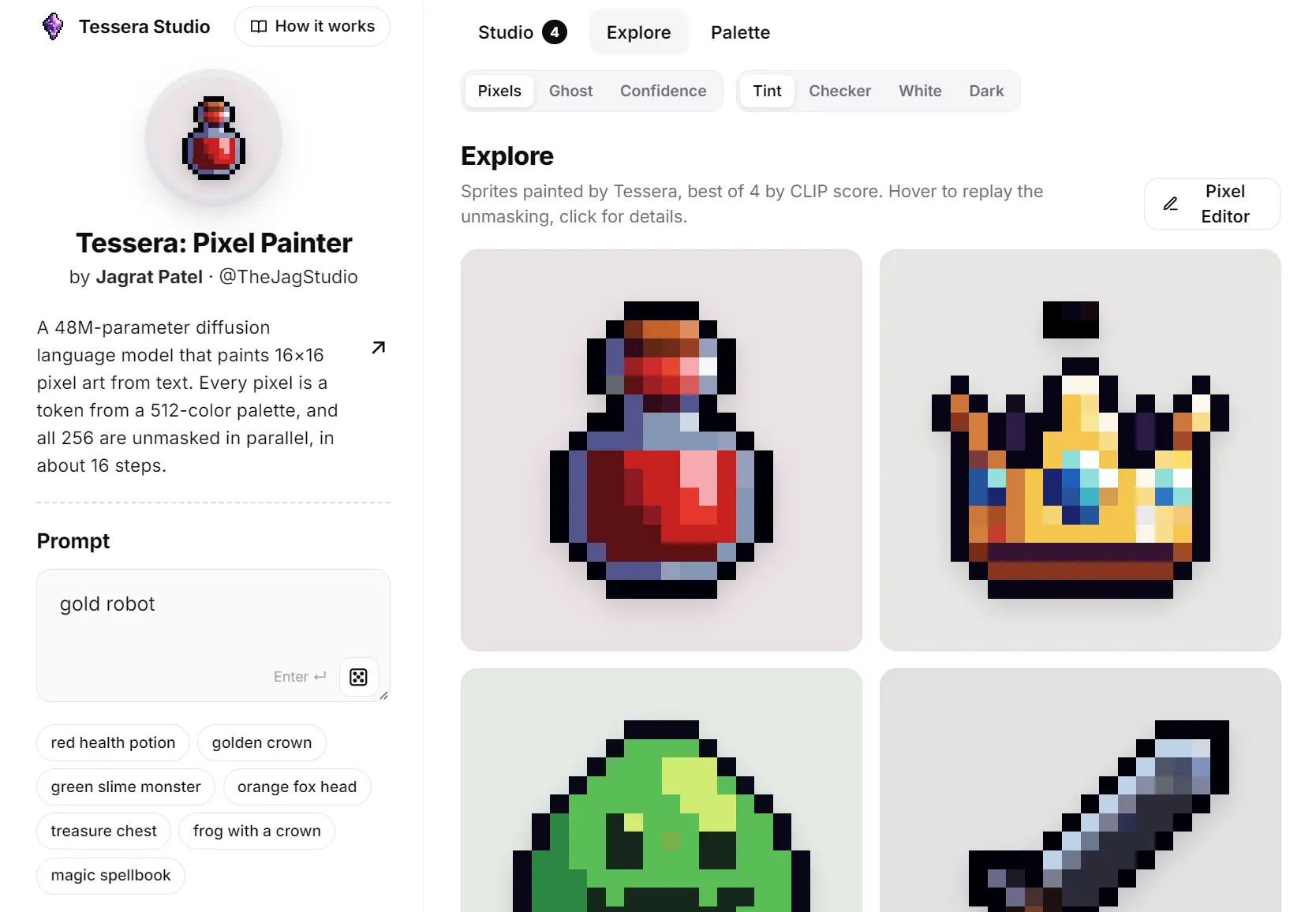
Tessera Pixel Studio is a free AI pixel art generator that allows you to generate and edit pixel images from text prompts.
It uses Tessera, a 48M-parameter diffusion language model, to predict colors directly on the pixel grid, and displays each stage as the sprite takes shape.
Describe a potion, creature, or tiny icon, then open the result in the Pixel Editor.
You can paint individual pixels, mark an area for AI repainting, or sketch a few strokes and let Tessera complete the image.
Key Features
- Generate 16×16 pixel art from a text description on a fixed pixel grid.
- Watch generation live in Pixels, Ghost, or Confidence view.
- Create batches of up to 16 sprites on GPU or four on CPU.
- Paint, erase, and fill individual pixels using the model’s 512-color palette.
- Mark areas with the Magic brush for AI repainting, or have Tessera complete a sketch.
- Export 16×16 or 512×512 PNG images.
Generate Your First Sprite
1. Open Tessera Pixel Studio and type a short description such as “green slime monster with yellow eyes” or “golden crown with blue gems.”
2. Select Images to generate one, four, eight, or sixteen versions, and choose GPU or CPU under Run on.
The GPU option allows up to 16 sprites and 32 sampling steps per request. CPU mode allows up to four sprites and 24 steps.
3. Leave Steps at the default of 16 for your first result, then press Create or Enter.
4. As Tessera generates the sprites, you see the masked pixels resolve into colors.
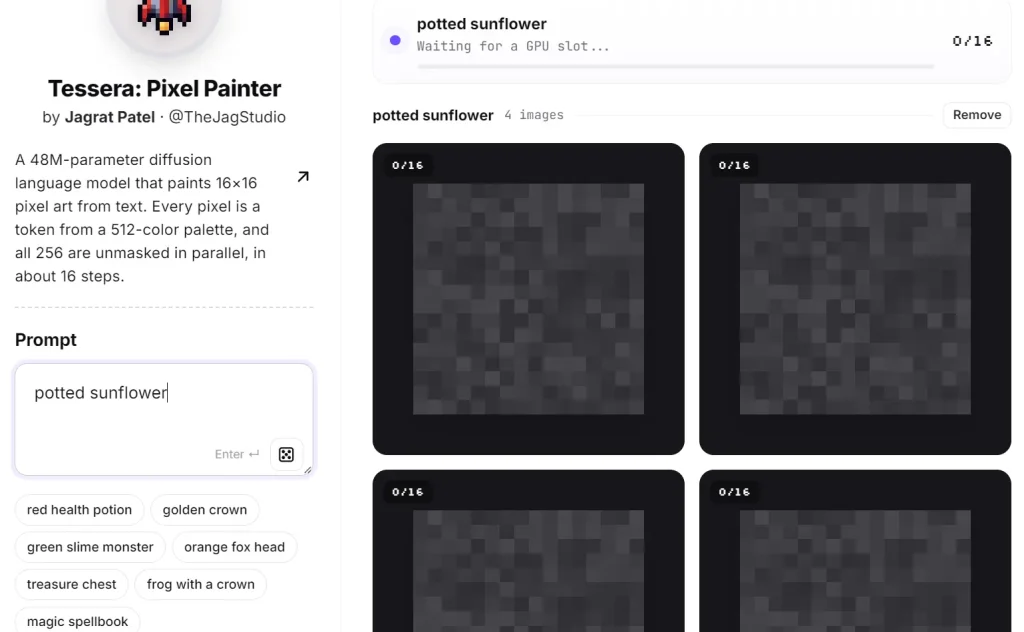
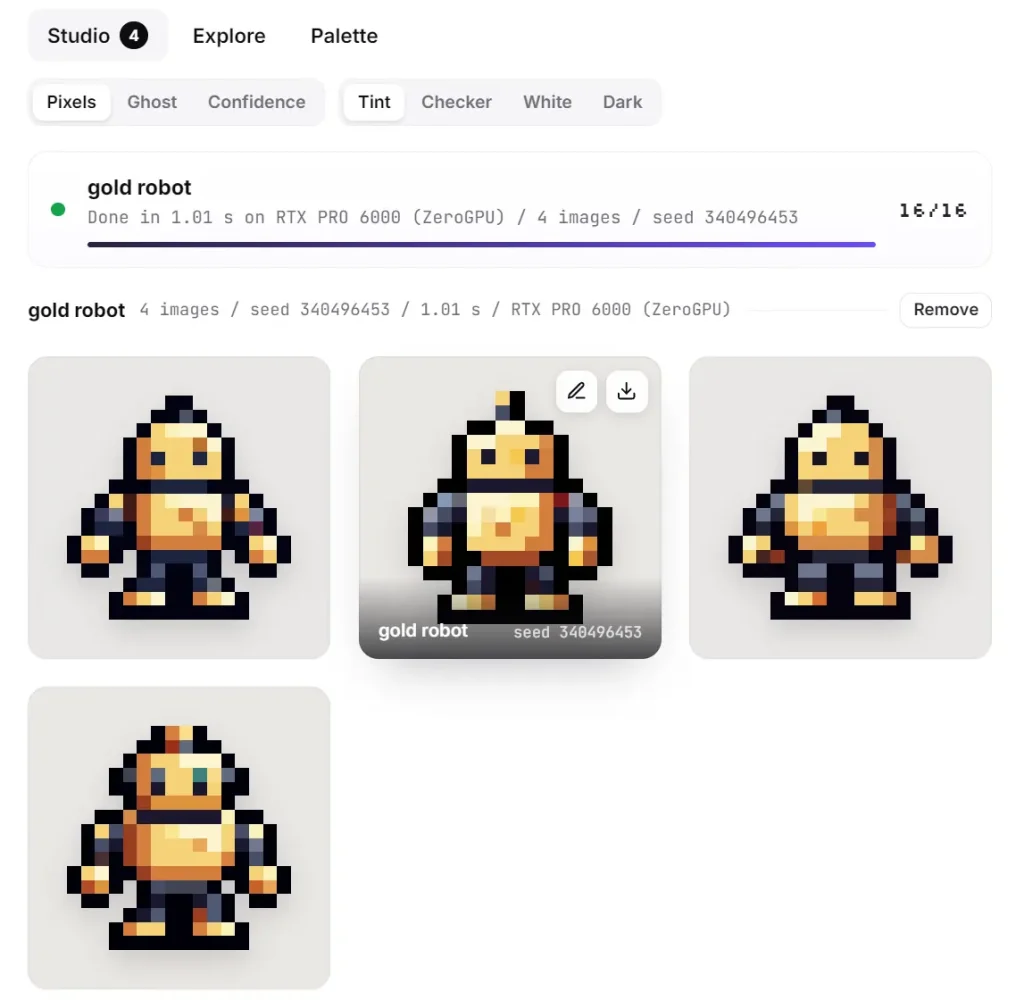
5. Open a finished image to examine it more closely, create four more variations, or use Remix to work from an earlier result.
6. Download a result as a 16×16 PNG for further pixel-level editing or a 512×512 PNG for viewing at a larger size.
7. The Studio saves recent creations in your browser so you can revisit them there.
Edit Pixels and Repaint Selected Areas
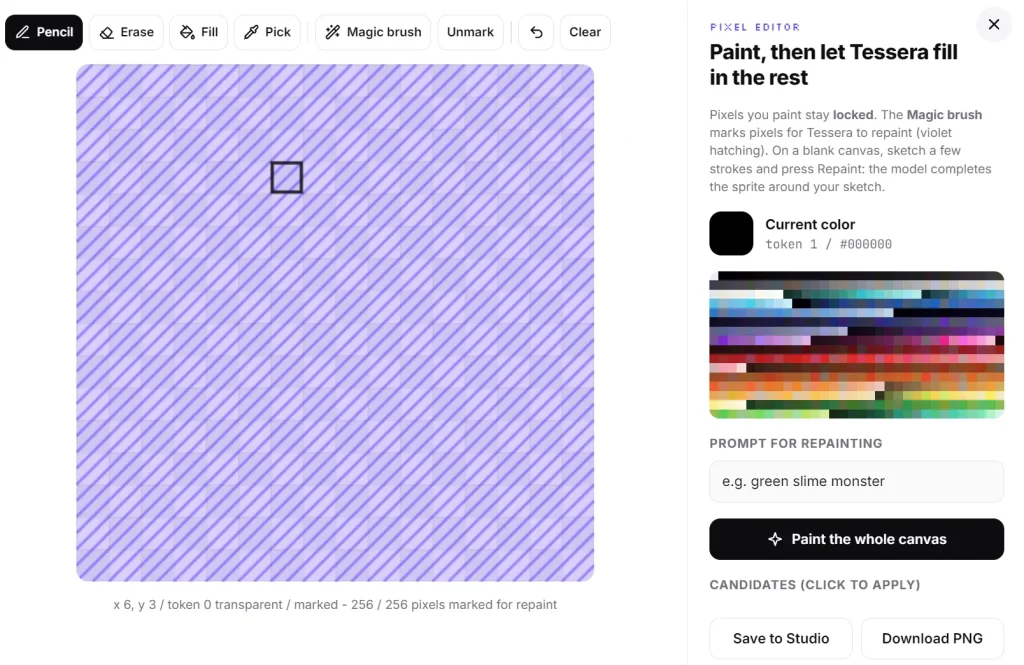
Open a finished sprite in Pixel Editor to paint, erase, fill regions, pick colors, or undo changes.
For a targeted AI edit, choose the Magic brush and mark the pixels you want to change.
Enter a description of the desired result and press Repaint. Tessera generates alternatives for the marked area and keeps the other pixels locked.
You can also open a blank canvas, draw a few pixels to establish an object’s outline or colors, and ask Tessera to complete the unfinished part.
How Tessera Generates Pixel Art
Tessera uses a 47.6-million-parameter masked-diffusion language model. Each of the 256 positions on its 16×16 canvas is represented by a token from a learned palette of 512 colors, including transparency.
Generation begins with every pixel masked. At each step, the model predicts colors for the unresolved positions and commits more of them until the image is complete, typically in about 16 steps.
A frozen CLIP text encoder interprets your prompt, and a bidirectional transformer combines that text with the developing pixel grid.
Free Access and Commercial-Use License
Tessera Pixel Studio is free to use on Hugging Face, with GPU access governed by ZeroGPU availability and quotas.
The model, code, and Studio are licensed under Creative Commons Attribution-NonCommercial 4.0 (CC BY-NC 4.0).
For a sprite intended for a paid game, app, product, or monetized service, contact Jagrat Patel about a commercial license.
Pros
- Generates native 16×16 sprites with individual pixels available for editing.
- Combines text generation, live decoding, manual painting, and selective AI repainting.
- Provides model weights and Studio code for local non-commercial experiments.
Cons
- The fixed 16×16 resolution limits scene detail, character complexity, and text.
- Commercial use of generated artwork requires a license from the author.
Alternatives & Related Resources
- Free AI Transforms Images or Prompt Text to 8-Bit Pixel Art
- PerfectPixel: Open-Source AI Sprite Generator for Animated Game Assets
- 10 Best AI Image Generators: Free and Paid