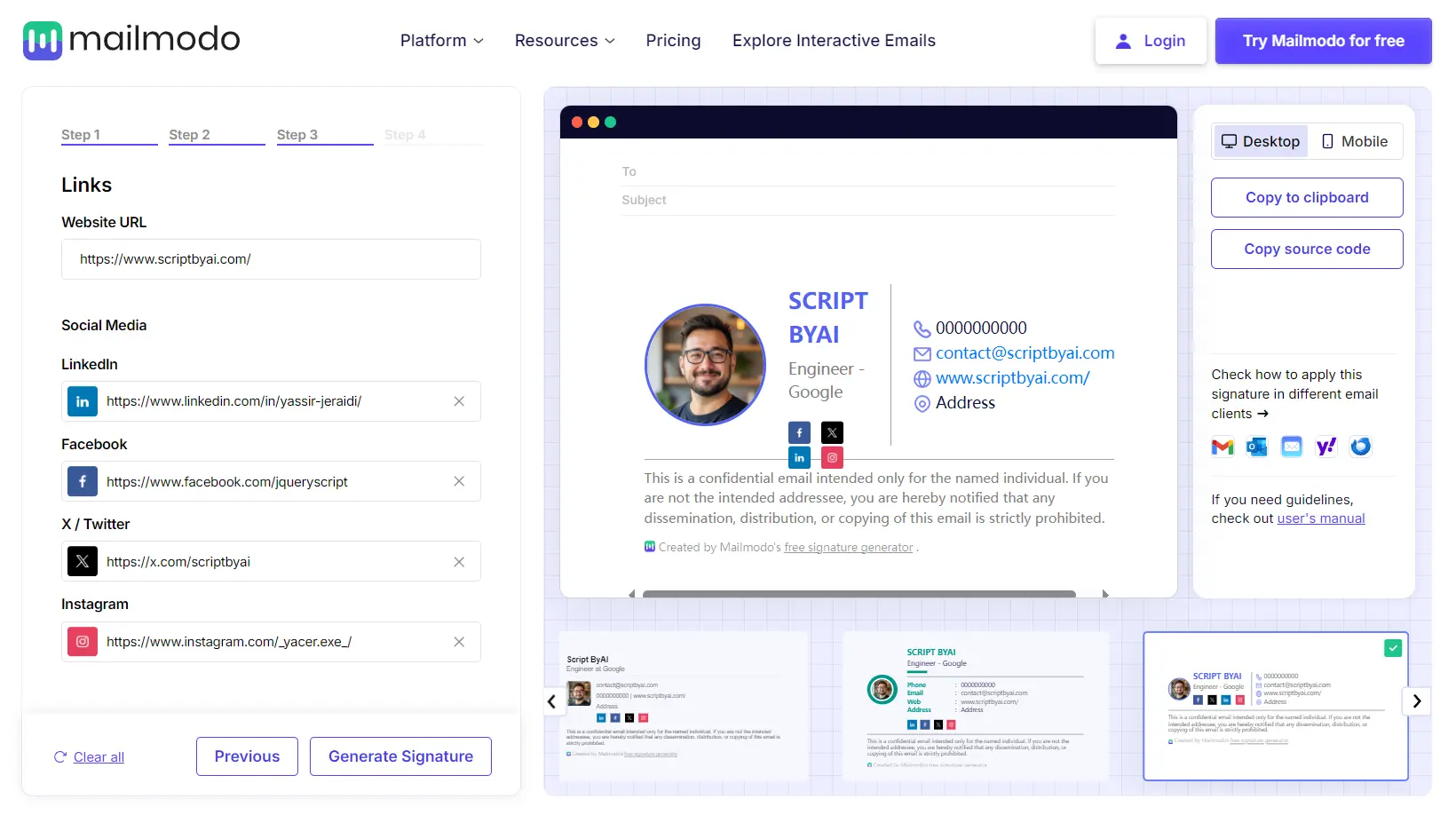
Email signatures shouldn’t take hours to design—yet most of us either overthink them or settle for a messy text block with broken formatting. Mailmodo’s AI Email Signature Generator fixes that.
It is a 100% free AI tool that creates professional-looking email signatures without needing design skills. Enter your details, and the AI will generate HTML signatures compatible with common email clients like Gmail, Outlook, and Yahoo Mail.
Features
- AI Remix: Suggests signature variations based on selected style and use case.
- Template Variety: Offers several pre-designed templates (Minimalist, Modern, Creative, etc.).
- Customization: Allows adding personal photo, company logo, and customizing colors.
- Contact & Social Links: Dedicated fields for phone, email, address, website, LinkedIn, Facebook, X/Twitter, Instagram.
- Mobile Responsive: Signatures are designed to display correctly on different screen sizes.
- Copy Options: Provides one-click copy for HTML or plain text versions.
Use Cases
- Standardizing Team Signatures: Ensure everyone in the company has a consistent, branded signature without manual setup for each person. This reinforces brand identity in every external email.
- Quick Setup for New Hires: Get new team members set up with a professional signature quickly as part of their onboarding.
- Personal Branding for Freelancers/Consultants: Create a polished signature that includes contact info, website, and social profiles to project professionalism.
- Marketing & Promotions: Use templates designed for promotion to include call-to-actions or links to specific campaigns (though use this sparingly to avoid looking spammy).
- Updating Signatures Easily: When contact details, job titles, or branding changes, update the signature centrally and distribute the new HTML.
How to Use It
- Go to the Mailmodo AI Email Signature Generator website.
- Enter Professional Details: First Name, Last Name. Then add optional details like Job Title, Email, Phone, Company Name, and Address.
- You have options to upload a Profile Picture and a Company Logo. There’s also a field for Disclaimer text if needed.
- Add URLs for your Website and social media profiles (LinkedIn, Facebook, X/Twitter, Instagram).
- Select a general style (e.g., Modern, Minimalist) and the primary purpose (e.g., Branding, Professionalism, Social Links).
- Pick one of pre-built templates as your starting point.
- Click the ‘Remix with AI’ button. The tool generates variations based on your inputs and selections.
- Check the signature preview for both desktop and mobile views. If it looks good, copy the HTML to paste into your email client’s signature settings.
My tip: Always send a test email to yourself and view it in different clients (e.g., Gmail web, Outlook desktop, mobile mail app) after pasting the HTML.
Pros
- Zero design skills required – The templates and AI do the heavy lifting
- Fast generation – Create a professional signature in under 1 minutes
- Cross-platform compatibility – Works reliably across major email clients
- Completely free – No hidden costs or premium features locked behind paywalls
- Mobile-friendly designs – Signatures look good on all devices
- No account creation required – Use it without signing up
- Clean HTML export – No bloated code that might break in email clients
Cons
- Limited advanced customization – You’re somewhat restricted to the available templates and options
- No team management features – Creating consistent signatures for large teams requires manual work for each person
- No integration with email clients – You must manually copy and paste the HTML
- Limited font selection – You can’t upload custom fonts
FAQs
Q: Can I use the generated signature for my whole team?
A: Yes, you can generate a template and then have team members personalize it or generate individual ones using a consistent style. It helps maintain brand consistency.
Q: Does the ‘AI Remix’ significantly change the signature?
A: The AI Remix adjusts the layout and potentially emphasizes elements based on the style and use case you select. It works off the chosen base template to offer variations quickly. Expect refinements rather than entirely unique creations.
Q: Can I edit the HTML code after generating it?
A: Yes, once you copy the HTML, you can paste it into a text editor and make manual adjustments if you know HTML. This could be useful for minor tweaks the generator doesn’t support.
Q: Does the tool collect my personal information?
A: According to Mailmodo’s privacy policy, they don’t store your signature information. The data you enter is used only to generate your signature and isn’t saved once you leave the page.