Need to remove an object, replace a background, clean up a product photo, restore an old image, or change part of a picture from a prompt?
AI image editors can now handle these everyday edits in a few clicks, and many work directly in the browser with usable free access.
Here are 10 AI image editors worth trying in 2026, with current free access, pricing, key editing features, and the main limitations for each one.
10 Best AI Image Editors for 2026
| Product | Main AI Editing Focus |
|---|---|
| Photoroom | Product photos, backgrounds, staging, and batch catalog edits |
| Pixelcut | Product imagery, generative edits, cleanup, and batch processing |
| Adobe Firefly | Generative fill, object changes, expansion, and creative AI editing |
| Krea | Prompt, reference-image, region-based, and iterative creative edits |
| Leonardo.Ai | Prompt-led image editing across multiple generative models |
| OpenArt | Prompt edits, area editing, annotation, and creative transformations |
| Magic Hour | Fast browser edits, retouching, object removal, and restoration |
| Cutout.Pro | Background removal, cleanup, enhancement, and photo restoration |
| insMind | Product-photo cleanup, backgrounds, enhancement, and e-commerce edits |
| PicWish | Enhancement, object removal, background editing, and old-photo repair |
Photoroom
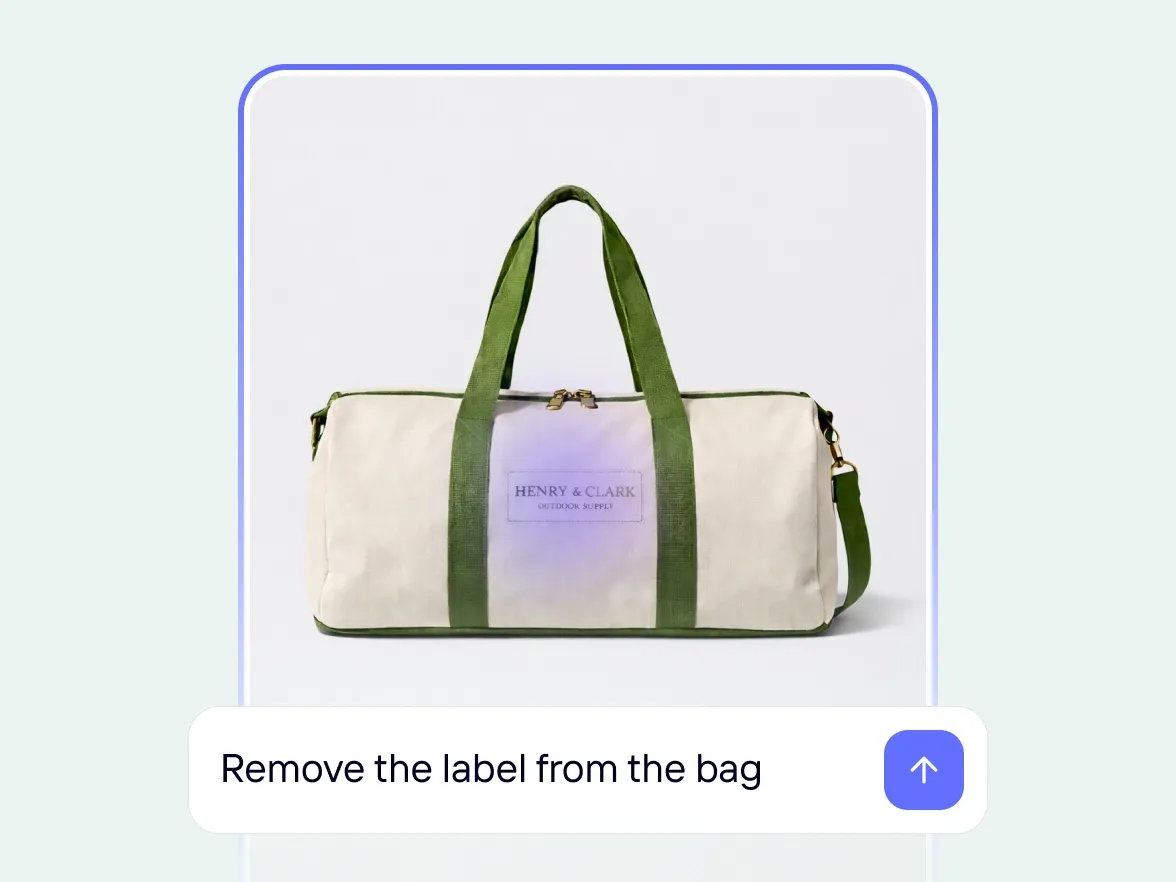
Photoroom is built around AI product photography and e-commerce image production. Edit with AI accepts plain-language changes to an uploaded photo, including object removal, color changes, background replacement, relighting, and scene changes. Retouch handles selected areas, and the product toolkit also includes AI Backgrounds, Product Staging, Virtual Model, Flat Lay, Image Enhancer, Resize, and batch processing.
Free access: Photoroom Free includes limited access to core editing features and a low allowance for AI generation. A Free Space can export up to 25 images per week and 100 per month. Commercial use is reserved for paid plans.
Pricing: Pro costs $7.50 per month on annual billing with 8,000 AI credits and 1,000 exports per month. Max costs $20.99 per month on annual billing with 25,000 AI credits and 3,000 exports per month.
Main limitation: Photoroom is heavily optimized for products, listings, and catalogs. Layer-heavy compositing and RAW photo management are outside its main use case.
Key AI Editing Features
- Edit existing images with natural-language instructions.
- Remove, replace, or generate product backgrounds.
- Erase or insert objects with Retouch.
- Expand, resize, relight, and enhance product images.
- Create product staging, flat lays, and virtual model images.
- Apply AI edits across batches and product catalogs.
Pixelcut
Pixelcut focuses on product-photo editing, generative changes, and batch production. Its editor handles background removal, object cleanup, generative fill, image expansion, product backgrounds, and upscaling. Advanced partner models use credits, and the model picker shows the cost before generation.
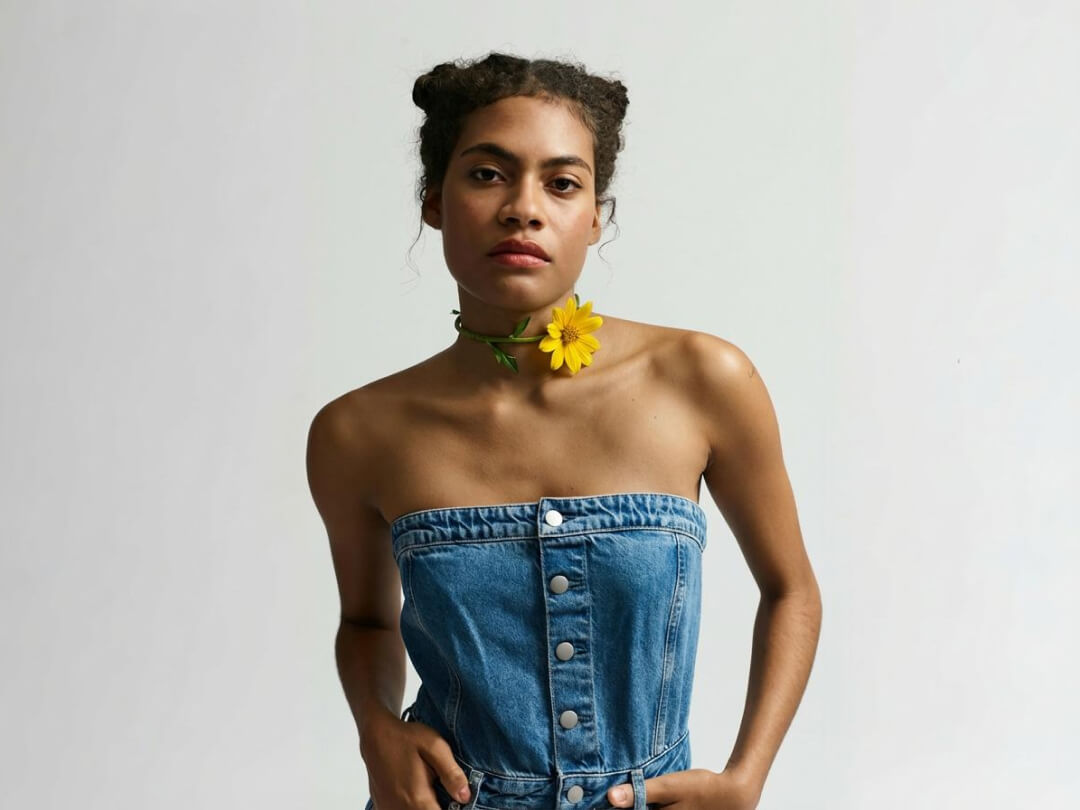
Free access: The free plan includes limited Background Removal, Magic Eraser, Fast Upscaler, Generative Fill, and other AI features, with watermark-free exports. Free accounts typically receive about three AI uses per day.
Pricing: Pro costs $10 per month or $8 per month on annual billing. It includes 600 AI credits per month, access to all AI models, unlimited background removal and upscaling, a three-person team, and 1,000 batch exports per month. Included generative tools have soft limits around 300 generations per day on Pro.
Main limitation: The free allowance is small, and advanced partner models consume credits at different rates. High-volume use requires attention to both soft limits and the credit balance.
Key AI Editing Features
- Remove backgrounds and erase unwanted objects automatically.
- Generate or replace content with Generative Fill.
- Expand images beyond the original frame.
- Generate product backgrounds and scene variations.
- Upscale and enhance low-resolution images.
- Run large product-image jobs through batch exports.
Adobe Firefly
Adobe Firefly is Adobe’s AI-first creative app for generating and editing images, video, and audio. For image editing, Generative Fill lets you select an area and generate, remove, or replace content from a prompt. Firefly also handles background changes, generative expansion, reference-based creation, and partner image models from one account.
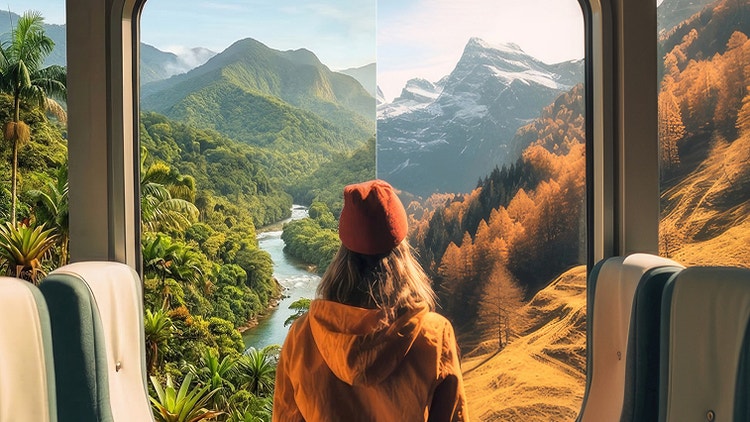
Free access: Firefly Free includes a limited number of daily generations across standard and premium features.
Pricing: Firefly Standard costs $9.99 per month with 2,000 monthly generative credits and unlimited access to standard image features, including Generative Fill. Firefly Pro costs $19.99 per month with 4,000 credits, Photoshop on web and mobile, and Adobe Express Premium.
Main limitation: Credit use changes by model and premium feature. RAW photo management and deep layer-based desktop editing require another editor.
Key AI Editing Features
- Generate, remove, and replace selected content with Generative Fill.
- Change or regenerate image backgrounds.
- Extend scenes beyond the original canvas.
- Use Adobe and partner image models from one account.
- Create variations from prompts and image references.
- Continue selected work in Adobe web and mobile apps.
Krea
Krea is an AI-native creative suite for image generation, editing, enhancement, and real-time experimentation. Its AI Image Editor accepts prompts and image references for revisions to an existing image. Region controls, relighting, color changes, enhancement, and model switching support multi-pass creative edits inside one workspace.

Free access: Krea Free renews 100 compute units every day and requires no credit card. It includes access to image models, real-time models, limited LoRA training, Krea Nodes, and image upscaling up to 2K.
Pricing: Basic costs $9 per month with 5,000 compute units, selected video models, and image upscaling up to 22K. Pro costs $35 per month with 20,000 compute units and all video models. Annual billing lowers the effective monthly price.
Main limitation: Compute-unit costs depend on the model and task. A long editing session can be harder to budget than a plan with a fixed number of image edits.
Key AI Editing Features
- Edit images from prompts and image references.
- Limit edits to selected regions and preserve the rest of the image.
- Relight, colorize, and restyle existing images.
- Enhance and upscale images with multiple models.
- Switch between image models for different edit types.
- Build repeatable creative flows with Krea Nodes.
5. Leonardo.Ai
Leonardo.Ai has a dedicated AI photo editor built around natural-language prompts, image references, and omni editing models. It handles subtle retouching, object removal or replacement, lighting changes, structural edits, and final upscaling. Available editors include GPT-Image-2, Nano Banana 2, Nano Banana 2 Lite, and Nano Banana Pro.

Free access: The free plan renews 150 Fast Tokens each day with basic quality settings and public creations.
Pricing: Essential costs $12 per month with 8,500 Fast Tokens per month, private creations, enhanced quality settings, unlimited personal collections, and two simultaneous generations. Premium costs $30 per month with 25,000 Fast Tokens and relaxed generation on selected image models.
Main limitation: Token costs vary by model and settings. Free-plan creations are public, which can matter for client work, unreleased products, or private concept development.
Key AI Editing Features
- Edit images through natural-language prompts and references.
- Remove, replace, or refine objects and image details.
- Adjust lighting and make larger structural changes.
- Switch between several omni image models.
- Iterate on an existing image across multiple revisions.
- Upscale final assets inside the Leonardo workspace.
OpenArt
OpenArt puts prompt editing, targeted area editing, annotation-guided changes, model selection, and utility photo tools in one AI creation workspace. The AI Photo Editor can replace backgrounds, remove objects, restyle scenes, change camera angles, repair faces, swap faces, and upscale images. Area Edit targets a selected region, and Annotate mode lets you mark the image with arrows and shapes before asking the model to change it.

Free access: New accounts receive 40 trial credits for seven days with no credit card required.
Pricing: Starter costs $14 per month with 4,000 credits. Plus costs $34 per month with 12,000 credits. Credit cost depends on the model and generation settings, and OpenArt shows the expected cost before generation.
Main limitation: Free access is a seven-day, 40-credit trial. Simple cleanup also requires choosing from a large model catalog.
Key AI Editing Features
- Edit existing images from plain-language prompts.
- Edit a selected region with Area Edit.
- Guide changes with arrows and shapes in Annotate mode.
- Switch among Seedream, GPT Image, Nano Banana, Recraft, and other models.
- Change backgrounds, faces, lighting, angles, and scene content.
- Upscale and enhance images inside OpenArt.
Magic Hour
Magic Hour‘s AI Image Editor runs in the browser and works before you create an account. Upload a photo, choose Prompt Edit, Remove Object, Unblur, Retouch, Remove Text, or Restore, describe the change, and generate a revised image. The full editor exposes multiple image models for prompt-based changes.

Free access: The AI Image Editor includes three edits per day with no sign-up requirement and no watermark. Free outputs are limited to personal, non-commercial use.
Pricing: Creator costs $19 per month or $12 per month on annual billing and includes 144,000 yearly credits, 1024-pixel high-resolution exports, all tools, watermark-free output, commercial use, and API access. Pro costs $39 per month or $25 per month on annual billing with 300,000 yearly credits and 1472-pixel output.
Main limitation: Three free edits disappear quickly during iterative work. Commercial use and the higher production limits require a paid plan.
Key AI Editing Features
- Edit images from natural-language prompts.
- Remove objects, text, and visible distractions.
- Retouch portraits and restore damaged photos.
- Unblur low-quality images.
- Change backgrounds, styles, lighting, and image content.
- Use several image models for prompt-led edits.
Cutout.Pro
Cutout.Pro organizes AI image editing as focused utilities for cleanup, cutouts, restoration, and product-image processing. Background removal and image retouch each cost one credit for a full-resolution result. Image enhancement and colorization use two credits.

Free access: A free account includes free previews and five credits. Background removal and image retouch use one credit per full-resolution image. Enhancement and colorization use two credits per image.
Pricing: Subscriptions start at $5 per month for 80 credits, $9.90 for 170 credits, and $16.90 for 300 credits. Unused subscription credits can roll over up to five times the monthly credit budget during an active subscription. Pay-as-you-go packs are also available.
Main limitation: Cutout.Pro divides editing across individual utilities. Multi-step creative edits can require moving between several tools, and different operations consume different numbers of credits.
Key AI Editing Features
- Remove image backgrounds automatically.
- Retouch objects and unwanted image areas.
- Enhance low-resolution or soft photos.
- Colorize black-and-white images.
- Process passport photos and portrait cutouts.
- Use subscription credits or pay-as-you-go credits.
insMind
insMind is an AI photo editor aimed at product images, marketplace listings, and fast marketing graphics. AI Replace changes a selected object from a prompt, Generative Fill rebuilds larger selected areas, and AI Expand extends the frame. Background removal and generation, image enhancement, smart resizing, AI shadows, product photography, and Magic Eraser handle common e-commerce edits from the browser.
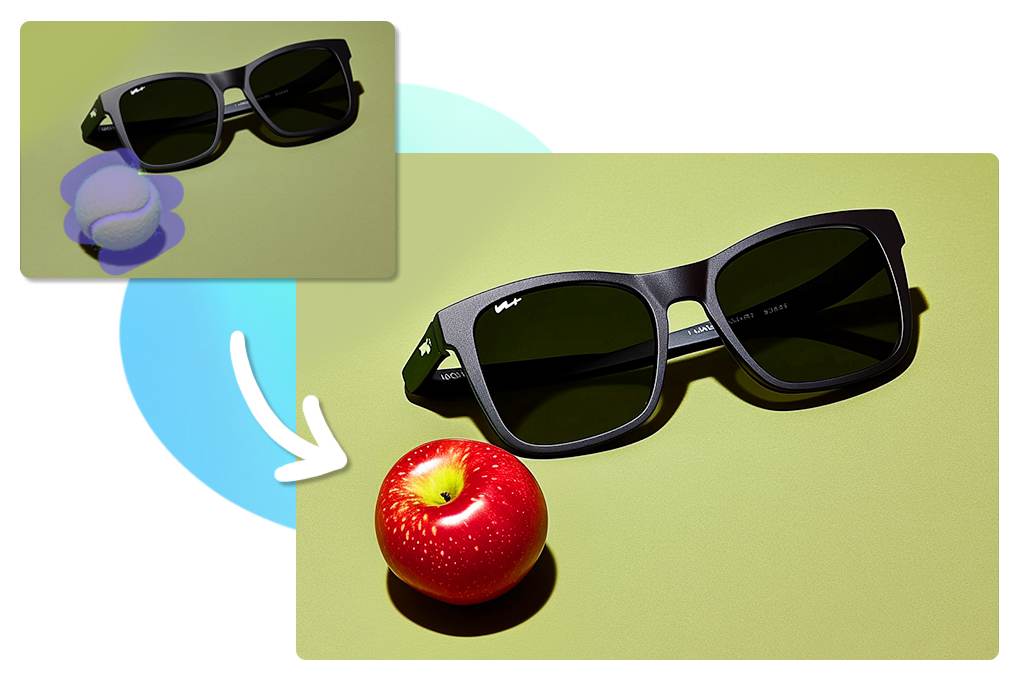
Free access: Free edits can be downloaded at lower quality, and some free outputs include a watermark. HD, watermark-free exports and advanced AI features require Pro.
Pricing: Pro costs $6.99 per month, $14.99 per quarter, or $54.99 per year.
Main limitation: Free output quality is restricted, and the exact free behavior can differ across individual editing tools. Advanced AI features and clean HD exports require Pro.
Key AI Editing Features
- Replace selected objects from a written prompt.
- Rebuild selected areas with Generative Fill.
- Expand images and prepare new aspect ratios.
- Remove or generate product backgrounds.
- Enhance, resize, and retouch product photos.
- Create shadows and marketplace-ready product imagery.
PicWish
PicWish focuses on fast photo cleanup and restoration. Its editor includes background removal, enhancement, object removal, face cutout, white-background tools, product retouching, colorization, resizing, and AI-assisted editing. The mobile app also handles straightforward photo changes through a chat-style editing flow.

Free access: The free plan includes previews for most features, access to free tools, and a limited number of non-HD downloads each day.
Pricing: Pro includes HD downloads for eligible tools plus 450 credits per month for generative AI and usage after daily limits. The U.S. App Store lists PicWish Pro at $9.99 per month and $59.99 per year. Web and regional prices can differ.
Main limitation: Limits differ by feature. PicWish describes up to 50 HD images per day for Pro in its FAQ, and selected features have higher listed limits. Check the exact limit for the editing feature you plan to use.
Key AI Editing Features
- Enhance and unblur low-quality photos.
- Remove backgrounds and build clean product images.
- Erase objects, text, folds, and other distractions.
- Colorize old black-and-white photos.
- Retouch products and portrait details.
- Use monthly credits for generative and higher-volume tasks.
FAQs
Do free AI image editors use watermarks?
Watermark and export-quality rules differ by product. Magic Hour’s free AI Image Editor and Pixelcut’s free exports are watermark-free. insMind can watermark free output and limits free downloads to lower quality. PicWish limits free output quality and the number of daily downloads.
Can I use AI-edited images commercially?
Commercial-use rights depend on the product, plan, model, and source image. Magic Hour grants commercial use to paid subscribers and credit-pack customers. Pixelcut Pro includes a commercial license. Krea includes commercial licensing on its paid individual plans. Source-image rights and third-party intellectual-property rights also apply.
Changelog
10/05/2026
- Rebuilt the shortlist around AI-first image editors.
- Replaced outdated or off-scope entries with Adobe Firefly, Krea, Leonardo.Ai, OpenArt, Magic Hour, and insMind.
- Updated free access, pricing, usage limits, key AI editing features, demo images, and selection guidance.
12/24/2025
- Updated for 2026.
02/18/2025
- Updated the list.
Related Resources
- 10 Best AI Image Generators: Free and Paid
- 10 Best AI Image Enhancers and Upscalers for High-Quality Photos
- Free AI Image Editing Tools – ScriptByAI