Avec is a free AI email app for iPhone that connects to Gmail and Google Workspace accounts, ranks your inbox by priority, and composes replies from voice recordings.
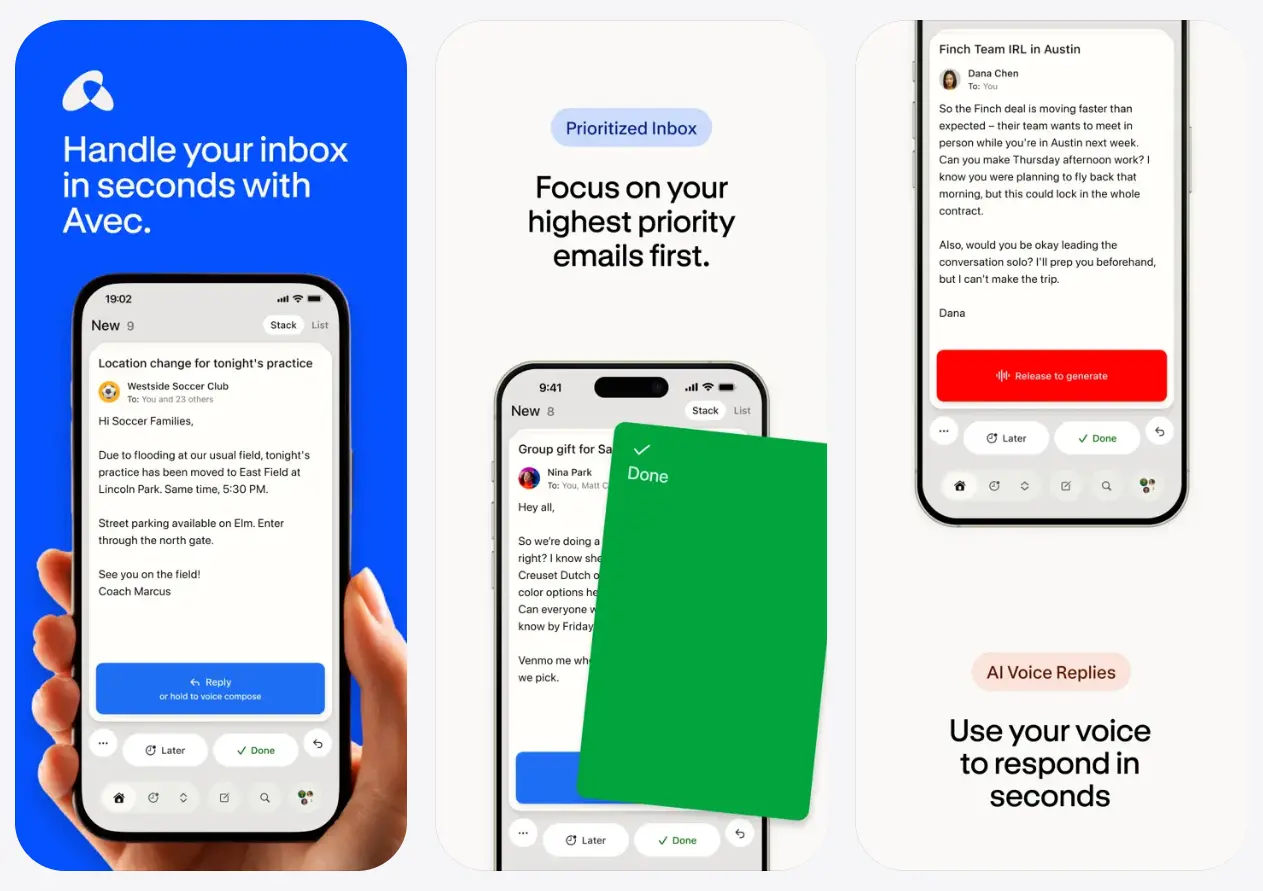
The app is designed to be the Tinder for email. You swipe through a prioritized queue, act on what matters, and clear the rest.
Avec handles inbox triage on its own. Every message arrives with a priority score based on what the AI estimates needs attention. It tracks which emails you engage with and which you dismiss, then adjusts that ranking over time.
The voice compose feature skips the keyboard: speak a few key points in plain language, and Avec turns that recording into a complete email draft that sounds like you wrote it.
Features
- Prioritizes the inbox by surfacing emails that need attention first and learning user preferences over time.
- Presents the inbox as a stack of swipeable cards, with left and right swipes mapped to quick decisions.
- Converts voice recordings into polished email drafts and learns writing style from past messages.
- Allows you to unsubscribe from mailing lists and block spammy senders with a single tap.
- Sends smart notifications that include key details upfront so users know what is happening without opening the app.
- Provides a smart search function that pulls specific details from inbox threads when asked in plain language.
- Includes a traditional list-view inbox as an alternative to the card-based swipe interface.
- Works with multiple Gmail or Google Workspace accounts and shows them in a single unified view.
- Groups emails marked as “unimportant” by sender and topic, then offers a weekly cleanup report with bulk archiving options.
Use Cases
- Clear a backlog of unread newsletters and promotional emails by swiping through them one at a time during a commute.
- Reply to a detailed work thread by speaking a few key points aloud and reviewing the AI-generated draft before sending.
- Unsubscribe from dozens of unwanted mailing lists with a single tap each instead of hunting for tiny unsubscribe links.
- Search for a specific detail buried in an old conversation thread by asking, “What was the address in that email from last week?”
- Review a Sunday summary of emails marked as unimportant and archive them all in one batch action.
How to Use It
Download the app
Download the Avec app from the App Store for iPhone.
Connect your Gmail account
On first launch, Avec asks for access to your Google account. You can add multiple accounts and switch between a unified view and individual account views in settings at any time.
Work through the priority queue
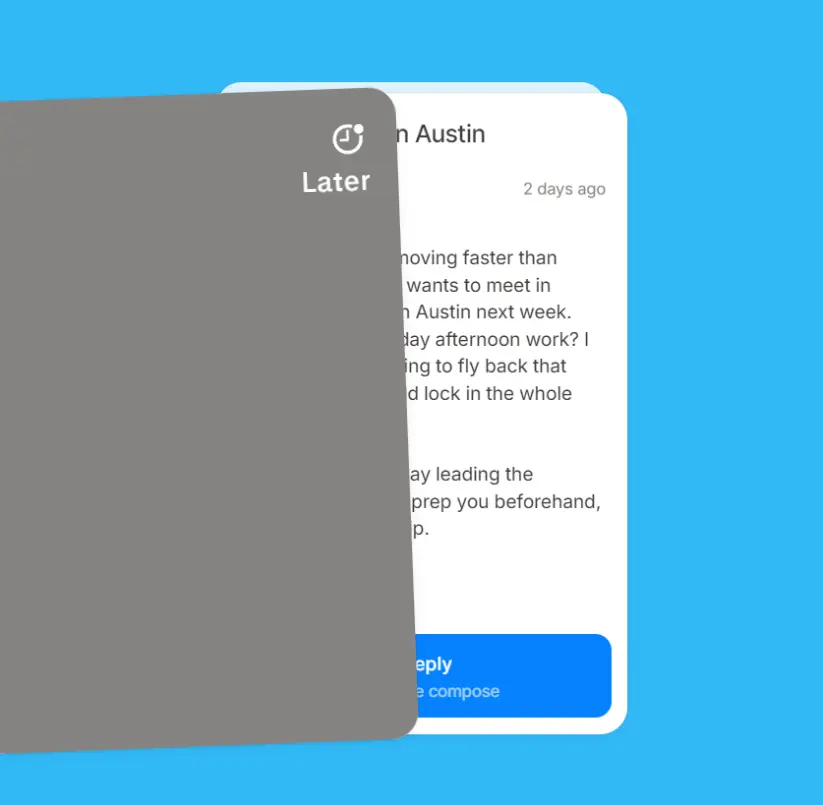
Avec presents emails one at a time, ranked by what the AI considers most important.
Swipe to mark an email done, swipe the other direction to save it for later, or tap to open the full reply screen.
As you move through your queue, the app tracks which emails you engage with and which you dismiss and adjusts future rankings accordingly.
The first few sessions may not yet reflect your actual preferences. Give it a few days.
Reply by voice
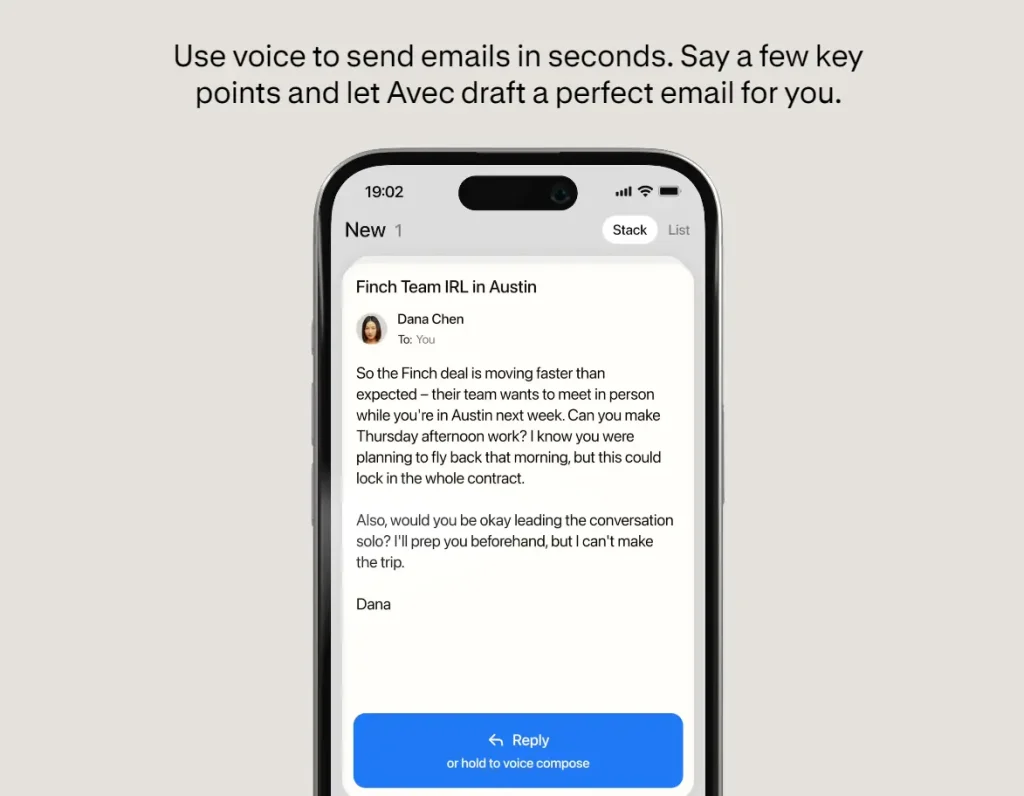
Open any email and hold the voice compose button.
Speak your key points in plain language, and Avec then generates a full reply draft.
If the draft misses something, record a short follow-up note, and the app will revise it before you send.
Search your inbox by question
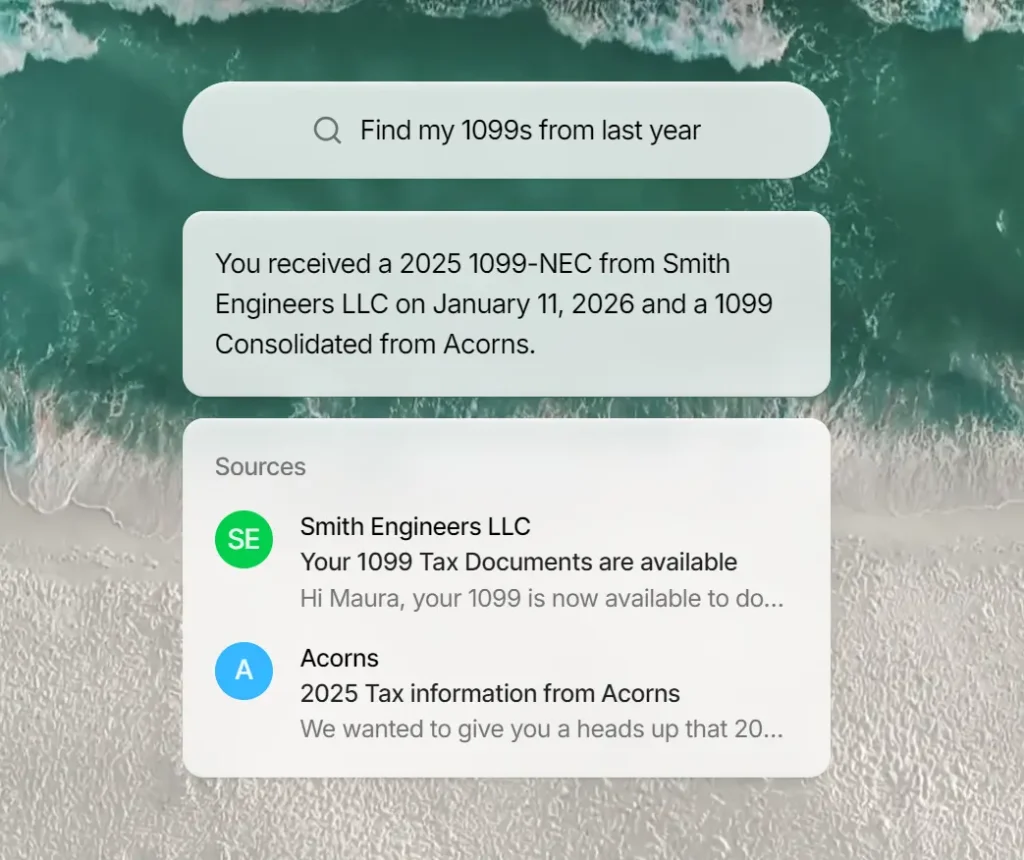
Tap the search bar and ask a natural-language question such as “What did Smith Engineers send me about my 1099?”
Avec returns the relevant information and links to the source email. You do not need to scroll through threads or apply manual filters.
Clear lower-priority mail
After handling the high-priority queue, Avec presents the remaining messages.
Swipe through them quickly or use the one-tap tools to unsubscribe from newsletters and block senders sending repeat promotional mail.
Pros
- Free to use with no ads and no email volume limits at launch.
- Voice drafting incorporates email context and personal writing style.
- One-tap unsubscribe works reliably and saves time versus manual opt-out links.
- Smart search understands natural language queries about inbox contents.
Cons
- Available only on iPhone with iOS.
- Gmail and Google Workspace accounts only at present.
- Email data processed on external servers.
FAQs
Q: How does voice composition work?
A: Tap and hold the voice compose button on any reply screen and speak your key points. Avec generates a full email draft from the recording. If the first draft needs changes, record a short follow-up note and the app revises it before you send.
Q: How does Avec decide which emails matter?
A: Avec uses AI to assign priority scores to incoming emails and tracks how you respond to its suggestions over time. As you act on or dismiss certain types of messages, the app adjusts its rankings to match your behavior. Accuracy improves with regular use.
Q: What happens when I swipe down on an email?
A: Swiping down marks the email as “unimportant” and moves it to a separate pile. The app groups these emails by sender and topic, then presents a weekly cleanup report that lets users archive them all in one action.
Q: Can I switch back to a normal inbox layout?
A: Yes. A toggle in the upper right corner switches between the swipe-card interface and a traditional list view. The app remembers the preference between sessions.
Q: Does Avec use my email to train public AI models?
A: The privacy policy says Google API data from connected accounts is not transferred, sold, or used to create, train, or improve a machine learning or AI model beyond that specific user’s personalized model for the relevant feature. The same policy also says email account data and voice data may be shared with named AI providers to deliver app features such as prioritization, drafting, and summarization.