ElevenLabs makes it easy to turn scripts into voiceovers, clone voices, and dub videos into other languages. For creators and developers who produce audio regularly, free alternatives offer more ways to work without a monthly subscription, including options for commercial projects and unlimited local speech generation.
We’ve rounded up ten free ElevenLabs alternatives, including online voice generators, desktop audio studios, open-source speech models, and text-to-speech APIs. Explore the list below to find the right tool for your next audio project and see how much you can create for free.
10 Best Free ElevenLabs Alternatives
| Tool | What you can do for free |
|---|---|
| TTSMaker | Download commercial voiceovers in your browser |
| Fish Audio | Clone a voice online for personal projects |
| Voicebox | Compose and edit multitrack audio locally |
| VoiceStudio | Translate and dub videos on your computer |
| Pocket TTS | Clone voices on a CPU |
| Qwen TTS | Clone and design multilingual voices locally |
| Kokoro-82M | Generate local narration with preset voices |
| Google Cloud Text-to-Speech | Use a hosted speech API with a monthly free allowance |
| SpeechifyAI | Use a commercial speech API with no credit card or overage charges |
| Google AI Studio (Gemini TTS) | Generate expressive narration and two-speaker dialogue online |
1. TTSMaker for Browser Voiceovers
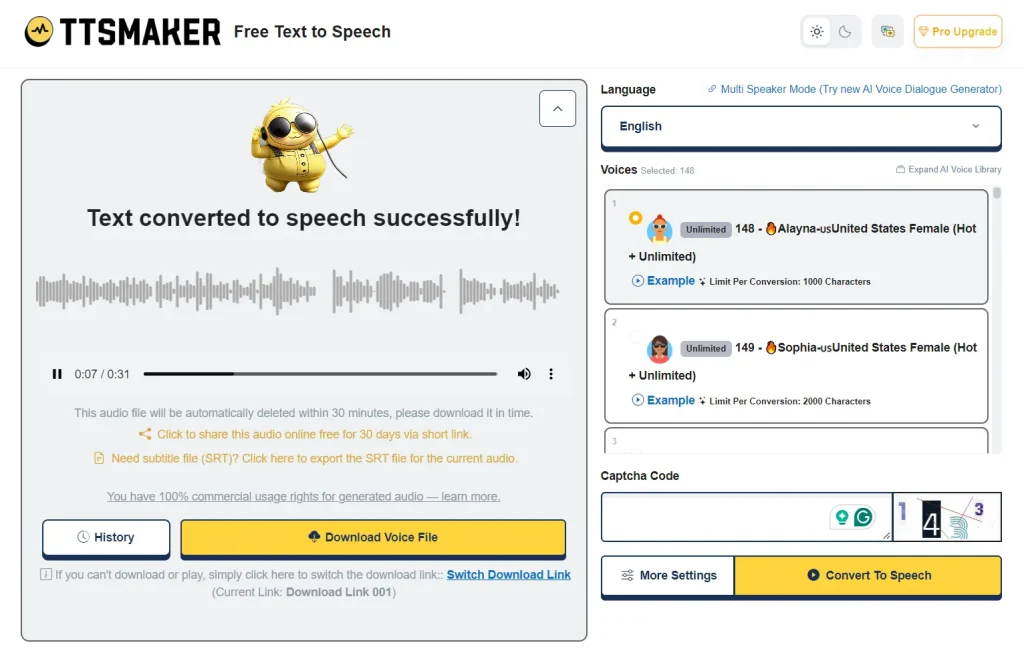
TTSMaker is a web-based text-to-speech generator for video narration, tutorials, and other scripted audio. Paste your script, choose a language and voice, and generate an audio file that you can import into your video editor.
Features
- Multilingual text-to-speech with preset voices.
- Controls for speed, pitch, volume, and pauses.
- MP3 and WAV audio downloads and SRT subtitle export.
- Audio sharing through a temporary link.
Free access: Standard voices come with a weekly allowance of 20,000 characters.
2. Fish Audio for Browser Voice Cloning
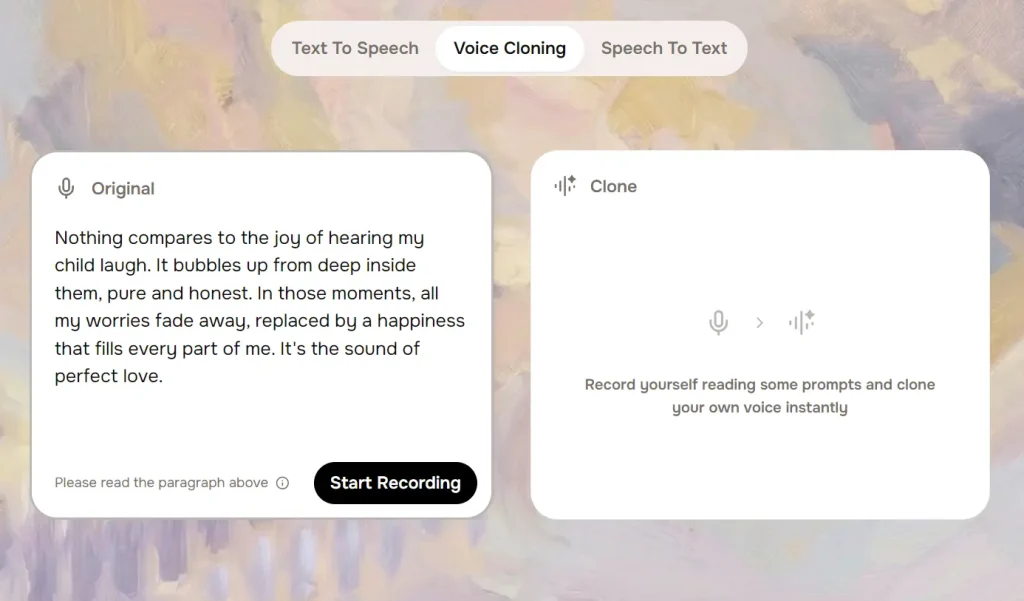
Fish Audio turns a short recording into a reusable voice for text-to-speech. Use a clone for a recurring character in a podcast, or select a voice from the public library and add tags such as [whispering] before individual lines of dialogue.
Features
- A searchable library of voices and reusable voice profiles.
- Inline emotion and delivery controls for scripted dialogue.
- Downloadable speech in MP3 or WAV format.
- Speech synthesis API with single-speaker and multi-speaker generation on compatible models.
Free plan: The web plan includes 8,000 credits per month, a 500-character limit per generation, and three public voice slots.
It also offers free API synthesis for personal projects through s2.1-pro-free. The API returns MP3, WAV, PCM, or Opus audio.
3. Voicebox for Multitrack Voiceovers
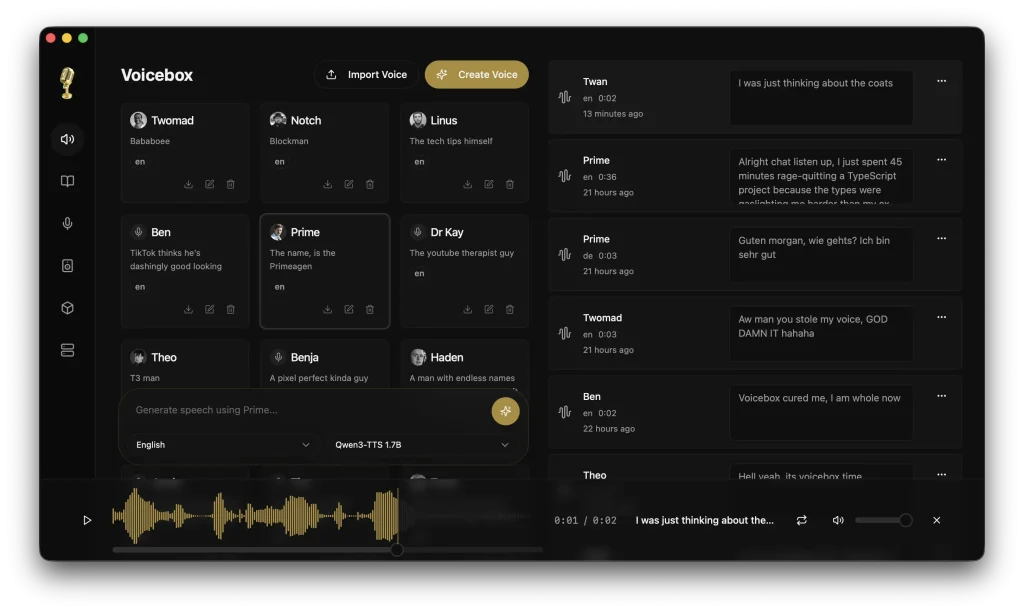
Voicebox is a local voice studio for creating podcasts, audio dramas, and long-form narration. Build a voice profile from a recording, generate the lines for each character, and arrange the takes in the Stories editor. You can replace individual clips as you revise a script without rebuilding the entire audio track.
Features
- Multiple local speech engines, including Qwen3-TTS and Kokoro, with voice cloning and preset voices.
- Voice design from text descriptions and model-specific controls for speaking style and expressive delivery.
- Long-form generation with automatic text splitting and crossfades between audio segments.
- Multitrack timeline with drag-and-drop editing, trimming, splitting, and take selection.
- Audio effects such as pitch shift, compression, reverb, and delay.
- Individual audio exports in WAV, MP3, or M4A, plus mixed WAV exports for complete stories.
- Local transcription and dictation, a REST API, and an MCP server for generating speech from scripts or AI agents.
Free access: The app is available for macOS and Windows, with a source build for Linux and a Docker backend. Local generation has no monthly quota.
Read More: Voicebox setup and features
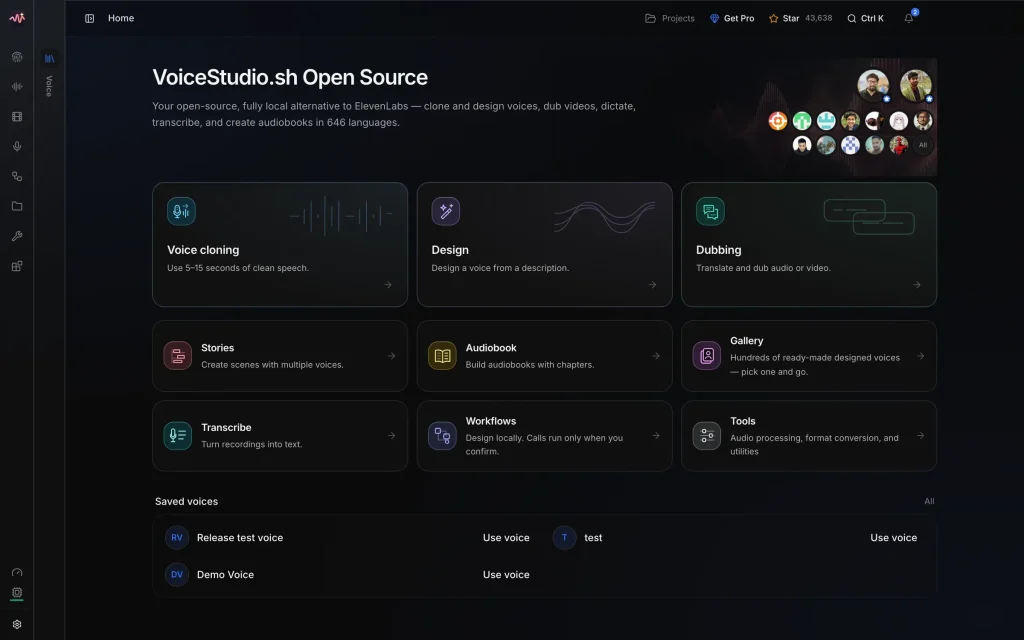
4. VoiceStudio for Video Dubbing
VoiceStudio is a local desktop app that handles the entire video dubbing process. Import a video, transcribe its dialogue, and translate the script into your target language.
Edit the translated lines and assign a voice to each speaker before generating the dub. The app can preserve background music and export the translated dialogue as an audio track in the video.
Features
- Video and audio transcription, editable translations, and dubbing timed to the source dialogue.
- Speaker detection and separate voice assignments for multi-person recordings.
- Voice cloning from recordings, text-based voice design, and narration from scripts.
- Local translation with Argos and a Model Manager for choosing speech engines.
- MP4 exports with selectable audio tracks, WAV and MP3 audio, and SRT or VTT subtitles.
- Audiobook and story creation, dictation, and automation via a local API or MCP.
Free access: Local generation and dubbing are free in the AGPL-3.0 desktop app.
Read More: VoiceStudio setup and model options
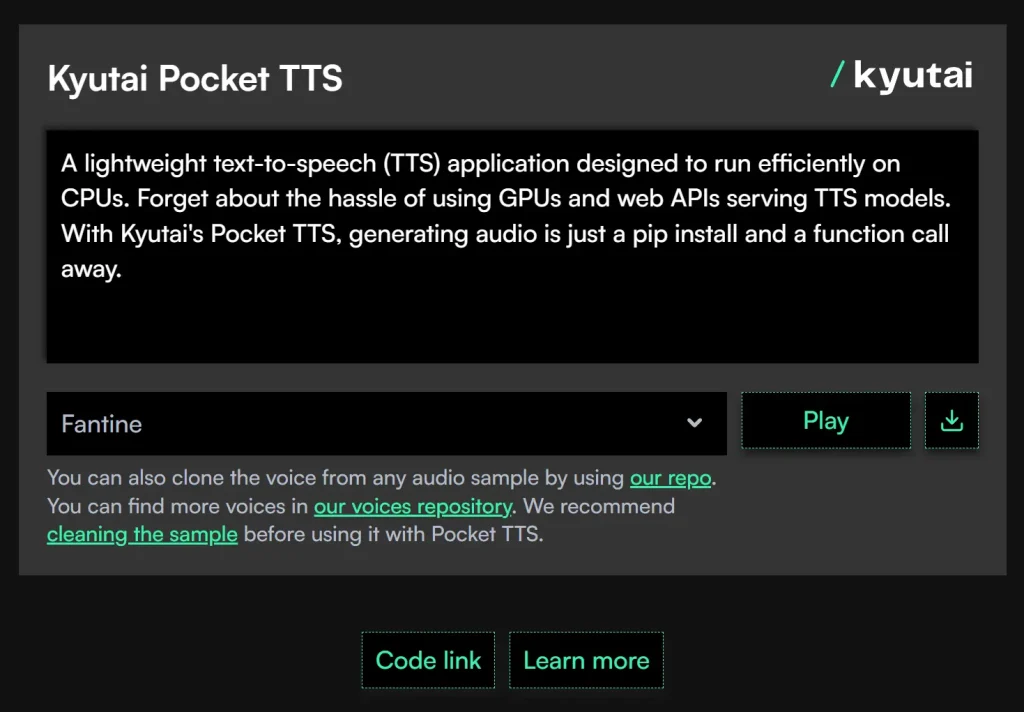
5. Pocket TTS for Voice Cloning on a CPU
Kyutai’s Pocket TTS is a lightweight speech model that runs without a dedicated GPU. Give it a reference WAV recording and a script to generate new speech in that voice. For recurring narration, save the voice as an embedding that you can load directly when generating later scripts.
Features
- CPU-based speech generation with preset voices and voice cloning.
- Speech in English, French, German, Portuguese, Italian, Spanish, and Dutch.
- WAV output from the command line and reusable voice embeddings.
- Streaming audio via the Python library or a local HTTP server with a web UI.
- Standalone binaries for macOS, Windows, and Linux.
Free access: Local generation has no monthly quota. Preset-only weights are public. The MIT code and CC BY 4.0 weights permit commercial use with the required attribution.
6. Qwen TTS for Voice Cloning and Expressive Speech Generation
Qwen TTS is Alibaba’s family of AI voice generation models for narration, character dialogue, audiobooks, and voice-enabled applications. The family includes downloadable Qwen3-TTS models for local speech generation and the newer Qwen-Audio-3.1-TTS series for cloud-based audio production.
Features
- Local voice cloning from short reference recordings using Qwen3-TTS Base.
- Custom voice creation from natural-language descriptions with VoiceDesign.
- Multilingual speech synthesis, preset speakers, and streaming audio generation.
- Qwen-Audio-3.1-TTS-Flash for low-latency voice assistants and interactive applications.
- Qwen-Audio-3.1-TTS-Plus for expressive narration, audiobooks, character performances, and dubbing.
- Fine-grained control over emotions, speaking speed, tone, pronunciation, and nonverbal sounds such as laughter and sighs.
- Qwen-Audio-3.1-TTS-Next for generating complete podcasts, multi-speaker dialogue, sound effects, and ambient audio from text and reference recordings.
Free access: The open-source Qwen3-TTS models are available under the Apache 2.0 license for local and commercial use. The newer Qwen-Audio-3.1-TTS cloud APIs offer introductory free quotas valid for 90 days in the Singapore region.
7. Kokoro-82M for Local Narration With Preset Voices
Kokoro-82M is an 82-million-parameter text-to-speech model for narration and app-generated speech. Select a preset speaker and use the Python package to convert text into audio.
Features
- Preset voices for multiple languages and accents, including American and British English.
- Speaking speed control and segment-based generation for longer text.
- Local CPU inference and 24 kHz WAV output.
- Python integration for adding speech to scripts and applications.
Free access: The Apache 2.0 code and weights allow commercial use. Local generation requires no API key and has no character quota.
For more open-weight speech engines, see our open-source TTS model shortlist.
8. Google Cloud Text-to-Speech API
Google Cloud Text-to-Speech generates audio on Google’s servers. Use it to add spoken instructions, app narration, or accessibility features without hosting a speech model yourself.
Features
- REST and gRPC APIs for text-to-speech generation.
- Multilingual preset voices, including Standard, WaveNet, Neural2, Studio, and Chirp 3: HD.
- SSML controls for compatible voice families, including pronunciation and pauses.
- Audio responses in MP3, LINEAR16 with a WAV header, or Ogg Opus.
- Commercial use of generated audio in apps and media under Google Cloud’s terms.
Free usage: The API requires a billing account. Standard and WaveNet share a monthly allowance of four million characters. Chirp 3: HD and Studio each have a one-million-character allowance. Neural2 and Polyglot (Preview) share another one-million-character allowance.
9. SpeechifyAI for a Hosted API Without Overage Charges
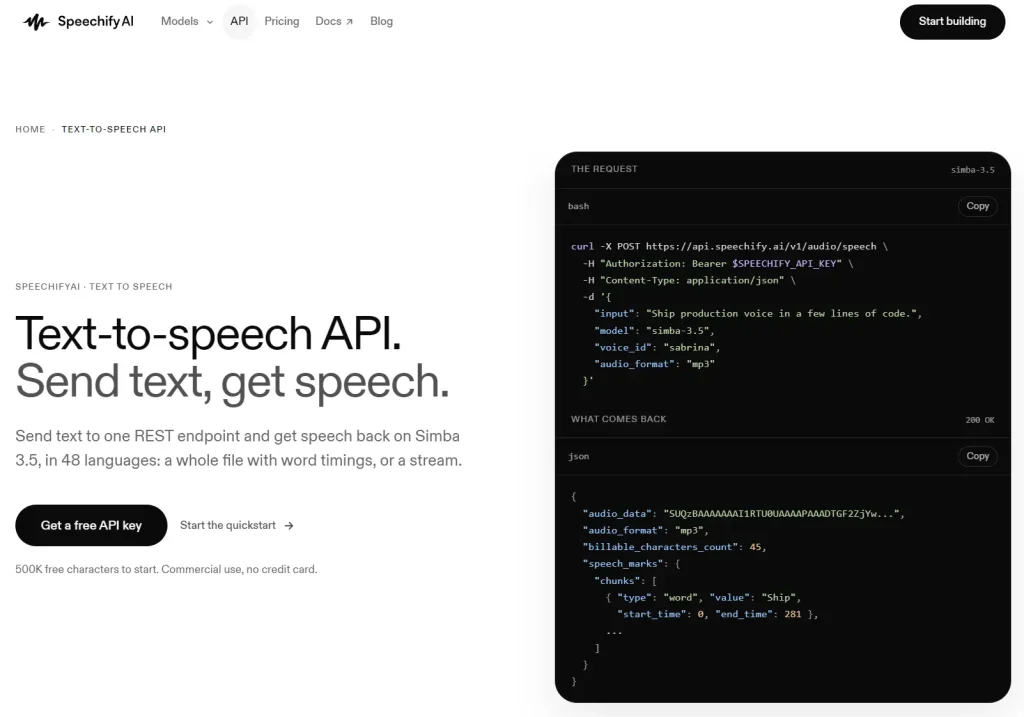
SpeechifyAI is the developer API from Speechify. It generates speech using the Simba models. Send text and a voice ID to generate audio for a reading app, accessibility feature, or spoken assistant. The API can return a complete audio file or stream speech for live playback.
Features
- Catalog voices and multilingual speech generation, with 48 languages available on Simba 3.5.
- Audio export in MP3, WAV, Ogg, AAC, or PCM.
- SSML for controlling speech and word timings for synchronizing narration with text highlights.
Free plan: The developer API permits commercial use and requires no credit card. The monthly balance covers 500,000 characters on Simba 3.0 or 3.2, or about 333,000 on Simba 3.5.
10. Google AI Studio (Gemini TTS) for Expressive Dialogue
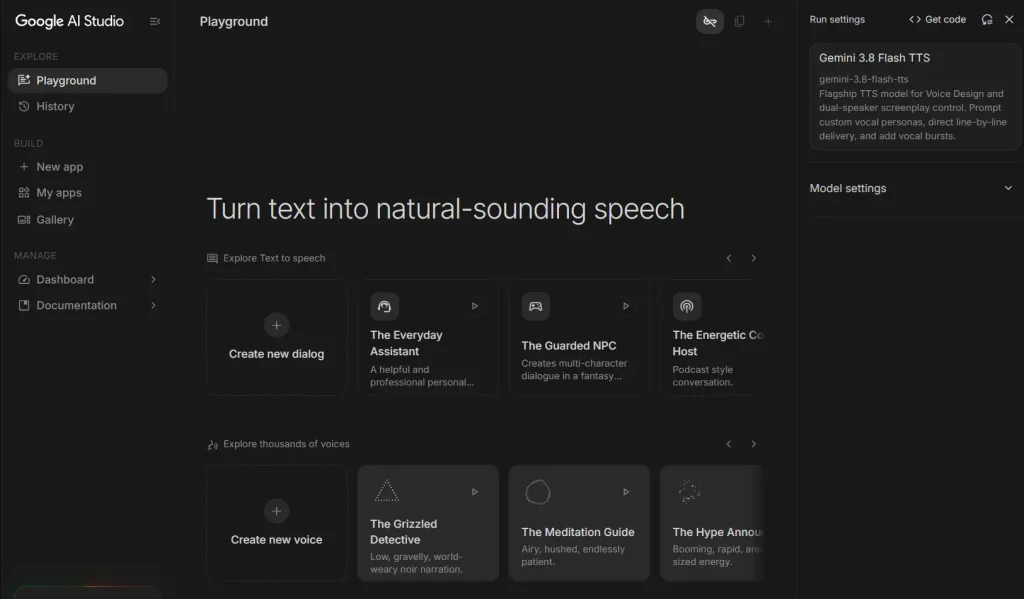
Google AI Studio provides a browser-based audio playground powered by Gemini TTS. Paste a narration script or write dialogue for two characters, choose their voices, and describe how each line should sound.
Features
- Single-speaker narration and scripted conversations between two speakers.
- A library of preset voices with multilingual and regional accent support.
- Natural-language directions for tone, pacing, emotion, and pronunciation.
- Vocal cues such as laughter, sighs, and pauses to give dialogue a more natural rhythm.
- WAV audio output and streaming through the Gemini API.
Free access: Gemini 3.8 Flash TTS and Flash-Lite TTS offer free speech generation in AI Studio and through the Gemini Developer API, subject to your project’s rate limits.
Which Free ElevenLabs Alternative Should You Choose?
For a quick video voiceover, TTSMaker is a practical first choice. If you need more expressive dialogue, try Google AI Studio with a short scene involving two characters. Both let you work in a browser without setting up a speech model.
For ongoing work with the same cast of voices, Voicebox offers more control over individual takes and the finished audio track. Pocket TTS is a good fit for a computer without a dedicated GPU, and VoiceStudio is worth trying when you need to translate and dub an existing video.
If you are building an app, estimate your monthly text volume before choosing an API. SpeechifyAI works well for a prototype with a strict zero-dollar budget. Google Cloud Text-to-Speech is better suited to larger volumes if you can manage usage-based billing.
Frequently Asked Questions
Is there a completely free ElevenLabs alternative with no monthly limits?
Yes. Voicebox, Pocket TTS, Qwen3-TTS, and Kokoro run locally with no monthly character allowance. If you prefer a website, TTSMaker offers selected voices with unlimited free generation.
Can I use free AI voices in monetized YouTube videos?
Yes. TTSMaker permits commercial use of its free audio, including monetized videos. Qwen3-TTS and Kokoro also have commercially licensed model weights.
Can I clone my voice for free without a GPU?
Pocket TTS can clone your voice on a CPU using a reference recording. Fish Audio offers browser-based cloning for personal projects.
Which free ElevenLabs alternatives work offline?
Voicebox, Pocket TTS, Qwen3-TTS, and Kokoro can generate speech on your computer after you download the models. VoiceStudio can also transcribe, translate, and dub locally when you choose its offline models.
Can I move my ElevenLabs voice clone to another tool?
ElevenLabs voice clones cannot be downloaded as standalone voice models. Use your original recording to create a new clone in Voicebox or with Qwen3-TTS Base. See our other free voice cloning tools for more options.
How can I make a commercial dub without paying for a dubbing plan?
Generate the translated lines with a TTSMaker preset voice or recreate an authorized speaker’s voice using Qwen3-TTS Base. Import the audio into your video editor, align it with the original dialogue, and export the dubbed video.
Are free alternatives as realistic as ElevenLabs?
Voice quality varies by language, accent, model, and the kind of script you are recording. Gemini TTS supports emotional dialogue, and Qwen3-TTS offers voice design and cloning for custom speakers. A preset-voice model such as Kokoro may be all you need for steady narration. Compare actual audio samples in your target language before deciding.
Can I use these tools to make an audiobook?
Yes. Voicebox can generate and edit narration in sections, which makes it easier to fix a single passage or change a character’s voice. For longer books, local tools avoid monthly character quotas. Export the finished narration as audio files for your audiobook editor or publisher.
Why is Gemini TTS free in AI Studio but paid in Google Cloud?
Google AI Studio uses the Gemini Developer API, which has a free tier for speech generation. Google Cloud Text-to-Speech is a premium service with its own billing and free allowances.
Related Resources
- 7 Best Free AI Voice Cloning Tools
- 7 Best Open-Source Text-to-Speech Models
- dots.tts: Free Open-Source Voice Cloning
- StreamingKokoroJS: Private Browser-Based TTS
- DocsToAudio: Free AI Audiobook Converter
- Free AI Text-to-Speech Tools