4K AI Upscaler is no longer available. To enlarge low-resolution images and improve detail with AI, explore the alternatives below.
Alternatives
AIEnhancer
AIEnhancer improves blurry, old, and low-resolution photos with AI and can produce sharper 4K-quality results. It is the closest replacement for simple online image upscaling.
AIvory
AIvory is a free Mac photo editor with local AI upscaling, restoration, colorization, and object removal. It is a better fit for users who need an offline image-enhancement workflow.
10 Best AI Image Enhancers and Upscalers
Browse this comparison for more AI image upscalers, including tools for 4K enlargement, batch processing, photo restoration, and product-image enhancement.
Just another free AI image upscaler that helps you upscale images to 4K resolution using state-of-the-art AI models.
It is great for digital content creators, designers, and developers who need to enhance image details without quality loss.
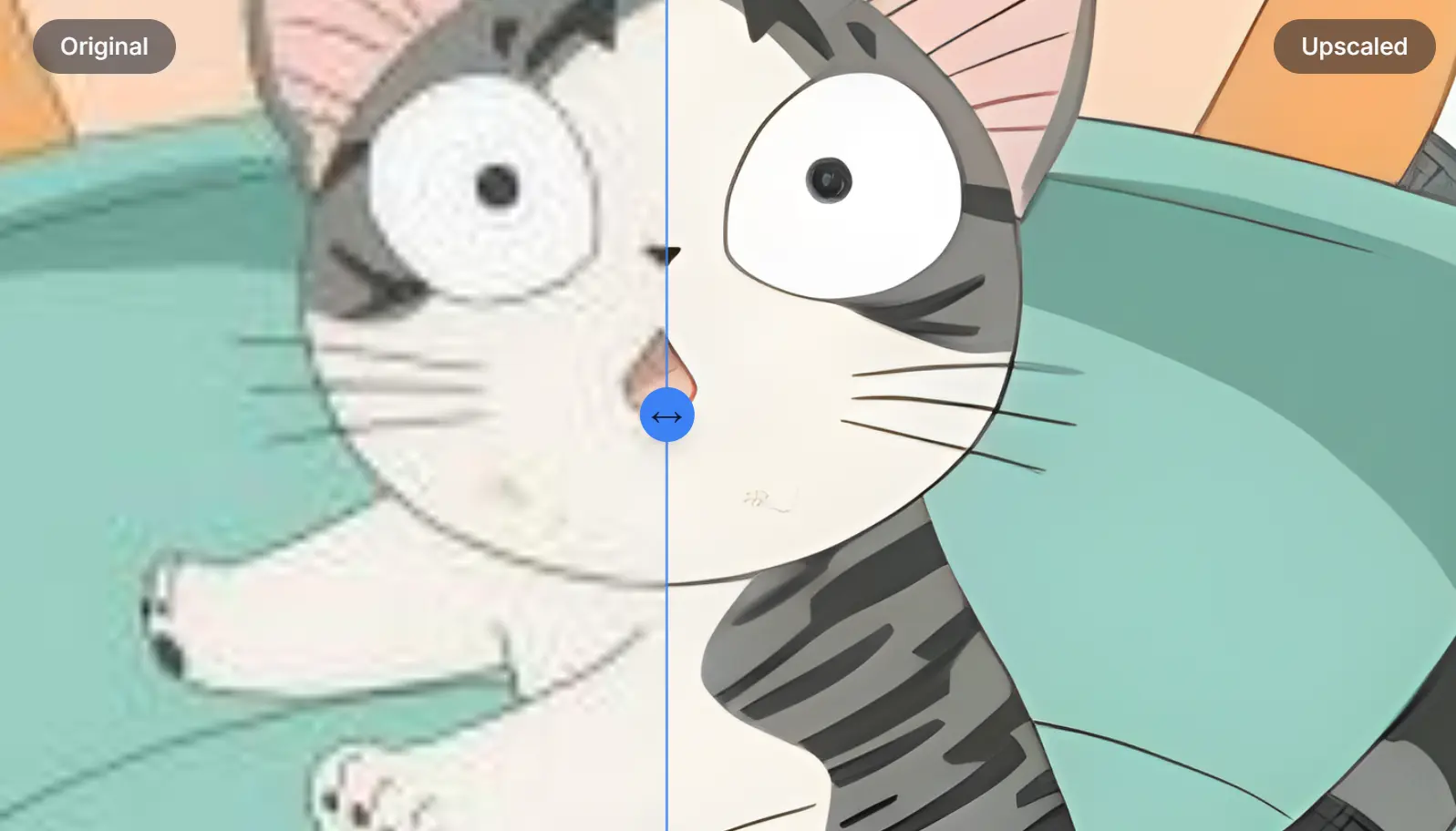
I recently used this tool to enhance a low-resolution image of Chi, an anime cat from Chi’s Sweet Home. The original image was a tiny 185x151px.
I uploaded this to the tool, and within seconds the AI enhanced the image to a much larger 1480×1208px, representing an 800% upscale.
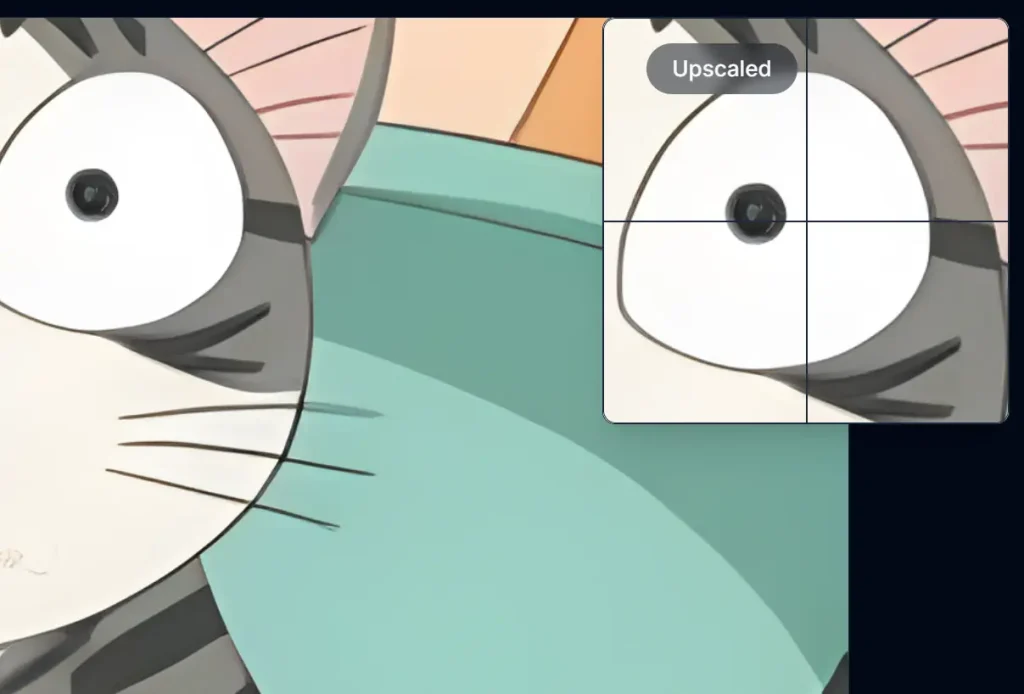
The comparison slider and interactive zoom preview made it simple to see the improvement in detail and clarity.
Features
- Instant 4K Upscaling: The tool quickly enhances images to 4K resolution using AI.
- Real-time Comparison Slider: Instantly see the before-and-after using the slider.
- Interactive Zoom Preview: Examine specific areas of the image with a zoom preview.
- No Signup Required: There is no need to create an account to use the tool.
Use Cases
- Enhance Low-Resolution Photos: Improve old or low-quality images by upscaling them to a higher resolution for use in presentations or social media.
- Improve Website Graphics: Increase the quality of website visuals to make them sharper and clearer. This can lead to better user engagement.
- Prepare Images for Print: Upscale images to create high-quality prints, suitable for professional posters or marketing materials.
- Upscale Game Assets: Improve the quality of game textures or sprites.
- Improve Design Projects: When sourcing images, designers may encounter low resolution options, use AI upscaling for professional quality results.
How to Use It
1. Visit the AI Image Upscaler website and upload the low-quality image you want to enhance.
2. Once your image is uploaded, click the “Upscale Image” button to begin the process.
3. The AI will process your image and upscale it within seconds.
4. After the upscaling is complete, use the comparison slider to see the difference between the original and upscaled images. You can also zoom into specific areas for a closer look.
5. If you’re satisfied with the results, click the “Download Image” button to save the upscaled image to your device.
Pros
- Quick Results: The AI upscaling is fast.
- User-Friendly: The interface is simple to use.
- High-Quality Output: Images retain detail while increasing resolution.
- Cost-Effective: The tool is free.
- Privacy Focused: Image processing is temporary, with no permanent storage.
Cons
- Internet Dependency: Requires online connection.
- Limited Customization: Standard upscaling without advanced editing options.
FAQs
Q: Can I use 4K AI Upscaler for commercial purposes?
A: Yes, you can use the upscaled images for commercial purposes. You retain all rights to the images you upload.
Q: Is there a limit to the number of images I can upscale?
A: There is no specified limit.
Q: Can I upscale images larger than 4K?
A: The tool is designed to upscale images to 4K resolution. For larger sizes, you may need to use additional software.
Q: Does 4K AI Upscaler store my images?
A: No, the tool does not store or use your images for any other purpose. It processes them temporarily for upscaling.
Q: What file formats does 4K AI Upscaler support?
A: The tool supports common image file formats such as JPEG, PNG, and BMP.