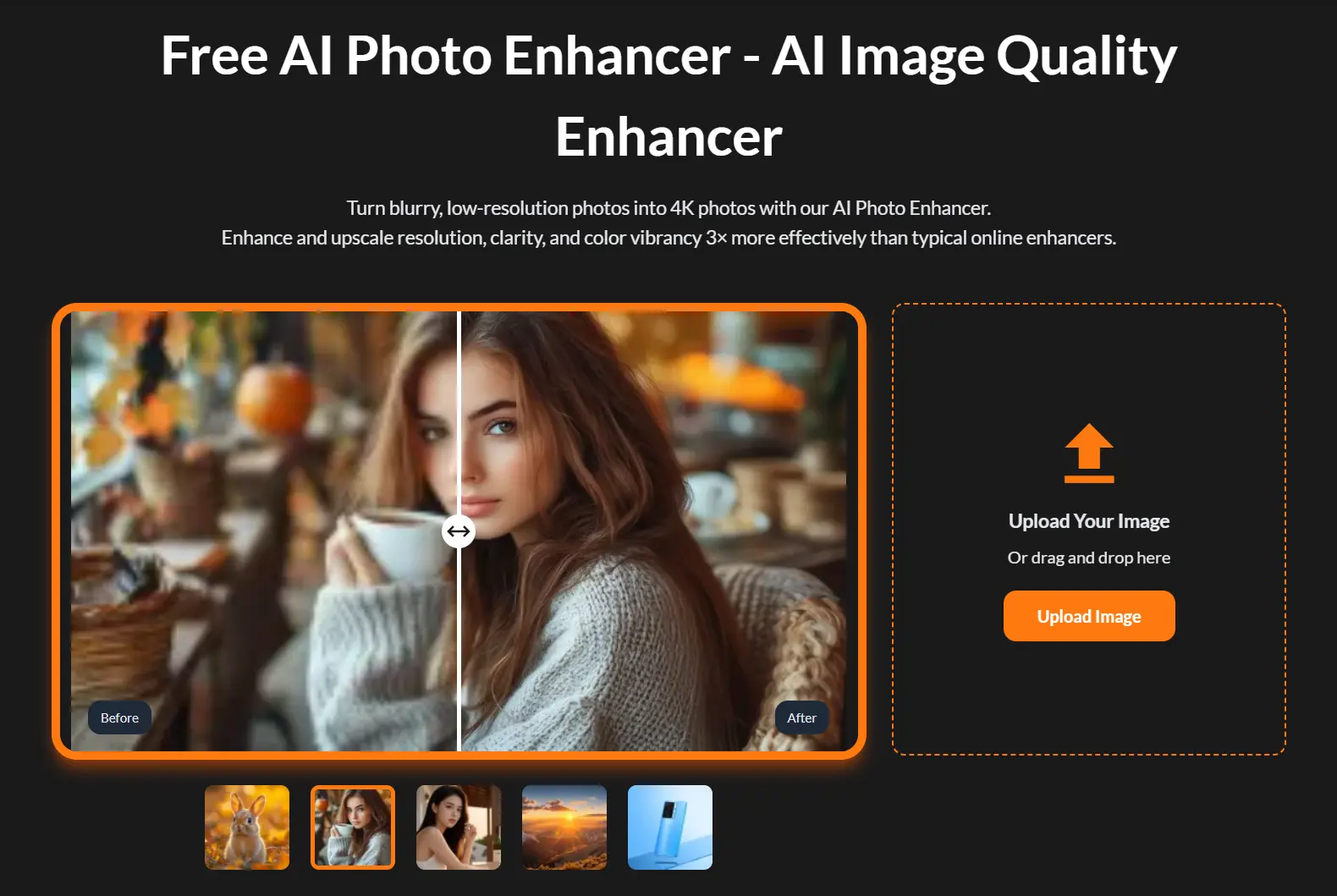
AIEnhancer.ai is a free AI-powered photo enhancement tool that converts low-resolution, blurry, or damaged images into sharp 4K-quality photos.
The platform uses advanced machine learning algorithms to restore missing details, remove noise, and enhance color vibrancy without requiring user registration or payment.
Features
- 4K Resolution Upscaling: Transforms low-resolution images into ultra-high-definition 4K photos by rebuilding missing pixel information rather than simply enlarging existing pixels.
- Intelligent Noise Reduction: Removes grain, haze, and digital artifacts while preserving natural textures and edge definition.
- Color Enhancement: Automatically balances brightness, contrast, and saturation to restore faded colors and improve visual appeal.
- AI-Generated Image Repair: Fixes common distortions in AI artwork, including warped faces, unnatural skin textures, and artificial-looking details.
- Motion Blur Correction: Sharpens out-of-focus or motion-blurred photographs by reconstructing edge information and detail clarity.
- Format Flexibility: Accepts various image formats, including JPEG, PNG, and WebP files up to specified size limits.
How To Use It
1. Upload the image to the platform. You can drag and drop a photo directly from your local device. The AI accepts standard image formats from various sources, including old snapshots or AI-generated art.
2. Once the image is uploaded, the AI automatically analyzes it and applies the most appropriate improvements. There are no complex settings to adjust here, which I appreciate for quick edits.
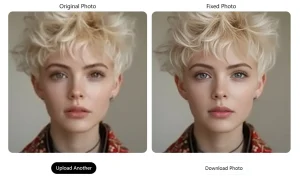
3. A side-by-side comparison appears within seconds, showing your original photo next to the enhanced version. This preview makes it easy to see the improvements in clarity and color.
4. If you’re happy with the result, you can download the enhanced photo in high resolution (up to 4K).
Pros
- Completely Free: There are no hidden costs or subscription requirements.
- No Signup Needed: You can start enhancing photos immediately without creating an account.
- Fast Processing: The AI analysis and enhancement process is completed in seconds.
Cons
- No Manual Controls: The process is fully automated, which means you can’t manually adjust enhancement levels.
- Single-Image Processing: The tool only processes one image at a time, which might be slow for users with large batches of photos.
- Dependent on Input Quality: The final result depends on the quality of the original image. Extremely damaged or low-resolution photos may not be perfectly restored.
FAQs
Q: What kind of image issues can aienhancer.ai fix?
A: It can address a wide range of problems, including blurriness, low resolution, pixelation, poor lighting, faded colors, and digital noise. It also has a specific function to repair artifacts in AI-generated art.
Q: What is the maximum resolution I can download?
A: You can download the enhanced photos in high resolution, up to 4K.
Q: What image formats does AIEnhancer.ai support?
A: The tool accepts JPEG, PNG, and WebP formats. Most common image files work without issues, though extremely large files may require compression before processing.
Q: Can I use enhanced images for commercial purposes?
A: Yes, you retain full rights to images you enhance through the platform. The tool doesn’t claim ownership of processed content, making commercial use acceptable.