Apple Intelligence is Apple’s artificial intelligence system for iPhone, iPad, Mac, Apple Vision Pro, and selected Apple Watch features. Apple announced it on June 10, 2024, and released the first public tools with iOS 18.1 on October 28, 2024.
Siri is one part of Apple Intelligence. Early Apple Intelligence updates changed Siri’s design and request handling. Siri AI is the 2026 version of Siri with personal context, onscreen awareness, systemwide app actions, world knowledge, writing assistance, Visual Intelligence, and a dedicated app.
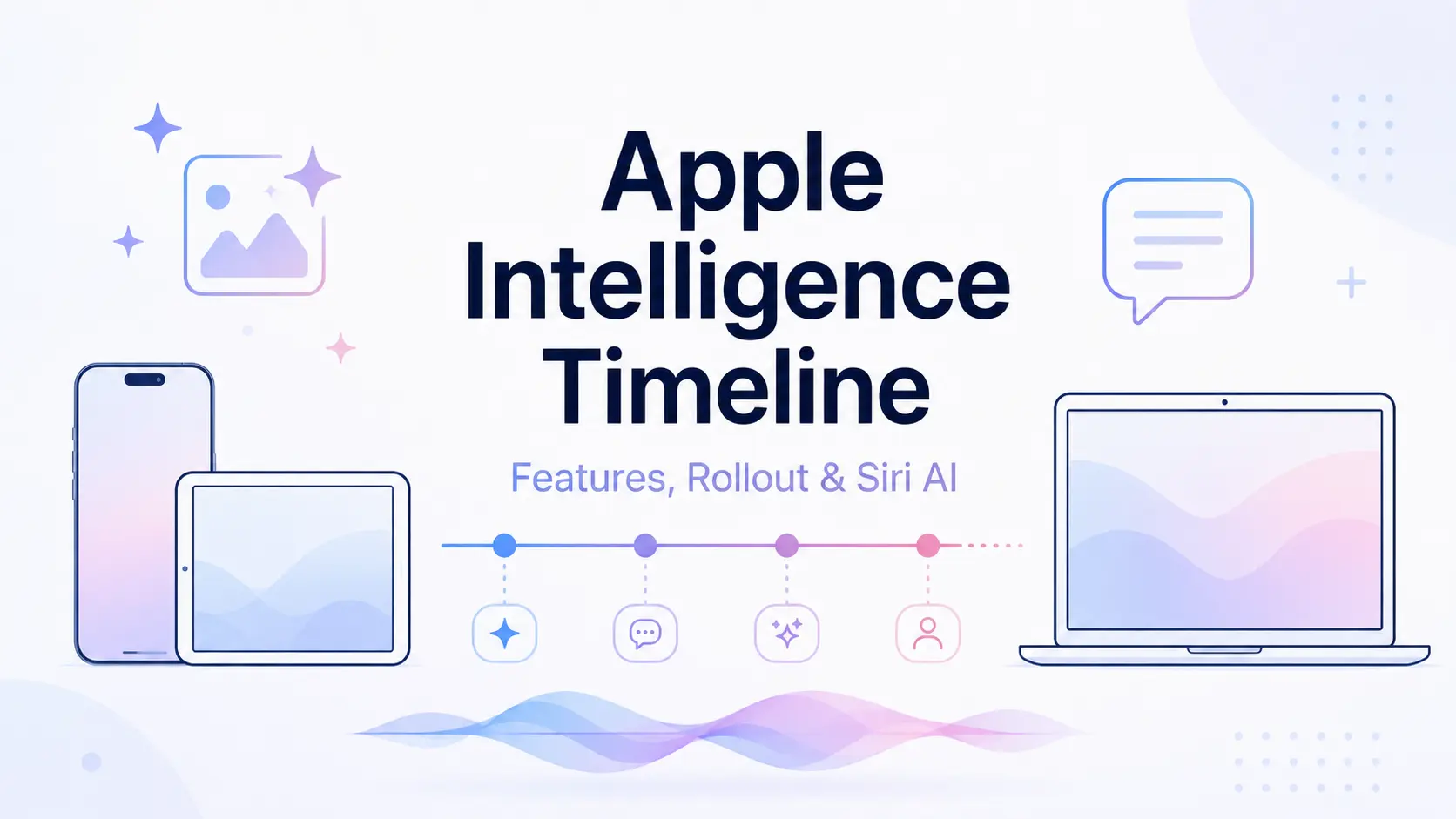
iOS 27 is the current stable software generation for Apple Intelligence. Siri AI began rolling out on September 14, 2026 as a beta for eligible devices with matching English device and Siri languages, with access managed through a waitlist. The timeline below tracks the major Apple Intelligence and Siri milestones from the 2024 announcement through the iOS 27 rollout.
Last updated: September 18, 2026.
Apple Intelligence and Siri AI Status
Latest Stable Software Release
The current stable OS generation is iOS 27, iPadOS 27, macOS 27 Golden Gate, watchOS 27, and visionOS 27. Apple released the 27.0 software generation on September 14, 2026 with the next generation of Apple Intelligence across apps, including new photo editing, Safari features, Image Playground updates, calendar and reminder actions, Home intelligence, and expanded Apple Watch features.
Apple Intelligence is available automatically after eligible devices update to the 27.0 releases in supported languages and regions. Siri AI is a beta feature within these stable operating systems.
Siri AI Beta Rollout
Siri AI began rolling out on September 14, 2026 for iOS 27, iPadOS 27, macOS 27 Golden Gate, watchOS 27, and visionOS 27. It is available in English first. Eligible users can choose Try Siri AI (Beta) in Siri settings and join a waitlist. Siri AI downloads automatically after access becomes available. French, Japanese, Korean, Portuguese, and Spanish are scheduled for October.
Regional Limits
The next generation of Apple Intelligence is available to eligible users in the European Union across iOS 27, iPadOS 27, macOS 27 Golden Gate, and visionOS 27. Siri AI beta is not available in the EU on iOS, iPadOS, or watchOS. EU residents can use Siri AI on macOS 27 Golden Gate and visionOS 27 when the Apple Account region is in the EU and both the device language and Siri language are set to English.
Apple Intelligence does not work on compatible devices purchased in China mainland. For compatible devices purchased elsewhere, Apple Intelligence does not work when the device is in China mainland and the Apple Account country or region is also set to China mainland. Siri AI does not work when the Apple Account region is set to China mainland.
Apple Intelligence Release Timeline
| Date | Release and Status | Key Changes |
|---|---|---|
| September 18, 2026 | Safari MCP server | You can now inspect, test, and debug your website with an AI agent connected to the Safari MCP server. |
| September 14, 2026 | iOS 27 and Siri AI Released / Beta | Apple releases the 27.0 software generation. Siri AI begins rolling out in beta for eligible devices set to English, with waitlist access. |
| July 15, 2026 | China Mainland Registration Regulatory approval | Apple Intelligence completes the required generative AI registration for iPhones in China. Public availability has not begun. |
| July 13, 2026 | iOS 27 Public Beta Beta | Siri AI opens to eligible public beta testers on supported devices. |
| June 8, 2026 | iOS 27 Developer Beta Beta | Siri AI and the next Apple Intelligence generation enter developer testing. |
| September 15, 2025 | iOS 26 Released | Live Translation, onscreen Visual Intelligence, intelligent Shortcuts, and Foundation Models become available. |
| June 9, 2025 | WWDC25 Preview Announced | Apple previews the Apple Intelligence features planned for iOS 26. |
| March 31, 2025 | iOS 18.4 Released | More languages, EU access, Priority Notifications, and Vision Pro support arrive. |
| March 7, 2025 | Personal Siri Features Delayed | Personal context, onscreen awareness, and cross-app actions miss their expected window. |
| December 11, 2024 | iOS 18.2 Released | Genmoji, Image Playground, Image Wand, Visual Intelligence, and ChatGPT integration arrive. |
| October 28, 2024 | iOS 18.1 Released | The first stable Apple Intelligence tools launch on iPhone, iPad, and Mac. |
| July 29, 2024 | iOS 18.1 Developer Beta Beta | Developers receive the first Apple Intelligence test features. |
| June 10, 2024 | WWDC24 Announced | Apple introduces Apple Intelligence, Private Cloud Compute, Siri changes, and ChatGPT integration. |
2024: Apple Intelligence Is Announced and Begins Rolling Out
June 10, 2024: Apple Introduces Apple Intelligence
Apple introduced Apple Intelligence at WWDC24 for iPhone, iPad, and Mac. The announcement covered language and image models, on-device processing, Private Cloud Compute, optional ChatGPT access, and a major Siri update.
The Siri preview covered personal context, onscreen awareness, and actions within and across apps. These functions did not ship with the first public Apple Intelligence update.
July 29, 2024: The First Developer Beta Arrives
The first Apple Intelligence developer betas arrived with iOS 18.1, iPadOS 18.1, and macOS Sequoia 15.1. Testers could use Writing Tools, summaries, selected Mail features, and the early Siri interface. Genmoji, Image Playground, ChatGPT integration, and the more personal Siri functions were not included.
October 28, 2024: iOS 18.1 Starts the Public Rollout
The first stable Apple Intelligence release arrived with iOS 18.1, iPadOS 18.1, and macOS Sequoia 15.1. Writing Tools could rewrite, proofread, and summarize text. Summaries and Smart Reply appeared in Mail and Messages. Reduce Interruptions analyzed notifications for items that needed attention.
Natural-language search, Memory Movie creation, and Clean Up became available in Photos on supported platforms. Notes and Phone could summarize recorded or transcribed audio. Siri adopted the glowing edge design, Type to Siri, better handling of interrupted speech, conversational context between requests, and Apple product knowledge.
This release introduced the new Siri design and request-handling improvements. Personal context, full onscreen awareness, and systemwide app actions were not part of iOS 18.1. Initial access required compatible hardware with the device and Siri language set to U.S. English.
December 11, 2024: iOS 18.2 Adds Images, ChatGPT, and Visual Intelligence
Apple Intelligence image tools reached the public with iOS 18.2, iPadOS 18.2, and macOS Sequoia 15.2. Image Playground generated images in supported styles, Genmoji created custom emoji, and Image Wand turned sketches or nearby note content into images.
A freeform change field appeared in Writing Tools. Optional ChatGPT access became available through Siri and Writing Tools, with no account required for supported requests. Visual Intelligence also debuted on compatible iPhone 16 models through Camera Control, where it could identify places and objects, work with visible text, search for products, and send camera questions to ChatGPT.
Localized English availability reached Australia, Canada, Ireland, New Zealand, South Africa, and the United Kingdom. The personal Siri functions shown at WWDC24 were not available yet.
2025: Wider Availability, New Features, and the Siri Delay
March 7, 2025: Apple Delays the More Personal Siri
The more personal Siri was delayed beyond its expected release window on March 7, 2025. Personal context, onscreen awareness, and actions within and across apps moved to “the coming year,” with no iOS version or release date attached.
The new Siri appearance and improved language handling were already public. Personal context, onscreen awareness, and cross-app actions were unavailable.
March 31, 2025: iOS 18.4 Expands Languages, Regions, and Platforms
Language availability expanded to French, German, Italian, Portuguese for Brazil, Spanish, Japanese, Korean, simplified Chinese, and English for India and Singapore. iOS 18.4 and iPadOS 18.4 also brought Apple Intelligence to compatible iPhone and iPad users across the European Union.
Priority Notifications joined the public feature set, the Sketch style appeared in Image Playground, and Memory Movie creation reached Mac. Apple Intelligence also debuted on Apple Vision Pro with visionOS 2.4 in U.S. English, including Writing Tools, Genmoji, Image Playground, and selected communication features.
June 9, 2025: WWDC25 Previews the iOS 26 Generation
At WWDC25, Apple previewed Live Translation for Messages, FaceTime, Phone, and compatible AirPods. Visual Intelligence also expanded beyond the camera view to information already displayed on an iPhone screen.
Shortcuts could summarize text, create images, and send information to Apple Intelligence models. App developers could reach the on-device model through the Foundation Models framework. Eligible on-device requests ran locally and carried no per-request API charge.
The delayed personal Siri functions were not part of the iOS 26 release. Development continued throughout 2025.
September 15, 2025: iOS 26 Features Become Public
Apple released iOS 26, iPadOS 26, macOS Tahoe 26, watchOS 26, and visionOS 26. Live Translation became available in supported languages across Messages, Phone, FaceTime, and compatible AirPods. Visual Intelligence could work with onscreen content, including screenshots. It could summarize text, recognize information, create calendar events, search supported apps, and pass a request to ChatGPT.
New controls arrived for Genmoji and Image Playground, and Shortcuts could call Apple Intelligence models directly. Developers could begin shipping app features based on the Foundation Models framework. A compatible paired iPhone supported selected Apple Watch functions, including Workout Buddy, Live Translation in Messages, and notification summaries.
2026: Siri AI Rolls Out with iOS 27
June 8, 2026: Siri AI Enters Developer Testing
At WWDC26, Apple introduced a new Apple Intelligence architecture and presented its context-aware assistant as Siri AI. The third generation of Apple Foundation Models was custom-built in collaboration with Google using technologies behind the Gemini family. Processing runs on compatible devices and through Private Cloud Compute.
Siri AI can search personal information across messages, email, photos, and notes. It can respond to content on the screen, perform a wider range of actions in apps, and use web knowledge for current or general questions. Apple also introduced a dedicated Siri app that keeps conversations in one place and syncs history through iCloud.
Developer testing began on June 8 across iOS 27, iPadOS 27, macOS 27, and visionOS 27. At that point, Siri AI was limited to developer beta software and supported English settings.
July 13, 2026: Siri AI Reaches Public Beta
The first public betas of iOS 27, iPadOS 27, and macOS 27 opened Siri AI testing beyond the developer program. Eligible users could install the beta through the Apple Beta Software Program and request Siri AI access on a compatible device. Apple used a waitlist to control access during the beta.
Siri AI was beta software during the July public test, and iOS 26 was the stable release at that stage. Access depended on device, language, and region.
July 15, 2026: Apple Intelligence Completes China Generative AI Registration
China’s Cyberspace Administration added Apple Intelligence to its registry of on-device generative AI services on July 15, 2026. The filing date was July 8 and the registered use case covers Apple smartphones.
Mainland China access had not started as of September 15, 2026, and Apple Intelligence had no China release date. The China version is being developed with AI capabilities from Alibaba and Baidu.
September 14, 2026: iOS 27 Releases and Siri AI Begins Rolling Out
Apple released iOS 27, iPadOS 27, macOS 27 Golden Gate, watchOS 27, and visionOS 27 on September 14. The release moved the next generation of Apple Intelligence onto stable system software and started the Siri AI beta rollout for eligible devices set to English.
Siri AI brings personal context search, onscreen awareness, systemwide app actions, world knowledge, writing assistance, Visual Intelligence, and a dedicated Siri app. Enrollment uses a waitlist, and Siri AI downloads automatically when access becomes available. French, Japanese, Korean, Portuguese, and Spanish are scheduled for October.
Other Apple Intelligence Features in iOS 27
iOS 27 also introduces advanced photo-editing tools, new Safari intelligence features, a reworked Image Playground, natural-language actions in Shortcuts, calendar and reminder actions, Home intelligence, and additional accessibility features.
Several iOS 27 features have narrower hardware requirements than the basic Apple Intelligence system, and certain server-backed features have daily usage limits. Siri AI is a beta feature inside the stable iOS 27 software generation.
Apple Intelligence Feature Rollout by Version
Writing and Communication
- Writing Tools, iOS 18.1, Released: Rewrite, proofread, and summarize text on supported devices.
- Mail and Messages summaries, iOS 18.1, Released: Summarize conversations and suggest replies.
- Notification, voicemail, and transcription summaries, iOS 18.1, Released: Condense supported notifications, voicemail, and Notes transcripts.
- ChatGPT integration, iOS 18.2, Released: Send supported Siri and Writing Tools requests to ChatGPT.
Photos and Image Creation
- Clean Up, iOS 18.1, Released: Remove unwanted objects from photos.
- Natural-language photo search, iOS 18.1, Released: Find photos and moments with natural-language descriptions.
- Image Playground, iOS 18.2, Released: Create images from descriptions, themes, and people in a photo library.
- Genmoji and Image Wand, iOS 18.2, Released: Create custom emoji or turn sketches and note content into images.
Visual Intelligence
- Camera-based Visual Intelligence, iOS 18.2, Released: Identify places, plants, animals, products, and visible text.
- Onscreen Visual Intelligence, iOS 26, Released: Summarize displayed text, search supported apps, and create calendar events.
- Visual search integrations, iOS 18.2 and later, Released: Send supported visual requests to Google search or ChatGPT.
Translation, Shortcuts, and Apps
- Live Translation, iOS 26, Released: Translate supported conversations in Messages, Phone, FaceTime, and compatible AirPods workflows.
- Intelligent actions in Shortcuts, iOS 26, Released: Summarize text, create images, and call Apple Intelligence models.
- Foundation Models framework, iOS 26, Released: Supported third-party apps can use Apple’s on-device model.
- Selected Apple Watch features, watchOS 26, Released: Add Workout Buddy, Live Translation in Messages, and notification summaries.
Siri
- Apple Intelligence Siri updates, iOS 18.1 and 18.2, Released: Add typing, better request handling, follow-up context, Apple product knowledge, and optional ChatGPT access.
- Siri AI, iOS 27, Beta rollout: Personal-context search, onscreen awareness, expanded app actions, web knowledge, writing assistance, Visual Intelligence, and a dedicated app began rolling out on September 14, 2026.
- Stable Siri AI release, Not announced: Siri AI is in beta after the September 2026 rollout.
Supported Devices, Languages, and Regions
Supported iPhone Models
- iPhone 15: iPhone 15 Pro and iPhone 15 Pro Max.
- iPhone 16: iPhone 16, iPhone 16 Plus, iPhone 16 Pro, iPhone 16 Pro Max, and iPhone 16e.
- iPhone 17 and iPhone Air: iPhone 17, iPhone 17 Pro, iPhone 17 Pro Max, iPhone 17e, and iPhone Air.
- 2026 models: iPhone 18 Pro, iPhone 18 Pro Max, and iPhone Duo. iPhone Duo ships with iOS 27.1 in October 2026.
- Not supported: Standard iPhone 15 models and older iPhones.
Supported iPad, Mac, and Vision Pro Models
- iPad: iPad Pro and iPad Air with M1 or later, plus iPad mini with A17 Pro.
- Mac: Apple-silicon MacBook Air, MacBook Pro, iMac, and Mac mini with M1 or later; Mac Studio with M1 Max or later; and Mac Pro with M2 Ultra.
- MacBook Neo: Models with A18 Pro.
- Apple Vision Pro: Any Apple Vision Pro model, with a smaller language and feature set than iPhone, iPad, and Mac.
Apple Watch Requirements
- Apple Intelligence and Siri AI on watchOS 27: Apple Watch Series 9 or later, Apple Watch Ultra 2 or later, and Apple Watch SE 3 when paired with a nearby Apple Intelligence-enabled iPhone.
Software, Storage, and Language Requirements
The current Apple Intelligence generation requires iOS 27, iPadOS 27, macOS 27 Golden Gate, visionOS 27, or watchOS 27. Up to 14 GB of on-device storage is required on iPhone 17 Pro, iPhone 17 Pro Max, iPhone Air, iPad models with M4 or later and at least 12 GB of unified memory, Mac models with M3 or later and at least 12 GB of unified memory, and Apple Vision Pro with M5. Other Apple Intelligence-enabled iPhone, iPad, Mac, and Vision Pro models require up to 8 GB, and Apple Watch requires up to 1.5 GB. The device language and Siri language must match.
Apple Intelligence supports English, Danish, Dutch, French, German, Italian, Norwegian, Portuguese, Spanish, Swedish, Turkish, Vietnamese, simplified Chinese, traditional Chinese, Japanese, and Korean across eligible platforms. Siri AI is available in English first, with French, Japanese, Korean, Portuguese, and Spanish planned for October. Individual features can have narrower language or regional availability.
European Union and China Mainland Availability
The next generation of Apple Intelligence is available in the European Union on eligible iPhone, iPad, Mac, and Apple Vision Pro hardware. Siri AI beta is not available in the EU on iOS, iPadOS, or watchOS. It is available on macOS 27 Golden Gate and visionOS 27 for EU Apple Accounts when the device language and Siri language are both set to English.
Apple Intelligence completed China’s required registration for on-device generative AI services in July 2026. Public availability in mainland China has not begun. Apple Intelligence does not work on compatible devices purchased in China mainland. For compatible devices purchased elsewhere, it does not work when the device is in China mainland and the Apple Account country or region is also set to China mainland. Siri AI does not work for Apple Accounts whose region is set to China mainland.
Apple Intelligence FAQs
When did Siri AI release?
Siri AI began its public beta rollout on September 14, 2026 with iOS 27, iPadOS 27, macOS 27 Golden Gate, watchOS 27, and visionOS 27. English is the first available language, and access uses a waitlist during the rollout.
Is Siri AI fully released?
No. Siri AI is in beta. iOS 27, iPadOS 27, macOS 27 Golden Gate, watchOS 27, and visionOS 27 are stable public software releases.
How do I turn on Apple Intelligence?
Update an eligible device to the current software and confirm that the device language and Siri language match. Apple Intelligence is automatically available on the 27.0 releases in eligible regions. Siri AI uses separate enrollment under Settings > Siri > Try Siri AI (Beta).
Why does Apple Intelligence say it is downloading or not ready?
Apple Intelligence needs its on-device models before local features can run. Check available storage, keep the device connected to Wi-Fi and power during downloads, and use matching supported languages for the system and Siri. A newly selected Siri language must finish downloading before Apple Intelligence becomes available again.
Can I switch back to Siri Classic after trying Siri AI?
Yes. On iPhone, open Settings > Siri, turn off Siri, turn it on again, and choose Siri Classic. Siri AI can be enabled again later from Settings > Siri.
Does Apple Intelligence work offline?
Some tasks run entirely on the device after the required models have downloaded. Requests that rely on Private Cloud Compute, ChatGPT, web search, or another online service need an internet connection.
Do I need a ChatGPT account to use the integration?
No. A ChatGPT account is optional for supported requests. Sign in if you want requests saved to your ChatGPT history or want to use features included with your ChatGPT account.
Can I turn off ChatGPT and keep Apple Intelligence on?
Yes. On a device using Siri AI, open Settings > Siri > Extensions > ChatGPT and turn off Use Extension. With Siri Classic, open Settings > Siri > ChatGPT and turn off Use ChatGPT. Other Apple Intelligence features stay available.
What information is sent to ChatGPT?
The ChatGPT extension sends the request and attachments you approve, along with limited information such as your current time zone, country, device type, language, and the feature in use. Your IP address is obscured from ChatGPT, although a general location is provided. If you sign in to ChatGPT, your account settings and OpenAI’s policies also apply.