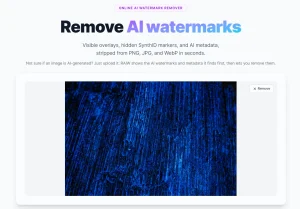
Dewatermark is a free and fast watermark removal tool that uses AI to automatically identify and eliminate watermarks from photos while still retaining the original quality of the image.
In addition to automatic watermark removal, this tool provides a manual brush so you can touch up any remaining watermark traces.
Dewatermark can be helpful for professionals who need to use stock images without distracting watermarks or individuals who want to reclaim their personal photos from branding.
This tool currently provides both a free plan and a Pro plan. The free plan allows processing one image at a time, while the Pro plan enables batch processing and offers additional benefits.
Use Cases
- Professional Photography Restoration. Photographers can recover stock images or archived photos by removing obtrusive watermarks, preserving the original composition and artistic intent.
- Content Creator’s Image Cleanup. Social media managers and content creators can quickly remove watermarks from purchased or shared images, ensuring clean, professional visual content.
- Personal Photo Reclamation. Individuals can restore personal photos that have been branded or stamped with unwanted logos, returning images to their original state.
- Academic and Research Image Preparation. Researchers and students can prepare images for presentations or publications by removing distracting watermarks.
- Design and Marketing Asset Management. Marketing teams can streamline image preparation by quickly removing watermarks from potential design references or stock images.
How to use it:
1. Visit Dewatermark AI website.
2. Upload your image by dragging and dropping it into the designated area or selecting a file from your device. Remember, Dewatermark currently supports only JPG and PNG file formats.

3. Dewatermark will automatically detect and remove the watermark using AI technology. This usually takes just a few seconds.

4. If any faint watermark remnants are still visible, use the manual brush tool to completely erase them. Just brush over the areas.

5. Choose between the original or HD quality, and tap the Download button, you’ve got a clean picture ready to share with the world.
Pros
- Advanced AI Technology: Sophisticated watermark detection and removal
- High-Quality Preservation: Maintains original image details and resolution
- Multi-Platform Compatibility: Works on desktop, mobile, iOS, and Android
- User-Friendly Interface: Simple drag-and-drop functionality
- Flexible Processing: Both automatic and manual watermark removal options
- Affordable Pricing: Free plan available with reasonable pro-tier pricing
Cons
- Limited File Support: Currently only JPG and PNG formats
- Daily Credit Restrictions: Free plan limits to 3 images per day
- Potential Quality Variations: Complex watermarks might require manual intervention
- Subscription Required: Full features need pro plan purchase
FAQs
Q: Is Dewatermark AI legal to use?
A: The tool is legal, but users must respect copyright laws and obtain proper permissions before removing watermarks from copyrighted images.
Q: Can I remove all types of watermarks?
A: Most watermarks can be removed, but extremely complex or intricate overlays might require manual editing.
Q: How many images can I process daily?
A: The free plan offers 3 credits per day, while the pro plan provides 600-12000 monthly credits.
Q: Is my image quality preserved?
A: Dewatermark AI commits to maintaining original image quality, and can even upscale images during watermark removal.