AI isn’t a novelty anymore. By 2026, the “wow” factor of chatbots has faded, replaced by a simple demand for utility. You don’t need another tab open; you need ChatGPT integrated directly into your browser where you actually work.
Most users waste time switching contexts: copy text from a website, paste it into ChatGPT, and copy the result back. This friction kills momentum. The right ChatGPT browser extension removes these steps. They place the model right beside your search results, emails, and documents.
We tested dozens of extensions and filtered out the noise. What remains are tools that actually save time, work across multiple AI providers, and pack features that matter for developers, writers, and researchers.
Here are the 10 ChatGPT browser extensions worth installing this year.
TL;DR: Quick Comparison Table
| Extension | Best For | Primary Benefit |
|---|---|---|
| 1. AITOPIA | Power Users | Access all models (GPT-5, Claude, Gemini) in one sidebar. |
| 2. Chat GPT for Chrome | Researchers | Displays AI answers directly alongside Google search results. |
| 3. ChatGPT Exporter | Developers & Writers | Backs up chat history to PDF, Markdown, or JSON. |
| 4. ChatGPT Toolbox | Marketers | Automates workflows with prompt chaining and bulk actions. |
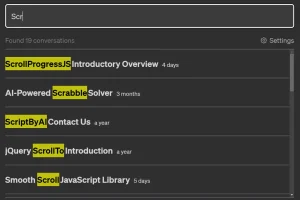
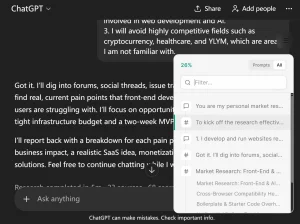
| 5. Superpower ChatGPT | Heavy Users | Adds folders, search, and local history management. |
| 6. Ctrl+Enter Sender | Coders | Prevents accidental sends; uses Enter for line breaks. |
| 7. WebChatGPT | Free Users | Adds live web browsing capabilities to the free tier. |
| 8. VoiceWave | Accessibility | Enables voice control and text-to-speech (Read Aloud). |
| 9. ChatGPT RTL | RTL Language Users | Fixes alignment for Arabic, Hebrew, and Persian text. |
| 10. Chatterclock | Pro Users | Tracks message quotas to prevent hitting usage limits. |
10 Best ChatGPT Browser Extensions in 2026
Last Updated: Jan 1st 2026
Table Of Contents
- 1. AITOPIA – Chat with all AI models (Gemini, Claude, DeepSeek…) & AI Agents
- 2. Chat GPT for Chrome with GPT-5, Claude Sonnet & DeepSeek AI
- 3. ChatGPT Exporter – ChatGPT to PDF, MD, and more
- 4. ChatGPT Toolbox
- 5. Superpower ChatGPT
- 6. ChatGPT Ctrl+Enter Sender
- 7. WebChatGPT: Prompt library with web access
- 8. VoiceWave – Voice Mode for ChatGPT, DeepSeek, Gemini
- 9. ChatGPT RTL
- 10. Chatterclock – ChatGPT message tracking extension
1. AITOPIA – Chat with all AI models (Gemini, Claude, DeepSeek…) & AI Agents
Best for: Users who want access to multiple AI models and AI agents in one extension
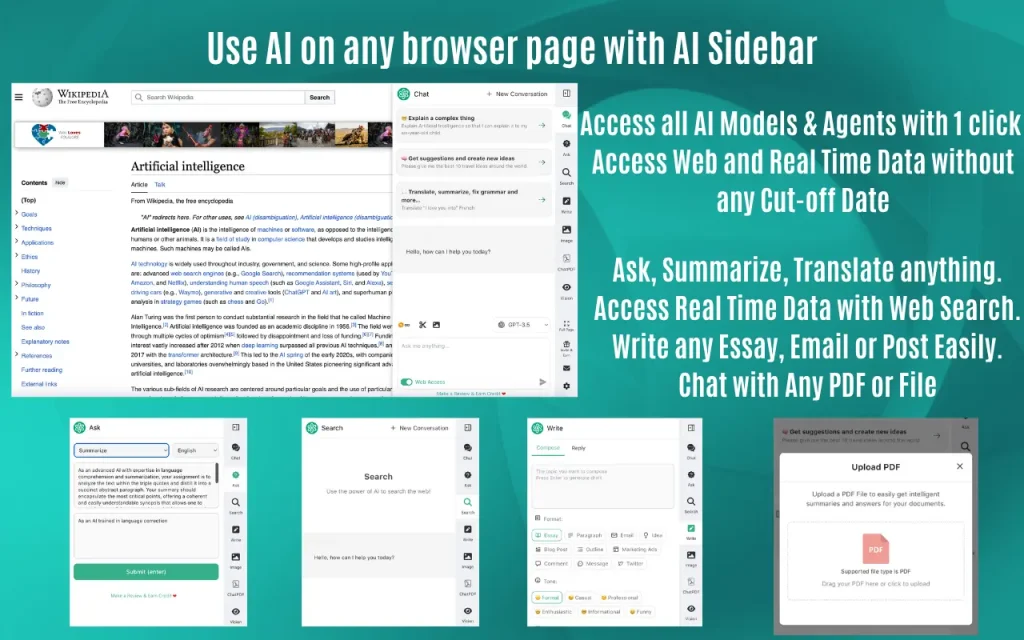
AITOPIA brings GPT-5, Claude 4.5, Gemini 3 Pro, DeepSeek, and other AI models into a unified sidebar. The extension includes an AI Agent Marketplace where you can find pre-built agents for specific tasks or create your own. It handles PDFs, images, and documents directly in chat and adds web access to bypass knowledge cutoffs.
Key Features:
- Access to GPT-5, o3, o4, Claude 4.5 Sonnet/Opus, Gemini 3 Pro/Flash, DeepSeek, and Meta Llama models
- AI Agent Marketplace with hundreds of ready-to-use agents
- Upload and analyze PDFs, Word docs, Excel files, and images
- Web Access feature for real-time data
- Group Chat mode to compare responses from multiple AI models
- GPT-4o Vision for analyzing charts, graphs, and visual content
- AI image generation with Dall-E 3, Stability SDXL, SD3
- Context menu for quick text actions (translate, summarize, rewrite)
- AI email reply assistant for Gmail and Outlook
- YouTube video summaries with timestamps
- Works across Google, DuckDuckGo, Baidu, and other search engines
Pros:
- Single interface for all major AI models saves subscription costs
- AI Agent Marketplace cuts down time on repetitive tasks
Cons:
- Learning curve for users new to AI agents
- Some advanced features require premium subscription
2. Chat GPT for Chrome with GPT-5, Claude Sonnet & DeepSeek AI
Best for: Users who need multi-model AI support with strong file and image handling
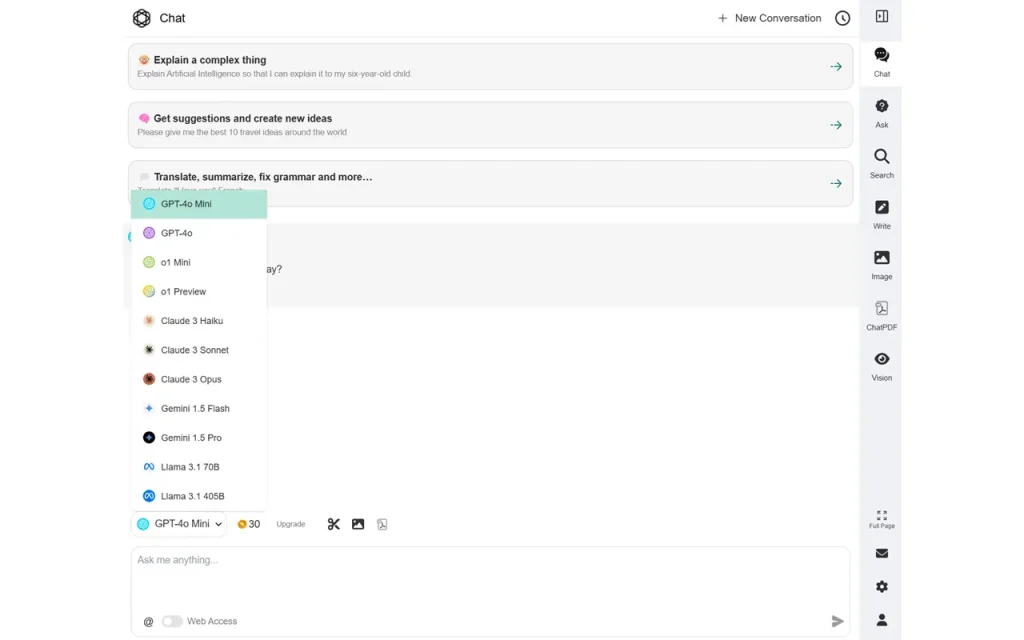
This extension brings GPT-5, Claude Sonnet 4, Gemini 2.5 Flash, and DeepSeek into Chrome. It handles file uploads (PDFs, documents), image analysis through GPT-4o Vision, and includes web access for current information. The AI Agent Marketplace helps automate workflows.
Key Features:
- Access GPT-5, Claude 3.5, Gemini, DeepSeek, and Meta Llama
- Upload and chat with PDFs, Word docs, Excel files
- GPT-4o Vision for image, chart, and graph analysis
- Web Access for real-time data
- Group Chat to compare multiple AI responses
- AI Agent Marketplace and creator
- Text-to-image generation with multiple models
- Background remover and image upscaling
- Reading assistance with context menu (translate, summarize, explain)
- Writing assistance for emails, social posts, and articles
- YouTube video summaries
Pros:
- File handling works across multiple document types
- Vision capabilities extract data from charts and images
Cons:
- Interface can feel cluttered with many features
- Requires sign-up for some premium features
3. ChatGPT Exporter – ChatGPT to PDF, MD, and more
Best for: Users who need to export and archive ChatGPT conversations
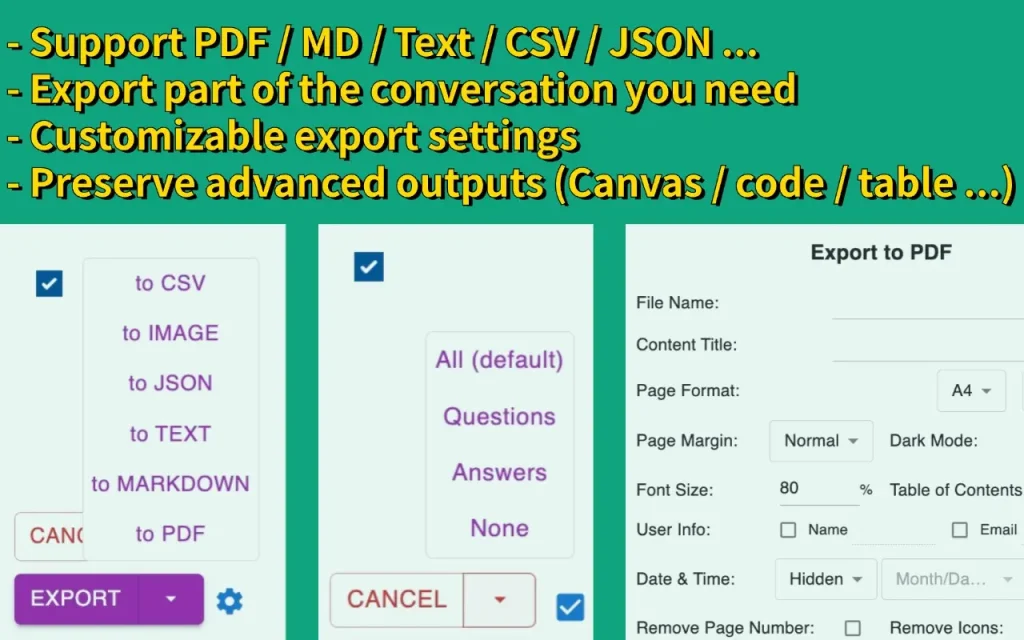
ChatGPT Exporter converts conversations into PDF, Markdown, Text, JSON, and CSV formats. You can export full chats or select specific messages. PDF exports include customization options for layout, fonts, and formatting. The extension preserves code blocks, formulas, tables, and canvas content.
Key Features:
- Export to PDF, Markdown, Text, JSON, and CSV
- Selective export: choose specific messages instead of full conversations
- PDF customization: filename, title, dark/light mode, page margins, font size and family
- Table of contents for long PDFs
- Page break options for better structure
- Preserves code blocks, mathematical formulas, tables, and canvas
- Copy to clipboard function
- Works with anonymous GPT conversations (no login required)
- Available in multiple languages
Pros:
- Selective message export saves time when you only need parts of a conversation
- Preserves formatting for code and technical content
Cons:
- PDF export limited to 3 free exports per day (additional exports require payment)
- Requires extension login for PDF export
4. ChatGPT Toolbox
Best for: Power users who run repetitive prompts and need advanced organization
ChatGPT Toolbox adds prompt chaining, dynamic prompts with placeholders, message bookmarking, and folder organization to ChatGPT. You can queue up to 10 prompts that run in sequence, with each step adapting based on previous responses. The extension includes a prompt library and syncs across devices.
Key Features:
- Prompt chaining: queue up to 10 prompts with 6,000 characters each
- Dynamic prompts with placeholders (fill values when running)
- Message bookmarking to save important responses
- Folders and subfolders for chat organization
- Pin folders and chats for quick access
- Image gallery to view and download all generated images
- Bulk export in TXT or JSON
- Download ChatGPT responses as MP3 audio files
- Advanced search across all conversations
- Word and character counter
- Collapsible messages for easier navigation
- Notification when response is ready
- Multi-language and RTL support
Pros:
- Prompt chaining automates multi-step workflows
- Message bookmarking quickly surfaces important information across chats
Cons:
- Many features require premium subscription
- Interface additions can slow down ChatGPT page load
5. Superpower ChatGPT
Best for: Users who need comprehensive chat management and prompt organization
Superpower ChatGPT adds folders, search, export, prompt management, and a minimap to the ChatGPT interface. The prompt optimizer improves your prompts with one click. You can reference previous conversations in current chats and manage custom instruction profiles.
Key Features:
- Prompt optimizer to improve prompts automatically
- Advanced prompt manager with no limit
- Notes for each chat (synced across devices and searchable)
- Image gallery with search and download options
- Automatic folder creation for Custom GPT conversations
- Side-by-side Advanced Voice mode
- Right-click menu to access custom prompts on any website
- Send screenshots to ChatGPT via right-click
- Reference previous conversations in current chats
- Auto delete and auto archive options
- Download audio for ChatGPT responses
- Folders and subfolders with color coding
- Minimap for conversation overview
- Export chats to PDF, TXT, JSON, Markdown
- Search and highlight function
- Pin important messages
- Prompt chains and prompt templates with variables
- Auto-complete menu (type / to access prompts)
- Language and tone selection
- Custom instruction profiles
- Smart replace for phrases
- Model switcher (change GPT model mid-conversation)
- Word and character count
Pros:
- Minimap provides quick navigation for long conversations
- Prompt optimizer improves results without manual tweaking
Cons:
- Feature-heavy interface takes time to learn
- Some features overlap with native ChatGPT functionality
6. ChatGPT Ctrl+Enter Sender
Best for: Users who want to prevent accidental message sends

This extension changes the send behavior in ChatGPT and other AI chat services. Press Enter to create line breaks. Press Ctrl+Enter to send messages. You can toggle the extension on/off with a single click.
Key Features:
- Ctrl+Enter to send messages
- Enter key creates line breaks
- Works with ChatGPT, Perplexity, Mistral AI, Claude, Microsoft Copilot
- Toggle on/off via icon
- Lightweight extension
Pros:
- Prevents accidental sends when formatting multi-line prompts
- Works across multiple AI platforms
Cons:
- Single-purpose extension
- Behavior change may confuse users initially
7. WebChatGPT: Prompt library with web access
Best for: Users who need current web data in ChatGPT responses
WebChatGPT adds web search results to ChatGPT prompts. The extension scrapes search pages, extracts webpage text from URLs, and includes a prompt library. You control what gets included in prompts, which is faster than relying on ChatGPT Plus browsing.
Key Features:
- Web access for current information
- Scrape full search result pages
- Extract webpage text from any URL
- One-click prompt library with hundreds of prompts
- Prompt management tool for custom templates
- AI-powered search answers alongside Google, Bing, DuckDuckGo results
- Works with ChatGPT, Claude, Bard, Bing AI
- Control over which web content gets included
Pros:
- Gives full control over web content in prompts
- Works with free ChatGPT (not just Plus)
Cons:
- Requires manual selection of search results
- Some extensions conflict with WebChatGPT
8. VoiceWave – Voice Mode for ChatGPT, DeepSeek, Gemini
Best for: Users who prefer voice interaction with AI chatbots

VoiceWave adds voice control and text-to-speech to ChatGPT, DeepSeek, Gemini, Claude, and other AI chatbots. Speak queries and hear responses in natural voices. The extension includes voice typing and read-aloud features that work on all websites.
Key Features:
- Real-time voice chat with AI chatbots
- 145+ languages supported
- Voice replay: listen button for each message
- Automatic text highlight while listening
- Customizable voice commands
- Auto-punctuation for voice inputs
- Voice typing for all websites
- Advanced read-aloud for any webpage
- Personalized settings: language options, TTS voices, keyboard shortcuts
- Works with ChatGPT, DeepSeek, Grok AI, Poe, and other chatbots
Pros:
- Voice mode works across multiple AI platforms
- Read-aloud feature helps with accessibility
Cons:
- Voice recognition accuracy varies by accent
- Some features require microphone permissions
9. ChatGPT RTL
Best for: Users who read and write in right-to-left languages
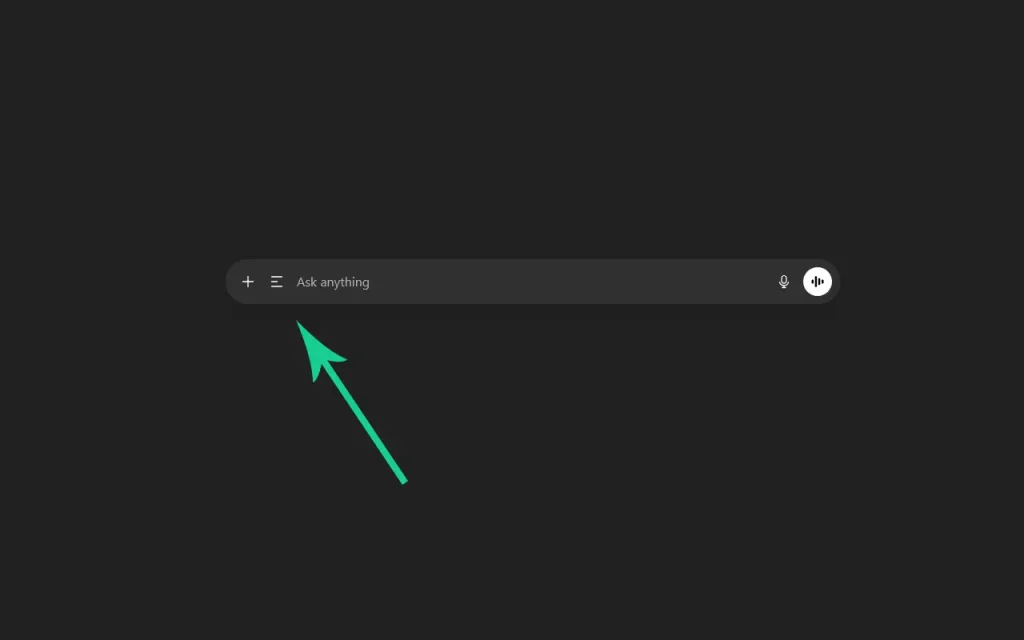
ChatGPT RTL adds a toggle button to switch conversations between left-to-right and right-to-left text direction. One click changes the layout. The extension improves readability for Arabic, Hebrew, Persian, and other RTL languages.
Key Features:
- One-click toggle between LTR and RTL
- Reverses interface direction
- Works with all ChatGPT conversations
- Lightweight extension
Pros:
- Fixes text direction issues for RTL languages
- Simple interface with no configuration needed
Cons:
- Single-purpose tool
- Limited usefulness for LTR language users
10. Chatterclock – ChatGPT message tracking extension
Best for: Users who need to monitor message quota limits

Chatterclock tracks the number of messages you send to each ChatGPT model over time. The extension helps you judge how close you are to hitting quota limits for GPT-5 and GPT-5-thinking. Message counts are segmented by model and time period.
Key Features:
- Tracks messages sent to each GPT model
- Time-based tracking (one week for GPT-5-thinking, three hours for GPT-5)
- Message count display
- Helps avoid hitting quota limits
Pros:
- Prevents unexpected quota blocks
- Shows usage patterns by model
Cons:
- Only useful for users on plans with message limits
- No other features beyond tracking
Final Thoughts
The ChatGPT browser extensions worth using in 2026 pack multiple AI models, handle files and images, and add productivity tools that save time.
AITOPIA and Chat GPT for Chrome allow you to access GPT-5, Claude, Gemini, and DeepSeek in one place. ChatGPT Toolbox and Superpower ChatGPT help organize prompts and conversations for power users. Specialized tools like ChatGPT Exporter, VoiceWave, and Chatterclock solve specific problems.
Pick the extension that matches your workflow. If you jump between AI models, start with AITOPIA. If you run repetitive prompts, try ChatGPT Toolbox. If you need to archive conversations, grab ChatGPT Exporter.
Install what you need. Skip the rest.
FAQ
Q: Do these extensions work with free ChatGPT accounts?
A: Most extensions work with both free and paid ChatGPT accounts. Some features (like certain AI models in AITOPIA or premium tools in ChatGPT Toolbox) require subscriptions.
Q: Can I use multiple extensions at once?
A: Yes, but some extensions may conflict. Test combinations to see which work together. WebChatGPT notes that some ChatGPT extensions can interfere with its toolbar.
Q: Are these extensions safe?
A: Extensions from the Chrome Web Store go through review processes. Check user reviews and permissions before installing. AITOPIA and similar tools mention they are independent third-party services not affiliated with OpenAI.
Q: Do these extensions store my ChatGPT conversations?
A: Most extensions process data locally in your browser. ChatGPT Exporter notes that PDF exports are processed temporarily on their server and deleted immediately. Check each extension’s privacy policy for specifics.
Q: Which extension should I install if I only want one?
A: AITOPIA or the Chat GPT for Chrome extension cover the most ground with multi-model access, file handling, and productivity features. Pick based on which AI models you use most.
Changelog:
01/01/2026
- Update the list
07/19/2023
- Removed invalid extensions
- Added more extensions
- Fixed extension links
More Resources:
- OpenAI & ChatGPT Timeline: From GPT-1 to GPT-5.2
- OpenAI API Max Token Limit
- OpenAI API Rate Limits
- ChatGPT’s official search extension for Chrome