Video content dominates the internet, but watching hour-long tutorials, lectures, or podcasts takes time most people do not have. In 2026, AI YouTube summarizers have become standard utilities for students, developers, and researchers who need to extract information quickly without sitting through full runtimes.
These tools process video transcripts through language models and generate summaries, bullet points, or structured notes in seconds. Students use them to review lecture content. Researchers extract insights from multiple videos quickly. Content creators analyze competitor videos without spending hours watching. The tools work with videos of any length, from short tutorials to multi-hour presentations.
The best part is that high-quality summarization no longer requires a paid subscription. Many powerful tools offer robust features for free. This guide lists 10 of the best free AI YouTube summarizers available right now, explaining exactly how they work and which one fits your specific workflow.
TL;DR
| Tool | Output Style | Platform | Best For |
|---|---|---|---|
| Google NotebookLM | Summaries, Q&A, study guides, audio/video overviews | Web app | In-depth research and academic work |
| YT Chats | Transcripts, summaries, chat interface | Web app | Long tutorials and lectures |
| YouTube Summary | Key points, fast extraction | Web app | Quick scanning and sharing |
| justTLDR | Customizable summaries, multiple formats | Chrome extension | Browser-based workflow |
| InsightTube | Summaries, chapters, translated subtitles | iOS app | Mobile users and multilingual content |
| SwiftNotes AI | Structured notes with timestamps | Web app | Note-taking and study |
| Youtubegist | Tags, key takeaways, detailed summaries | Web app | Privacy-conscious users |
| tldw | Concise Summaries | Web / Docker | Developers, tech-savvy users |
| Free AI YouTube Tools | Blog posts, quotes, key points, tweets | Web app | Content creators and marketers |
| Summarize.ing | Multiple formats, mind maps, Q&As | Web app | Users wanting advanced AI models |
Top 10 Free AI YouTube Summarizers in 2026
Table Of Contents
- 1. Google NotebookLM – AI Research Assistant with YouTube Integration
- 2. YT Chats – Free YouTube Transcription and Chat Tool
- 3. YouTube Summary – 30-Second Video Analysis
- 4. justTLDR – Chrome Extension for AI-Powered Summaries
- 5. InsightTube – Mobile YouTube Summarizer for iOS
- 6. SwiftNotes AI – Convert Videos to Study Notes
- 7. Youtubegist – Fast Open-Source Summarizer
- 8. tldw – Open-Source Video Summarizer
- 9. Free AI YouTube Tools – Eight-Tool Content Suite
- 10. Summarize.ing – Advanced AI with ChatGPT and Claude
1. Google NotebookLM – AI Research Assistant with YouTube Integration
Best for: Students, researchers, and professionals conducting in-depth analysis
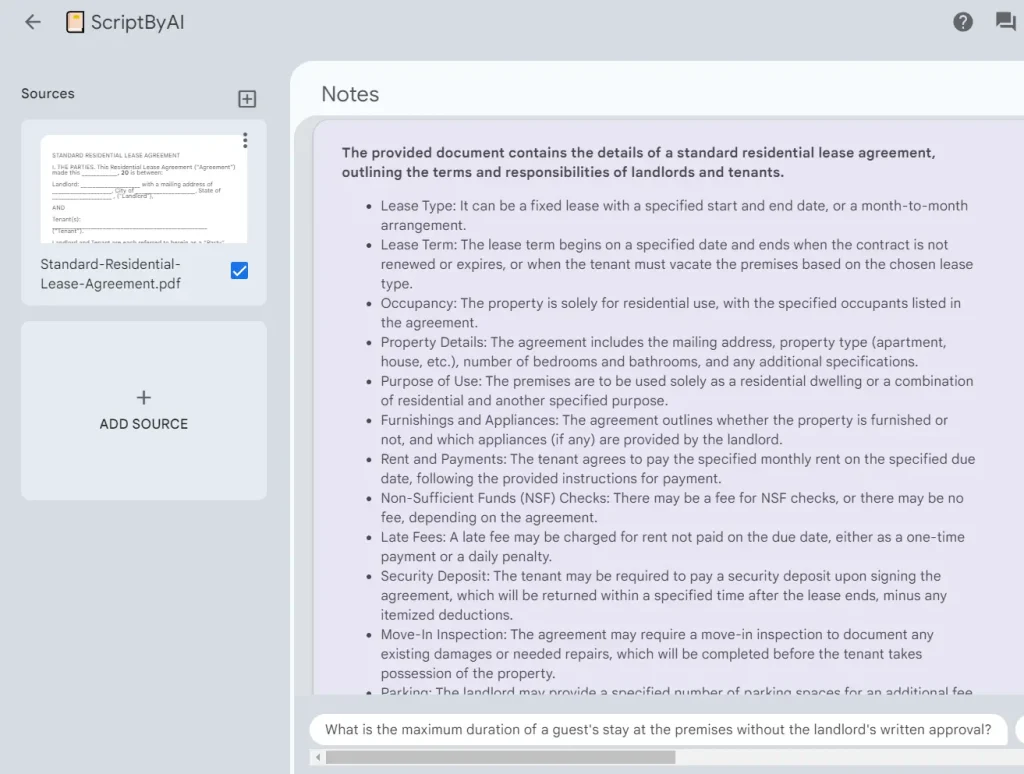
Overview: Google NotebookLM functions as an AI-powered research assistant that extracts and analyzes YouTube video transcripts. The tool treats video transcripts as source documents and allows users to interact with the content through an AI interface. You can upload multiple YouTube videos into a single notebook and compare information across sources.
Key Features:
- Automatic transcript extraction from any public YouTube video
- Interactive Q&A with citation links to specific video timestamps
- Audio and video overview generation for hands-free content review
- Multi-source analysis combining YouTube videos with PDFs and documents
- Study guide, FAQ, and timeline generation from video content
Pros:
- Backed by Google’s infrastructure with reliable uptime
- Combines YouTube analysis with other document types in one workspace
- Citations link directly to video timestamps for verification
- Generates multiple content formats from the same source material
Cons:
- Requires a Google account to use
- Processing time increases with longer videos
Official Website: https://notebooklm.google.com/
2. YT Chats – Free YouTube Transcription and Chat Tool
Best for: Users who want to ask specific questions about video content
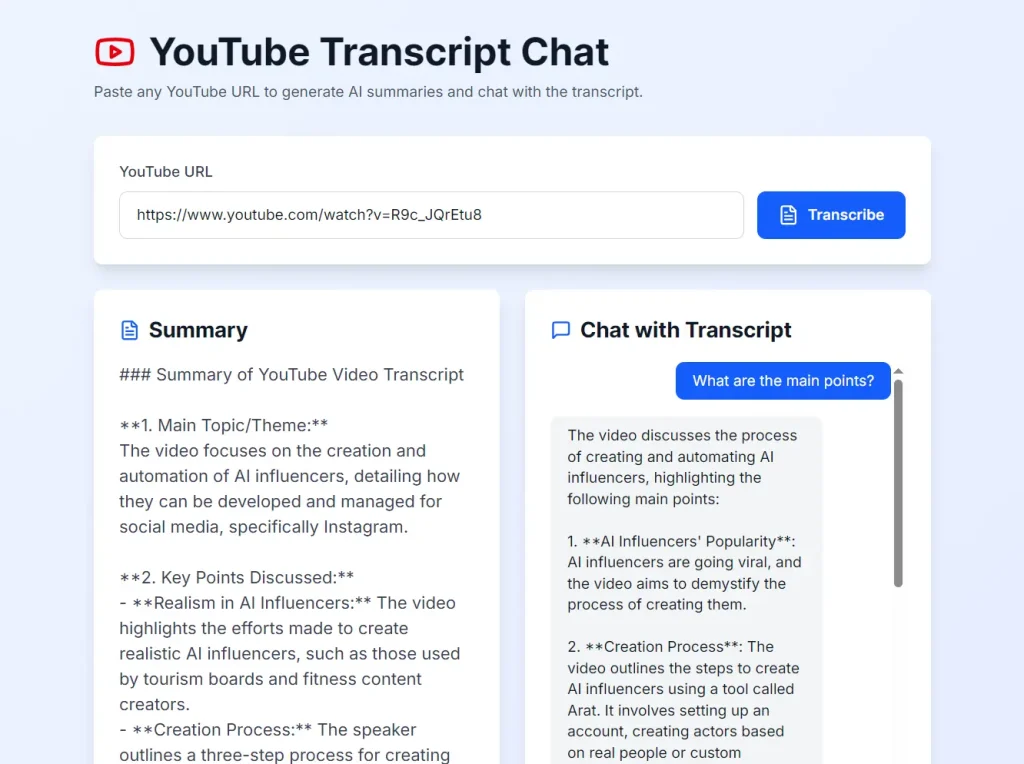
Overview: YT Chats converts YouTube videos into searchable transcripts and summaries. The tool processes videos of any length and stores the results in a personal dashboard. After generating a transcript, you can interact with the content through an AI chat interface. The chat feature allows you to ask questions about specific topics mentioned in the video without rewatching or manually searching through the transcript.
Key Features:
- Complete transcription for videos of any length
- AI-generated summaries highlighting main points
- Interactive chat functionality for content queries
- Personal dashboard storing all processed videos
- Automatic saving of transcripts and summaries
Pros:
- Handles videos longer than two hours reliably
- Chat interface clarifies complex concepts quickly
- No apparent usage limits or subscription requirements
- Accurate transcription of technical terminology
Cons:
- Videos must fully process before chat becomes available
- Export options require manual text copying
Official Website: https://ytchats.com/
3. YouTube Summary – 30-Second Video Analysis
Best for: Quick content scanning and time-sensitive information extraction
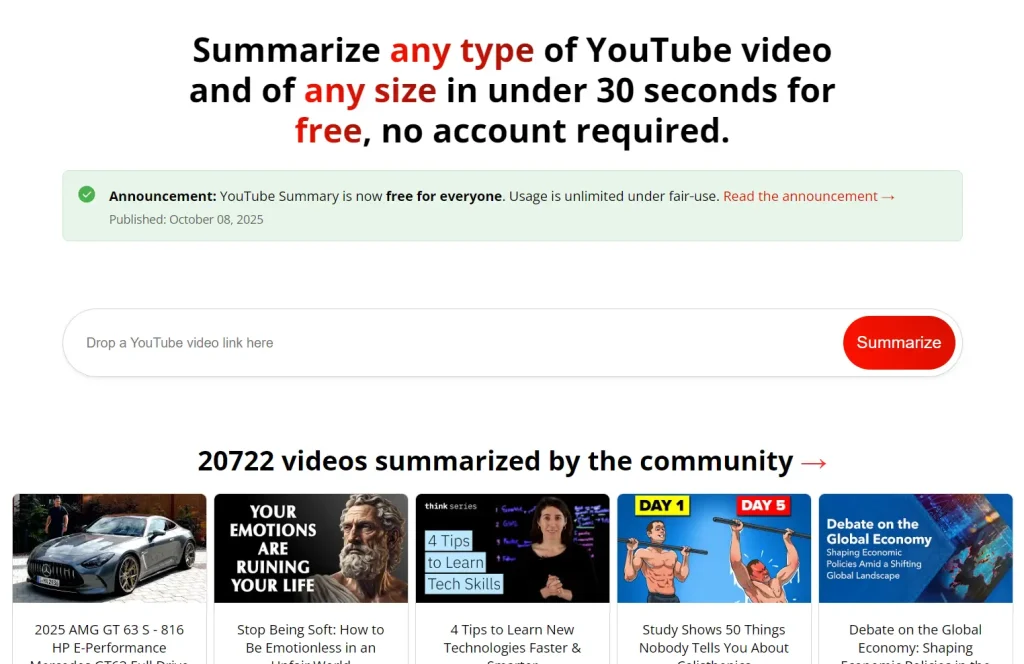
Overview: YouTube Summary delivers key points from any YouTube video in under 30 seconds. The service recently transitioned from a paid model to a completely free offering sustained through light advertising and affiliate links. The tool prioritizes speed and simplicity over detailed analysis. Each summary receives a unique shareable URL for distribution.
Key Features:
- Processing complete in 30 seconds or less
- Works with videos of any length
- Shareable summary links for collaboration
- Fair-use throttling after five videos per hour
- No account creation required
Pros:
- Processes hour-long content in seconds
- Free access without hidden premium tiers
- Consistent performance across content types
- Direct link sharing for team collaboration
Cons:
- May miss subtle context or sarcasm
- Best suited for straightforward narration styles
- Temporary throttling with high-volume use
- No batch processing capability
Official Website: https://youtubesummary.com/
4. justTLDR – Chrome Extension for AI-Powered Summaries
Best for: Browser-based workflow and users with existing AI service subscriptions
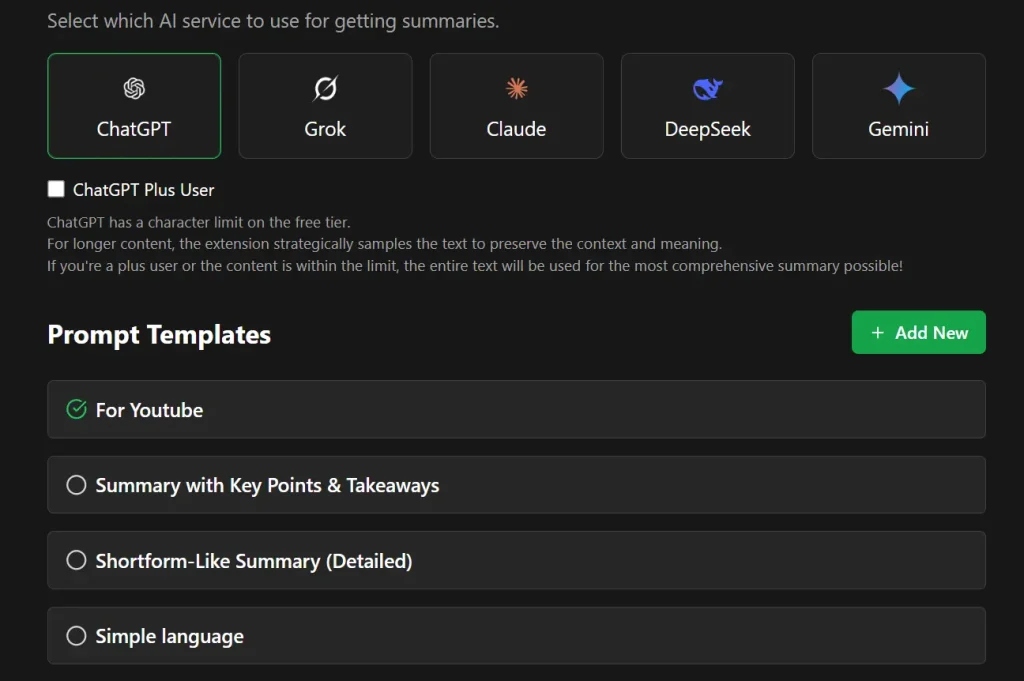
Overview: justTLDR operates as a Chrome extension that connects to your existing AI service accounts like ChatGPT, Claude, Gemini, Grok, or Deepseek. The extension adds a one-click summarization button to YouTube videos and web pages. You can choose from preset summary templates or create custom prompts for specific output formats.
Key Features:
- Integration with multiple AI services
- Customizable summary templates and personal prompts
- One-click operation on YouTube and web pages
- Multiple format options including key points and simplified language
- Works across YouTube and general web content
Pros:
- Uses AI services you already subscribe to
- Highly customizable output formats
- Functions on both videos and articles
- Simple installation and setup
Cons:
- Requires existing AI service account
- Chrome browser only
- Summary quality varies by chosen AI service
- May struggle with protected or complex page structures
Official Website: https://chromewebstore.google.com/detail/justtldr-free-ai-youtube/cmnjpgpkkdmkkmpliipnmhbelgbiefpa
5. InsightTube – Mobile YouTube Summarizer for iOS
Best for: Mobile users and multilingual content consumers
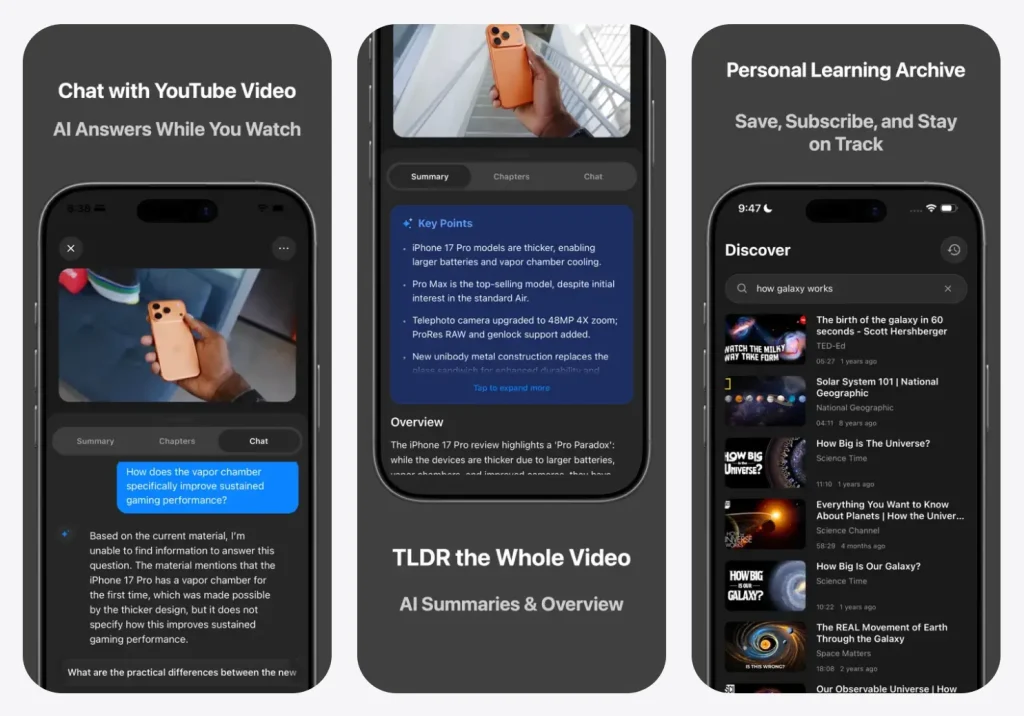
Overview: InsightTube brings AI video summarization to iOS devices. The app extracts summaries, generates chapters with timestamps, and creates subtitles in 15+ languages. Users can search YouTube directly within the app and subscribe to channels. All processed videos save to a personal library for future reference. The app includes an AI chat feature for asking questions about video content.
Key Features:
- AI video summaries generated in seconds
- Auto-generated chapters with timestamp navigation
- Subtitle generation in 15+ languages for videos without captions
- AI chat interface for content queries
- In-app YouTube search and channel subscriptions
- Video library management for processed content
Pros:
- Mobile-native experience for on-the-go access
- Strong translation features for international content
- Local data storage respects privacy
- Currently free with no cost barrier
Cons:
- iOS exclusive with no Android or desktop version
- Future pricing uncertain with “free for limited time” status
- Depends on original video availability
Official Website: https://apps.apple.com/us/app/insighttube-ai-video-insights/id6754326256
6. SwiftNotes AI – Convert Videos to Study Notes
Best for: Students and learners who need structured notes
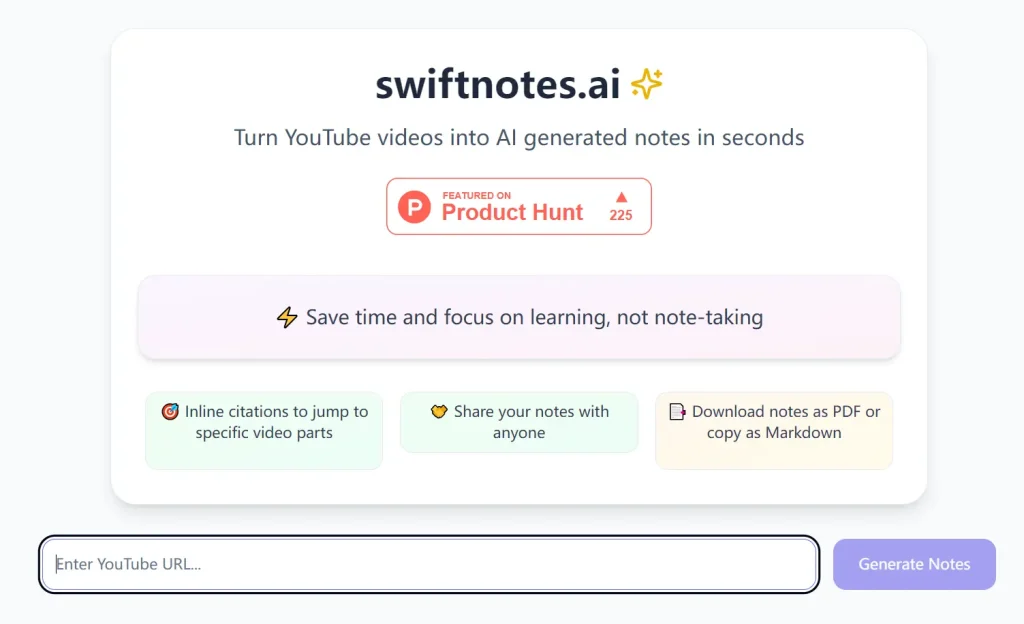
Overview: SwiftNotes AI transforms YouTube videos into comprehensive study notes with inline timestamp citations. The tool analyzes video transcripts and produces structured outlines with direct links to specific video sections. Users can export notes as PDFs, format them in Markdown, and generate comprehension quizzes based on the content. The tool supports nine languages including English, Spanish, French, German, Italian, Portuguese, Russian, Chinese, and Hindi.
Key Features:
- AI-generated notes with timestamp citations
- PDF export and Markdown formatting
- Auto-generated quizzes for comprehension testing
- Notes sharing with other users
- Support for nine languages
Pros:
- Structured format ideal for academic content
- Timestamp links enable quick video navigation
- Quiz generation tests understanding
- Multiple export options for different workflows
Cons:
- Requires clear video transcriptions for accuracy
- YouTube platform only
- Generated notes may need manual editing
- Limited to nine supported languages
Official Website: https://swiftnotes.ai/
7. Youtubegist – Fast Open-Source Summarizer
Best for: Privacy-focused users and developers
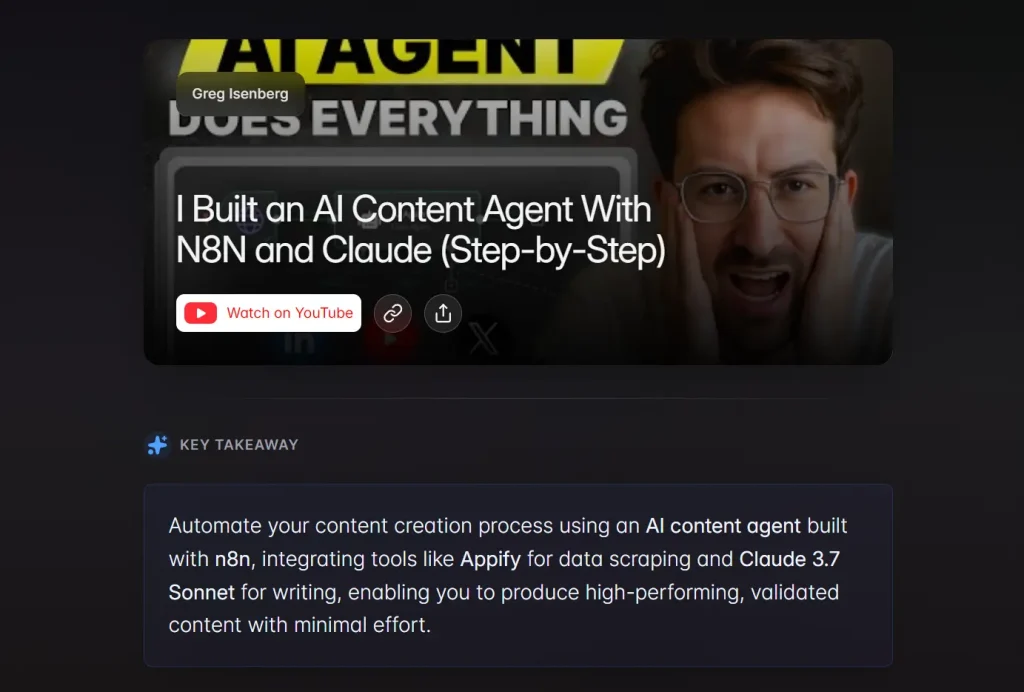
Overview: Youtubegist offers a fast, open-source YouTube summarization tool that can be self-hosted for complete privacy control. The tool generates summaries within seconds by modifying the YouTube URL. Users add “gist” after “youtube” in any video URL to access the summary. The output includes tags, key takeaways, main points, and detailed summaries. The tool caches popular video summaries to reduce processing time.
Key Features:
- Fast processing regardless of video length
- Open-source codebase available on GitHub
- Simple URL modification for instant access
- Detailed output with tags and key points
- Self-hosting option with custom AI providers
- Caching system for frequently accessed videos
Pros:
- No cost or paywalls
- Extremely fast summary generation
- Full code transparency and customization options
- Minimal interface focused on content
- Self-hosting provides complete data control
Cons:
- Summary quality depends on chosen AI model
- May misinterpret complex or nuanced topics
- Self-hosting requires technical knowledge
Official Website: https://www.youtubegist.com/
8. tldw – Open-Source Video Summarizer
Best for: Developers and users who prefer open-source tools.

Overview: tldw (Too Long; Didn’t Watch!) is a straightforward, open-source tool that prioritizes speed and accessibility. It processes YouTube URLs through OpenAI’s API to extract key points in roughly 10 seconds. While it offers a hosted version for casual users, its real value lies in its developer-friendly nature—it provides Docker support, allowing technical users to self-host the application or integrate it into their own projects.
Key Features:
- Dual Modes: Accessible via a web interface for instant use or via Docker for custom deployment.
- Rapid Processing: Optimized to deliver summaries faster than most competitors, typically under 10 seconds.
Pros:
- Open-source code ensures transparency and allows for community modifications.
- No complex setup is required for the web version.
Cons:
- The hosted version relies on the maintainer’s API limits, which may fluctuate.
Official Website: https://tldw.tube/
9. Free AI YouTube Tools – Eight-Tool Content Suite
Best for: Content creators and marketers repurposing video content
Overview: This collection includes eight separate AI tools for working with YouTube videos. The suite covers blog post conversion, tweet generation, quote extraction, key point identification, recommendation gathering, viral moment detection, and FAQ creation. Each tool serves a specific content repurposing need. No registration is required to use any tool in the collection.
Key Features:
- Video to blog post converter with SEO optimization
- Video summarizer for concise overviews
- Tweet/X post generator from video content
- Quote extractor for social media sharing
- Key points finder for insight extraction
- Recommendations extractor from video content
- Viral moments identifier
- FAQ generator from video topics
Pros:
- No registration required
- Zero cost across all eight tools
- Multiple output formats for different purposes
- Quick processing times
- Simple interface design
Cons:
- YouTube platform only
- Output quality depends on video audio clarity
- Generated content may need editing
Official Website: https://docsbot.ai/tools/ai-youtube-summarizer
10. Summarize.ing – Advanced AI with ChatGPT and Claude
Best for: Users wanting access to premium AI models
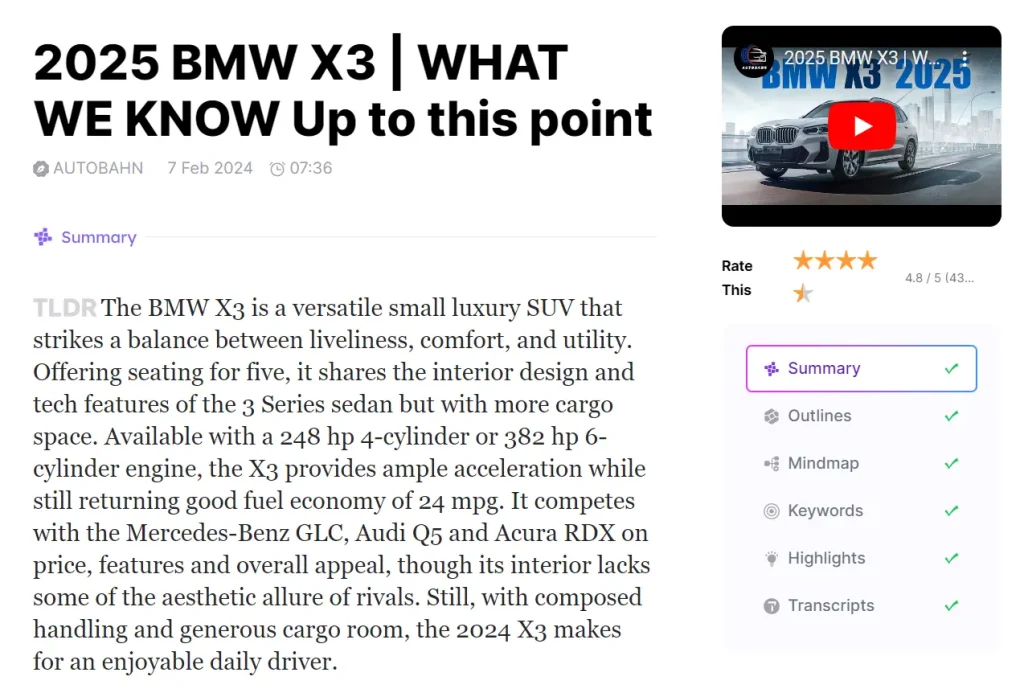
Overview: Summarize.ing uses ChatGPT and Claude 2 to generate YouTube video summaries. The tool offers multiple output formats, including digests, detailed highlights, mind maps, Q&As, and segmented summaries. The free tier includes five video summaries per day for videos under 30 minutes. Processing runs slower on the free tier compared to paid plans, but the core functionality remains accessible.
Key Features:
- Multiple summary format options
- Mind map visualization of video content
- Q&A generation from video topics
- Segmented summaries for long videos
- Powered by ChatGPT and Claude 2
Pros:
- Access to advanced AI models
- Various output formats for different use cases
- Mind map format useful for visual learners
Cons:
- Daily limit of five videos on free tier
- 30-minute video length restriction
- Slower processing on free tier
Official Website: https://summarize.ing/
Best Choices
For long videos: YT Chats and Google NotebookLM handle multi-hour content reliably and provide interactive features for exploring specific sections.
For timestamp summaries: SwiftNotes AI and InsightTube include timestamp citations that link directly to relevant video sections.
For Chrome extension workflow: justTLDR integrates directly into your browser and works with your existing AI service subscriptions.
For multi-language support: InsightTube generates subtitles in 15+ languages, making international content accessible.
For students: SwiftNotes AI and Google NotebookLM offer study-focused features, including note generation, quizzes, and study guides.
For content creators: The Free AI YouTube Tools suite provides eight specialized tools for repurposing video content into blogs, tweets, and quotes.
For quick scanning: YouTube Summary processes any video in under 30 seconds, ideal for rapid content evaluation.
What Are AI YouTube Summarizers?
AI YouTube summarizers are web applications, browser extensions, or mobile apps that analyze YouTube videos and produce condensed versions of their content. The output varies by tool. Some generate paragraph summaries. Others create bullet-point lists. Many include timestamp markers that link directly to specific moments in the original video.
These tools help users decide whether a video contains the information they need before committing to watch it. Students use summaries to review material before exams. Professionals scan summaries to identify relevant sections in training videos. Language learners access content in videos spoken in languages they don’t fully understand.
The summarization quality depends on the video content type. Videos with clear narration and good audio quality produce more accurate results. Interview-style videos with multiple speakers may generate less structured summaries. Technical content with specialized terminology works well if the video includes accurate captions.
How AI YouTube Summarizers Work
Most YouTube summarizers follow a similar technical process. The tool first extracts the video transcript. YouTube provides automatic captions for most videos, and creators can upload their own transcripts. The summarizer retrieves this text data through YouTube’s API or by scraping the video page.
After transcript extraction, the tool processes the text through a language model. Popular models include GPT-5, Claude, Gemini, and open-source alternatives like Qwen and Llama. The model analyzes the transcript, identifies main topics, and generates a condensed version that captures key points.
The output format varies. Some tools produce single-paragraph summaries. Others generate structured outlines with headers and subpoints. Advanced tools add timestamp markers that link back to specific video sections. A few tools offer interactive features where users can ask questions about the video content and receive answers based on the transcript.
Processing time depends on video length and server capacity. Short videos typically process in under 10 seconds. Multi-hour videos may take 30-60 seconds. Some tools cache popular video summaries to speed up repeated requests.
Final Thoughts
Free AI YouTube summarizers have matured significantly by 2026. They are no longer just experimental novelties but essential productivity utilities. Whether you are a student trying to absorb a semester’s worth of lectures or a developer looking for a specific code snippet in a long tutorial, there is a tool designed for your needs.
By using tools like NotebookLM for research or InsightTube for mobile viewing, you reclaim hours of your week. Start with one of the tools above and see how much faster you can learn and create.