This is a suite of eight AI-powered tools for content creators, marketers, and bloggers who utilize YouTube videos in their workflows.
These tools facilitate tasks such as converting videos to blog posts, generating summaries and quotes, extracting key points and recommendations, identifying viral moments, and creating FAQs.
Tool List
- AI YouTube Video to Blog Post Generator: Converts YouTube videos into SEO-optimized blog posts. Link
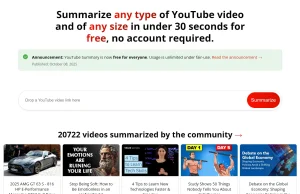
- AI YouTube Video Summarizer: Provides concise summaries of any YouTube video. Link
- AI YouTube to Tweet/X Post Generator: Creates engaging tweets or X posts from video content. Link
- AI YouTube Video Quote Generator/Extractor: Extracts quotes from videos for easy sharing. Link
- AI YouTube Video Key Points Finder: Identifies valuable insights and key ideas from videos. Link
- AI YouTube Video Recommendations Extractor: Gathers recommendations and insights from video content. Link
- AI YouTube Video Viral Moments Finder: Pinpoints potentially viral moments in videos. Link
- AI YouTube Video FAQ Generator: Extracts frequently asked questions from video content. Link
Use Cases
- Content Repurposing: A marketing team can convert a webinar recording on YouTube into a blog post, expanding its reach and providing content in multiple formats.
- Research and Learning: Students can use the summarization tool to quickly grasp the core concepts of educational videos, saving time and improving comprehension.
- Social Media Management: A social media manager can generate engaging tweets or X posts directly from a YouTube video, streamlining content creation for various platforms.
- Content Creation: Bloggers can extract key points and quotes from expert interviews on YouTube, enriching their articles with credible insights.
- Product Research: Businesses can utilize the recommendations extractor to analyze product review videos, gaining valuable consumer insights and feedback.
Pros
- No registration required
- Zero cost for all tools
- Multiple content formats supported
- Quick processing time
- User-friendly interface
Cons
- Limited to YouTube videos only
- Processing quality depends on video audio clarity
- May require manual editing of generated content
FAQs
Q: What video length can these tools process?
A: The tools work with YouTube videos of any length, though longer videos may take more time to process.
Q: Do I need to create an account to use these tools?
A: No, all tools are available without login.
Q: Can I use the tools for commercial purposes?
A: Yes, you can use the generated content for commercial purposes.