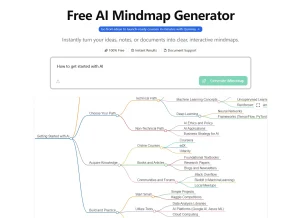
Auto Mind is a free, dynamic, AI-powered mind mapping tool that transforms any topic into an interactive visual learning map. It can help you instantly organize concepts, explore ideas, and understand complex subjects in a clear, intuitive way.
You give it a topic, and the AI generates a central topic with several connected sub-topics, or child nodes. From there, you can click on any node to expand it further, getting AI-generated summaries for deeper insight.
This dynamic approach means the mind map can grow as your understanding and curiosity expand. It can be useful for anyone who wants to explore complex ideas without the usual friction of figuring out where to begin or how concepts interrelate.
Case Studies
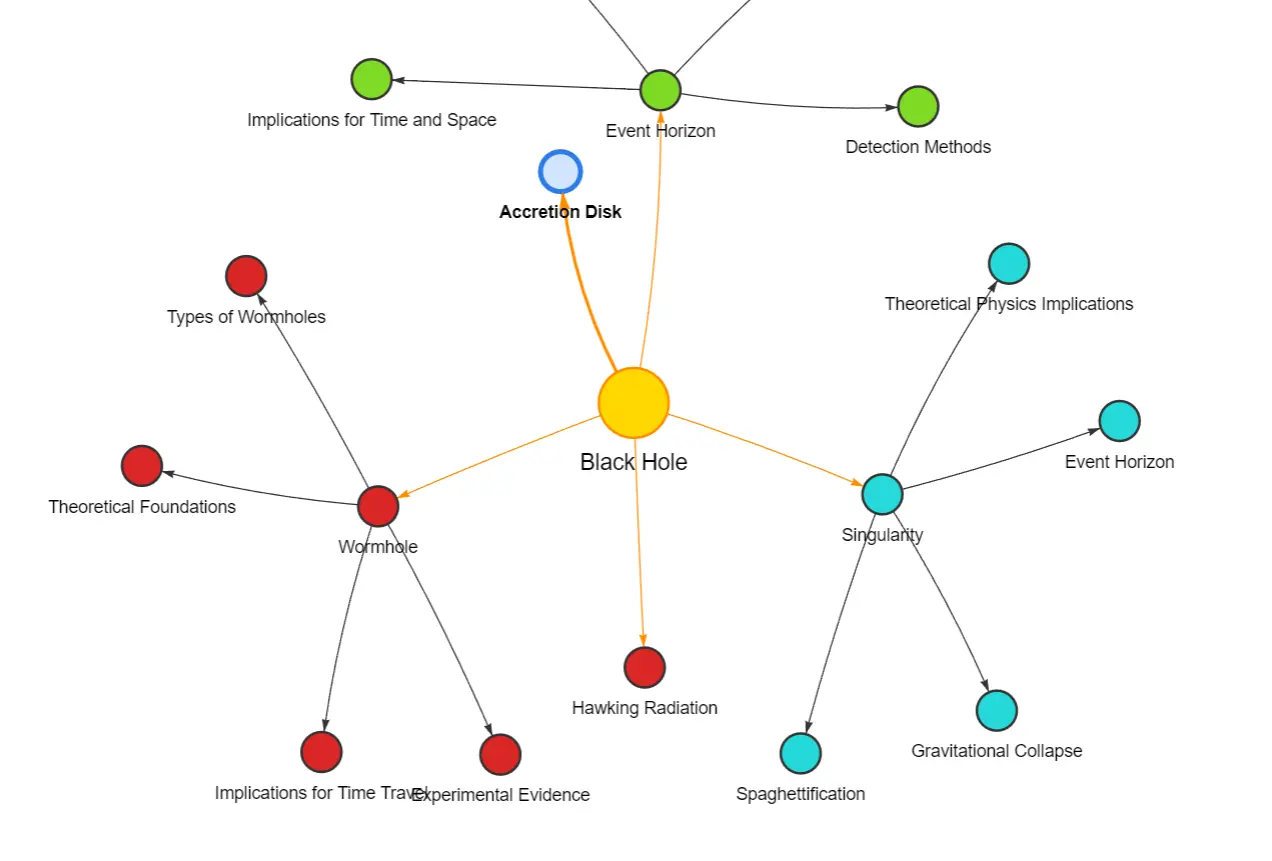
When I first stumbled upon Auto Mind, I was trying to get a better handle on “black holes” for a piece I was writing. I’m a visual guy, and just reading walls of text about astrophysics can be a bit much. So, I typed ‘black hole’ into Auto Mind.
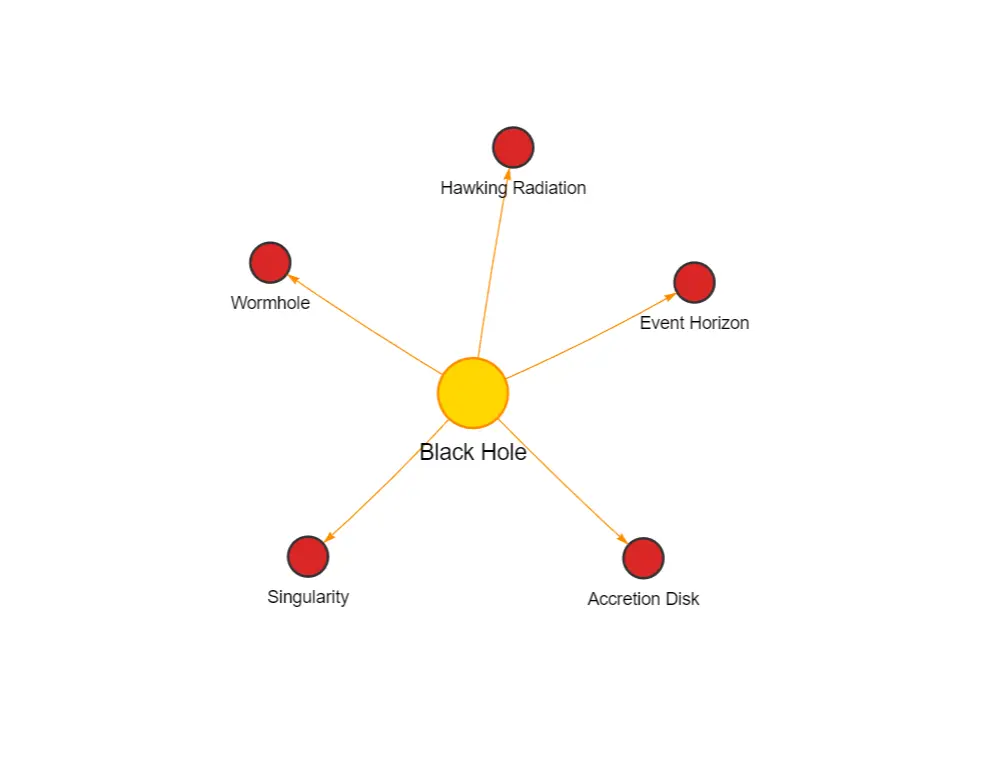
Instantly, it branched out into five main areas: Hawking Radiation, Event Horizon, Singularity, Accretion Disk, and Wormhole. This was a great starting point. I clicked on ‘Event Horizon,’ and it expanded further, giving me a little AI summary.
This was super helpful because it immediately clarified the concept without me having to jump to another search engine. I then explored ‘Singularity’ and its child nodes. The ability to keep drilling down is probably its strongest suit. I found myself exploring connections I hadn’t initially considered.
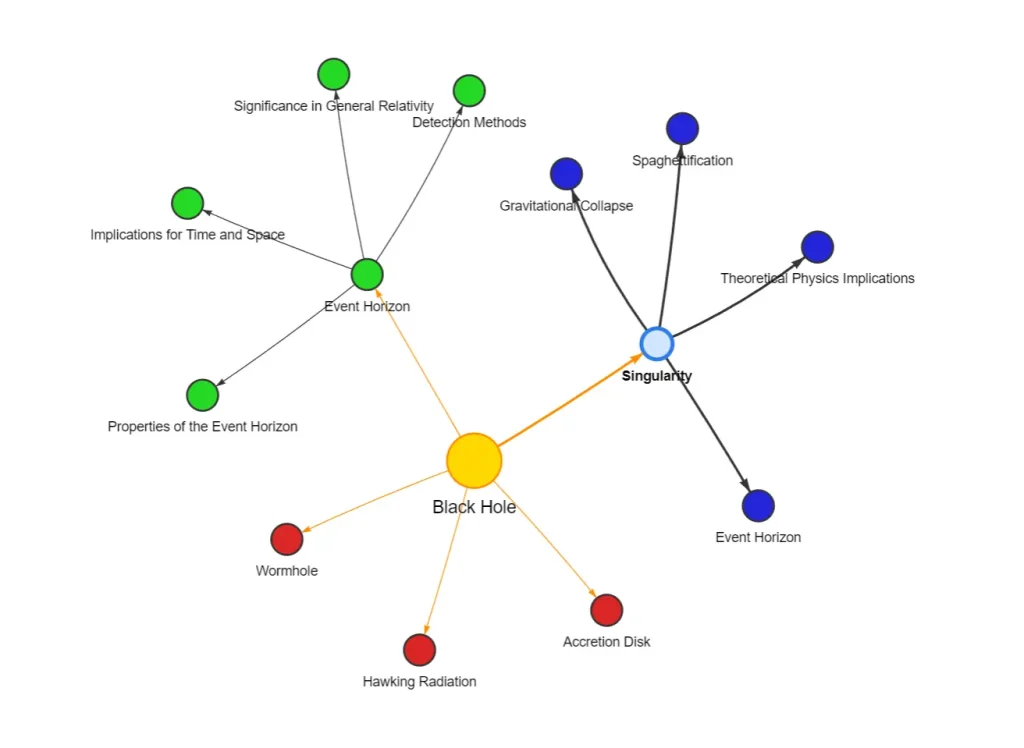
After about 5 minutes, I had a much clearer mental model of the topic. I even shared the mind map (https://automind.hackyourgrade.com/embed/qQd03Bi2mPTjNm3mMfB9) with a colleague who was also curious. The learning curve was practically flat.
How To Use It
1. Go to the Auto Mind website and type any topic you want to explore in the search bar. For example, typing “black hole” will generate a mind map about black holes in astronomy.
2. Your main topic will expand into several child nodes representing key subtopics. In the black hole example, you’ll see branches for:
- Hawking Radiation
- Event Horizon
- Singularity
- Accretion Disk
- Wormhole
3. Click on any node to expand it further. Each click reveals additional subtopics and AI-generated explanations.
4. Use the “Copy Shareable Link” button to generate a URL you can share with others.
Pros
- Zero Learning Curve: The interface is intuitive enough for immediate use without tutorials
- Free Access: All features available without payment or subscription
- No Account Required: Start creating instantly without registration
- Visual Format: Helps convert abstract concepts into concrete visual relationships
- Expandable Content: Maps grow organically as you explore subtopics
- Quick Reference: Creates shareable visual study guides in seconds
Cons
- Limited Export Options: No direct PDF or image export functionality
- Fixed Visual Structure: Limited customization of the mind map appearance or layout
- Depth Limitations: Some complex topics may not expand beyond a certain level
FAQs
Q: Can I edit the mind maps created by Auto Mind?
A: From what I’ve seen, direct editing (like adding your own custom nodes, renaming AI-generated nodes, or restructuring the layout manually) isn’t a primary feature. It’s more about AI-guided exploration.
Q: What’s the main difference between Auto Mind and traditional mind mapping software?
A: Traditional mind mapping software (like Xmind or MindMeister) typically requires you to build the map manually, node by node. Auto Mind uses AI to generate the initial structure and subsequent branches from a single prompt, automating much of the initial creation process. It’s less about manual construction and more about AI-assisted discovery.
Q: How deep can the AI go in expanding topics?
A: It can go quite a few levels deep. The practical limit often depends on the complexity and breadth of the topic itself and how the AI has been trained on that information.
Q: Is there a limit to the number of mind maps I can create?
A: There was no stated limit during my usage for generating different mind maps.
Q: Can I collaborate with others on a mind map?
A: Direct collaboration isn’t supported, but you can share your mind map using the shareable link feature, allowing others to view your creation.
Q: Are the mind maps saved for later access?
A: The shareable link will keep your mind map accessible, but there’s no user dashboard or saved library. Keep your shareable links if you want to access your mind maps again.