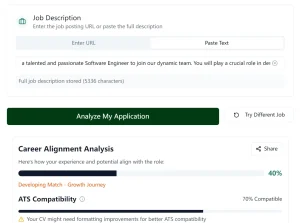
ATSFriendly is an AI resume checker that compares your existing resume with a job description and shows how well your qualifications match the role.
It gives you an ATS-Friendly score, identifies relevant skills and keywords, and recommends improvements to help your resume get noticed during ATS screening and recruiter review.
Upload a PDF or Word resume, paste the job posting, and see what to strengthen before you apply. The free plan includes two scans per week, making it useful for checking a resume against individual vacancies.
Key Features
- Compare your resume with a specific job posting and get an ATS-Friendly score.
- Identify hard skills, soft skills, and job-related keywords that need attention.
- Check work experience, job titles, and education against the role’s requirements.
- Review section headings, resume length, layout, and contact information.
- Get personalized feedback to improve the relevance and wording of your resume.
- Create up to two tailored resumes on the free plan for different job applications.
How to Check Your Resume with ATSFriendly.com
1. Upload your resume
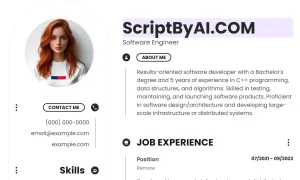
Open the ATSFriendly.com resume scanner and sign in or create a free account. Upload your existing resume as a PDF, DOC, or DOCX file, up to 5 MB.

2. Paste the job description
Copy the full job posting into the job-description field, including its skills, responsibilities, and qualifications. The scanner uses this text to compare your resume with the requirements of that specific position.

3. Start the scan
Click Start Scan. ATSFriendly.com analyzes the resume and job description and generates an ATS-Friendly score with matching details and recommendations.

4. Review your results
Look beyond the overall score to the skills, experience, education, and formatting checks. The report helps you identify the strongest matches and the parts of your resume worth revising before you send your application.

What Does the ATS Resume Report Tell You?
Skills and keywords
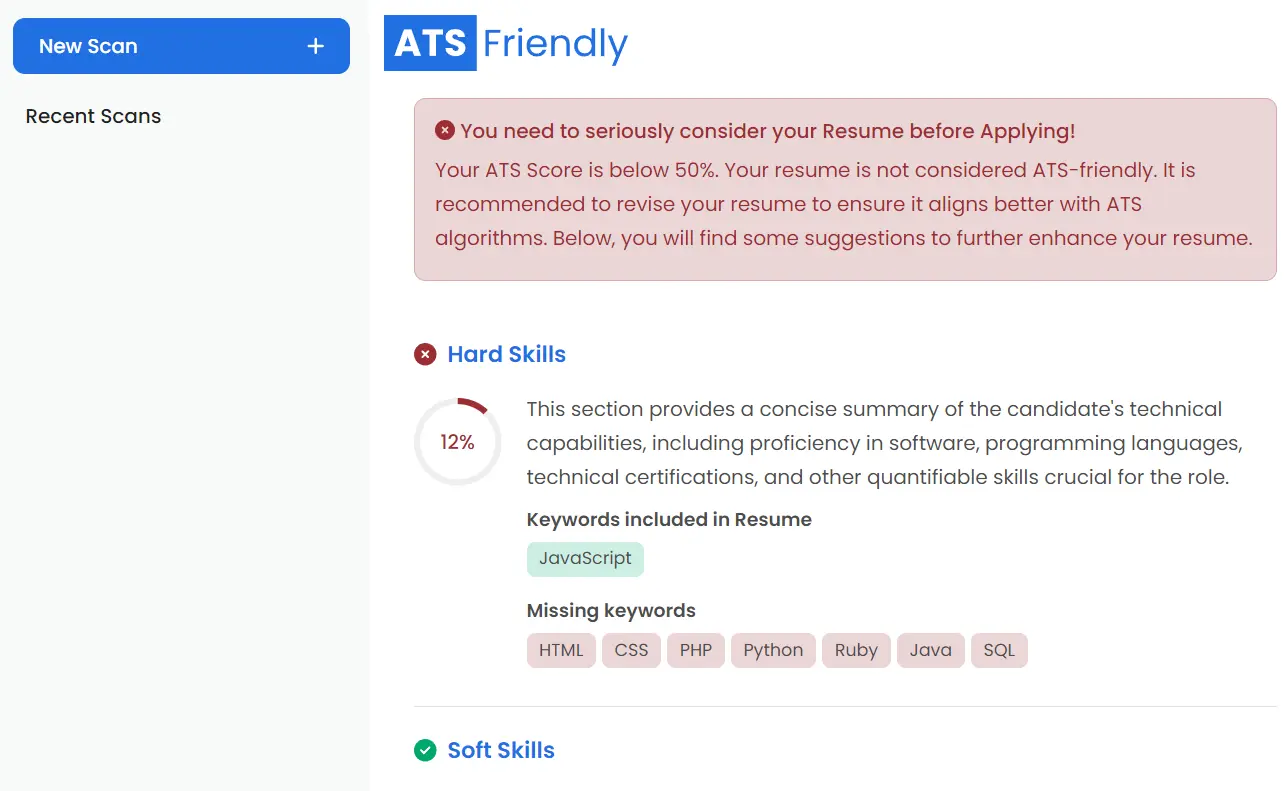
The scanner looks for hard skills, soft skills, and other terms related to the vacancy. For a web-development role, that might mean checking whether your resume clearly mentions the frameworks, programming languages, and collaboration skills in the posting. When a missing term describes something you have actually done, add it naturally to your skills or experience.
Work experience, education, and job titles
ATSFriendly.com compares your work history and qualifications with what the employer requests. In the illustrated report, a computer science degree and three years of web-development experience are compared with the job’s requirements. If relevant work is buried under a vague job title or bullet, describe the responsibilities more clearly.
Resume structure and contact details
The scanner also checks recognizable section headings, resume length, layout, and contact information. These details help screening software extract the information a recruiter needs. Clear headings such as Work Experience, Education, and Skills make the document easier to read and scan.
How to Improve Your Resume After the Scan
Use the report as an editing checklist for the vacancy you are targeting:
- Address relevant keyword gaps. Add skills and qualifications from the job posting where they accurately describe your experience. Place important terms in the sections a recruiter will read.
- Make your experience more specific. Replace vague phrases with specific responsibilities and outcomes. For example, “worked on websites” could become “built responsive React landing pages and maintained reusable UI components” if that describes your work.
- Clarify the structure. Use standard headings, readable formatting, and complete contact details. Check that work dates and qualifications are easy to find.
- Scan the revised version. Use another available scan to compare the updated resume with the same vacancy and see which issues have been addressed.
Is ATSFriendly.com Free?
Yes. The Free plan costs $0 and includes two resume scans per week, two tailored resumes, and five credits for AI features. It includes the ATS-Friendly score, keyword analysis, work-experience and education matching, contact-details checks, and a basic resume template. The website states that a credit card is not required to get started.
Paid plans offer unlimited scans and tailored resumes, along with verb-choice matching, achievement analysis, a searchability checker, AI keyword suggestions, and the Magic Resume Editor. The editor can rephrase resume content, validate changes against the job description in real time, and create a cover letter. PDF and DOCX export are included in the paid feature list.
FAQs
What is an ATS-friendly resume?
An ATS-friendly resume uses clear sections, readable formatting, and relevant job terminology that applicant tracking systems can process. It also presents your experience in a way that helps recruiters find the qualifications they are looking for.
What does the ATS-Friendly score mean?
It summarizes ATSFriendly.com’s analysis of your resume against the job description you supplied. The keyword and qualification details show where you can improve the application for that role.
Related Resources
- Career Check: AI Resume and Job Match Analysis
- Nanonets Resume: Free AI Resume Builder
- Resume Yay: ATS-Friendly Resume Builder Without Signup
Last Updated: Nov 23, 2026