YouTube Summary is a free AI-powered video summarization tool that analyzes any YouTube video of any length and extracts the key points and takeaways in under 30 seconds.
The team behind YouTube Summary recently shifted from a paid model to a completely free service (as of October 2025). They’re sustaining the service through light advertising and an Amazon affiliate program when relevant products surface in summaries. This means the core experience remains genuinely free with no hidden charges.
Features
- Fast Video Summaries: YouTube Summary uses generative AI to pull out the most important points from any video. The entire process takes less than 30 seconds.
- Completely Free: The core service is now free for all users, with no need for an account or subscription.
- Unlimited Use (with Fair-Use Limits): You can summarize as many videos as you need. However, to prevent abuse, access is temporarily throttled if you summarize more than five videos in an hour.
- High Accuracy: The AI understands context and prioritizes what actually matters, not every detail spoken.
- Shareable summary URL: Each summary gets its own link you can bookmark or distribute to colleagues and friends.

Use Cases
- Academic research: Quickly scan educational content and lectures for relevant information without watching hours of footage.
- Content discovery: Preview multiple videos on a topic to identify the most valuable ones for your needs.
- Professional development: Stay updated with industry content during limited time windows like lunch breaks or commutes.
- Product research: Extract key details from review videos before making purchasing decisions.
- News monitoring: Get condensed versions of news reports and analysis from various sources.
How to Use It
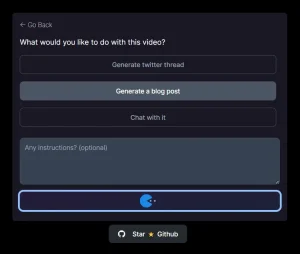
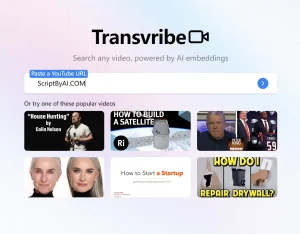
1. Visit the YouTube Summary website and paste the URL of any YouTube video you want to summarize.
2. Hit the summarize button and wait a few seconds (typically under 30). The AI processes the video content and generates your summary.
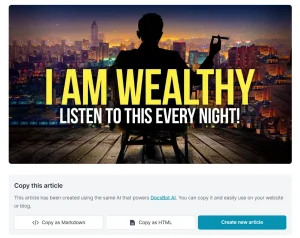
3. The completed summary appears with highlighted key points and takeaways. Most summaries include the main ideas, important details, and actionable insights organized logically.
4. Each summary gets its own URL. You can bookmark it for later reference or copy the link to share with colleagues, study groups, or team members.
Pros
- Completely free: No hidden costs or premium tiers for core functionality.
- Time efficient: Processes hour-long videos in seconds rather than hours.
- Reliable performance: Consistently delivers usable summaries across diverse content types.
Cons
- Context limitations: May miss subtle humor, sarcasm, or cultural references.
- Format constraints: Works best with monologue-style content versus rapid dialog.
- Temporary throttling: Excessive use triggers brief access restrictions.
- No batch processing: Requires handling one video at a time.
FAQs
Q: What happens if I hit the fair-use limit mentioned for 5+ videos per hour?
A: Your access gets temporarily throttled. You’ll experience slower processing speeds or brief delays when requesting summaries. This throttling typically clears automatically within a short window (usually 30-60 minutes of lighter usage) to prevent abuse while maintaining service availability for everyone.
Q: How accurate are the summaries, especially for technical or specialized content?
A: Accuracy depends primarily on how clearly and logically the original video presents information. Videos with professional narration, clear structure, and good audio quality produce excellent summaries. Technical content works well when speakers explain concepts step-by-step.
Q: Do I need to be logged into YouTube to use YouTube Summary?
A: No. You don’t need to be logged into YouTube or create a YouTube account. You also don’t need to create an account specifically for YouTube Summary. Copy any public video’s URL and paste it into the tool—that’s all the authentication required.
Q: Can I summarize videos from YouTube playlists?
A: YouTube Summary works with individual video URLs, not playlists directly. If you want to summarize multiple videos from a playlist, you’d summarize each one individually by copying its URL.