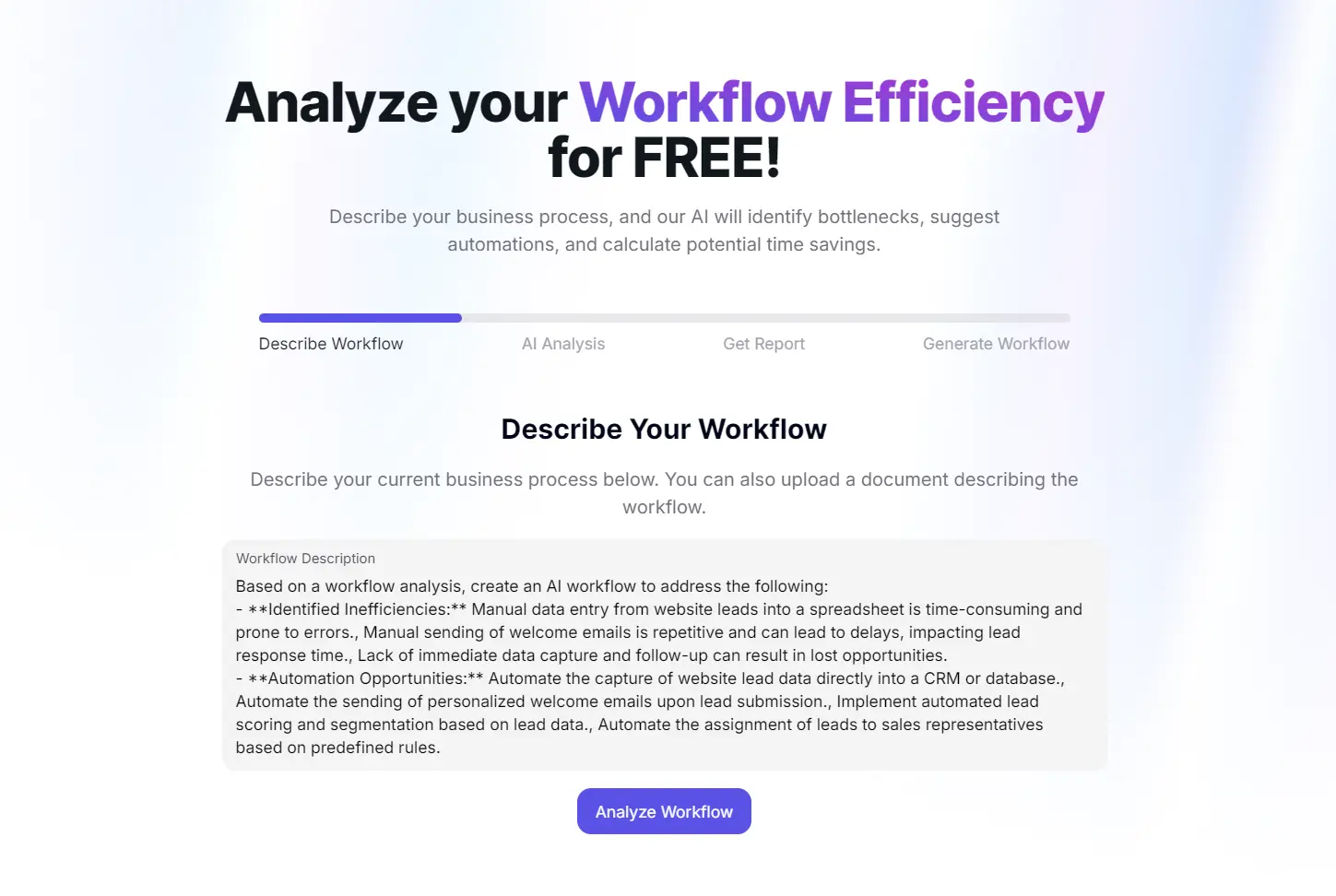
Workflow Efficiency Analyzer is a free AI-powered workflow optimization tool that analyzes business workflows to identify bottlenecks, suggest automation opportunities, and calculate potential time savings.
Describe your current process (or upload a document) in natural language, and within seconds, the AI generates a detailed report highlighting inefficiencies, proposing specific automations, and even creating an optimized workflow you can implement immediately.
Features
- Bottleneck detection: Identifies points in workflows where delays typically occur or resources become constrained.
- Automation opportunity identification: Spots repetitive, manual tasks that could be automated for efficiency gains.
- Time savings estimation: Provides realistic projections of how much time automation could save your team weekly or monthly.
- Workflow redesign suggestions: Generates specific, step-by-step improved workflows based on analysis findings.
- Multi-agent workflow creation: Builds detailed automation sequences where specialized AI agents handle different aspects of a process.
- No-code implementation: Allows users to create and implement optimized workflows without programming knowledge.
- Data security: Processes workflow descriptions without storing sensitive business information permanently.
Use Cases
- Improving Sales Lead Management: Analyze how your team handles incoming leads from your website or social media. The tool can identify delays in follow-up and suggest ways to automate data entry and initial contact.
- Optimizing Client Onboarding: Map out your current client onboarding process to find sticking points. You might discover that manual document creation and welcome emails are taking up significant time, which could be automated.
- Refining Content Creation Pipeline: For marketing teams, analyzing the process from content idea to publication can reveal bottlenecks in approvals, editing, or formatting that can be improved.
Case Study
I test the tool with a very common business scenario: handling a new lead from a website contact form.
My input was simple: “When a new lead comes in from our website, I manually copy their details into a spreadsheet, then send a welcome email.”
In less than 10 seconds, the analyzer produced a full report. It correctly identified the main inefficiencies: manual data entry is slow and can lead to errors, and manually sending emails causes delays.
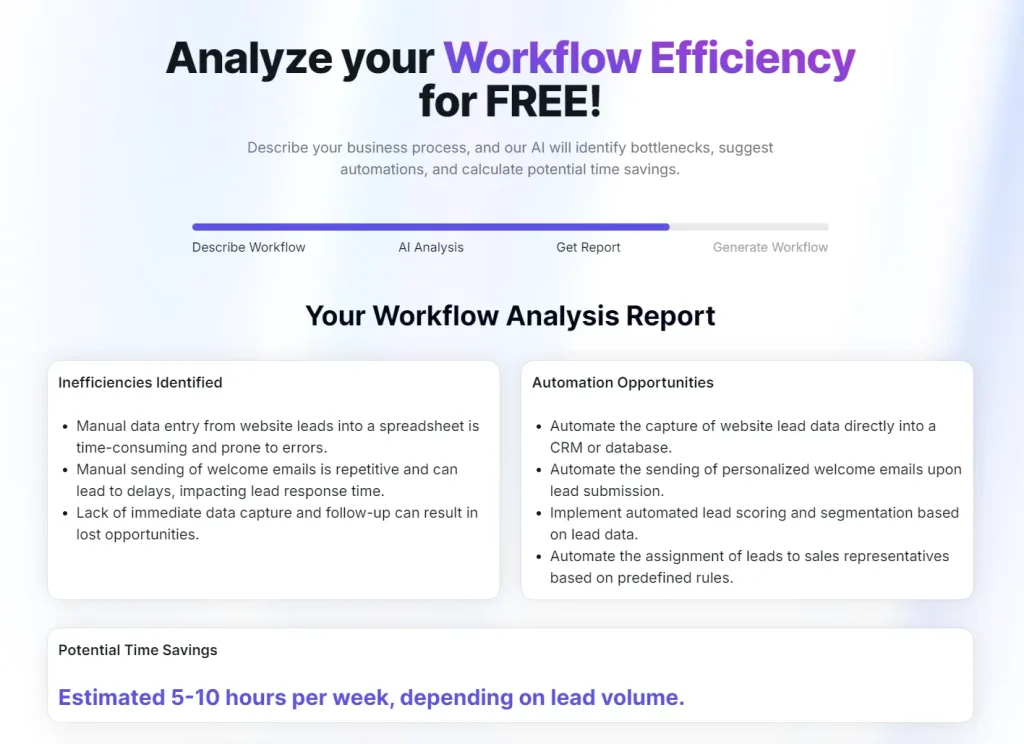
The report suggested automating the data capture directly into a CRM and using a trigger to send a personalized welcome email instantly.
It also estimated a time saving of 5-10 hours a week, which sounds about right for a team with a decent volume of leads.
The most helpful part was the ‘Generate Workflow’. It generated a six-step plan that started with capturing lead data and ended with notifying the correct sales rep.

It even provided the specific data fields to collect and a template for the automated welcome email. This was a nice touch I didn’t expect. It gives you an immediate, actionable plan.

How to Use It
1. Go to the Workflow Efficiency Analyzer website and write out the steps of a workflow you want to improve. Be as detailed as you can for a more accurate analysis. You can also upload a document with the workflow description.
2. Click the ‘Analyze Workflow’ button. The AI will process the information and generate your report in a few moments.
3. Read through the identified inefficiencies, automation opportunities, and time-saving estimates. If you like the suggestions, click ‘Generate Workflow’ to get a new, optimized process map.
Pros
- Completely Free to Use: There’s no cost to analyze your workflow and get the full report.
- Actionable Recommendations: The suggestions are specific and practical, not just high-level theory.
- No Technical Expertise Needed: You just need to be able to describe your process in plain English.
- Extremely Fast: The analysis is completed in seconds, so you can get immediate insights.
Cons
- Output Quality Depends on Input Quality: Vague descriptions will lead to generic suggestions. You need to provide a clear and detailed workflow to get the best results.
- Suggestions Favor the MindPal Platform: Naturally, the tool recommends implementing the new workflow using MindPal’s own no-code platform. This isn’t a major issue, as the suggestions are generally applicable to other automation tools like Zapier or n8n as well.
- Analyzes One Workflow at a Time: This tool is designed for focused analysis of a single process, not an audit of your entire business operation.
Related Resources
- Zapier: A popular tool for connecting different apps and automating workflows without code.
- Make: Another powerful no-code automation platform that offers a visual way to build complex workflows.
FAQs
Q: Can the Workflow Efficiency Analyzer handle complex multi-department workflows?
A: Yes, but you need to provide sufficient detail about handoffs between departments, approval chains, and system integrations. The more comprehensive your description, the better the analyzer can identify cross-functional inefficiencies. For very complex workflows spanning multiple departments, you might get better results by analyzing each department’s portion separately and then looking at the integration points.
Q: Will the tool work if I don’t use any automation software currently?
A: Absolutely. The analyzer doesn’t assume you have existing automation tools. It identifies what should be automated and explains the logic, which you can then implement using whatever tools fit your budget and technical capabilities.
Q: How accurate are the time savings estimates?
A: The estimates provide reasonable ballpark figures based on typical task durations, but your actual savings depend on factors like team size, current efficiency, and implementation quality. Treat the estimates as directional rather than precise predictions. Many teams find the actual time saved exceeds the estimate once they fully automate a process and eliminate associated context-switching costs.
Q: What happens to my workflow data after I submit it?
A: According to MindPal’s privacy approach, workflow descriptions are used solely for analysis and aren’t stored for other purposes. The company emphasizes data privacy, though you should review their current privacy policy if you’re analyzing sensitive business processes.