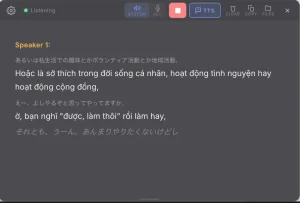
UniScribe is an AI-powered transcription tool that quickly converts audio and video files, and even YouTube URLs, into accessible text, mindmaps, and FAQs.
If you have ever manually transcribed audio/video, you know it is a time-consuming and tedious task. UniScribe solves this by automating the transcription process. This makes it helpful for content creators, researchers, students, and anyone who needs to convert audio or video content into a text format.
Features
- Multi-Language Support: Transcribes content in 98 languages.
- Smart Summaries: Generates concise summaries of your audio and video content.
- Mind Mapping: Visually organizes your content into mind maps, which you can easily export and share. This helps with understanding the structure and key concepts of your media.
- FAQs: The AI identifies and extracts important questions and answers from your content. This helps you focus on the most critical information.
Use Cases
- Content Creators: Transcribe interviews, podcasts, or video tutorials to create blog posts, articles, or social media content. Use the summarization feature to generate quick overviews for video descriptions.
- Researchers: Convert recorded interviews or lectures into text for analysis and data extraction. The mind mapping function can help visualize complex data sets.
- Students: Transcribe lectures and study materials, generating summaries and key questions to aid in learning and review.
- Business Professionals: Transcribe meetings, presentations, and conference calls to document key decisions and action items. The Q&A extraction helps to surface important discussion points.
- Accessibility: Provide text transcripts for audio and video content to make it accessible to individuals with hearing impairments.
Case Studies
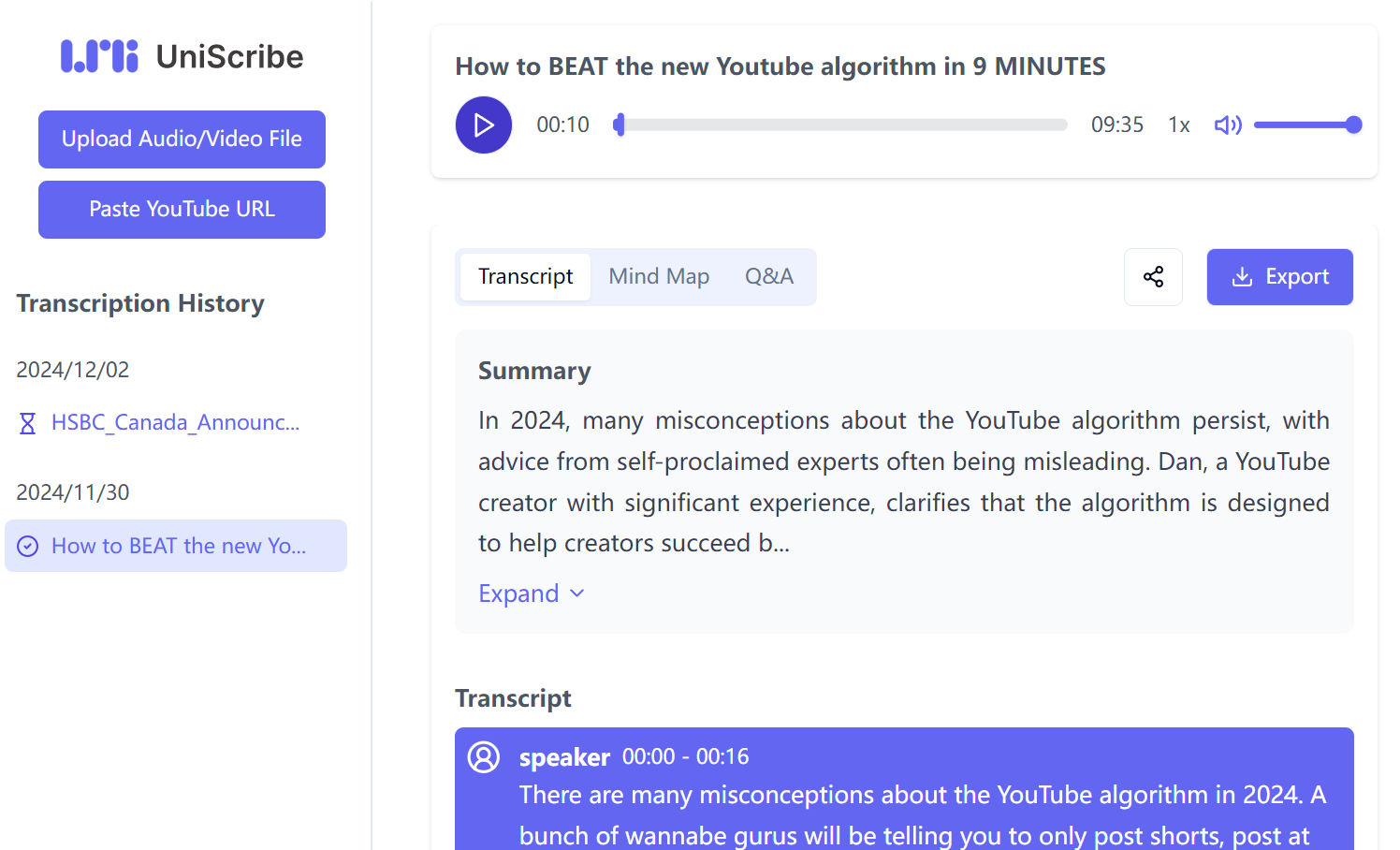
I tested UniScribe with a YouTube video “How to BEAT the new YouTube algorithm.” I simply pasted the URL into UniScribe and initiated the transcription process.
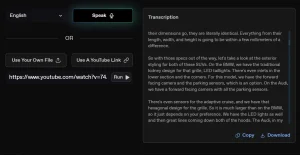
The tool first generated a concise summary of the video’s content that accurately captured the main points about algorithm misconceptions, strategies for success, and the importance of a long-term growth mindset. Below the summary, I found segmented, timestamped transcripts of the video. For instance, the transcript accurately captured the speaker introducing himself and his credentials in the first few seconds.

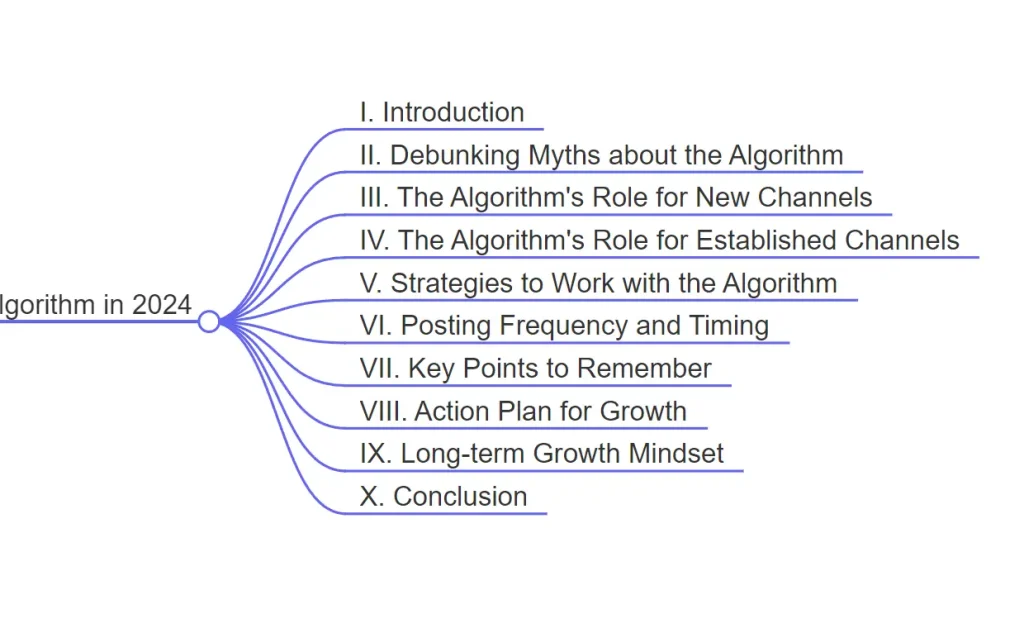
UniScribe also created a mind map that visually outlines the video’s structure. It broke down the content into key sections like “Debunking Myths,” “Strategies to Work with the Algorithm,” and “Long-term Growth Mindset.” This provided a clear overview of the video’s flow and key topics.
In addition, the tool generated ten FAQs based on the video content. For example, it provided an answer to common misconceptions about the algorithm and strategies for growth.

The ability to listen to the video directly on the page through an integrated audio player was another helpful feature, allowing me to cross-reference the transcript with the original audio.

How To Use It
- Visit the UniScribe website and register for a free account.
- Upload an audio or video file from your device or paste a YouTube URL.
- Click the “Transcribe” button to start the transcription process. This can take a few seconds to several minutes depending on the file size and system load.
- If you upload an audio or video file, simply wait for the AI to transcribe it.
- Once complete, you’ll find the transcription results divided into several sections: an audio player, a summary, the transcript with timestamps, a mind map, and FAQs.
Pros
- Free Plan Availability: Offers a generous free tier for trials and individual projects.
- Multilingual Support: Transcribes audio in 98 languages.
- Multiple Export Options: Exports text in TXT and SRT formats (more in paid plans).
- Added Value Features: Summaries, mind maps, and Q&A extraction go beyond simple transcription.
- User-Friendly Interface: Easy to navigate and use, even for beginners.
Cons
- Limited Free Usage: The free plan has a monthly transcription limit of 120 minutes.
- Limited Export Formats on Free Plan: The free plan only provides TXT and SRT export.
- Accuracy Limitations: Like all AI tools, transcription accuracy may vary depending on audio quality and accents.
- 30-Day Media File Retention: Free plan users have files stored for only 30 days.
- Advanced Features are Paid: Podcast transcription, multi-language translation, and integration with Google Docs, Notion, and Dropbox Paper are only available in paid plans.
Pricing
- Free: 120 minutes of transcription per month, 98 languages, TXT/SRT export, text summaries, mind maps, Q&A extraction, YouTube transcription, 30-day retention, email support.
- Basic: $6/month ($72 billed annually), 1200 minutes/month, Word/PDF/TXT/SRT export, no retention limits, priority email support.
- Pro: $18/month ($216 billed annually), 6000 minutes/month, all Basic features plus upcoming features like podcast transcription, multi-language translation, and more export options.
FAQs
Q: Are my payments secure with UniScribe?
A: Yes, UniScribe uses trusted payment providers to keep every transaction safe and secure.
Q: How does UniScribe protect the confidentiality and security of my data?
A: UniScribe handles all data with strict confidentiality, using robust security measures to safeguard your information.
Q: What happens if I cancel my subscription?
A: Your subscription will remain active until the end of the current billing period, after which your account will be downgraded to the free tier.