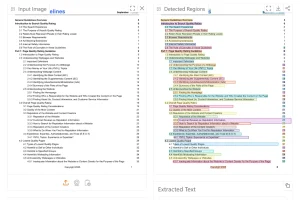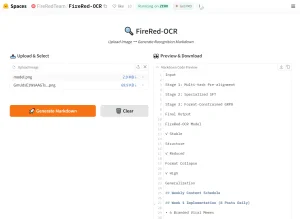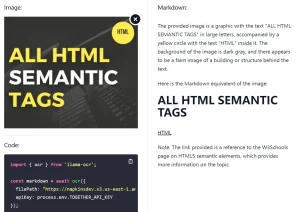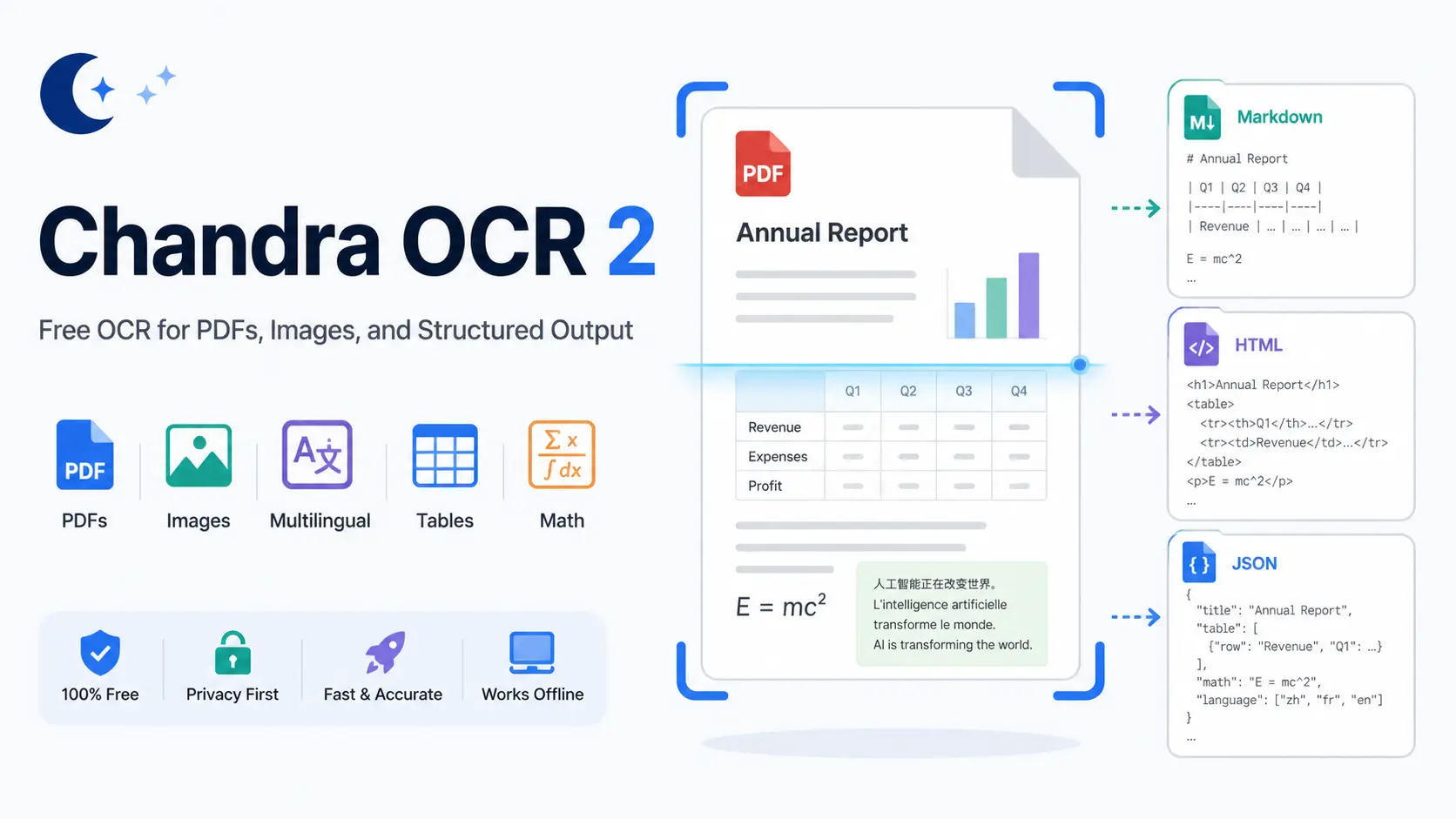
Chandra OCR 2 is a free OCR tool built on Chandra 2, a 5-billion-parameter model from Datalab that extracts text from images and PDFs with layout preservation, outputting structured markdown, HTML, or JSON.
It scores 85.9% on the olmOCR benchmark, placing it ahead of GPT-4o, Mistral OCR, olmOCR 2, and Gemini Flash 2 on document extraction tasks.
The model supports a wide range of document types: academic papers, scanned pages, handwritten forms, multi-column layouts, math-heavy content, and financial tables.
Developers can run it locally through the chandra-ocr Python package or access it through Datalab’s hosted playground and API.
The free online version processes up to 10 pages per session with no account required.
Features
- Converts documents to markdown, HTML, or JSON with per-block positional data and layout information.
- Extracts and captions images and diagrams as structured data.
- Reconstructs form fields accurately, including checkbox states.
- Processes tables, mathematical notation, and multi-column layouts with high fidelity.
- Reads handwritten text, including cursive writing and handwritten math.
- Supports 90+ languages, with a 77.8% average score across 43 major languages in benchmarks.
- Accepts 14 document and image formats: PDF, DOC, DOCX, ODT, XLS, XLSX, XLST, XLSM, ODS, PPT, PPTX, ODP, HTML, EPUB, PNG, JPEG, JPG, WEBP, GIF, and TIFF.
- Runs via vLLM or HuggingFace Transformers for self-hosted deployment.
Use Cases
- Digitize handwritten research notes, field surveys, or paper forms, including checkboxes and signature blocks, into structured digital text.
- Extract structured data from financial tables, investment memos, or CIM documents, and convert chart data into HTML tables.
- Process multi-language academic papers or historical documents across 90+ supported languages for translation pipelines or archival databases.
- Parse legal documents with MS Word Track Changes visible in the markdown or HTML output for litigation review workflows.
- Build document ingestion pipelines that pull structured JSON from PDFs, spreadsheets, and presentations at volume.
How to Use It
1. Visit the Datalab free playground. It accepts uploads up to 10 pages per session. A work email sign-up grants $10 in free hosted API credits.
2. Drag and drop a file or paste a document URL. Supported file formats:
| Category | Formats |
|---|---|
| Documents | PDF, DOC, DOCX, ODT |
| Spreadsheets | XLS, XLSX, XLST, XLSM, ODS |
| Presentations | PPT, PPTX, ODP |
| Web & eBooks | HTML, EPUB |
| Images | PNG, JPEG, JPG, WEBP, GIF, TIFF |
3. Select a processing model:
| Mode | Description |
|---|---|
| Fast | Lowest latency; suitable for real-time use cases |
| Balanced | Balanced accuracy and latency; works well with most documents |
| Accurate | Highest accuracy; best for complex or dense documents |
4. Toggle optional extras (optional):
| Extra | Requirement | Description |
|---|---|---|
| Track Changes | Requires DOCX | Renders MS Word revisions and comments in markdown/HTML; loses positional and bounding box data |
| Chart Understanding | None | Converts chart and graph data into HTML tables; optimized for CIMs and investment or consulting reports |
| Infographic Mode | None | OCR for scattered text blocks, marketing materials, posters, and non-standard layouts |
5. Select additional options:
| Option | Effect |
|---|---|
| Skip Cache | Forces fresh processing, bypassing cached results |
| Keep Page Header in Output | Retains page header content in the parsed output |
| Extract Links | Extracts hyperlinks from the source document |
| New Block Types | Enables additional block categories in the output |
| Paginate | Paginates output by page |
| Keep Page Footer in Output | Retains page footer content |
| Table Row Bboxes | Includes bounding box coordinates for table rows |
| Disable Image Captions | Turns off automatic image captioning |
6. Click the Parse Document button, and your results appear across four tabs:
Blocks: Click any region of the original document to jump directly to its corresponding parsed output block.
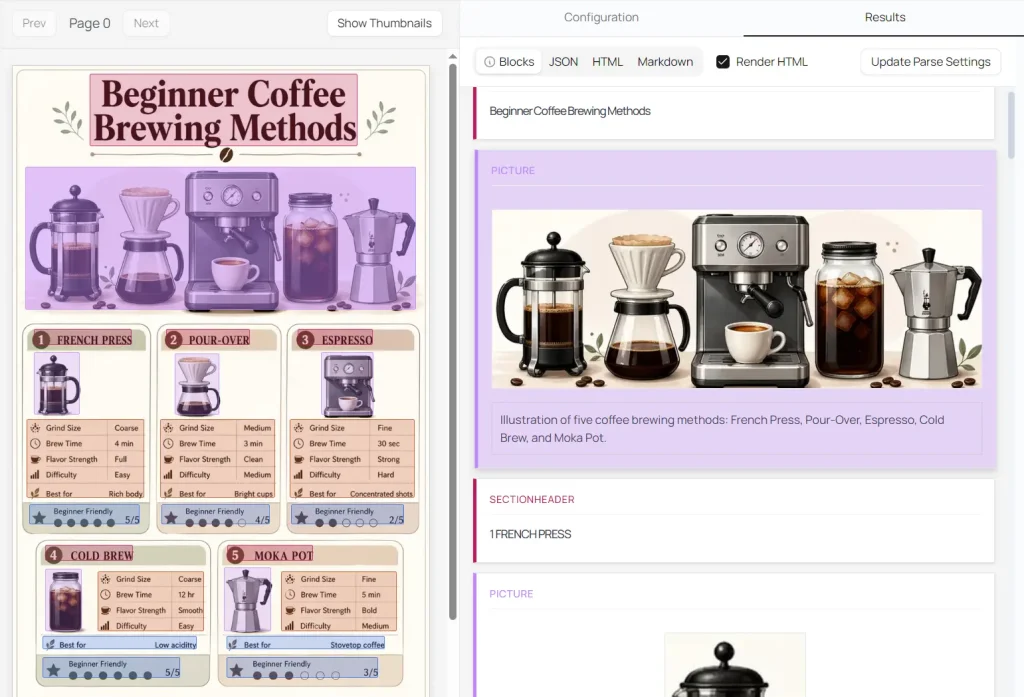
JSON: Full structured output with layout and positional data.
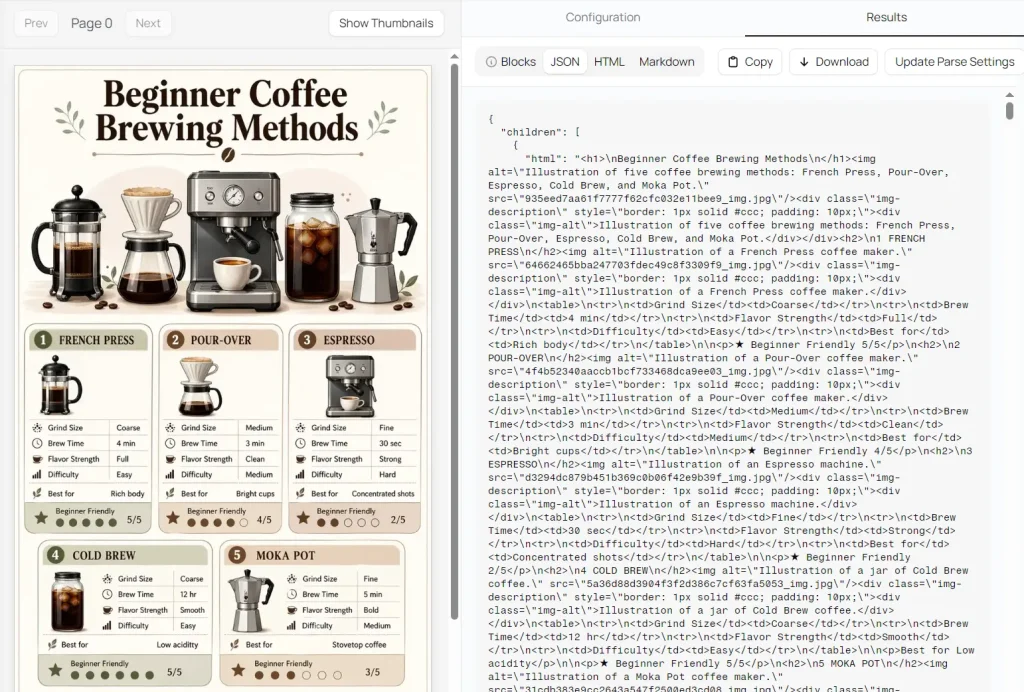
HTML: Rendered HTML output.
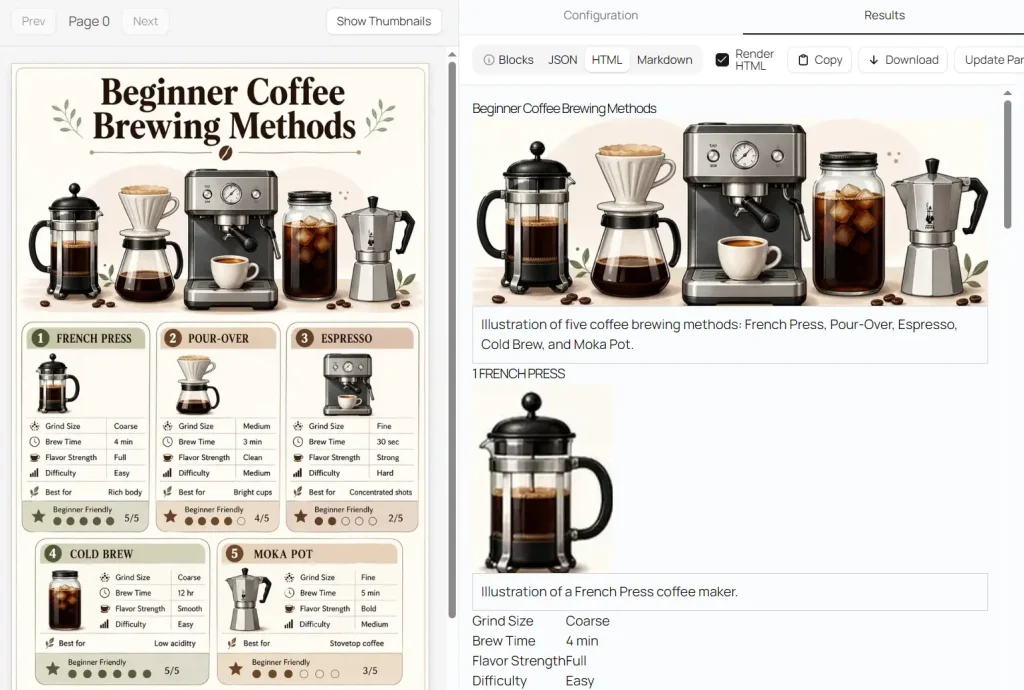
Markdown: Clean, formatted text output.
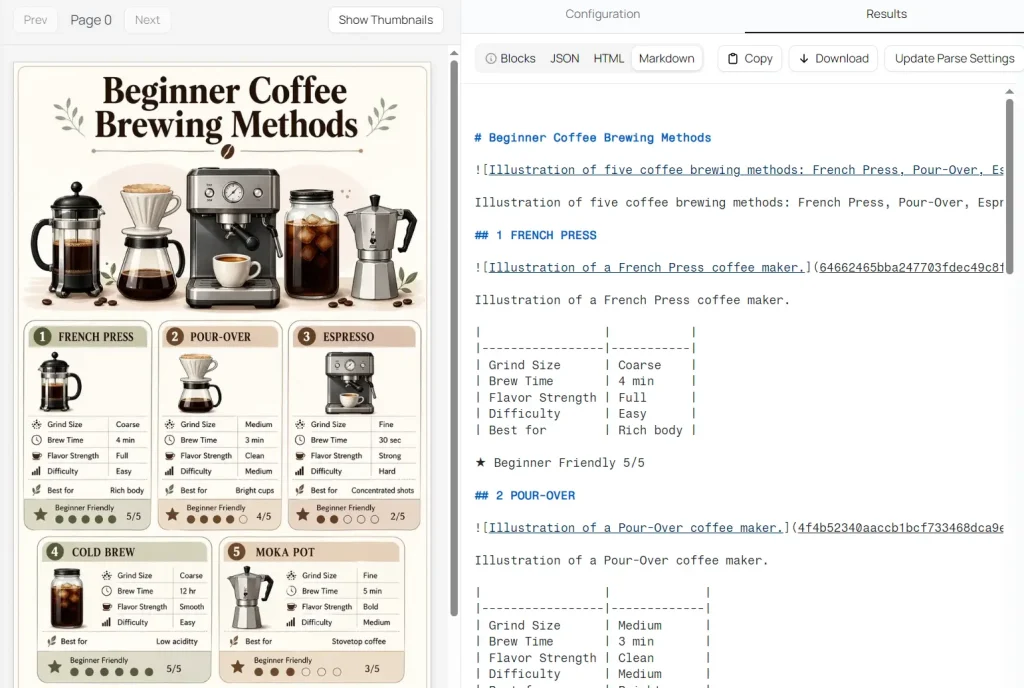
Self-Hosted Installation
Install the chandra-ocr Python package:
pip install chandra-ocrUsing vLLM (recommended):
Start the vLLM server, then run the CLI:
chandra_vllm
chandra input.pdf ./output
Or use the Python API:
from chandra.model import InferenceManager
from chandra.model.schema import BatchInputItem
from PIL import Image
manager = InferenceManager(method="vllm")
batch = [
    BatchInputItem(
        image=Image.open("document.png"),
        prompt_type="ocr_layout"
    )
]
result = manager.generate(batch)[0]
print(result.markdown)
Using HuggingFace Transformers:
pip install chandra-ocr[hf]
chandra input.pdf ./output --method hf
Or load the model directly:
from transformers import AutoModelForImageTextToText, AutoProcessor
from chandra.model.hf import generate_hf
from chandra.model.schema import BatchInputItem
from chandra.output import parse_markdown
from PIL import Image
import torch
model = AutoModelForImageTextToText.from_pretrained(
    "datalab-to/chandra-ocr-2",
    dtype=torch.bfloat16,
    device_map="auto",
)
model.eval()
model.processor = AutoProcessor.from_pretrained("datalab-to/chandra-ocr-2")
model.processor.tokenizer.padding_side = "left"
batch = [
    BatchInputItem(
        image=Image.open("document.png"),
        prompt_type="ocr_layout"
    )
]
result = generate_hf(batch, model)[0]
markdown = parse_markdown(result.raw)
print(markdown)
The model uses BF16 precision at 5 billion parameters. Throughput-critical deployments require an NVIDIA H100 80GB GPU.
Benchmark Performance
Chandra 2 scores 85.9% overall on the olmOCR benchmark, the current top score among open-source models. The Datalab hosted API reaches 86.7% on the same benchmark.
| Model | Overall Score |
|---|---|
| Datalab API | 86.7% |
| Chandra 2 | 85.9% |
| dots.ocr 1.5 | 83.9% |
| Chandra 1 | 83.1% |
| olmOCR 2 | 82.4% |
| Mistral OCR API | 72.0% |
| GPT-4o (Anchored) | 69.9% |
| Gemini Flash 2 (Anchored) | 63.8% |
On the multilingual benchmark across 43 languages, Chandra 2 averages 77.8%, compared to Gemini 2.5 Flash at 67.6% and GPT-4o Mini at 60.5%. The full 90-language evaluation shows Chandra 2 at 72.7% vs. Gemini 2.5 Flash at 60.8%.
Strong multilingual results appear in Portuguese (95.2%), German (94.8%), Italian (94.1%), French (93.7%), and Chinese (88.7%). Accuracy drops for lower-resource scripts: Telugu scores 58.6%, Thai 62.6%, and Urdu 43.2%.
Throughput on a single NVIDIA H100 80GB GPU using vLLM reaches approximately 2 pages per second in real-world usage.
Pros
- High OCR accuracy.
- Multiple output formats.
- Multilingual support.
Cons
- The free playground has a 10-page limit.
- The Accurate mode trades speed for accuracy on complex files.
Related Resources
- Chandra OCR 2 on Hugging Face: Download model weights and review technical documentation for self-hosted deployment.
- Datalab Hosted API: Access the higher-accuracy Datalab API for production-volume document processing.
- olmOCR Benchmark Dataset: Review the full olmOCR leaderboard comparing open-source and commercial OCR models.
- Full 90-Language Benchmark: See Chandra 2 accuracy scores across 90 languages compared to Gemini 2.5 Flash.
- vLLM Project: High-throughput inference engine recommended for self-hosting Chandra 2 at scale.
FAQs
Q: Is Chandra OCR 2 free?
A: Chandra OCR 2 has a free playground with a 10 page limit. The code uses the Apache 2.0 license, and the model weights are free for research, personal use, and startups under $2 million in company funding or revenue.
Q: Does Chandra OCR 2 support handwriting?
A: Chandra OCR 2 supports handwriting OCR for handwritten notes and cursive writing examples.
Q: Can Chandra OCR 2 extract tables?
A: Chandra OCR 2 handles tables, math, and complex layouts. The Chart Understanding extra converts chart and graph data into HTML tables.
Q: What hardware does Chandra OCR 2 need for production use?
A: Production vLLM use needs GPU infrastructure. The reported throughput benchmark uses a single NVIDIA H100 80GB GPU with 96 concurrent sequences.