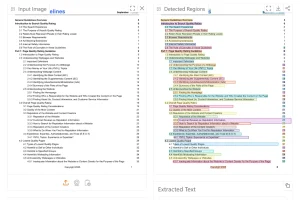
Free Mistral OCR is an advanced AI-powered document understanding tool that extracts text, images, tables, and equations from PDFs and images with high accuracy.
It’s built on top of Mistral’s latest OCR API, which transforms complex documents into structured, usable data without losing critical information or formatting.
Features
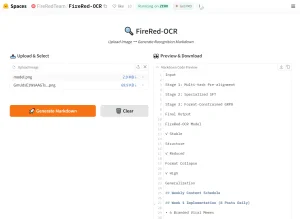
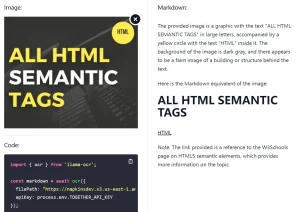
- Markdown Output: Get your results in Markdown. This feature preserves document structure, so it’s immediately ready for use in other systems.
- Image Detection: Free Mistral OCR automatically finds and extracts images. You have the choice to include them as base64 or as links.
- Table Extraction: The tool extracts complex tables, maintaining the original structure with rows, columns, and cell relationships.
- Equation Recognition: If you work with scientific documents, this feature is key. It identifies and extracts mathematical equations, including LaTeX formatting.
- Batch Processing: You can process multiple documents or pages in a single call. This supports large-scale document processing.
- Multilingual Support: Processes Arabic, Hindi, Cyrillic, and CJK scripts at 99% accuracy.
Use Cases
- Scientific Research: Researchers can digitize scientific papers and journals. This makes the information accessible for AI-driven intelligence engines, which helps speed up research.
- Legal and Compliance: Professionals in these fields deal with contracts and extensive documentation. They can digitize these documents to streamline workflows.
- Customer Service: Transform manuals and documentation into indexed knowledge. This means quicker response times and increased customer satisfaction.
- Historical Archives: Digitize handwritten 18th-century manuscripts using image-to-text conversion.
- Publishing: Repurpose textbook equations and diagrams into editable LaTeX files.
See It In Action
How To Use It
- Go to the Free Mistral OCR website.
- Upload your files. You can use PDF, JPG, PNG, or WEBP formats (up to 10MB).
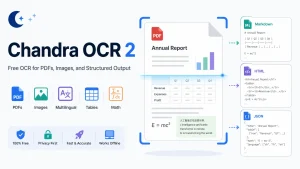
- You’ll receive structured output in either Markdown or JSON format.
Pros
- Unmatched Accuracy: Consistently outperforms other OCR solutions in benchmark tests, especially for complex documents.
- Comprehensive Content Extraction: Handles text, images, tables, and mathematical equations in a single process.
- Multilingual Support: Processes documents in multiple languages and scripts with high accuracy.
- Structured Output: Preserves document structure and formatting in the output, maintaining the relationships between content elements.
- Fast Processing: Handles up to 2,000 pages per minute, making it suitable for large document repositories.
- Free Access: Provides powerful OCR capabilities without cost, making it accessible to individuals and small organizations.
Cons
- File Size Limitation: The 10MB per file restriction may require splitting larger documents.
- Complex Table Handling: While generally excellent, very complex tables with multiple nested structures might occasionally have alignment issues.
- Internet Dependency: As a web-based tool, it requires an internet connection for processing documents.
FAQs
Q: What makes Mistral OCR different from other OCR solutions?
A: Mistral OCR stands out for its superior accuracy with complex documents containing mixed content like text, images, tables, and equations. Its ability to output in Markdown format makes it immediately usable for AI systems and RAG applications. The tool’s multilingual capabilities and equation recognition are particularly distinguished features.
Q: Does Free Mistral OCR work on scanned handwritten notes?
A: It detects printed text reliably but struggles with cursive handwriting.
Q: Is Mistral OCR accurate?
A: Yes. It consistently outperforms other models in tests, especially with complex layouts, tables, math, and multiple languages.
Q: How does Free Mistral OCR handle documents in multiple languages?
A: The tool supports numerous languages and scripts, with benchmark scores showing over 97% accuracy across major languages including Russian, French, Hindi, Chinese, Portuguese, German, Spanish, and more. This makes it suitable for international organizations working with multilingual content.
Visit the Free Mistral OCR website and upload your first document to experience the difference in document understanding technology. See how accurately it extracts your content while preserving structure and formatting.