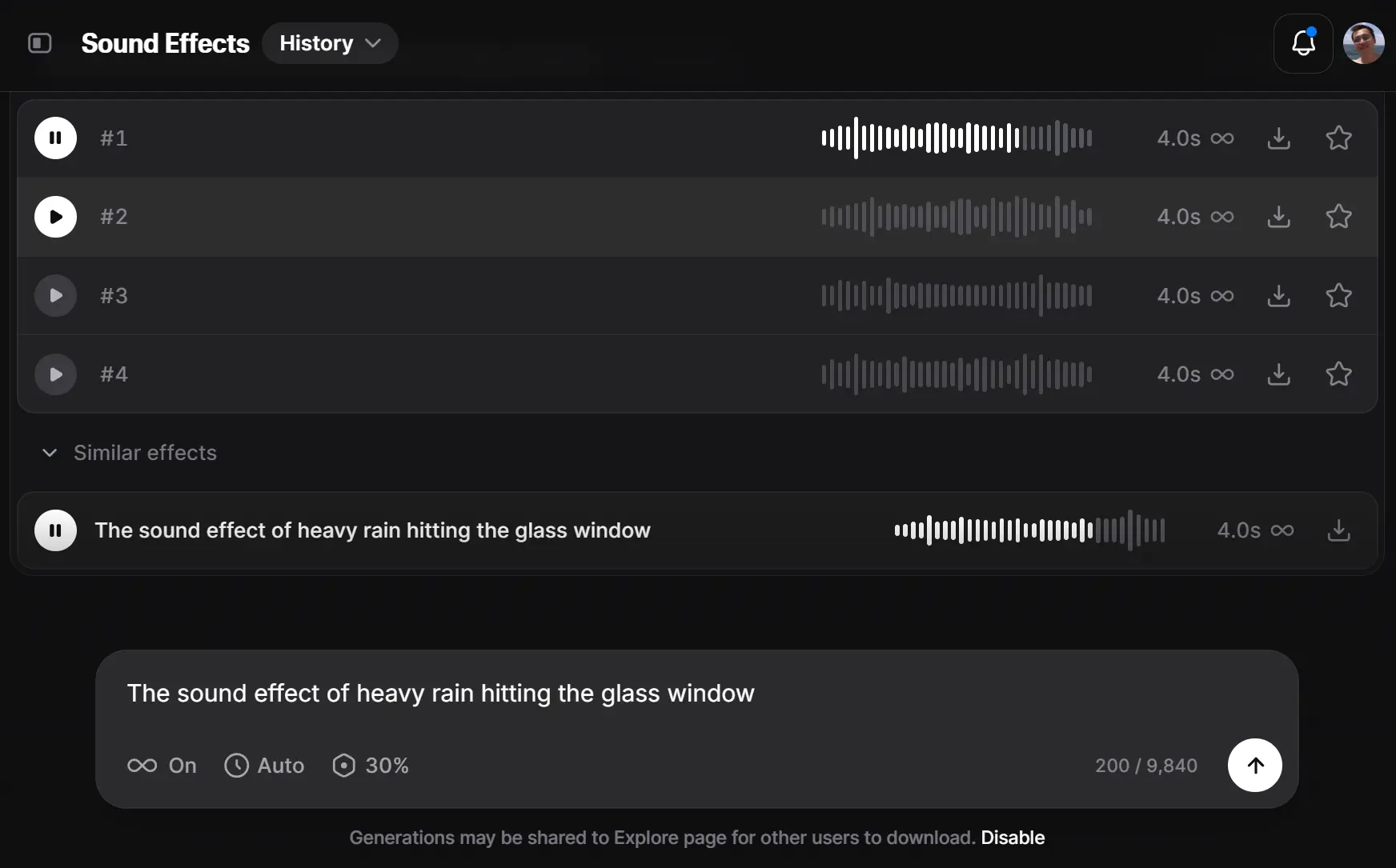
ElevenLabs Sound Effects is a free AI-powered audio generator that creates custom sound effects and ambient sounds from text descriptions.
It uses the ElevenLabs’ new SFX v2 model to interpret a prompt and produce four unique audio variants within seconds.
You can generate everything from specific Foley effects, such as the sound of breaking glass, to complex ambient scenes, including a bustling city street or a tranquil forest.
Perfect for video creators, game developers, podcasters, and anyone who needs custom audio without the licensing headaches or expensive freelancers.
Features
- Instant Generation: Creates four unique sound samples within 30 seconds of submitting your text prompt.
- Precise Text Control: Accepts detailed descriptions to generate specific sounds that match your exact requirements, from ambient soundscapes to complex action sequences.
- Royalty-Free Usage: The SFX are free to download on all plans. All generated sounds can be used in commercial projects without additional licensing fees.
- High-Quality Output: Produces studio-grade audio in MP3 or WAV formats with clear, professional sound quality suitable for professional productions.
- Looping Options: Includes a toggle for creating seamless loop tracks where the ending blends perfectly with the beginning for continuous playback.
Use Cases
- Video Production: Create custom Foley and ambient sounds for films, commercials, and YouTube videos. If a scene calls for the specific sound of footsteps on gravel followed by a metallic door opening, you can generate that exact sequence.
- Game Development: Generate unique sound effects for character actions, environments, and interactive media. This is especially useful for indie developers who need a wide range of sounds without a large budget.
- Podcasting and Audio Dramas: Build immersive soundscapes that bring stories to life. You can create everything from a bustling street market to a suspenseful thunderstorm to set the mood.
- Music Production: Generate unique musical elements, like a “90s hip-hop drum loop” or “atmospheric synth pad,” to use in your tracks.
How to Use It
1. Log in to the ElevenLabs website and navigate to the Sound Effect section from the sidebar menu.
2. Enter a detailed text description of the sound you want to generate. The more specific your description, the better the results. For example, instead of writing “rain sound,” use “heavy rain hitting a glass window with occasional thunder in the distance.”
3. Choose whether to enable the Looping SFX option if you need the sound to repeat continuously without noticeable gaps. This feature works particularly well for ambient sounds like ocean waves, wind, or mechanical humming.
4. Click the Generate button to start the AI processing. The system will analyze your text prompt and create four different variations of your requested sound effect.
5. Listen to each generated sample using the built-in audio player. Each version will have slight variations in tone, intensity, or character.
6. Download your preferred sound effect by clicking the download button next to your chosen sample. Select either MP3 for smaller file sizes or WAV for higher quality audio, depending on your project needs.
Pros
- Fast and Efficient: It generates multiple options in under a minute, which is much faster than searching through stock libraries.
- Highly Creative: You can create sounds that would be difficult or impossible to find elsewhere. The AI is capable of producing complex and imaginative audio.
- Cost-Effective: The tool is free to use, which is a massive benefit for creators on a budget. You get a generous number of credits each month.
- High-Quality Output: The generated sounds are clear and professional-grade, making them suitable for commercial projects
Cons
- Limited Duration: Generated sounds are capped at 30 seconds, which may not be sufficient for longer ambient tracks or extended sound sequences.
- Quality Variation: Results can be inconsistent, with some prompts producing better audio quality than others depending on complexity.
- No Real-Time Editing: Generated sounds cannot be modified within the platform, requiring external audio editing software for adjustments.
Related Resources
- ElevenLabs Documentation: Learn how to create high-quality sound effects from text with ElevenLabs. Official technical documentation covering advanced features and best practices.
- ElevenLabs Video-to-Sound Generator: A tool that combines AI vision with the ElevenLabs SFX API to analyze frames in the video to understand what is happening and generates matching sound effects automatically.
- ElevenLabs Pricing: Detailed breakdown of subscription plans and credit usage for different AI models and features.
- Freesound: Community-driven library of Creative Commons licensed sounds that can complement AI-generated audio for complex projects.
FAQs
Q: Can I use ElevenLabs Sound Effect for commercial projects?
A: Yes, all generated sound effects are royalty-free and can be used in commercial projects without additional licensing fees. However, you need a paid subscription to download the generated sounds.
Q: What’s the difference between MP3 and WAV downloads?
A: WAV files offer higher audio quality and are uncompressed, making them ideal for professional production work. MP3 files are compressed and smaller in size, suitable for web use or projects where file size matters more than maximum quality.
Q: How do I write better prompts for more accurate results?
A: Include specific details about the environment, intensity, and characteristics of the sound you want. Describe the context, materials involved, and emotional tone. For example, “creaking wooden door in an old house during a storm” works better than just “door sound.”
Q: Can I edit the generated sound effects?
A: The ElevenLabs platform doesn’t include editing tools, but you can download the generated files and edit them using external audio software like Audacity, Adobe Audition, or other digital audio workstations.
Q: What happens if I’m not satisfied with the generated results?
A: The tool generates four variations for each prompt, giving you options to choose from. If none meet your needs, you can try rephrasing your prompt with different descriptive words or breaking down complex sounds into simpler components.