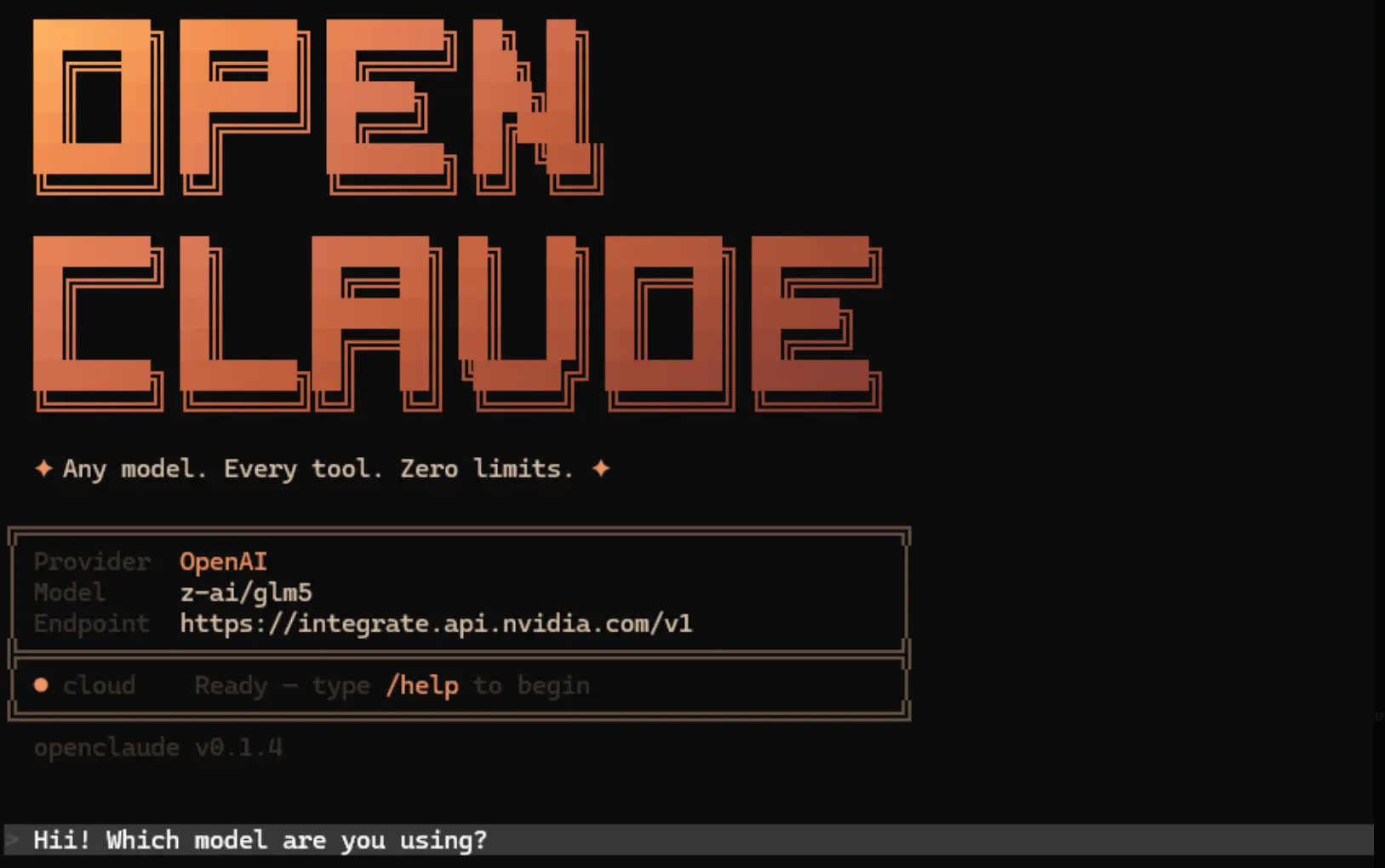
OpenClaude is an open source coding agent CLI that runs in the terminal and connects one workflow to cloud APIs and local model backends.
The coding agent executes prompts, file operations, and multi-step agent tasks directly from the command line. You can use it to maintain a single coding environment while switching between providers like OpenAI, Gemini, DeepSeek, and local Ollama models.
It supports OpenAI compatible endpoints, Gemini, GitHub Models, Codex, Ollama, Atomic Chat, and several environment based enterprise providers. You run local models on your own hardware or connect to enterprise cloud APIs based on your specific project requirements.
Features
- Executes bash commands, file edits, grep searches, and glob patterns directly in the terminal.
- Streams real-time token output and tool progress during execution.
- Processes multi-step tool loops with model calls and follow-up responses.
- Accepts URL and base64 image inputs for vision-capable models.
- Saves provider configurations in a local profile file for quick switching.
- Directs specific agent tasks to different models based on user settings.
- Searches the internet using DuckDuckGo or Firecrawl to retrieve external information.
- Runs as a headless gRPC service for integration into CI/CD pipelines or custom interfaces.
- Integrates with VS Code for launch control and theme support.
How to Use It
Table Of Contents
Getting Started
1. Install OpenClaude as a global CLI package.
npm install -g @gitlawb/openclaude2. The package expects ripgrep to exist on the system path. Check that first if the CLI reports a missing dependency.
rg --version3. Start the CLI with the default entry command.
openclaude4. Use the built in provider flow after launch if you want guided setup and saved profiles.
/provider5. Use the GitHub Models onboarding flow if that is your target backend.
/onboard-github6. OpenAI setup uses OpenAI compatible environment variables plus a provider switch.
export CLAUDE_CODE_USE_OPENAI=1
export OPENAI_API_KEY=sk-your-key-here
export OPENAI_MODEL=gpt-4o
openclaude
7. Windows PowerShell uses the same variables in PowerShell syntax.
$env:CLAUDE_CODE_USE_OPENAI="1"
$env:OPENAI_API_KEY="sk-your-key-here"
$env:OPENAI_MODEL="gpt-4o"
openclaude
8. Local Ollama setup points the same OpenAI compatible interface at the Ollama server.
export CLAUDE_CODE_USE_OPENAI=1
export OPENAI_BASE_URL=http://localhost:11434/v1
export OPENAI_MODEL=qwen2.5-coder:7b
openclaude
9. PowerShell syntax for the same local setup looks like this.
$env:CLAUDE_CODE_USE_OPENAI="1"
$env:OPENAI_BASE_URL="http://localhost:11434/v1"
$env:OPENAI_MODEL="qwen2.5-coder:7b"
openclaude
Provider setup
| Provider | Setup path | Notes |
|---|---|---|
| OpenAI compatible | /provider or environment variables | Works with OpenAI, OpenRouter, DeepSeek, Groq, Mistral, LM Studio, and other /v1 compatible servers. |
| Gemini | /provider or environment variables | Supports API key, access token, or local ADC workflow on current main. |
| GitHub Models | /onboard-github | Uses an interactive onboarding flow with saved credentials. |
| Codex | /provider | Reuses existing Codex credentials when present. |
| Ollama | /provider or environment variables | Runs local inference and does not require an API key. |
| Atomic Chat | Advanced setup | Targets local Apple Silicon use. |
| Bedrock, Vertex, Foundry | Environment variables | Fits supported enterprise environments. |
Available Commands
| Command | What it does |
|---|---|
openclaude | Starts the interactive CLI. |
/provider | Opens guided provider setup and saved profile management. |
/onboard-github | Starts GitHub Models onboarding. |
/model | Selects models, with local OpenAI compatible model discovery added in v0.1.8. |
npm install -g @gitlawb/openclaude | Installs the package globally. |
npm install -g @gitlawb/openclaude@latest | Updates to the latest published package. |
rg --version | Verifies that ripgrep is installed and visible in the current shell. |
npm run dev:grpc | Starts the headless gRPC server on the local machine. |
npm run dev:grpc:cli | Starts the test CLI client that talks to the gRPC server. |
bun install | Installs project dependencies for source builds. |
bun run build | Builds the project from source. |
node dist/cli.mjs | Starts the built CLI from the output directory. |
bun run dev | Runs the development workflow. |
bun test | Runs the full unit test suite. |
bun run test:coverage | Generates unit coverage output. |
open coverage/index.html | Opens the visual coverage report. |
bun run test:coverage:ui | Rebuilds the coverage UI from existing coverage data. |
bun run test:provider | Runs provider focused tests. |
bun run test:provider-recommendation | Runs provider recommendation tests. |
bun run smoke | Runs the smoke test flow. |
bun run doctor:runtime | Checks runtime health. |
bun run verify:privacy | Runs privacy verification checks. |
Environment variables
| Variable | Purpose |
|---|---|
CLAUDE_CODE_USE_OPENAI | Turns on the OpenAI compatible provider path. |
| Selects the target model name for OpenAI-compatible backends. | Supplies the API key for OpenAI compatible providers. |
OPENAI_MODEL | Points the CLI at a custom OpenAI-compatible endpoint such as a local Ollama server. |
OPENAI_BASE_URL | Turns on Firecrawl-powered search and fetch behavior. |
FIRECRAWL_API_KEY | Turns on Firecrawl powered search and fetch behavior. |
GRPC_PORT | Sets the gRPC server port. The default is 50051. |
GRPC_HOST | Sets the bind address for the gRPC server. The default is localhost. |
Agent routing example
OpenClaude can map different agent roles to different backends through ~/.claude/settings.json.
{
  "agentModels": {
    "deepseek-chat": {
      "base_url": "https://api.deepseek.com/v1",
      "api_key": "sk-your-key"
    },   "gpt-4o": {
      "base_url": "https://api.openai.com/v1",
      "api_key": "sk-your-key"
    }
  },
  "agentRouting": {
    "Explore": "deepseek-chat",
    "Plan": "gpt-4o",
    "general-purpose": "gpt-4o",
    "frontend-dev": "deepseek-chat",
    "default": "gpt-4o"
  }
}
Web tool behavior
WebSearch uses DuckDuckGo by default on non Anthropic models. WebFetch uses a basic HTTP plus HTML to markdown path unless Firecrawl is configured.
# Set a Firecrawl API key
export FIRECRAWL_API_KEY=your-key-here
Headless server mode
The gRPC server listens on localhost:50051 by default and streams text chunks, tool calls, and permission requests over a bidirectional connection. The repository also includes a CLI client and a Protocol Buffers definition file for generating clients in other languages.
# Start the gRPC Server
npm run dev:grpc

# Run the Test CLI Client
npm run dev:grpc:cli
Pros
- Works with over 200 models through OpenAI-compatible endpoints plus native provider integrations.
- Runs local inference for free via Ollama or Atomic Chat.
- Routes different agents to different models to optimize cost and performance.
- Provides a headless gRPC mode for programmatic integration into CI/CD and external applications.
- Includes a VS Code extension for launch integration and theme support.
Cons
- The application stores API keys in plaintext within the settings file.
- Smaller local models struggle with long multi-step tool flows.
- Non-Anthropic providers lack Anthropic-specific features.
- The default DuckDuckGo search faces potential rate limits or blocks.
Related Resources
- ripgrep: Install the required search tool.
- Ollama: Run local models through an OpenAI-compatible endpoint.
- Firecrawl: Add stronger search and fetch behavior for pages that need JavaScript rendering.
- Best CLI AI Coding Agents: Discover more CLI AI coding agents.