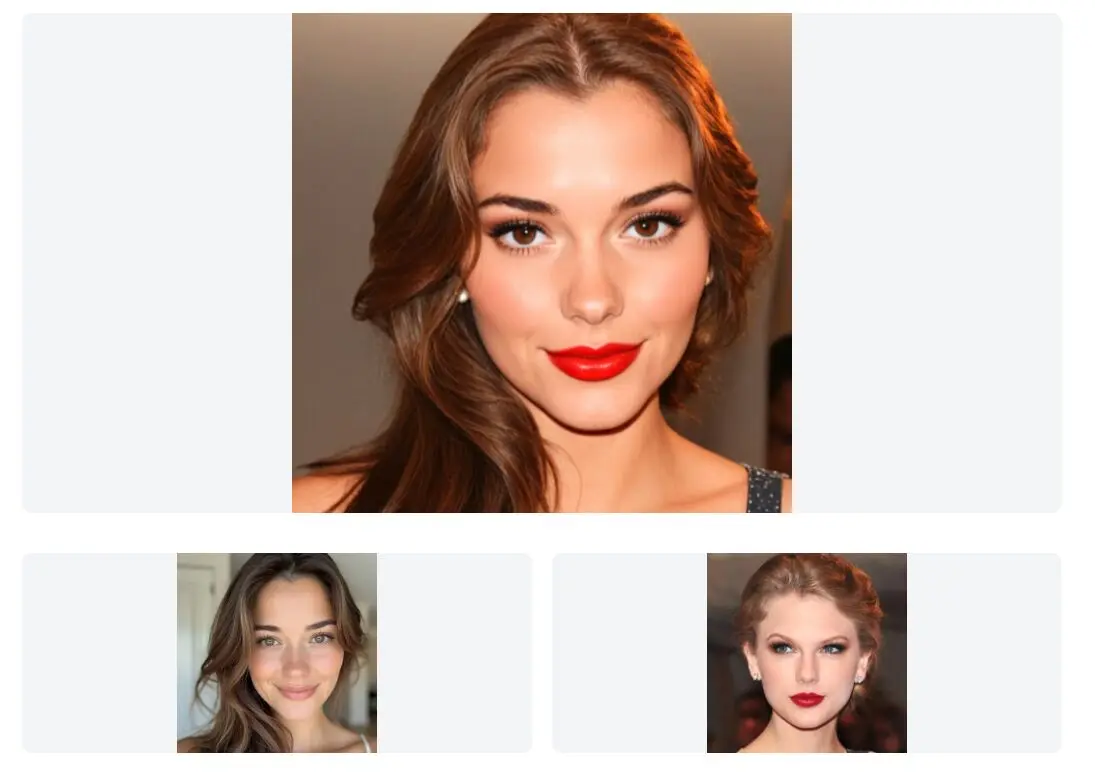
FaceMorph is a free online AI-powered face morphing tool that lets you combine two facial images into one.
It’s pretty handy for creating amusing face mixes, seeing what a potential baby might look like, or just playing around with celebrity face combinations.
Features
- Simple Interface: You don’t need to be a tech whiz. Uploading images is a drag-and-drop affair, and the AI does the heavy lifting to merge the faces.
- Friend Face Mixes: A popular use is combining your face with a friend’s. It’s a quick way to generate a laugh and something unique to share.
- Celebrity Morphs: You can also mix the faces of two celebrities or even your face with a celebrity’s. The tool handles different genders in these morphs too.
- Baby Face Prediction: For those wondering about future offspring, you can upload pictures of two partners, and the tool generates a morphed image that suggests what their child might look like. It’s a bit of fun, of course, not a crystal ball.
- Free Access: No registration, subscription or hidden fees.
How To Use It
- Open your web browser and go to the FaceMorph website. You’ll see options like “Start Morphing” or “Predict Baby Face”. Both lead to the main morphing interface.
- You’ll see an upload area to upload the first image. You can click to browse your files or just drag and drop a photo with a clear face. For best results, use a photo where the person is facing forward and the face is well-lit.
- Similarly, upload the second photo with a clear face into the other upload area.
- Once both photos are uploaded, the AI automatically gets to work. It analyzes the facial features in both pictures and starts the morphing process. This usually takes just a few seconds. There aren’t really any settings to tweak here; the AI handles the synthesis.
- The morphed result appears on the screen. If you’re happy with it, you can download the image. There are also options to share it directly on social media.
Pros
- Free to Use: No cost or registration required.
- Quick Processing: Generates results in seconds.
- High-Quality Output: Produces realistic and detailed morphed images.
- Privacy-Focused: User data is not stored or shared.
Cons
- Limited Customization: No advanced editing features for the morphed images.
- Dependent on Image Quality: Results vary based on the clarity and quality of uploaded photos.
- No Mobile App: Currently only accessible via web browser.
FAQs
Q: What kind of photos work best for FaceMorph?
A: Clear, front-facing photos where the entire face is visible usually give the best results. Higher resolution images also tend to produce better quality morphs. Try to avoid photos with harsh shadows, obstructions, or extreme angles.
Q: Can I choose which features get morphed?
A: No, FaceMorph uses an automated AI process. You upload the two images, and the AI determines how to blend the facial features. There are no manual controls to adjust specific parts of the morph.
Q: Can I morph more than two faces together?
A: Currently, FaceMorph only supports combining two faces at once. If you want to create a morph with multiple people, you would need to perform sequential morphs (taking the result of one morph and combining it with another person).