NullClaw is a free, open-source AI assistant written in Zig that compiles to a single 678 KB static binary. It runs 22+ AI providers across 17 messaging channels on hardware as cheap as a $5 ARM board. No runtime, no VM, and no framework overhead. The binary boots in under 2 milliseconds on modern hardware and peaks at roughly 1 MB of RAM.
The project sits inside the broader “Claw” ecosystem, which grew out of OpenClaw (formerly ClawdBot/MoltBot). OpenClaw gained over 220K GitHub stars and spawned a family of rewrites optimized for different languages: NanoBot in Python, PicoClaw in Go, ZeroClaw in Rust, and NullClaw in Zig.
NullClaw takes the efficiency ideas from ZeroClaw further, pushing binary size down to 678 KB and memory usage to around 1 MB, compared to ZeroClaw’s 3.4 MB binary and ~5 MB RAM, and OpenClaw’s 28 MB bundle requiring over 1 GB of RAM.
If you run AI agents on edge devices, embedded hardware, a cheap VPS, or just hate waiting for Node.js to spin up, NullClaw is worth a look.
Features
- Static single binary: Ships as a 678 KB
nullclawexecutable with zero runtime dependencies beyond libc and optional SQLite. - Near-zero memory footprint: Peaks at approximately 1 MB RSS, running on ARM SBCs and microcontrollers that would reject anything heavier.
- Sub-8ms startup: Boots in under 2 ms on Apple Silicon and under 8 ms on 0.8 GHz edge hardware.
- Cross-architecture portability: The same binary runs on ARM, x86, and RISC-V — copy it to any target and it executes immediately.
- 22+ AI providers: Supports OpenRouter, Anthropic, OpenAI, Ollama, Venice, Groq, Mistral, xAI, DeepSeek, Together, Fireworks, Perplexity, Cohere, Bedrock, and more, plus any OpenAI-compatible custom endpoint.
- 17 messaging channels: Covers CLI, Telegram, Signal, Discord, Slack, WhatsApp, Line, Lark/Feishu, OneBot, QQ, Matrix, IRC, iMessage, Email, DingTalk, MaixCam, and Webhook.
- 18+ built-in tools: Includes
shell,file_read,file_write,file_edit,memory_store,memory_recall,memory_forget,browser_open,screenshot,composio,http_request,hardware_info,hardware_memory, and others. - Hybrid vector + FTS5 memory: Stores embeddings as BLOBs in SQLite with cosine similarity search layered alongside BM25-scored FTS5 keyword search — configurable weights, automatic hygiene, and full snapshot export/import.
- Vtable-based architecture: Every subsystem (providers, channels, tools, memory, tunnels, security backends, peripherals, runtimes) is a swappable interface. Swap implementations via config change with zero code modifications.
- Multi-layer sandbox: Auto-detects the best isolation backend — Landlock, Firejail, Bubblewrap, or Docker — and enforces workspace scoping, null byte injection blocking, and symlink escape detection.
- Encrypted secrets: API keys get ChaCha20-Poly1305 encryption backed by a local key file.
- Hardware peripheral support: Connects to Serial, Arduino, Raspberry Pi GPIO, and STM32/Nucleo boards via the
Peripheralvtable. - MCP server integration: Runs Model Context Protocol servers alongside native tools via
mcp_serversconfig. - Cron scheduler: Handles cron expressions and one-shot timers with JSON persistence.
- Skill packs: Loads community skills from TOML manifests with
SKILL.mdinstructions. - Multiple runtime adapters: Runs natively, inside Docker (sandboxed), or via WASM (wasmtime).
- Tunnel support: Ships with Cloudflare, Tailscale, ngrok, and custom tunnel backends; the gateway refuses public binding without an active tunnel or explicit opt-in.
- OpenClaw config compatibility: Reads the same
snake_caseJSON config structure as OpenClaw, and themigrate openclawcommand imports memory from an existing OpenClaw workspace. - 3,230+ tests: The test suite covers channel CJM flows, config parsing, gateway routing, daemon logic, and per-channel inbound/outbound contracts.
Use Cases
Edge and IoT AI agents: A Raspberry Pi Zero or any $5 ARM board runs NullClaw without swap space, external daemons, or container overhead. You get a full-featured AI assistant, including memory, tools, and messaging channels, on hardware that can’t run Node.js without complaints.
Self-hosted Telegram / Discord / WhatsApp bots: Developers who run personal bots on cheap VPS instances can drop the NullClaw binary and configure one or more channel accounts. The allowlist model (empty allowlist = deny all by default) keeps the bot locked to specific users without extra firewall rules.
Local AI with Ollama: NullClaw’s Ollama provider support means you can point it at a local LLM and get a fully autonomous agent loop with memory and tool use. No cloud API keys required. Combined with the sub-2ms startup, this works as a fast scripting agent you can invoke from shell scripts.
Automated task scheduling: The cron scheduler and daemon mode run background tasks against any configured AI provider. You can wire up a heartbeat that checks HEARTBEAT.md tasks on a 30-minute cadence, runs shell commands via the shell tool, and posts results to a Slack or IRC channel.
Hardware automation and prototyping: The Peripheral vtable connects NullClaw to Arduino, Raspberry Pi GPIO, and STM32/Nucleo boards. A small Zig script can have an AI agent read sensor data, reason over it, and actuate hardware outputs. All inside a 1 MB RAM envelope.
How to Use NullClaw
Table Of Contents
Prerequisites
NullClaw requires Zig 0.15.2 exactly. The 0.16.0-dev branch and other Zig versions are unsupported and will fail to compile. Check before building:
zig version
# Must print: 0.15.2
Download Zig 0.15.2 from ziglang.org/download if needed.
Build
git clone https://github.com/nullclaw/nullclaw.git
cd nullclaw
zig build -Doptimize=ReleaseSmall
The output binary lands at zig-out/bin/nullclaw at 678 KB. You can copy it anywhere on the target system; it requires no installation directory or shared libraries beyond libc.
If you haven’t added zig-out/bin/ to your $PATH, prefix all commands during development:
zig-out/bin/nullclaw statusInitial Setup
The fastest path uses onboard with your provider and API key:
nullclaw onboard --api-key sk-... --provider openrouterFor an interactive wizard that walks through providers, channels, and allowlists:
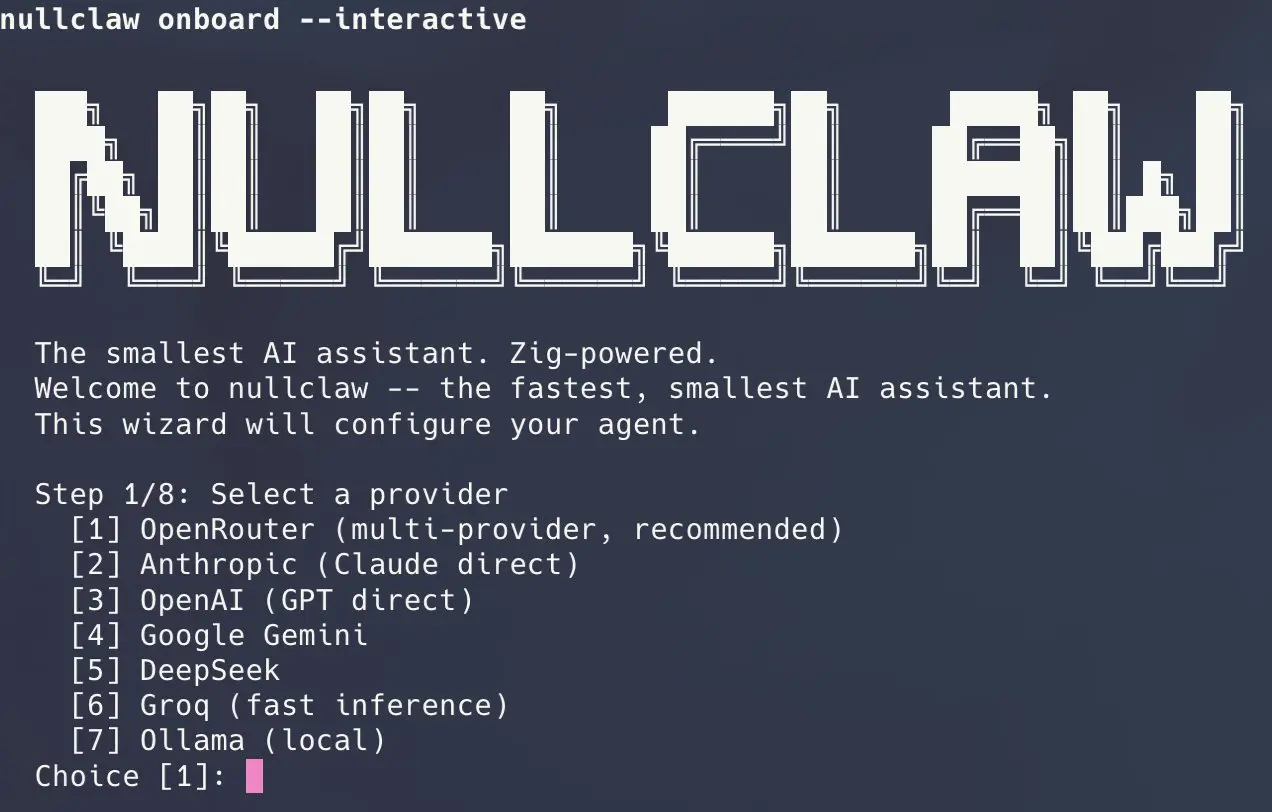
nullclaw onboard --interactiveTo reconfigure only channel allowlists without touching provider config:
nullclaw onboard --channels-onlyConfiguration writes to ~/.nullclaw/config.json. The top-level structure uses models.providers for provider credentials, agents.defaults.model.primary for the default model, and channels.<name>.accounts for channel-specific configs — the same layout as OpenClaw’s config.
Chat
Single-shot message:
nullclaw agent -m "Summarize the last 10 lines of /var/log/syslog"Interactive session:
nullclaw agentRunning the Full Autonomous Runtime
The gateway command starts the webhook server and all configured channel accounts with a heartbeat and scheduler:
nullclaw gateway  # binds 127.0.0.1:3000
nullclaw gateway --port 8080
The daemon command is an alias for the same runtime path:
nullclaw daemonThe gateway binds 127.0.0.1 by default and refuses 0.0.0.0 unless a tunnel is active or allow_public_bind is explicitly set to true. This is intentional — don’t override it without a reason.
To run NullClaw as a background service managed by the OS:
nullclaw service install
nullclaw service start
nullclaw service status
nullclaw service stop
nullclaw service uninstall
Diagnostics
nullclaw doctor           # full system diagnostics
nullclaw status           # current component status
nullclaw channel doctor   # channel-specific health checks
Migrating from OpenClaw
Preview what would be imported:
nullclaw migrate openclaw --dry-runRun the actual migration:
nullclaw migrate openclaw
nullclaw migrate openclaw --source /path/to/openclaw/workspace
Command Reference
| Command | Description |
|---|---|
onboard --api-key sk-... --provider <name> | Quick setup with API key and provider |
onboard --interactive | Full interactive setup wizard |
onboard --channels-only | Reconfigure channels and allowlists only |
agent -m "..." | Single message mode |
agent | Interactive chat mode |
gateway | Start webhook server (default: 127.0.0.1:3000) |
gateway --port <port> | Start gateway on a custom port |
daemon | Start long-running autonomous runtime (alias for gateway) |
service install | Install as OS background service |
service start | Start background service |
service stop | Stop background service |
service status | Show service status |
service uninstall | Remove service installation |
doctor | Run full system diagnostics |
status | Show full system status |
channel doctor | Run channel health checks |
channel start telegram | Start a specific channel |
channel start discord | Start Discord channel |
channel start signal | Start Signal channel |
cron list | List all scheduled tasks |
cron add | Add a scheduled task |
cron remove | Remove a scheduled task |
cron pause | Pause a scheduled task |
cron resume | Resume a paused task |
cron run | Run a task immediately |
skills list | List installed skills |
skills install | Install a skill pack |
skills remove | Remove a skill pack |
skills info | Show skill details |
hardware scan | Scan for connected hardware |
hardware flash | Flash a hardware device |
hardware monitor | Monitor hardware peripheral |
models list | List available models |
models info | Show model details |
models benchmark | Benchmark a model |
migrate openclaw [--dry-run] [--source PATH] | Import memory from OpenClaw |
--version | Print current version |
--help | Show help text |
Gateway API Endpoints
| Endpoint | Method | Auth | Description |
|---|---|---|---|
/health | GET | None | Health check — always public |
/pair | POST | X-Pairing-Code header | Exchange one-time pairing code for bearer token |
/webhook | POST | Authorization: Bearer <token> | Send a message: {"message": "your prompt"} |
/whatsapp | GET | Query params | Meta webhook verification |
/whatsapp | POST | Meta signature | WhatsApp incoming message webhook |
On first startup, NullClaw prints a 6-digit one-time pairing code. Send that code to POST /pair via the X-Pairing-Code header and the response returns a bearer token for all subsequent authenticated calls.
Memory Configuration
{
  "memory": {
    "backend": "sqlite",
    "auto_save": true,
    "embedding_provider": "openai",
    "vector_weight": 0.7,
    "keyword_weight": 0.3,
    "hygiene_enabled": true,
    "snapshot_enabled": false
  }
}
The vector_weight and keyword_weight fields control the hybrid merge. Set hygiene_enabled to true to let NullClaw automatically archive and purge stale memories. Set snapshot_enabled to true to export/import the full memory state for portability.
Channel Allowlist Behavior
- Empty
allow_fromarray: denies all inbound messages. "allow_from": ["*"]: explicitly allows all (opt-in)."allow_from": ["user1", "user2"]: exact-match allowlist.
Start with an allowlist of specific usernames or IDs. The deny-by-default posture matters especially on shared channels like IRC or public Telegram bots.
Pros
- Truly portable: One binary runs on everything from a Raspberry Pi to an AWS Graviton instance.
- Security as default: Sandboxing, encrypted secrets, and deny-by-allowslists aren’t optional extras.
- Provider agnostic: You can switch from OpenAI to Ollama to a custom endpoint by changing one config line.
- Community-compatible: Uses OpenClaw’s config format and memory structure.
- Extensible via vtables: Add a new channel, provider, or tool by implementing an interface.
Cons
- Strict Compiler Requirement: You must use exactly Zig version 0.15.2 to build the project.
- No Graphical Interface: You must configure the system entirely through the command line and JSON files.
Related Resources
- NullClaw Documentation: Official documentation site.
- Zig Language Website: Official Zig homepage with download links.
- OpenClaw Alternatives: Discover more curated, open-source alternatives to OpenClaw.
FAQs
Q: Does NullClaw require Docker to run?
A: No. The binary runs natively on any system with libc. Docker is one of the optional sandbox backends NullClaw can use for process isolation, but it is not a runtime dependency. The runtime.kind config key defaults to "native".
Q: Can I use a local AI model instead of a cloud API?
A: Yes. NullClaw ships an Ollama provider. Set "primary": "ollama/<model-name>" under agents.defaults.model and point NullClaw at your local Ollama instance. No API key is required for Ollama. Any other OpenAI-compatible local inference server also works via the custom:https://localhost:PORT provider syntax.
Q: How does the pairing system work?
A: When the gateway starts, it prints a 6-digit one-time code to stdout. Send a POST /pair request with that code in the X-Pairing-Code header and the server returns a bearer token. All subsequent authenticated gateway calls use Authorization: Bearer <token>. The pairing code is single-use and expires on consumption.
Q: What does the channel allowlist actually do?
A: Each channel account has an allow_from array. An empty array means NullClaw silently ignores all inbound messages on that account. A value of ["*"] is an explicit opt-in to accept all senders. Any other value is an exact-match list. You must explicitly allow senders, there is no open-by-default behavior.
Q: How do I run NullClaw as a persistent background process?
A: Use nullclaw service install to register it with the OS service manager, then nullclaw service start. On Linux this integrates with systemd. On macOS it uses launchd. Use nullclaw service status to check and nullclaw service uninstall to remove it.