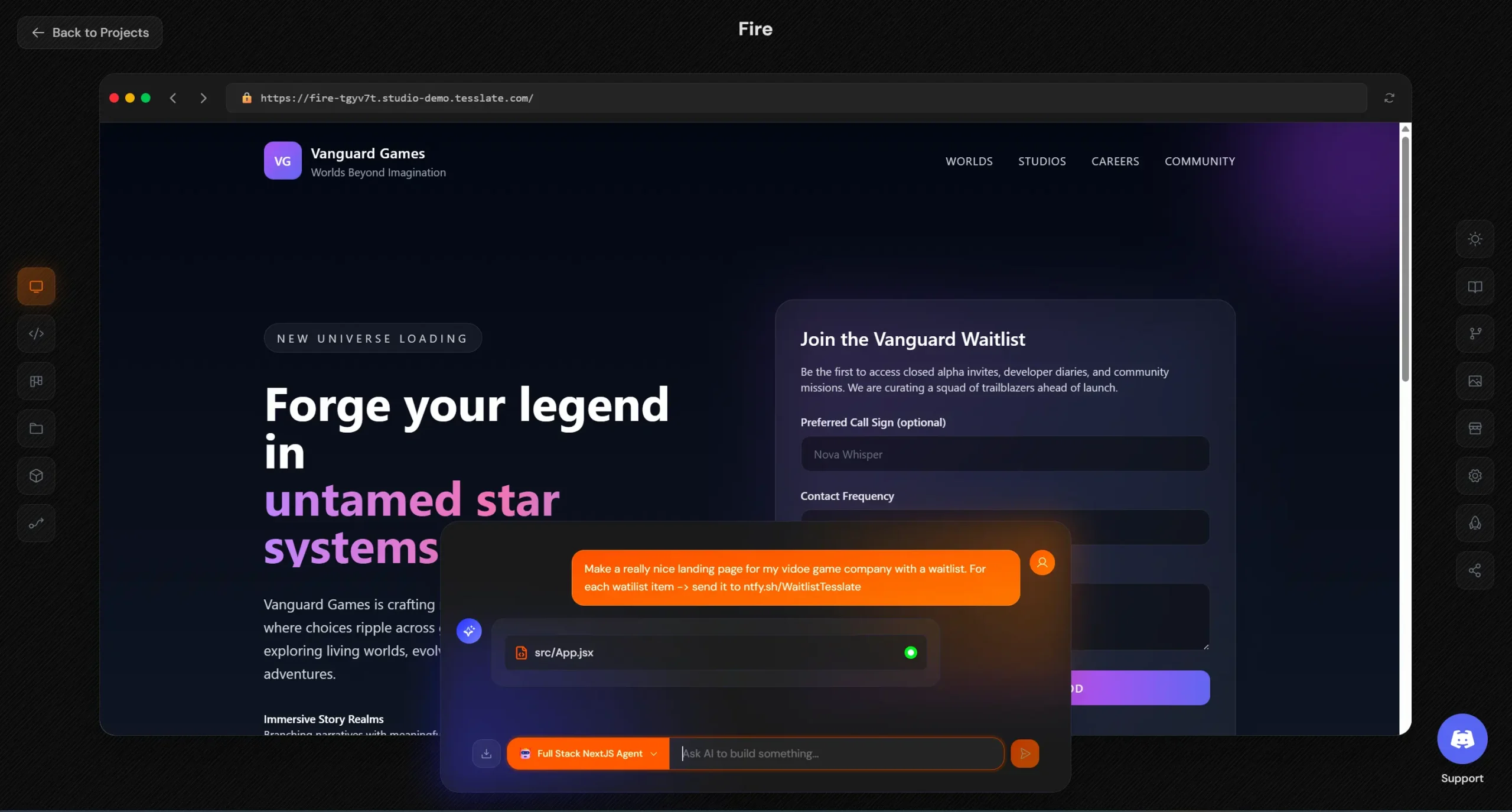
Tesslate Studio is an open-source, AI-powered development platform built for self-hosting and data sovereignty.
It provides a full development environment where AI agents help you build complete web applications while maintaining absolute control over your infrastructure and code.
Unlike cloud-based alternatives like Lovable.ai and v0.dev, everything runs on your local computer, private cloud, or datacenter. Your intellectual property never leaves your environment.
Features
- Full-Stack Code Generation: Creates complete React/TypeScript applications with components, state management, API integrations, and Tailwind CSS styling from natural language prompts.
- Container Isolation: Each project runs in its own sandboxed Docker container with subdomain routing.
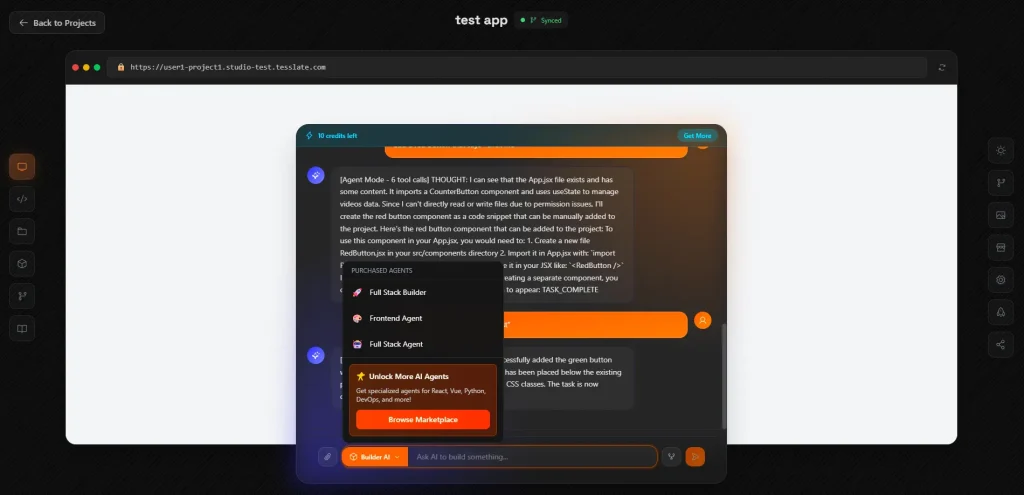
- 10 Pre-Built AI Agents: Includes specialized agents like Stream Builder, Full Stack Agent, Code Analyzer, Test Generator, and API Designer. All agents are open source and forkable.
- Model Flexibility: Works with OpenAI (GPT-5, GPT-4), Anthropic (Claude), Google (Gemini), or local models via Ollama and LM Studio through LiteLLM integration.
- Live Preview with Hot Reload: Instant browser preview with hot module replacement shows code changes in real time as AI generates them.
- Monaco Code Editor: Full VSCode-like editing experience in the browser with syntax highlighting, IntelliSense, and multi-file editing.
- Project Templates: Three ready-to-use templates including Next.js (App Router, SSR), Vite + React + FastAPI (Python backend), and Vite + React + Go (high-performance backend).
- Git Integration: Full version control with commit history, branching, and direct GitHub push/pull operations.
- Architecture Visualization: Auto-generates Mermaid diagrams showing component relationships and data flow in your application.
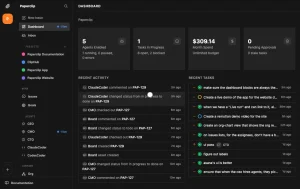
- Kanban Project Management: Built-in task tracking with priorities, assignees, and comments for organizing development work.
- JWT Authentication: Enterprise security with refresh token rotation, revocable sessions, and encrypted credential storage using Fernet encryption.
- Audit Logging: Complete command history for compliance tracking and security monitoring.
- Command Validation: Security sandboxing with allowlists, blocklists, and injection protection for AI-generated shell commands.
- Database Integration: PostgreSQL with migration scripts and schema management built in.
- Agent Marketplace: Pluggable architecture where you can fork agents, swap models, and customize prompts since all code is open source.
- Multi-Agent System (coming soon): Built on TframeX framework for agent collaboration across frontend, backend, and database concerns.
Use Cases
- Internal tool development: Build custom admin panels, data dashboards, and operational tools for your organization without exposing sensitive data to third-party AI services.
- Regulated industry projects: Healthcare, finance, and government projects where data sovereignty requirements prevent using cloud-based AI development tools.
- Prototype development: Rapidly iterate on product ideas and concepts with AI assistance while maintaining complete ownership of all generated code and intellectual property.
- Development team collaboration: Provide an AI-powered development environment for entire teams with role-based access control, audit trails, and project isolation.
How to Use It
1. To get started, make sure you have Docker Desktop (Windows/Mac) or Docker Engine (Linux) installed.
2. Clone the repository from GitHub and configure your environment:
git clone https://github.com/TesslateAI/Studio.git
cd Studio
cp .env.example .env
3. Edit the .env file to include your essential configuration. You’ll need to generate a secure secret key and obtain at least one AI provider API key.
For the secret key, run the following command and add the output to SECRET_KEY in your .env file.
python -c "import secrets; print(secrets.token_urlsafe(32))"For the LiteLLM master key, use the same command but prefix it with “sk-“.
You also need at least one working API key from OpenAI, Anthropic, or another supported LLM provider. If you prefer using local models, configure Ollama separately and point Tesslate to your local instance.
# ============================================================================
# Tesslate Studio - Production Environment Configuration
# ============================================================================
# Configure your domain via APP_DOMAIN variable below
# ============================================================================

# ----------------------------------------------------------------------------
# Security & Authentication (REQUIRED)
# ----------------------------------------------------------------------------
# Generate with: openssl rand -base64 64
SECRET_KEY=your_secret_key_here

# ----------------------------------------------------------------------------
# Database Configuration (REQUIRED)
# ----------------------------------------------------------------------------
# Generate with: openssl rand -base64 32
POSTGRES_PASSWORD=your_postgres_password_here

# ----------------------------------------------------------------------------
# LiteLLM Configuration (REQUIRED for AI features)
# ----------------------------------------------------------------------------
# Your LiteLLM proxy configuration
LITELLM_API_BASE=https://your-litellm-proxy.com/v1
LITELLM_MASTER_KEY=your_litellm_master_key_here

# LiteLLM User Configuration
# Multiple models supported (comma-separated, no spaces)
# These should match model names in your LiteLLM config
LITELLM_DEFAULT_MODELS=gpt-5o-mini,gpt-5o,gpt-3.5-turbo,claude-3-opus,claude-3-sonnet
LITELLM_TEAM_ID=default
LITELLM_EMAIL_DOMAIN=${APP_DOMAIN}
LITELLM_INITIAL_BUDGET=10.0

# ----------------------------------------------------------------------------
# Cloudflare Configuration (REQUIRED for Let's Encrypt)
# ----------------------------------------------------------------------------
CF_DNS_API_TOKEN=your_cloudflare_dns_api_token_here

# ----------------------------------------------------------------------------
# Domain and Port Configuration (REQUIRED)
# ----------------------------------------------------------------------------
# Your production domain (no protocol, just domain)
# Examples: studio.tesslate.com, studio-demo.tesslate.com, app.yourdomain.com
APP_DOMAIN=studio-demo.tesslate.com

# Protocol (usually https for production)
APP_PROTOCOL=https

# Ports (standard ports for production)
APP_PORT=80
APP_SECURE_PORT=443
TRAEFIK_DASHBOARD_PORT=8080

# Traefik Basic Auth for Dashboard
# ⚠️ SECURITY WARNING: The default hash below is for "admin:admin" - MUST CHANGE IN PRODUCTION!
# Generate your own with: htpasswd -nb admin your-secure-password
# Or use online tools like: https://hostingcanada.org/htpasswd-generator/
TRAEFIK_BASIC_AUTH=admin:$$2y$$10$$EIHbchqg0sjZLr9iZINqA.6Za7wPjGAVdTER2ob5whDLtHkkZSGbC

# ----------------------------------------------------------------------------
# Application Configuration
# ----------------------------------------------------------------------------
DEPLOYMENT_MODE=docker

# Traefik certificate resolver name
# Development: "letsencrypt" (HTTP challenge, single domain)
# Production: "cloudflare" (DNS challenge, supports wildcard certs for *.${APP_DOMAIN})
TRAEFIK_CERT_RESOLVER=cloudflare

# These are automatically constructed from APP_PROTOCOL and APP_DOMAIN above
# You can override them if needed
# DEV_SERVER_BASE_URL=https://studio-demo.tesslate.com
# CORS_ORIGINS=https://studio-demo.tesslate.com
# ALLOWED_HOSTS=studio-demo.tesslate.com
4. Start the platform with Docker Compose. This command pulls the necessary images and starts all services, including the FastAPI orchestrator, React frontend, PostgreSQL database, and Traefik proxy. The process typically takes a few minutes on the first run as it downloads and configures all components.
docker compose up -d5. Once running, open http://studio.localhost in your browser. The first user to register automatically receives admin privileges. After creating your account, you can immediately start new projects from templates or import existing repositories from GitHub.
6. When creating your first project, I recommend starting with the Next.js template to understand how the AI agents work. Describe what you want to build in plain English, something like “create a task management application with user authentication and due date tracking.” The AI agent will generate the initial codebase, and you’ll see your application running at a dedicated subdomain like myproject.studio.localhost.
7. The chatbot enables you to continue refining your application. Ask for specific features like “add dark mode support” or “create an analytics dashboard,” and the AI will implement these changes while you watch the code update in real-time.
Pros
- Data Sovereignty: All code, prompts, and AI interactions stay on your infrastructure. Nothing gets sent to Tesslate’s servers because there are no Tesslate servers.
- Zero Vendor Lock-In: Apache 2.0 license means you can fork the entire platform, modify it for proprietary workflows, and use it commercially without restrictions.
- Model Agnostic: Swap between OpenAI, Anthropic, Google, or local LLMs without changing your workflow. LiteLLM integration supports 100+ providers.
- True Containerization: Each project runs in complete isolation with its own environment, dependencies, and subdomain. No version conflicts between projects.
- Production-Ready Security: JWT authentication, encrypted secrets storage, audit logging, role-based access control, and command sanitization come built in.
- Cost Control: Running local models through Ollama costs nothing after initial setup. Even with API models, you control the budget at the user level.
- Real Infrastructure: Not a toy project. Includes PostgreSQL, proper ingress routing, version control integration, and architecture you’d actually deploy to production.
- Active Development: Recent funding (REACH venture partnership) and regular updates indicate this project has staying power beyond typical open-source experiments.
Cons
- Technical setup requirement: You need Docker knowledge and comfort with environment configuration. This isn’t a click-to-install solution for non-technical users.
- Infrastructure responsibility: As with any self-hosted solution, you’re responsible for maintenance, updates, security patches, and troubleshooting infrastructure issues.
- Resource intensive: Running the platform plus AI models demands significant RAM and computing power, especially if using local LLMs or working on multiple simultaneous projects.
- Limited to web applications: The current focus is full-stack web development rather than mobile apps, desktop software, or other application types.
More Resources
- LiteLLM Documentation: Learn about the unified AI gateway that powers Tesslate’s model flexibility and how to configure different providers.
- Docker Documentation: Essential reading if you’re new to containerization, covers Docker Desktop installation and compose file syntax.
- FastAPI Documentation: Understanding FastAPI helps when you want to modify the orchestrator or build custom API endpoints.
- TframeX Framework: The underlying agent orchestration framework that powers Tesslate’s multi-agent capabilities.
- Tesslate Discord Community: Get help from other users, share projects, and discuss feature development.
FAQs
Q: Do I need to pay for OpenAI or Claude API access?
A: You bring your own API keys and pay your provider directly. Tesslate Studio doesn’t charge for AI usage. A typical project generation costs pennies with API models, or runs completely free with Ollama and local models like Llama. The platform includes per-user budget controls if you want to limit spending.
Q: Can I use this for commercial projects?
A: Yes. The Apache 2.0 license explicitly allows commercial use. You can build SaaS products, client projects, or internal company tools without licensing fees or attribution requirements. The only restriction is that you can’t use the Tesslate trademark to imply official endorsement.
Q: How does this compare to GitHub Copilot or Cursor?
A: Different tools for different needs. Copilot and Cursor provide inline code suggestions as you type. Tesslate Studio generates entire projects and applications from natural language, running them in isolated containers with live preview. Think of it as project-level generation rather than line-level autocomplete.
Q: What happens if I want to move away from Tesslate Studio later?
A: Since everything is standard Docker containers and regular code files, you can export your projects as normal Git repositories and continue development in any environment. There’s no proprietary format or lock-in. You own the generated code completely.
Q: What AI models work best with Tesslate Studio?
A: The latest Claude Sonnet model provides the highest quality code generation. GPT models offer a good balance between speed and cost. Local models through Ollama (like Llama or CodeLlama) work but produce slower, sometimes less reliable results. You can configure different models per agent type.