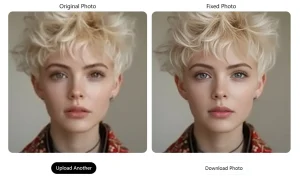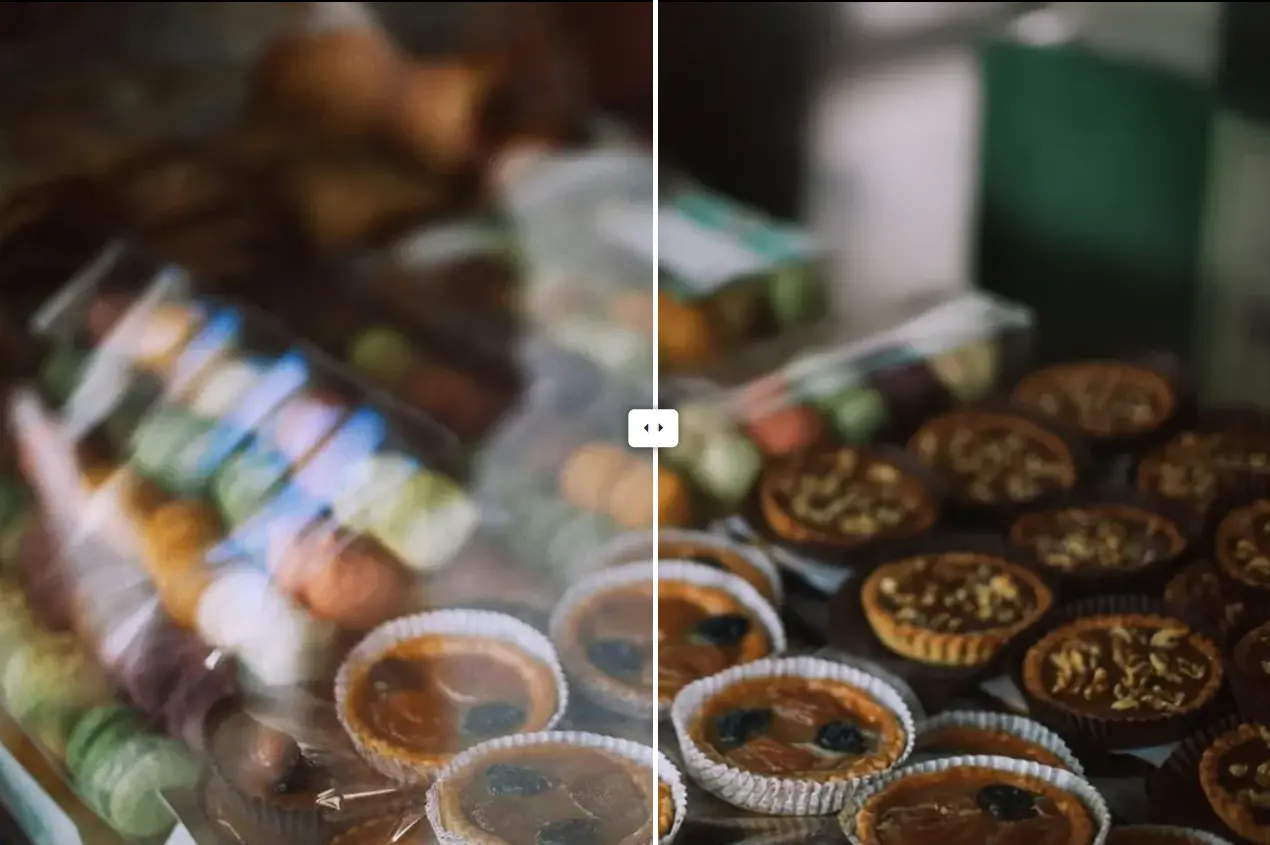
WindowSeat Reflection Removal is a free, open-source AI tool that removes reflections from photos taken through glass windows. Upload an image, and the AI separates the reflection layer from the actual scene you want to capture.
Photos shot through windows often capture both the intended scene and unwanted reflections from behind the photographer. This tool utilizes a fine-tuned Diffusion Transformer (DiT) model to separate clean transmission layers from reflection-contaminated inputs. You can use it to restore photographs taken through glass windows, such as those from airplanes, trains, or museum exhibits.
Features
- LoRA-Based Adaptation: The model uses Low-Rank Adaptation (LoRA) to fine-tune a large diffusion transformer.
- Physically-Based Training Data: The researchers built a rendering pipeline in Blender using Principled BSDF to simulate realistic glass materials. This data generation method captures ghosting, blur, scattering, and high-intensity highlights that simple alpha blending cannot replicate.
- One-Step Latent Space Processing: The system operates in the VAE’s latent space and produces clean results in a single forward pass.
- Interactive Comparison Slider: The web UI includes a slider that lets you compare the original and processed images side by side.
- Open Source: The code and models are available under the Apache License 2.0. You can clone the repository and modify it for specific needs.
- Batch Processing Support: The command-line interface accepts custom input and output directories for processing multiple images.
- Tile-Based Processing: The inference script includes a
--more-tilesoption for handling high-resolution images.
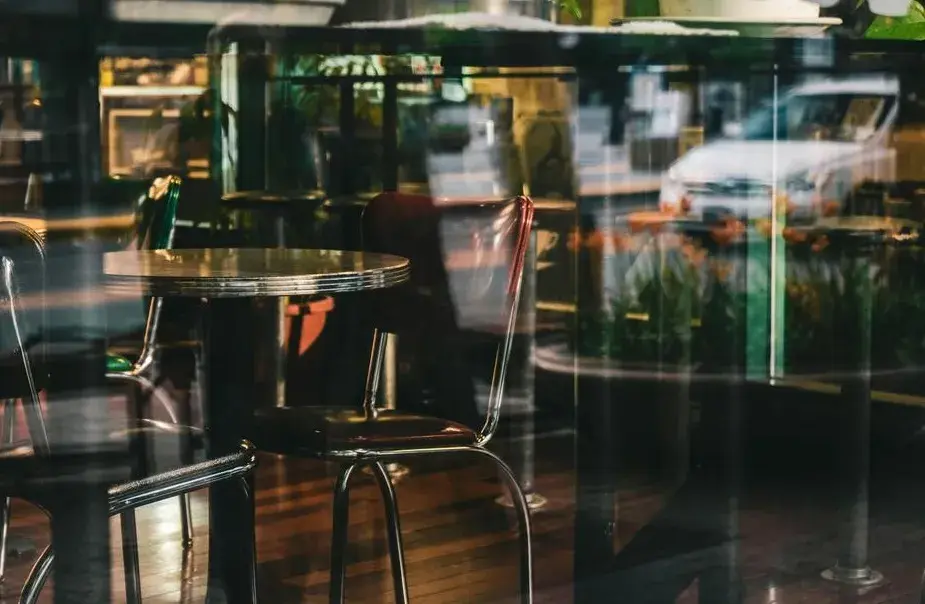
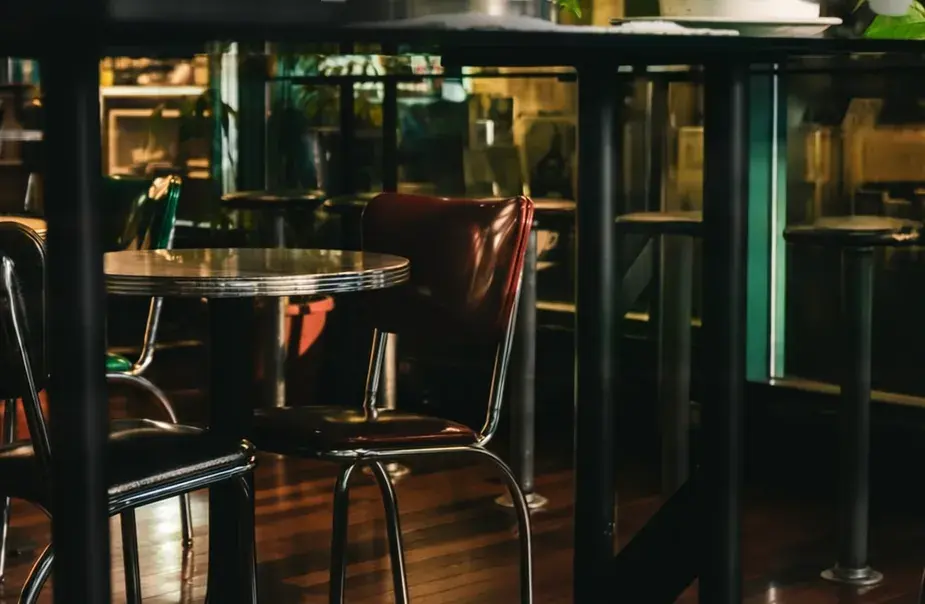
See It In Action
Use Cases
- Travel Photography: Tourists taking photos from hotel windows, observation decks, or airplane windows can remove interior reflections.
- Real Estate Photography: Property photographers can eliminate window reflections that obscure outdoor views.
- Museum Documentation: Researchers and visitors photographing artwork behind protective glass can remove reflections from the glass surface.
- Product Photography: Photographers shooting items in display cases or through glass shelves can extract clean product images.
- Research and Scientific Documentation: Scientists documenting specimens in glass containers or through microscope slides can obtain clearer images for publications and presentations.
How to Use It
1. Visit the WindowSeat Reflection Removal space and select/upload a photo from your device.
2. The tool takes 5-15 seconds to process your image, depending on file size and server load.
3. Examine the results using the comparison slider. The slider allows you to drag left (original) or right (processed) to compare versions.
4. Download the cleaned image by clicking the download button over the result image.
5. Hugging Face imposes usage quotas on free spaces. If you hit the limit, you can duplicate the space to your own Hugging Face account and continue processing.
Command-Line Usage (For Developers)
1. Clone the repository from GitHub.
git clone https://github.com/huawei-bayerlab/windowseat-reflection-removal.git
cd windowseat-reflection-removal
2. Create the conda environment. This command installs all required dependencies. The code was tested on systems with CUDA GPUs containing 24 GB VRAM.
conda env create -f environment.yaml
conda activate windowseat
3. Run the inference script. The script downloads the Qwen-Image-Edit 2509 backbone and WindowSeat LoRA weights from Hugging Face on the first run. You need to provide a Hugging Face access token (get one from Settings → Access Tokens). The script processes example images from the example_images folder and saves results to outputs.
python windowseat_inference.py4. Process custom images by specifying directories:
python windowseat_inference.py \
  --input-dir /path/to/your/input_images \
  --output-dir /path/to/save_predictions
5. Enable more tiles for high-resolution images. This option increases the number of tiles used during processing. More tiles improve the quality of large images but increase processing time.
python windowseat_inference.py --more-tilesPros
- Superior Performance: The model achieves the highest PSNR and SSIM scores on standard benchmarks.
- No Manual Work Required: The system automatically detects and removes reflections. You don’t need to mask areas or adjust parameters.
- Handles Complex Reflections: The physically-based training data enables the model to process strong, complex, and high-frequency reflection patterns that break other tools.
- Fast Single-Step Processing: The one-step inference approach produces results quickly.
- Free and Open Source: You can use the tool at no cost. The Apache 2.0 license permits commercial use and modification.
- Works on Standard Hardware: The web interface runs on Hugging Face’s servers. Local deployment needs only a consumer GPU (24 GB VRAM).
Cons
- GPU Memory Requirements: Local deployment requires a CUDA GPU with 24 GB VRAM. This specification excludes many consumer GPUs. Users with smaller GPUs must rely on the web interface.
- Web Interface Quota Limits: The free Hugging Face space imposes usage quotas.
- Limited to Window Reflections: The model targets reflections from plate glass windows. It doesn’t handle reflections from water surfaces, polished metal, or small objects like wine glasses.
- Double-Pane Window Dependency: The algorithm works best with photos showing two slightly offset reflections (common in double-pane windows). Single-pane windows or perfectly aligned reflections may produce suboptimal results.
Related Resources
- WindowSeat GitHub Repository: Access the complete source code, training scripts, and documentation.
- WindowSeat Research Paper (arXiv): Read the full technical paper explaining the diffusion transformer architecture, LoRA adaptation method, and physically-based rendering pipeline.
- WindowSeat Model on Hugging Face: Download the pre-trained model weights and view the model card with technical specifications.
- Qwen-Image-Edit-2509 Base Model: Explore the foundation model that WindowSeat builds upon. This model provides the core diffusion transformer architecture.