Opal is a no-code AI app/agent/workflow builder from Google Labs that lets you create functional mini-AI apps using natural language descriptions and visual workflows.
Originally launched in the U.S. only, Opal has recently expanded to 15 additional countries, including Canada, India, Japan, Brazil, and Singapore.
Features
- Natural Language Driven: You can describe your requirements in plain language, and Opal automatically generates the corresponding logic and model calls.
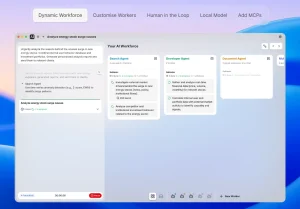
- Visual Workflow: Opal offers an intuitive editor that allows you to view and modify your application’s workflow. This gives you fine-grained control without needing to see a line of code.
- Flexible Editing: You can build and remix your AI mini-apps using conversational commands, a visual editor, or a combination of both.
- Instant Sharing: Once your app is ready, you can share it as a link for others to use immediately with their Google accounts.
- Starter Templates: Opal features a demo gallery with pre-built AI apps that you can use as they are or remix to fit your needs.
- Advanced Debugging: A no-code debugging program allows you to run your workflow step-by-step and displays errors in real-time.

Use Cases
- Content Creation Automation: Build apps that research topics, generate outlines, write complete blog posts, and create matching banner images—all in one automated sequence.
- Business Intelligence Tools: Create custom applications that profile companies, analyze market data, or generate reports based on specific parameters you define.
- Educational Quiz Generators: Turn YouTube videos into interactive learning quizzes by extracting content and automatically generating questions with answers.
- Marketing Workflow Automation: Develop apps that create social media posts, generate product descriptions, or produce video ad concepts based on your input.
- Creative Prototyping: Test AI-driven ideas quickly by building functional prototypes in minutes instead of weeks, perfect for demonstrating proof-of-concept to stakeholders.
How to Use It
1. To get started, you’ll need a Google account registered in one of the supported countries (currently includes the US, Canada, India, Japan, South Korea, Vietnam, Indonesia, Brazil, Singapore, Colombia, El Salvador, Costa Rica, Panamá, Honduras, Argentina, and Pakistan).
2. Visit opal.withgoogle.com and sign in with your Google account. The system will verify your account location meets the regional requirements. Once logged in, you’ll see the main dashboard with two primary options: creating a new app from scratch or browsing the template gallery.

3. To build a new app, click “Create New” and describe what you want your app to do. Be specific about the inputs you need, the processing steps, and the output format. For example, you might say “Create an app that takes a product name, researches competing products, and generates a comparison table.” Opal processes your description and generates a visual workflow showing each step as connected nodes.
4. The visual editor displays your workflow as a flowchart. Each node represents a step: user input, AI processing, tool execution, or output display. Click any node to see or modify its configuration. You can adjust prompts, change AI model parameters, or add new steps by typing instructions or using the visual interface.

5. Test your workflow on the App page. The system executes each step and shows the results. If something fails, the error appears at the specific node where it occurred.
6. Once your app works correctly, click the “Share App” link to generate a public link. Anyone with the link can use your app (they’ll need their own Google account).
7. If you prefer starting with a template, browse the gallery and select one that’s close to your needs. Click “Remix” to create your own copy that you can modify.

Pros
- No Coding Required: Anyone can build AI apps without writing a single line of code.
- Speed: Go from an idea to a functional app in minutes.
- Ease of Use: The natural language interface and visual editor are intuitive and user-friendly.
- Integration with Google’s AI: Leverages powerful Google models like Gemini 2.5 Pro.
- Free to Use: Opal is currently in public beta and free to use.
Cons
- Experimental Stage: As a Google Labs experiment, it may have limitations and bugs.
- Limited Availability: Only available in the US and 14 other countries.
- Sharing Limitations: Sharing an app is done via a URL, but there is no option to embed it in other web pages.
Related Resources
- Google Labs Official Documentation: Access the official documentation and updates about Opal and other experimental Google projects.
- n8n Documentation: Learn about n8n if you need more advanced workflow automation capabilities with extensive third-party integrations.
- Google Gemini API Docs: Explore Google’s AI models in more detail to understand the capabilities powering Opal applications.
- Opal Discord Community: Join the builder community to share apps, get help, and learn from other Opal users.
- Google Developers Blog: Stay updated on new features and improvements announced for Opal and related tools.
FAQs
Q: How does Opal compare to n8n for workflow automation?
A: Opal prioritizes simplicity and speed by letting you describe workflows in natural language, while n8n offers more control and flexibility as an open-source platform. Opal excels at rapid prototyping and AI-focused mini-apps, getting you from idea to working application in minutes. n8n provides deeper customization, self-hosting options, and hundreds of pre-built integrations with external services. Choose Opal for quick AI experiments and simple workflows; pick n8n for complex business processes requiring precise control and extensive third-party connections.
Q: What AI models can I use within Opal applications?
A: Opal primarily uses Google’s Gemini models for AI processing. You don’t need to manage API keys or authentication separately since it’s integrated directly into the platform. This integration makes setup simpler but limits you to Google’s AI ecosystem rather than letting you mix different providers like OpenAI, Anthropic, or others that tools like n8n support.
Q: Will my Opal apps continue working if Google discontinues the experiment?
A: There’s no guarantee. Google Labs projects are experimental by nature, and Google has historically shut down various experiments without long-term commitments. If Opal becomes critical to your workflow, maintain backups of your logic and be prepared to migrate to alternative platforms.
Q: Can I export or download the code that Opal generates?
A: Opal doesn’t provide direct code export functionality. The platform keeps workflows in its own visual format rather than generating traditional code you can download. This approach keeps things simple for non-technical users but means you can’t easily port your Opal apps to other platforms or hosting environments. Your work stays within the Opal ecosystem.
Q: Are there usage limits or quotas for building and running apps?
A: Google hasn’t published specific rate limits or quotas publicly yet. As a free beta service, expect some reasonable usage constraints to prevent abuse. If you’re building production workflows that will run frequently, monitor performance and be prepared for potential throttling during peak usage periods.