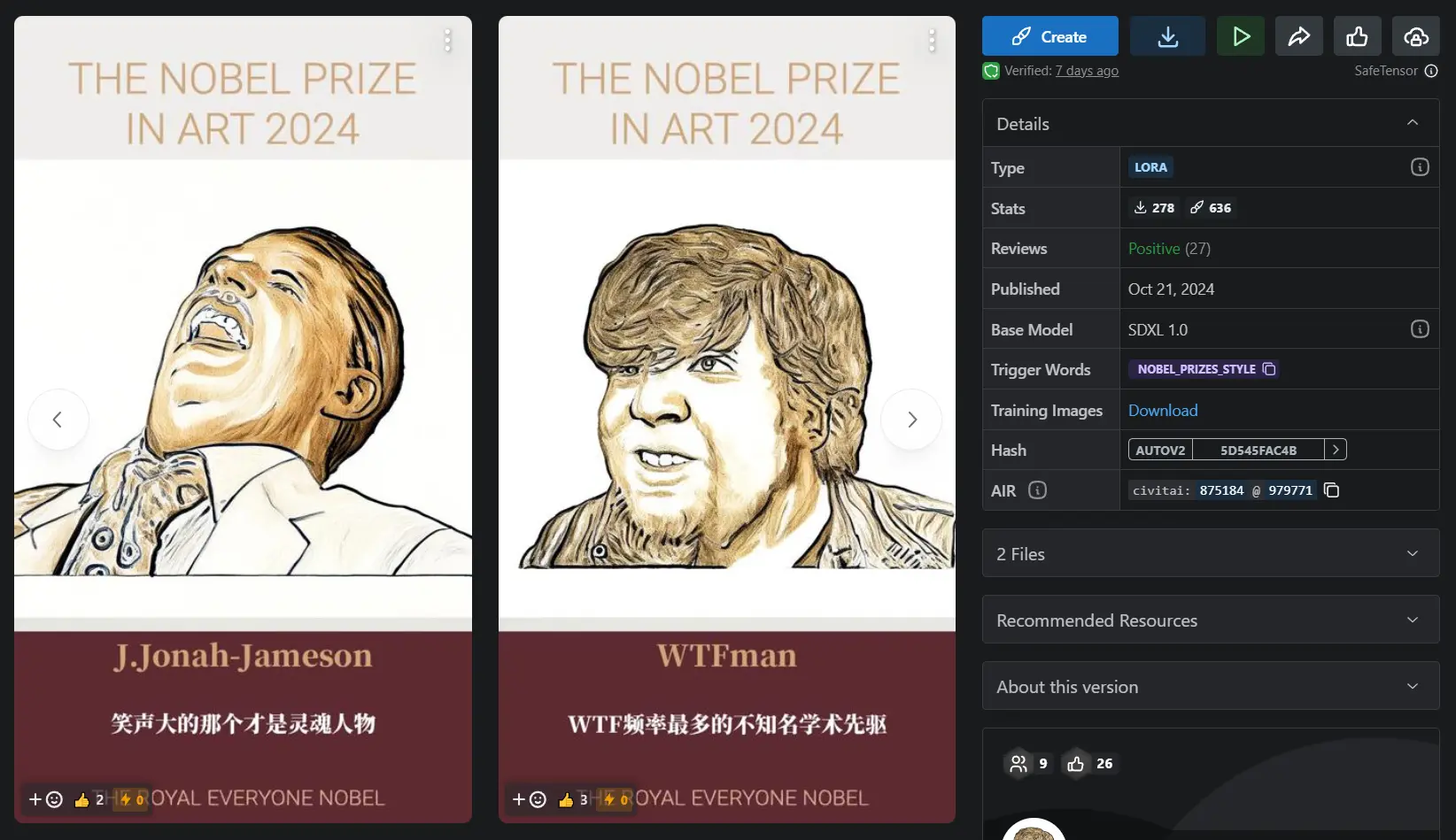
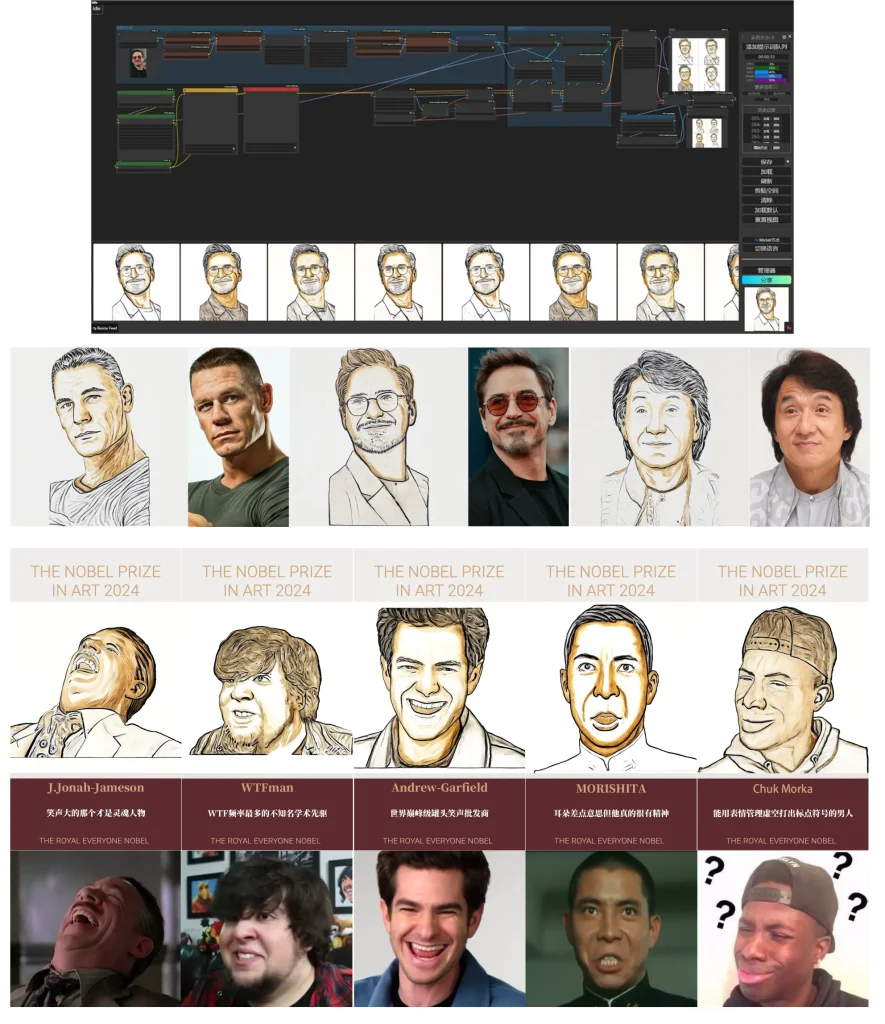
EveryoneNobel is an open-source framework that creates personalized Nobel Prize images using ComfyUI and OpenAI API.
It allows you to create customized images that celebrate individual achievements in various fields. This can be ideal for educators, event organizers, and anyone wishing to acknowledge contributions to society.
Features
- Personalized Image Generation: Create Nobel Prize images tailored to any individual.
- Open-Source and Flexible: Modify and adapt the framework for various applications.
- ComfyUI Integration: Leverages the robust image generation capabilities of ComfyUI.
- HTML Templating: Easily customize the text displayed on the generated images.
- Universal Framework Potential: Adaptable for other image-based projects beyond Nobel Prizes.
Use Cases
- Celebrating Achievements: Recognize personal milestones, academic accomplishments, or contributions to a project with a personalized Nobel Prize image. For example, award a team member a “Best Debugger” Nobel Prize.
- Creative Projects: Generate unique visuals for art projects, presentations, or social media content. Imagine creating a series of Nobel Prizes for fictional characters in a story.
- Educational Applications: Use EveryoneNobel in educational settings to create certificates of achievement or visualize historical figures. For instance, generate images of historical Nobel laureates for a classroom presentation.
- Humorous Content: Generate funny awards for inside jokes or lighthearted competitions among friends. Award a friend the “Procrastination Champion” Nobel Prize.
- Prototyping Award Designs: Experiment with different layouts and aesthetics for actual awards using the flexible framework.
How It Works
EveryoneNobel connects with a locally running ComfyUI server to generate the base image.
You provide input, including the recipient’s name, award subject, and a description of their contribution.
If using the OpenAI API integration, this description is used to generate the text displayed on the image.
Alternatively, you can input the text directly. The framework then combines the generated image with an HTML template to produce the final personalized Nobel Prize image.
Installation
- Install ComfyUI: You must follow the installation instructions provided in the ComfyUI repository. This includes installing any missing custom nodes and models as specified.
- Set Up EveryoneNobel: After navigating to the EveryoneNobel main folder, run
npm installandpip install -r requirements.txtto install necessary dependencies. - Configure API Settings: An optional
.envfile can be created to store the OpenAI API key. - Launch the ComfyUI Server: Start the ComfyUI server to generate images based on input parameters.
- Run the Image Generation Script: The main script allows you to input various parameters like name, subject, and content to generate their personalized Nobel Prize image.
Pros
- Free and open-source, allowing for customization.
- Leverages the power and flexibility of ComfyUI.
- Simple to use once set up.
- Offers both OpenAI integration and manual text input.
Cons
- Requires technical proficiency to install and configure ComfyUI.
- Relies on external resources like the OpenAI API (optional).
- Initial setup can be complex.
Related Resources
- ComfyUI: The core image generation engine behind EveryoneNobel. https://github.com/comfy-ui/comfyui
- OpenAI API: (Optional) Used for generating descriptive text within the award image. https://platform.openai.com/docs/api
FAQs
Q: What image formats are supported?
A: The framework accepts standard image formats like JPEG and PNG.
Q: Can it run without OpenAI API?
A: Yes, an alternative version without OpenAI dependency exists.
Q: What are the system requirements?
A: A system capable of running ComfyUI and Python applications.
EveryoneNobel GitHub Repo: https://github.com/16131zzzzzzzz/EveryoneNobel
EveryoneNobel Playground: https://civitai.com/models/875184?modelVersionId=979771