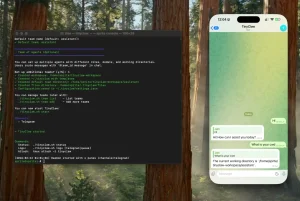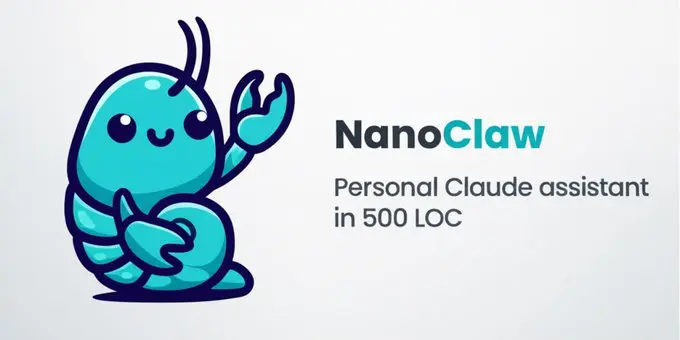
NanoClaw is a free, open-source AI assistant that runs in isolated containers on your own machine. You can easily interact with it via WhatsApp, with filesystem isolation for security.
The project emerged as a response to OpenClaw (formerly Clawdbot), which works well but has grown into a large system with 52+ modules, 45+ dependencies, and application-level security checks.
NanoClaw provides the same core functionality through a minimal approach: one Node.js process, container isolation via Apple Container (macOS) or Docker, and AI-native setup through Claude Code.
Features
- Powered by Claude Code: The system is built directly on the official Claude Agent SDK.
- Container Isolation: Agents run inside Linux containers (Apple Container on macOS, Docker on macOS/Linux) with only explicitly mounted directories accessible.
- WhatsApp Integration: Message your AI assistant from your phone using WhatsApp.
- Group Context Management: Each WhatsApp group gets its own isolated environment with a dedicated CLAUDE.md memory file, separate filesystem, and individual container sandbox.
- Scheduled Tasks: Create recurring jobs that run Claude automatically and message you back with results at specified times.
- Web Access Tools: Built-in web search and fetch capabilities through the Claude Agent SDK.
- Skills-Based Customization: Uses Claude Code skills that transform your installation. Run commands like /add-telegram or /add-gmail to extend functionality.
- AI-Native Operations: No installation wizard or debugging dashboard. Claude Code handles setup, configuration, and troubleshooting through natural language conversation.
- Simple Architecture: Single Node.js process with SQLite for state management. No microservices, message queues, or complex abstractions.
NanoClaw vs. OpenClaw (Moltbot)
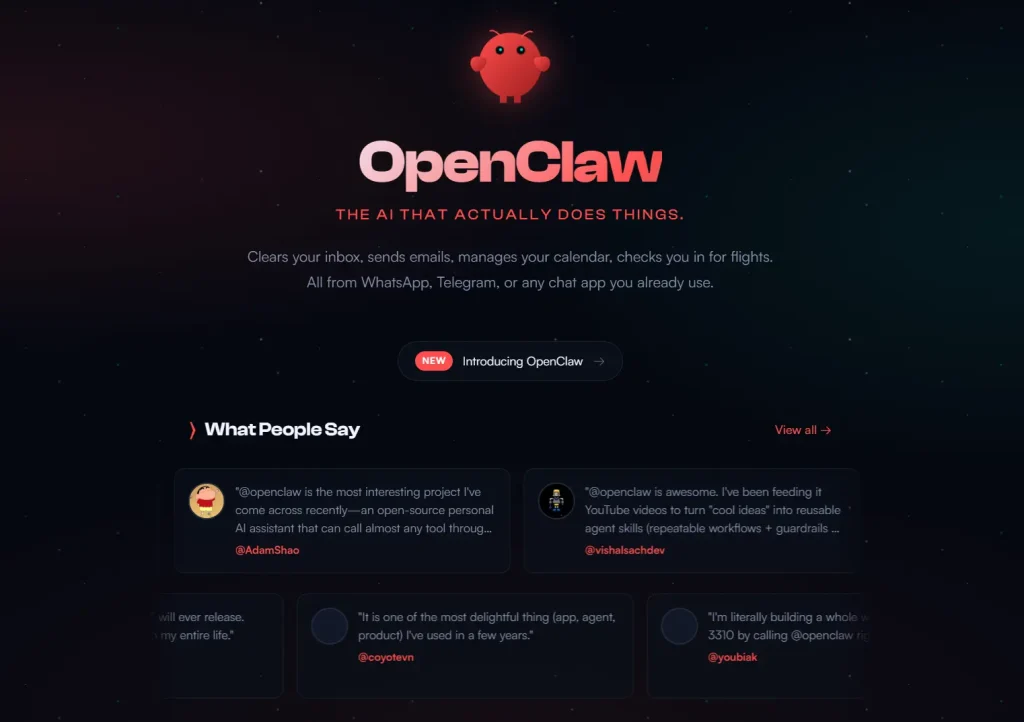
NanoClaw was built specifically as a reaction to the security architecture of OpenClaw (formerly known as Moltbot or Clawdbot). While OpenClaw became a viral sensation in January 2026 for its “JARVIS-like” capabilities, it also drew criticism from security researchers (such as Cisco’s Talos team) for running with unrestricted access to the host machine.
The choice between these two tools comes down to a trade-off between ecosystem convenience and security isolation.
Comparison Table
| Feature | NanoClaw | OpenClaw (Moltbot) |
|---|---|---|
| Security Model | Containerized (Sandboxed). Agents run in Docker or Apple Containers. They cannot access your OS files unless you explicitly mount them. | Host Access. Agents run directly on your machine with the ability to execute shell commands and read/write files on your main OS. |
| Architecture | Single Process. Runs as one Node.js process with minimal dependencies. You can audit the entire codebase in minutes. | Microservices. Uses 52+ modules, shared memory, and a complex message bus. Harder to audit for backdoors or bugs. |
| Extensibility | Code-First. You add features by asking Claude to modify the source code (e.g., /add-telegram). | Plugin Ecosystem. Relies on “ClawHub” and a registry of 100+ pre-built skills and plugins. |
| Configuration | Zero Config. You change behavior by editing the code. | Heavy Config. Requires managing multiple YAML/JSON files for channels, permissions, and plugins. |
| Channels | WhatsApp (Native). Others added via coding skills. | Omnichannel. Supports WhatsApp, Telegram, Discord, Slack, and iMessage out of the box. |
The Core Difference: Security vs. Convenience
OpenClaw is designed for users who want a “batteries-included” experience. It connects to almost any messaging platform immediately and offers a massive library of community-built skills via ClawHub. However, this convenience comes with significant risk. Because OpenClaw runs directly on your host machine, a malicious skill or a hallucinating AI could theoretically delete your home folder or upload your SSH keys.
NanoClaw is designed for users who prioritize safety. It assumes that giving an AI root access to your laptop is dangerous. By forcing the AI to run inside a Linux container, NanoClaw ensures that even if the AI goes rogue, it can only mess up the sandbox, not your actual computer. The trade-off is that you lose the “one-click install” plugin ecosystem and must use Claude Code to build the specific features you need.
Use Cases
- Personal Task Automation: Set up recurring jobs to compile news briefings from multiple sources every morning, review git history weekly and update documentation, or send project status updates at scheduled times.
- Secure Document Processing: Give your assistant access to specific folders (like Obsidian vaults or project directories) while keeping everything else completely isolated through container boundaries.
- Multi-Group Coordination: Run different isolated contexts for work, family, and personal chats, each with its own memory and permissions.
- Custom Workflow Integration: Add skills for Telegram, Slack, Discord, or Gmail.
- Development Assistant: Have Claude monitor codebases, run tests automatically, and update documentation based on code changes.
How to Use It
NanoClaw requires macOS or Linux, Node.js 20+, Claude Code, and either Apple Container (macOS) or Docker. The setup process happens through Claude Code itself.
Clone the repository and navigate to the directory:
git clone https://github.com/gavrielc/nanoclaw.git
cd nanoclaw
Launch Claude Code:
claudeRun the setup command inside Claude Code:
/setupClaude Code handles everything automatically: verifying Node.js compatibility, installing npm dependencies, configuring WhatsApp authentication (generating a QR code to scan with your phone), setting up the container runtime, and creating the SQLite database.
After setup completes, scan the WhatsApp QR code with your phone when prompted. The system creates a self-chat group (your main channel) for admin control and starts polling for messages.
Talk to your assistant using the trigger word (default: @Andy):
@Andy send an overview of the sales pipeline every weekday morning at 9am
@Andy review the git history for the past week each Friday
@Andy every Monday at 8am, compile news on AI developments and message me
From your self-chat (main channel), manage the system:
@Andy list all scheduled tasks across groups
@Andy pause the Monday briefing task
@Andy join the Family Chat group
Key Commands and Configuration Options
Trigger Word: Default is @Andy. Change by telling Claude Code: “Change the trigger word to @Bob”.
Main Channel: Your self-chat serves as the admin control channel. All system management commands go here.
Group Management: Add the assistant to any WhatsApp group. Each group gets isolated context and can’t access other groups’ data.
Task Scheduling: Use natural language to create recurring jobs. Examples: “every weekday at 9am”, “each Friday at 5pm”, “Monday mornings at 8am”.
Customization Commands: No configuration files exist. Tell Claude Code what you want: “make responses shorter”, “add a custom greeting”, “store conversation summaries weekly”.
Guided Customization: Run /customize for interactive modification guidance.
Debugging: Ask Claude Code directly: “Why isn’t the scheduler running?”, “What’s in recent logs?”, “Why didn’t this message get a response?”
Skill Installation: Add capabilities through skills. Available commands include /add-telegram, /add-slack, /add-discord, /add-gmail, /convert-to-docker, /add-clear.
Pros
- High Security: Agents run in isolated containers. This prevents the AI from accidentally deleting or accessing files on your main OS.
- Code Simplicity: The entire application runs as a single Node.js process. You can read and understand the source code in under 10 minutes.
- True Ownership: You own the code and the data. There are no Terms of Service gray areas regarding third-party hosting.
- Flexible Automation: The scheduling system allows for complex, recurring workflows that integrate with your local files and the web.
Cons
- Technical Barrier: This tool has no graphical user interface (GUI) for setup. It requires comfort with command-line tools and git.
- Cost: You must have a paid subscription or API access for Claude to function effectively.
- Limited Default Channels: It supports WhatsApp out of the box. Other channels like Telegram or Slack require adding “Skills” or modifying code.
Related Resources
- Claude Agent SDK Documentation: Official documentation for the underlying agent framework that powers NanoClaw.
- Apple Container Releases: Download page for the macOS container runtime.
- Docker Desktop: Alternative container runtime for macOS and Linux systems.
- Claude Code Installation: Download and setup instructions for the AI-native configuration tool.
- OpenClaw Alternatives: Discover more curated, open-source alternatives to OpenClaw.
More OpenClaw Alternatives
- NanoBot: Ultra-Lightweight AI Assistant Inspired by OpenClaw.
FAQs
Q: How does container isolation actually work?
A: Each agent runs in a separate Linux container (Apple Container on macOS, Docker elsewhere) with filesystem boundaries enforced by the operating system. When you mount a directory like your Obsidian vault, the container can only see that specific directory. Everything else on your host machine stays completely invisible to the containerized agent.
Q: Why use skills instead of just adding features to the codebase?
A: Skills keep your installation clean and custom to your needs. If you ant Telegram support, running /add-telegram teaches Claude Code how to modify your specific fork to add that capability. You end up with code that does exactly what you want.
Q: What happens to my chat history and data?
A: Everything stays local on your machine. NanoClaw stores conversation state in SQLite database files and per-group memory in CLAUDE.md files within the groups directory. Nothing sends to external servers except the Claude API calls themselves (which use your own API key or subscription). Each group’s data stays isolated in its own container and filesystem.
Q: Can I use this with Claude API keys instead of a claude.ai subscription?
A: Yes. The Claude Agent SDK supports authentication through direct API keys, Amazon Bedrock, Microsoft Foundry, and other providers. During setup, you can configure whichever authentication method you prefer.
Q: How do scheduled tasks work across system restarts?
A: The task scheduler stores job definitions in the SQLite database. When you restart NanoClaw, it reads the database and resumes all scheduled tasks. Jobs run in their designated containers at the specified times. If the system was offline during a scheduled run, tasks don’t execute retroactively—they wait for the next scheduled time.
Q: What’s the difference between the main channel and other groups?
A: Your self-chat (the chat with yourself in WhatsApp) becomes the main channel with admin privileges. You can manage the entire system, list all tasks across groups, join or leave groups, and control scheduling from here. Other WhatsApp groups where you add the assistant have isolated contexts. They can’t see each other’s data or manage system-wide settings.