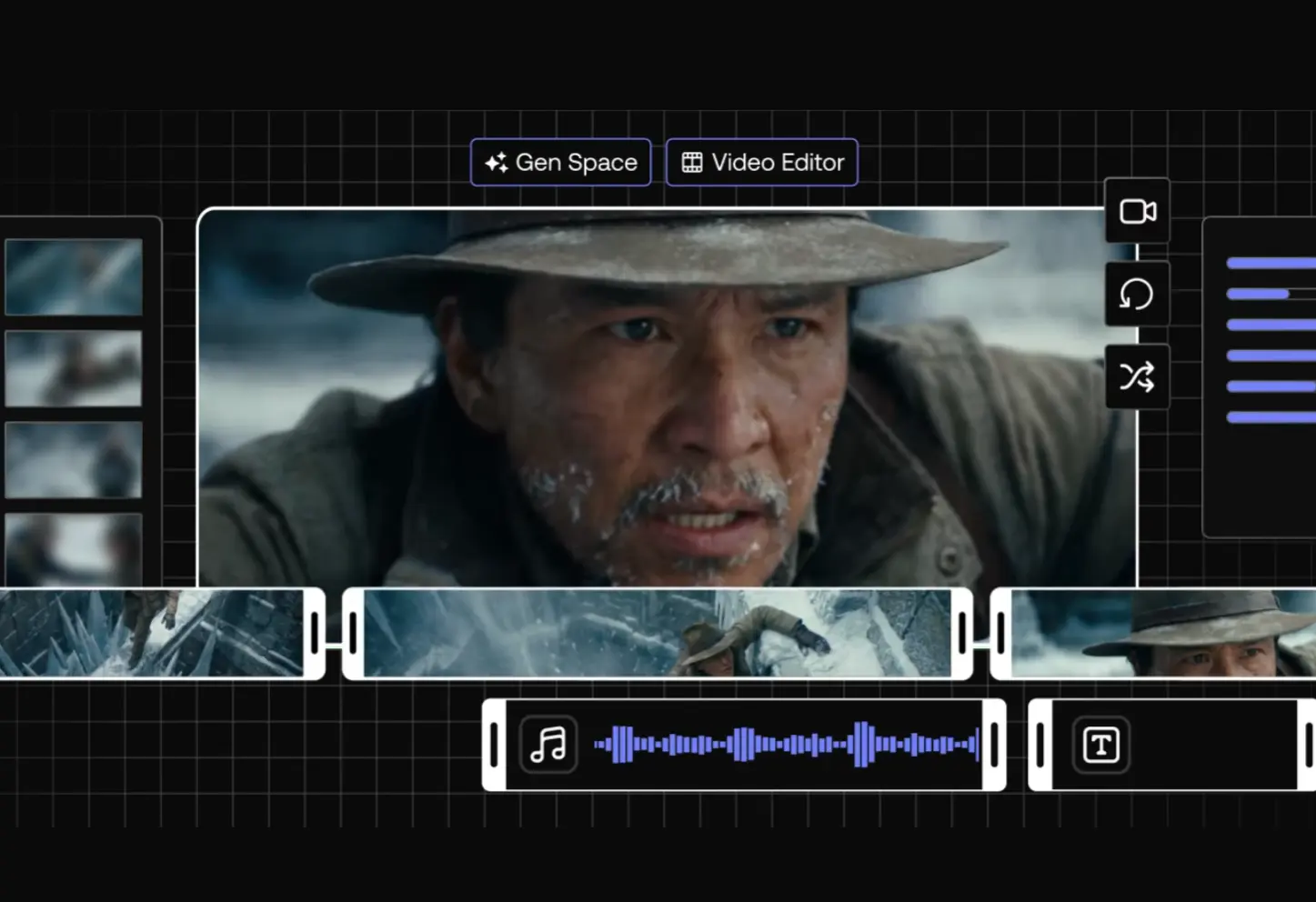
LTX Desktop is a free, open-source AI video editor that runs entirely on your own machine, powered by the LTX-2.3 diffusion transformer engine from Lightricks.
It supports text-to-video, image-to-video, audio-to-video, still image generation, retake, timeline XML import from Premiere Pro, DaVinci Resolve, and Final Cut Pro, and high-quality export to H.264 and ProRes.
The underlying LTX-2.3 model carries 20.9 billion parameters and generates video up to 1080p with synchronized audio.
On a capable Windows machine with an NVIDIA GPU, your footage, prompts, and generated clips never touch an external server. The generation costs nothing per render. You pay for hardware once and generate as many times as you want.
Mac users currently route generation through the LTX API, with local GPU inference for macOS planned for a future release.
- Local Inference: Runs the LTX-2.3 model on your own NVIDIA GPU with no cloud dependency after setup.
- Zero Per-Generation Fees: Generates video at no cost per render once the model is downloaded to your machine.
- Text-to-Video Generation: Produces video clips from text prompts using the LTX-2.3 engine at up to 720p (1080p with the upsampler model).
- Image-to-Video Generation: Animates a still input image into a video clip with improved visual consistency and real motion.
- Audio-to-Video Generation: Creates video synchronized to an audio input, including music and voice.
- Retake Tool: Regenerates a specific section of a clip on the timeline without touching the surrounding content.
- Context-Aware Gap Fill: Automatically generates content that matches the visual style of adjacent clips on the timeline.
- Non-Linear Editor: Provides a full NLE with trim tools including slip, slide, roll, and ripple edits.
- AI-Native Timeline: Generates multiple takes per clip, nests them inside the clip non-destructively, and lets you switch between versions.
- Still Image Generation: Produces individual frames via Z-Image Turbo (requires separate model download or fal.ai API key).
- Color Correction: Includes primary color correction tools built into the editor.
- Transitions: Ships with a built-in transitions library.
- Subtitle Editor: Supports text overlays, a built-in subtitle editor, and SRT import and export.
- XML Timeline Interoperability: Imports and exports XML timelines for round-trip edits with Premiere Pro, DaVinci Resolve, and Final Cut Pro.
- 1080p Upscaling: Upscales 720p output to 1080p via the optional upsampler model (requires 12GB+ VRAM).
- On-Prem Deployment: Runs inside private infrastructure for teams that prioritize operational control.
- API Toggle: Switches between local inference and the LTX API from the Settings panel.
- Open Source: Released under Apache 2.0 and free to fork, extend, and build on.
- Customizable Shortcuts: Ships with fully customizable keyboard shortcuts and preset layouts for Premiere, DaVinci Resolve, and Avid.
- Portrait Video Support: Generates native vertical video at up to 1080×1920 (trained on portrait data, not cropped from landscape).
Use Cases
- Production teams can generate high-fidelity storyboards and video mockups completely offline.
- Editors import XML timelines from DaVinci Resolve into LTX Desktop, use Retake to modify specific performances or backgrounds, then export the updated sequence back to their main NLE.
- Generate native 9:16 video at up to 1080×1920 for TikTok, Instagram Reels, and YouTube Shorts without cropping landscape footage.
- Create music videos by feeding audio tracks directly into the model, which generates synchronized visuals based on the sound.
- Generate multiple versions of the same clip nested within the timeline and switch between them during client reviews to explore creative directions .
How to Use LTX Desktop
System Requirements
Windows
| Requirement | Specification |
|---|---|
| OS | Windows 10/11 (64-bit) |
| GPU | NVIDIA (32GB+ VRAM recommended) |
| Disk Space | 160GB free |
| Internet | Required for initial model download only |
macOS
| Requirement | Specification |
|---|---|
| Chip | Apple Silicon (M1 or later) |
| OS | macOS 13 or later |
| Memory | 16GB+ unified memory |
| Generation | Via LTX API (local GPU planned) |
Minimum to Run Text-to-Video at 720p (Windows): NVIDIA RTX 5090 (32GB VRAM), 32GB RAM, 60GB disk space.
AMD and Intel GPUs are not currently supported on Windows.
Model Downloads Reference
LTX Desktop downloads models from HuggingFace on first launch. The wizard lets you choose which models to download.
| Model | Purpose | Required | Size |
|---|---|---|---|
checkpoint | LTX-2.3 main weights | Yes | ~20GB |
distilled_lora | Fast mode (8-step inference) | For Fast mode only | ~500MB |
upsampler | 2× upscaling to 1080p output | For 1080p output | ~2GB |
text_encoder | Local T5 text encoding | Optional (API fallback available) | ~5GB |
Z-Image Turbo | Still image generation | For image gen features | ~30GB |
To start generating text-to-video at 720p, you only need the checkpoint (~20GB).
Installation (Windows)
1. Go to the LTX Desktop Releases page on GitHub and download the latest .exe file.
2. Double-click the .exe file and follow the installation wizard. If Windows SmartScreen appears:
Click "More info" → "Run anyway"3. Open LTX Desktop from the Start Menu. On first launch, review and accept the LTX-2 Community License Agreement.
4. Two one-time downloads happen automatically on Windows:
Python environment: ~10GB
AI models: up to ~150GB (depending on which models you select)
The model wizard lets you choose exactly which models to download. For a minimal setup, select only the checkpoint model (~20GB).
After the initial download, launches are immediate. All models live locally on your machine.
Installation (macOS)
1. Download the .dmg file from the LTX Desktop GitHub Releases page.
2. Open the .dmg file and drag LTX Desktop into your Applications folder. If macOS shows a security warning:
Right-click the app → Open → Confirm3. On macOS, generation runs via the LTX API. Enter your LTX API key during the setup step. Generate a free API key at the LTX Console. Text encoding via the API is free. Video generation API usage is paid.
Pros
- No subscription, no credits, no surprise bills.
- Your footage, prompts, and exports never leave your machine.
- Full creative control.
- 1080×1920 output trains natively on portrait data.
Cons
- Local generation needs an NVIDIA GPU with 32GB+ VRAM.
- Apple Silicon users must use the API mode for now.
- Full model downloads require about 160GB of free space
Related Resources
- LTX Desktop GitHub Repository: Source code, releases, issue tracker, and contribution guidelines for LTX Desktop.
- LTX-2.3 Model on HuggingFace: Download the base dev checkpoint, quantized fp8 variant, and distilled model weights.
- LTX-Video GitHub Repository: Training code, ComfyUI custom nodes, and reference workflows for the LTX-2.3 model.
- LTX Console: Generate a free LTX API key for text encoding or API-backed generation.
- LTX Playground: Try LTX-2.3 in the browser before committing to a local setup.
- LTX-2.3 Technical Blog Post: Official release notes covering the VAE rebuild, text connector upgrade, and audio improvements.
- Best Video Editors: 10 Best AI Video Editors for Quick Professional Videos.
FAQs
Q: Does LTX Desktop cost anything?
A: The application is free and open source under Apache 2.0. If your machine meets the local inference requirements, generation costs nothing per render. Mac users and Windows users who prefer the API backend will pay for API-based video generation.
Q: What GPU do I need to run LTX Desktop locally?
A: Lightricks lists the NVIDIA RTX 5090 with 32GB VRAM as the minimum requirement. The recommended spec is any NVIDIA GPU with 32GB or more VRAM. For 1080p output with the upsampler model, you need at least 12GB of VRAM. AMD and Intel GPUs are not currently supported.
Q: What is the difference between LTX-2 and LTX-2.3?
A: LTX-2.3 brings four engine-level changes over LTX-2. A rebuilt VAE produces sharper textures, hair detail, and cleaner edges. A new gated attention text connector (4× larger than before) follows complex prompts more accurately, including multiple subjects and spatial relationships. Native portrait video support generates 1080×1920 content from portrait-trained data. Audio quality also improves significantly, with silence gaps and noise artifacts removed from the training set. Existing LoRAs built for LTX-2 need retraining for the new latent space.
Q: Do I need an internet connection to use LTX Desktop?
A: An internet connection is required during the initial model download from HuggingFace. After setup, the app runs offline on Windows with local inference. Optional API-backed features (gap fill via Gemini, Z-Image Turbo via fal.ai, video generation via LTX API) require an internet connection when enabled.