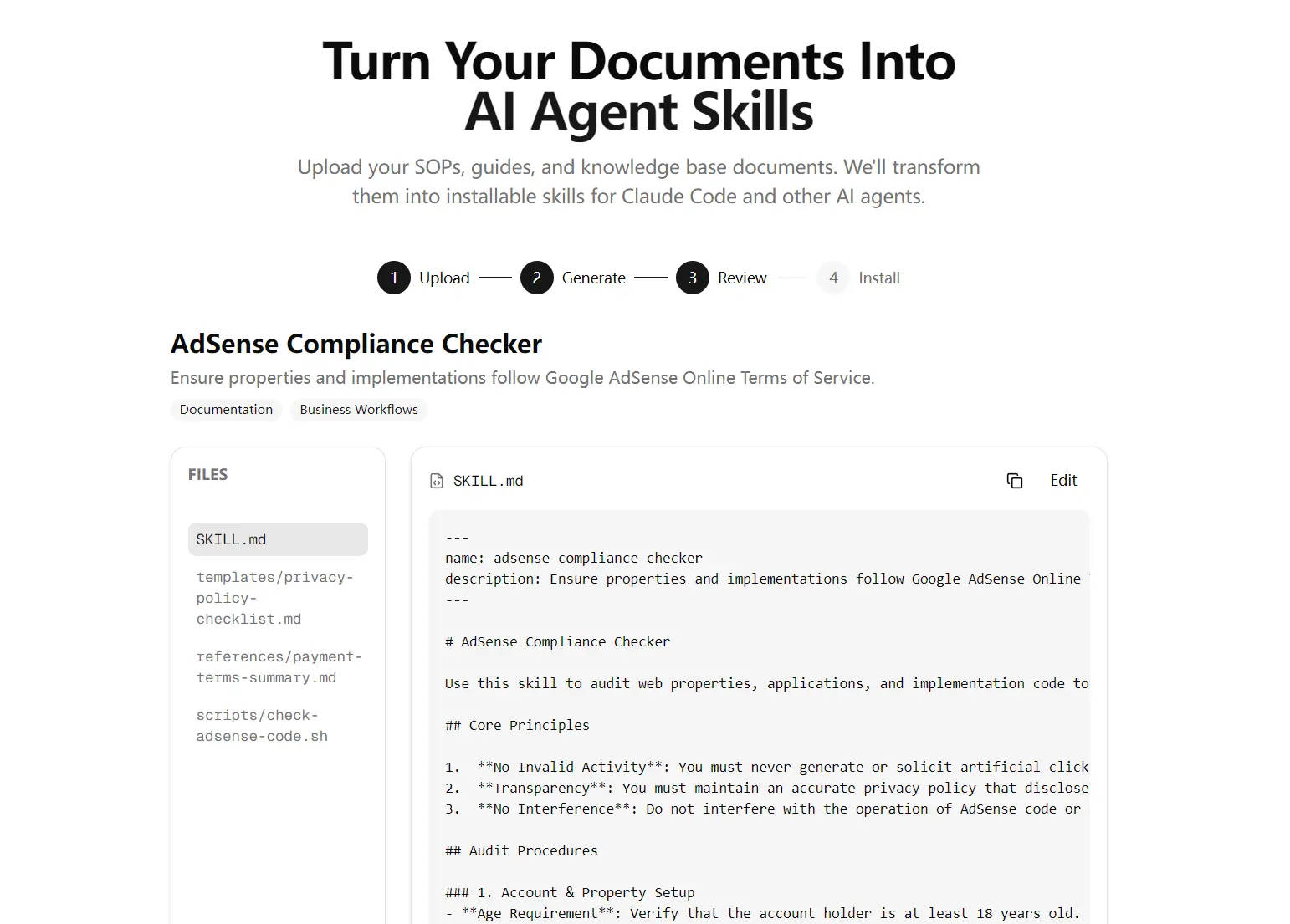
Skills for Agents is a free AI tool that converts your existing documents, such as SOPs, policy guides, and knowledge base files, into installable skill packages for Claude Code and other AI agents.
Upload your document, the tool processes it, and you get a structured ZIP containing a SKILL.md definition, reusable templates, shell scripts, and example JSON files ready to drop into your agent’s skills folder.
Features
- Document Upload: Accepts PDF, Markdown, and plain text files up to 10MB via drag-and-drop or file browser.
- Automatic Skill Generation: Generates a structured skill package from your document in seconds.
- SKILL.md Output: Generates a named skill definition file with implementation rules parsed from your source document.
- Template Files: Creates reusable template documents derived from the uploaded content.
- Shell Script Generation: Produces executable verification or automation scripts relevant to the document’s subject matter.
- JSON Example Files: Outputs structured example data files for reference or automation use.
- ZIP Download: Packages all generated files into a single downloadable ZIP archive.
- Copy-to-Clipboard Prompt: Provides a single prompt you can paste into any AI assistant to recreate the full skill folder manually.
Use Cases
- Customer Support Automation: Support teams can upload helpdesk guides to generate ticket resolution skills for their AI agents.
- Compliance Monitoring: Compliance officers can convert financial or advertising policies into audit-monitoring agent workflows.
- Quality Control: Manufacturing teams can turn inspection checklists into automated quality-control agent processes.
- SEO Optimization: Marketers can upload SEO guidelines to create content analysis skills for their writing agents.
Case Studies
I tested Skills for Agents by uploading the official Google AdSense Terms of Service PDF file. The file size was approximately 2.27 MB. The AI processed the document in just a few seconds.
The output contained four files:
SKILL.md: Named adsense-compliance-check, this file contained structured implementation rules directly parsed from the ToS: no code modification, property control requirements, invalid activity prevention, and privacy policy obligations. The verification checklist at the bottom was formatted as Markdown checkboxes, which is exactly what you’d want for a pre-deployment review step.
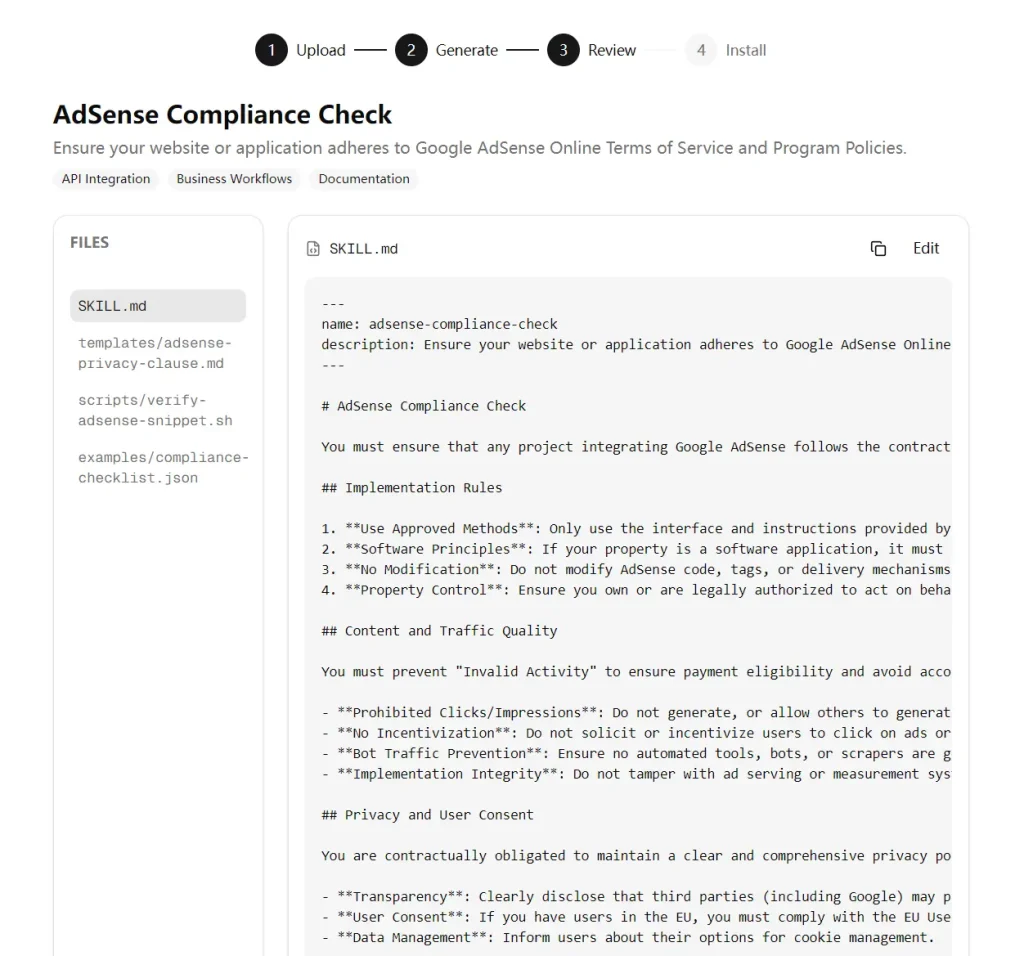
templates/adsense-privacy-clause.md: A complete privacy policy section covering third-party cookies, personalized advertising opt-outs, EU user consent (GDPR/ePrivacy), and web beacon transparency. Placeholder tokens like [INSERT_SITE_NAME] make it immediately adaptable. This alone saved probably 30 minutes of writing.
scripts/verify-adsense-snippet.sh: A working Bash script that uses grep to recursively scan a codebase for AdSense-related patterns (adsbygoogle, pagead2.googlesyndication.com, publisher IDs). It excludes node_modules, .git, dist, and build directories by default and outputs color-coded compliance reminders. I ran it on a test project and it worked without modification.
examples/compliance-checklist.json: A structured JSON object with nine checks across four categories: Privacy and Consent, Implementation Integrity, User Experience, and Traffic Policies. Each check has an id, description, required flag, status, and evidence field. This is production-grade structure you’d use to feed into a CI pipeline or reporting dashboard.
I downloaded the ZIP file and extracted it directly into my Claude Code skills folder. The entire process worked flawlessly on my first try.
How to Use It
1. Drag and drop a PDF, Markdown, or text file onto the upload zone, click to browse, or paste raw text directly. The size limit is 10MB. If you want to see what the output looks like before committing your own files, click “Try a sample SOP” first.
2. Processing takes a few seconds for typical documents. A 2MB PDF processed in under 10 seconds in my testing.
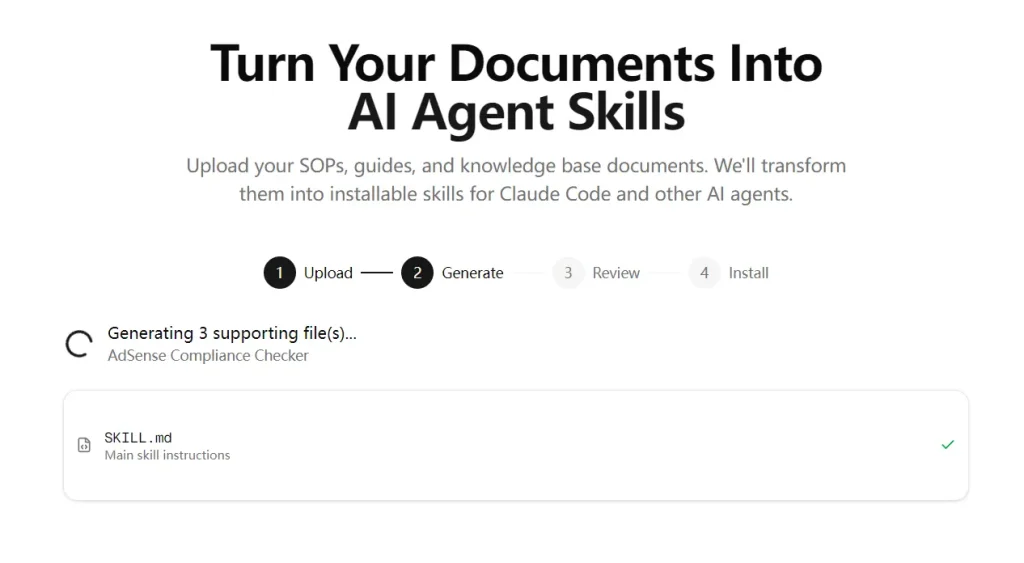
3. The tool shows you the generated files before download. Read through the SKILL.md to verify the rules make sense for your use case. The templates and scripts are a good starting point but may need minor edits, especially placeholder tokens like [INSERT_SITE_NAME].
4. You have three options to install the Skills into your coding agent:
Download and unzip:
Download the ZIP file from the interface, then unzip it into your Claude Code skills directory:
unzip adsense-compliance-check.zip -d ~/.claude/skills/Your final directory structure should look like this:
~/.claude/skills/adsense-compliance-check/
├── SKILL.md
├── templates/
│   └── adsense-privacy-clause.md
├── scripts/
│   └── verify-adsense-snippet.sh
└── examples/
    └── compliance-checklist.json
Paste the single prompt:
The tool provides a single prompt you can paste into any AI assistant (Claude, ChatGPT, etc.) to recreate the full file structure. This is useful if you want the skill on a remote machine without transferring files.
Create manually:
The tool also outputs the exact shell commands. Run them in sequence:
mkdir -p ~/.claude/skills/adsense-compliance-check/
mkdir -p ~/.claude/skills/adsense-compliance-check/templates
mkdir -p ~/.claude/skills/adsense-compliance-check/scripts
mkdir -p ~/.claude/skills/adsense-compliance-check/examples
Then, create each file manually with the content provided in the interface.
5. The generated Skills are private (unlisted) by default. If you want the skill to be discoverable by other users, you can publish it to the public gallery.
Pros
- Fast Processing: The AI generates complete skill packages in seconds.
- Zero Coding: You can build complex agent workflows without writing code.
- Immediate Deployment: The generated files drop directly into existing coding agents
Cons
- File Size Limit: The tool restricts document uploads to a maximum of 10MB.
- Manual Review Needed: You must verify the generated code and logic for accuracy.
Related Resources
- Claude Code Documentation: Official reference for Claude Code’s capabilities, including how skills and the
~/.claude/skills/directory work. - Awesome Claude Code: The Ultimate Claude Code Resource List, including plugins, skills, utilities, and more.