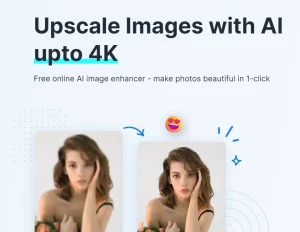
The best AI Image Enhancers and Upscalers transform low-resolution photos into high-quality images within seconds.
Traditional manual editing consumes hours and requires expert skills. These AI-powered platforms process images automatically, upscale resolutions to 4K or 8K, and restore clarity without manual adjustments.
This list ranks tools by visitor traffic from SimilarWeb.com (Updated for 2026). Each tool has proven market demand and real-world usage data. The rankings reflect actual popularity, not theoretical quality.
Let’s get started.
The Best AI Image Enhancers and Upscalers
| # | Tool Name | Description | Monthly Visits | Pricing* |
|---|---|---|---|---|
| 1 | Pixelcut | Instantly improve image quality and increase resolution to 4K, 8K, or even 16K with Pixelcut’s AI image upscaler. It’s fast and free. Upload your image to enhance automatically! | 19M | $10.00/mo |
| 2 | Cutout | Upscale and enhance your jpg and PNG images in batch process. | 14M | $5.00/mo |
| 3 | PicWish | An AI-powered image processing tool that frees you up from repetitive tasks for more valuable creative work. | 4.5M | $5.99/mo |
| 4 | ImgUpscaler | Upscale and enhance your jpg and PNG images in a batch process. | 3.9M | $3.90/mo |
| 5 | Upscale | Leverage AI technology to enhance your image quality. | 3.4M | $0.02/credit |
| 6 | Topaz Labs | Photo and video enhancement software powered by deep learning gets you the best image quality available for noise reduction, sharpening, upscaling, and more. | 3.4M | $37.00/mo |
| 7 | SnapEdit | An AI-powered online photo editor that delivers amazing tools to retouch pictures easily like never before. Remove objects/background/wirelines, restore/edit old photos, edit photos with stuffing text, and more. | 2.3M | $6.00/mo |
| 8 | HitPaw FotorPea | AI Photo Editor for Image Enhancer, Remover, Generator. | 1.8M | $22.39/mo |
| 9 | insMind | insMind’s AI Image Enhancer lets you improve every detail of your images and make them clearer, brighter, smarter, and more refined for a quality finish. | 1.4M | $9.99/mo |
| 10 | Bigjpg | Using the latest Deep Convolutional Neural Networks, bigjpg intelligently reduces noise and serration in images. This allows the images to be enlarged without losing quality. | 1.3M | $3.00/mo |
Which AI Image Enhancer and Upscaler Tool Should You Use?
If you need completely free unlimited upscaling: Choose Pixelcut. The platform offers free basic upscaling to 4K without watermarks or daily limits.
If you need the highest professional quality: Choose Topaz Labs. Nine specialized AI models deliver industry-leading results for faces, landscapes, and textures.
If you need all-in-one editing tools: Choose PicWish. The platform combines upscaling, background removal, object erasing, and AI art generation in one interface.
If you need desktop software with offline processing: Choose HitPaw FotorPea. The application runs locally and protects sensitive images.
If you need specialized e-commerce features: Choose insMind. The platform focuses exclusively on product photography with AI backgrounds and batch processing.
If you need occasional high-resolution output: Choose ImgUpscaler. Pay once at $3.90 for 16K upscaling without recurring subscriptions.
More AI Image Tools:
- 10 best AI image generators
- 10 best AI image editing tools
- Free Image Watermarker Removers
- Free Image Background Removers
FAQs
Q: What is an AI Image Enhancer and Upscaler and how does it work?
A: AI Image Enhancers and Upscalers use deep learning algorithms trained on millions of image pairs. The system analyzes pixel patterns in low-resolution inputs. Neural networks predict missing details and generate new pixels that match the original image’s characteristics. This process differs from simple interpolation, which stretches existing pixels and creates blurry results.
Q: How do AI-powered tools compare to traditional manual upscaling methods?
A: Traditional methods interpolate pixels by averaging neighboring values. This approach creates soft, blurry enlargements with visible artifacts. AI tools reconstruct details by recognizing patterns like edges, textures, and structures. Processing time drops from hours to seconds. Manual methods require professional skills; AI tools automate the entire workflow with single-click operation.
Q: What are the general data privacy risks with AI image processing tools?
A: Cloud-based tools upload your images to remote servers for processing. This transfer exposes data to potential interception or unauthorized storage. Some platforms retain uploaded images for training future AI models. Desktop applications that process locally eliminate upload risks. Always review the privacy policy before uploading sensitive photographs. Business users should verify GDPR compliance and data retention policies.
Q: What is the difference between “Enhancing” and “Upscaling”?
A: “Upscaling” specifically refers to increasing the pixel dimensions (resolution) of an image, making it larger. “Enhancing” is a broader term that includes upscaling but also covers denoising (removing grain), sharpening (fixing blur), and color correction. Most modern AI tools perform both simultaneously.
Changelog:
12/24/2025
- Updated for 2026
02/18/2025
- Updated the list