AI audio transcription tools save hours of manual work, but most FREE options come with strict limits. Some cap usage by minutes, others restrict file length, exports, or accuracy.
If you need to transcribe meetings, podcasts, or video content without paying upfront, choosing the right tool matters. The differences between free plans can affect how well a tool fits your workflow.
This guide lists 10 of the best free AI audio transcription tools available right now, with a focus on real usage limits, key features, and where each tool works best. Let’s get started.
TL;DR
| Tool | Free Plan | Real-Time | Best For |
|---|---|---|---|
| Otter.ai | 300 min/month | Yes | Meetings |
| Fireflies.ai | ~800 min storage | Yes (bot) | Meeting capture |
| Fathom | Unlimited (individual) | Yes (bot) | Solo professionals |
| TurboScribe | 3 files/day, 30 min each | No | File transcription |
| Yescribe.ai | Free tier (limits unspecified) | No | Multi-language |
| VideoToWords.ai | 3 uses/day | No | Video subtitles |
| AudioConverter.ai | Marketed as unlimited | No | Simple audio-to-text |
| WhisperClip | Free entry tier | Yes (dictation) | Real-time dictation |
| Maivi | Free (self-hosted) | Local | Developers |
| Note67 | Free (self-hosted) | Local | Developers |
Best Free AI Audio Transcription Tools
Table Of Contents
- 1. Otter AI: AI Meeting Transcription with Speaker Labels
- 2. Fireflies.ai: Automatic Meeting Capture via Bot
- 3. Fathom: Unlimited Free Transcription for Individual Users
- 4. TurboScribe: Whisper-Based File Transcription
- 5. Yescribe.ai: Multi-Language Transcription for Global Users
- 6. VideoToWords.ai: Audio and Video to Text with Subtitle Export
- 7. AudioConverter.ai: Browser-Based Audio-to-Text Conversion
- 8. WhisperClip: Real-Time Hotkey Dictation for Desktop Users
- 9. Maivi: Open-Source Self-Hosted Transcription
- 10. Note67: Open-Source Transcription and Note-Taking
1. Otter AI: AI Meeting Transcription with Speaker Labels
Best for: Professionals who regularly attend Zoom, Google Meet, or Microsoft Teams meetings in English, French, or Spanish.
Otter.ai is one of the most widely used AI meeting assistants. It joins calls via a bot, transcribes conversations in real time, labels individual speakers, and generates AI summaries after each session. The free plan covers English, French, and Spanish.
Features:
- Live meeting transcription with speaker identification and timestamps
- Automated AI summaries and key point extraction after each call
- Searchable transcript archive across past meetings
- AI chat over transcripts (limited credits on the free plan)
Free Plan Details:
- 300 transcription minutes per month
- 30-minute cap per individual conversation
- 3 lifetime audio/video file imports
- Basic speaker identification and custom vocabulary
Use Cases: Weekly team stand-ups, client calls, and academic interviews where English is the primary language.
Pros:
- Strong English accuracy and powerful transcript search
- Generous monthly minute allowance for light users
Cons:
- 30-minute per-meeting cap cuts off longer sessions
- Only 3 lifetime file uploads on the free plan limit offline use
Website: https://otter.ai
2. Fireflies.ai: Automatic Meeting Capture via Bot
Best for: Teams that need an automated recorder across multiple platforms with minimal manual intervention.
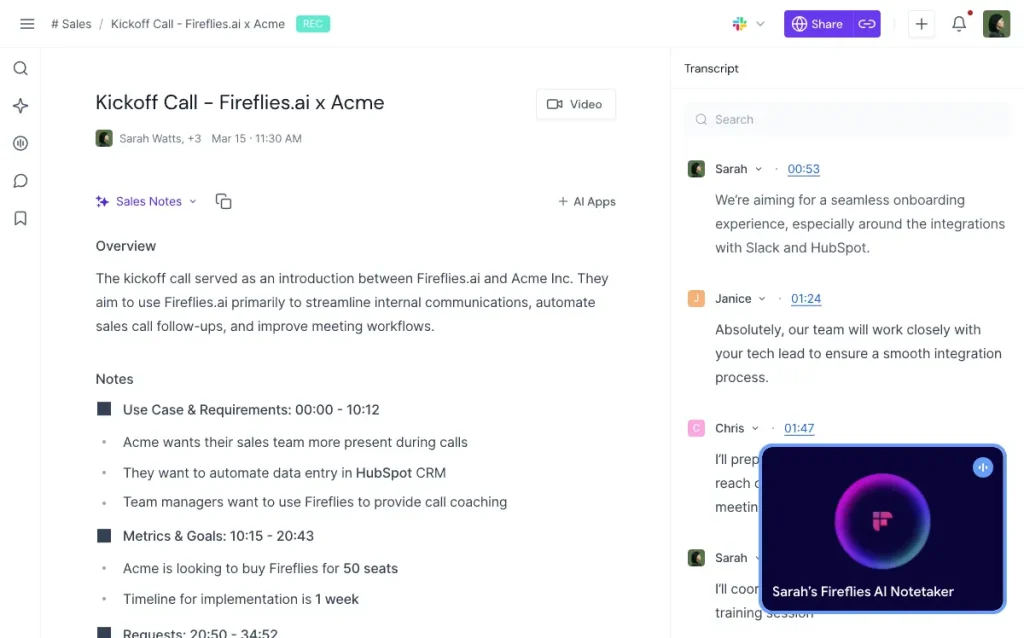
Fireflies.ai deploys a bot that auto-joins your video calls, records audio, and generates searchable transcripts. Free plan users get a storage pool for raw transcripts, and a small number of AI credits per month cover advanced summarization features.
Features:
- Auto-join meeting bot for Zoom, Google Meet, and Teams
- Searchable transcript archive with topic detection
- Basic AI summaries on the free tier
- CRM and productivity tool integrations on paid plans (Salesforce, Slack, Notion)
Free Plan Details:
- Approximately 800 minutes of transcript storage per seat
- Around 20 AI credits per month for summaries and advanced features
- Raw transcription continues until storage is full; AI features are constrained by the credit cap
Use Cases: Sales teams logging call records, distributed teams tracking recurring meeting action items.
Pros:
- Fully automated meeting capture with minimal setup
- Solid transcript search across recorded calls
Cons:
- AI summary features are restricted by the monthly credit limit
- Full value from the platform requires a paid subscription
Website: https://fireflies.ai
3. Fathom: Unlimited Free Transcription for Individual Users
Best for: Solo professionals, freelancers, and consultants with frequent video calls.
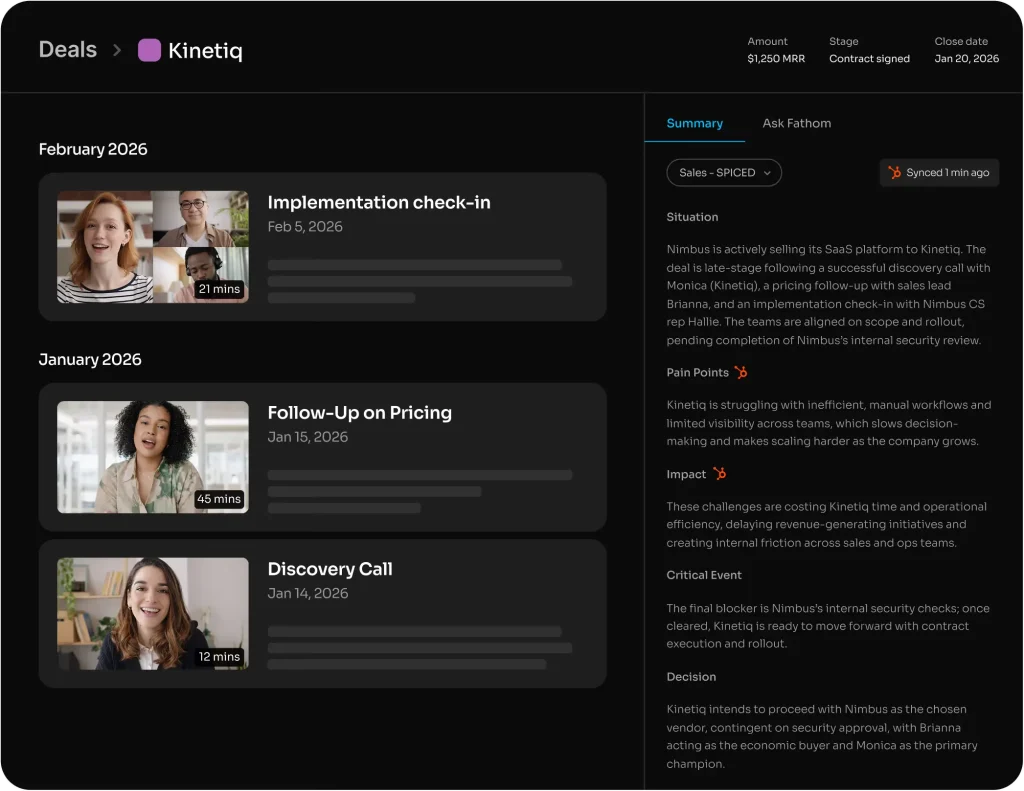
Fathom offers unlimited recordings and transcriptions for individual users at no cost. It connects to Zoom, Google Meet, and Teams, captures calls, and delivers AI summaries. No hard monthly minute cap applies to individual accounts on the free plan.
Features:
- Unlimited recordings and transcriptions for individual users
- Instant AI call summaries after each meeting
- Clip creation, playlists, and cross-meeting search
- Text export options
Free Plan Details:
- No stated minute cap for individual users
- Unlimited recordings on the free-forever plan
- Team plan at $19/user/month adds collaboration features and advanced integrations
Use Cases: Independent consultants tracking client conversations, sales reps logging prospect calls, researchers conducting repeated interviews.
Pros:
- Most generous free tier among meeting-focused tools
- Reliable transcription accuracy and straightforward export
Cons:
- Team collaboration and admin features are behind a paid plan
Website: https://fathom.ai
4. TurboScribe: Whisper-Based File Transcription
Best for: Podcasters, content creators, and educators who upload pre-recorded audio or video files.
TurboScribe is built on OpenAI Whisper. You upload audio or video files and receive accurate transcripts. The free plan supports 3 files per day, each up to 30 minutes. Paid plans extend the per-file limit to 10 hours with up to 50 simultaneous uploads.
Features:
- High-accuracy transcription across 98+ languages
- Long-form support on paid plans (up to 10 hours per file)
- Speaker recognition on higher tiers
- Simple web-based upload workflow
Free Plan Details:
- 3 files per day
- 30-minute maximum per file
- No per-minute charges on the free tier
Use Cases: Transcribing podcast episodes, recorded lectures, or client interviews for editing or repurposing into articles.
Pros:
- Clear, predictable free-tier limits
- Strong accuracy on long-form audio content
Cons:
- 30-minute file cap blocks longer recordings on the free plan
Website: https://turboscribe.ai
5. Yescribe.ai: Multi-Language Transcription for Global Users
Best for: Researchers, translators, and professionals who regularly work across many languages.
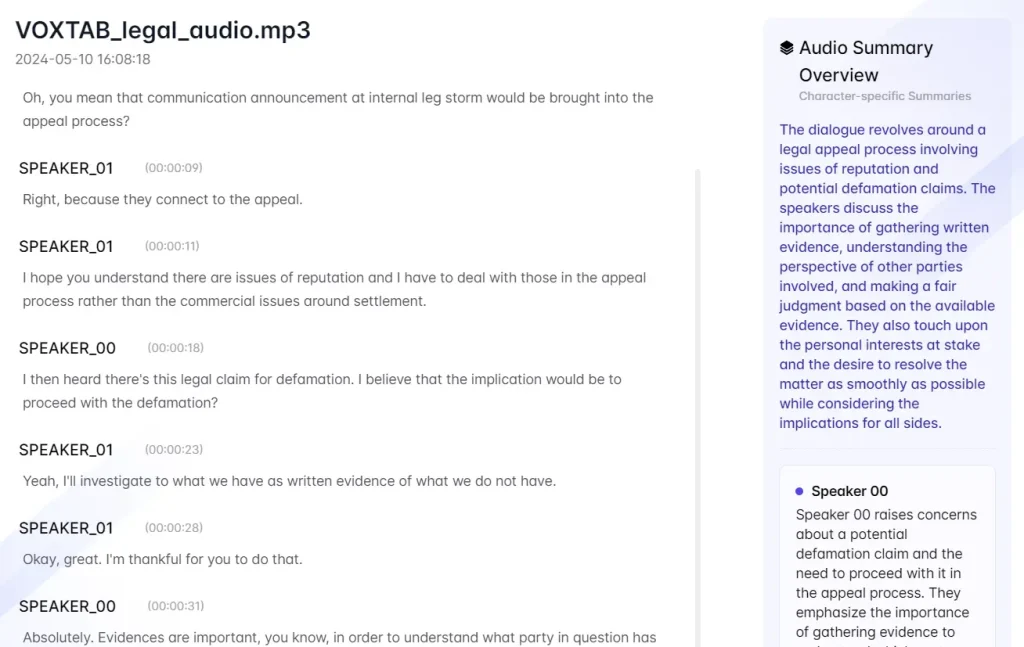
Yescribe is a free, fast, accurate, multilingual, advanced, and AI-powered transcription tool that converts audio and video into text. It supports various audio/video file formats, including MP4, MP3, WAV, MOV, FLV, AAC, and more.
Yescribe goes beyond simple transcription. Experience unparalleled accuracy with 99.9% precision, powered by advanced AI models like Whisper API.
Features:
- 98+ language support
- Audio and video file transcription
- Export in TXT, SRT, and VTT formats
- High-accuracy speech recognition model
Free Plan Details:
- Free tier available (“Start for Free”)
- Exact minute or file limits are not publicly documented; confirm limits in the product dashboard after signup
Use Cases: Multi-language interview transcription, subtitle generation for international video content.
Pros:
- Broad language coverage that includes languages many competitors skip
- Multiple export formats suit both text and subtitle workflows
Cons:
- Free plan limits are not published upfront
Website: https://yescribe.ai
6. VideoToWords.ai: Audio and Video to Text with Subtitle Export
Best for: Video creators and educators who need SRT or VTT subtitle files from their recordings.
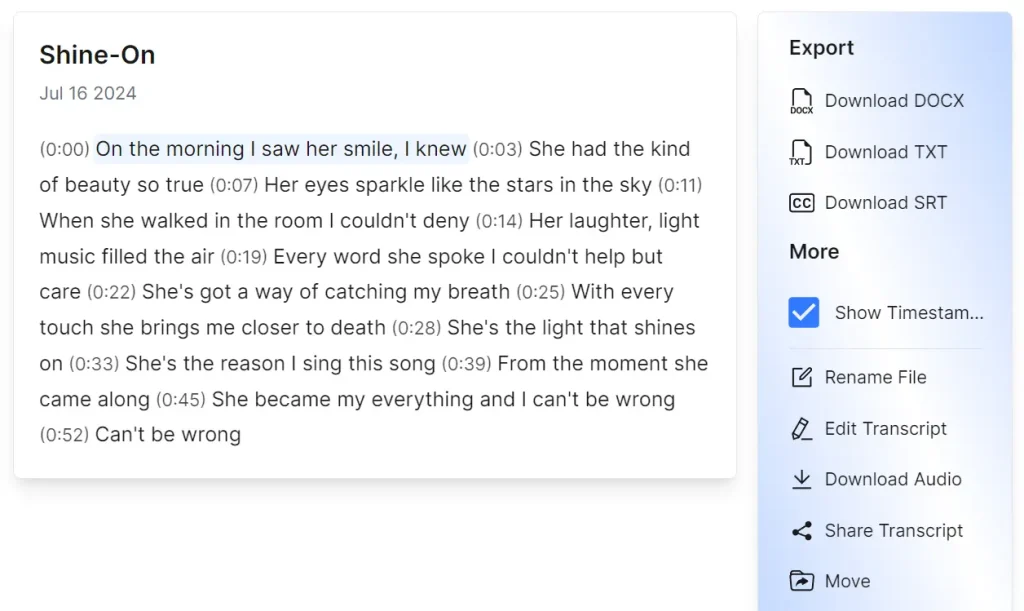
VideoToWords.ai accepts audio and video files and returns transcripts in multiple formats. It supports over 100 languages and handles files up to approximately 10 hours. The free tier allows 3 transcriptions per day with no watermarks on the output.
Features:
- 100+ language support
- Export in TXT, DOCX, PDF, SRT, and VTT
- AI-generated summaries and speaker recognition
- Online editor for transcript corrections
- GPU-accelerated processing for fast turnaround
Free Plan Details:
- 3 free transcriptions per day
- No watermarks on free-tier outputs
- Full download access to transcripts is available to premium subscribers
Use Cases: YouTubers generating caption files, educators publishing subtitled course videos, podcasters creating show notes.
Pros:
- Wide range of export formats including all major subtitle types
- Subtitle-ready output with no watermarks on the free tier
Cons:
- 3 daily uses is a tight cap for high-volume workflows
Website: https://videotowords.ai
7. AudioConverter.ai: Browser-Based Audio-to-Text Conversion
Best for: Users who need a fast, no-setup transcription tool for occasional audio files.
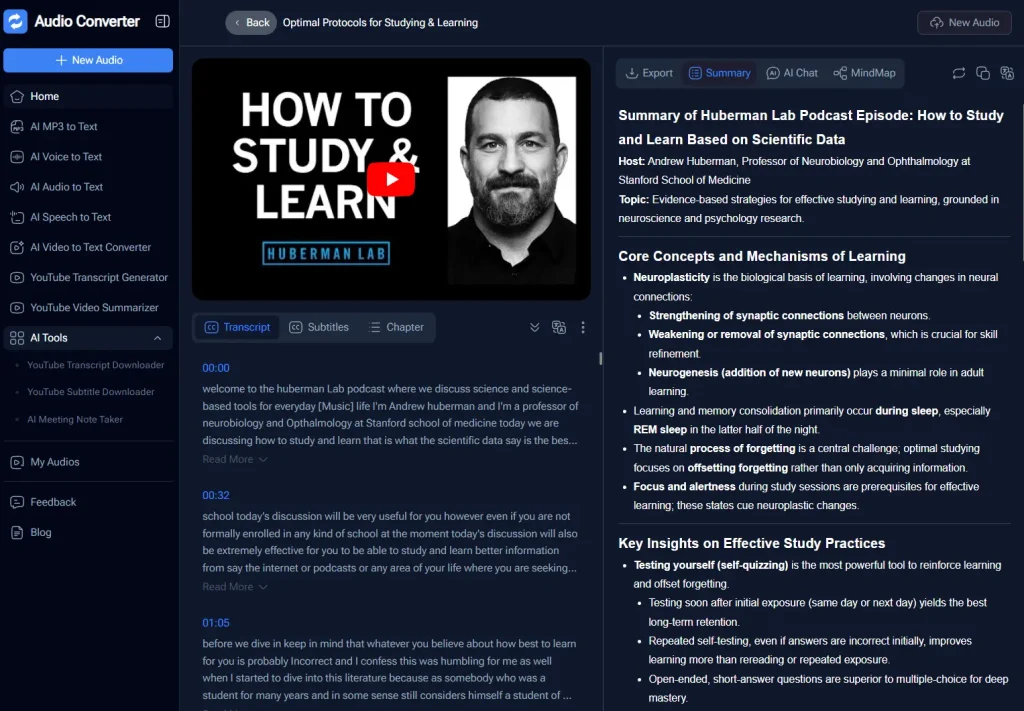
Audio Converter is a free AI-powered transcription tool that turns audio, video, and podcast files and recordings into accurate text transcripts.
The platform handles files up to 1GB and supports over 98 languages with automatic speaker identification and timestamping.
You can upload MP3/MP4 files, paste YouTube URLs, or record directly in the browser to get transcripts that export to TXT, SRT, DOCX, and PDF formats.
Features:
- Supports MP3, WAV, MP4, M4A, WEBM, and MPEG formats
- Files up to 1 GB accepted
- Speaker recognition
- 98+ languages supported
- Up to 5 files in the processing queue at once
Free Plan Details:
- Marketed as free and unlimited minutes
- Detailed fair-use thresholds or premium tier features are not fully documented in public sources
Use Cases: One-off transcription of voice memos, audio notes, or short interviews where a quick text output is the goal.
Pros:
- No account required for basic use
- Large file size support
Cons:
- Limited public reviews available; “unlimited” claim lacks fully documented terms
Website: https://audioconverter.ai
8. WhisperClip: Real-Time Hotkey Dictation for Desktop Users
Best for: Developers and power users who want voice input across any desktop application.
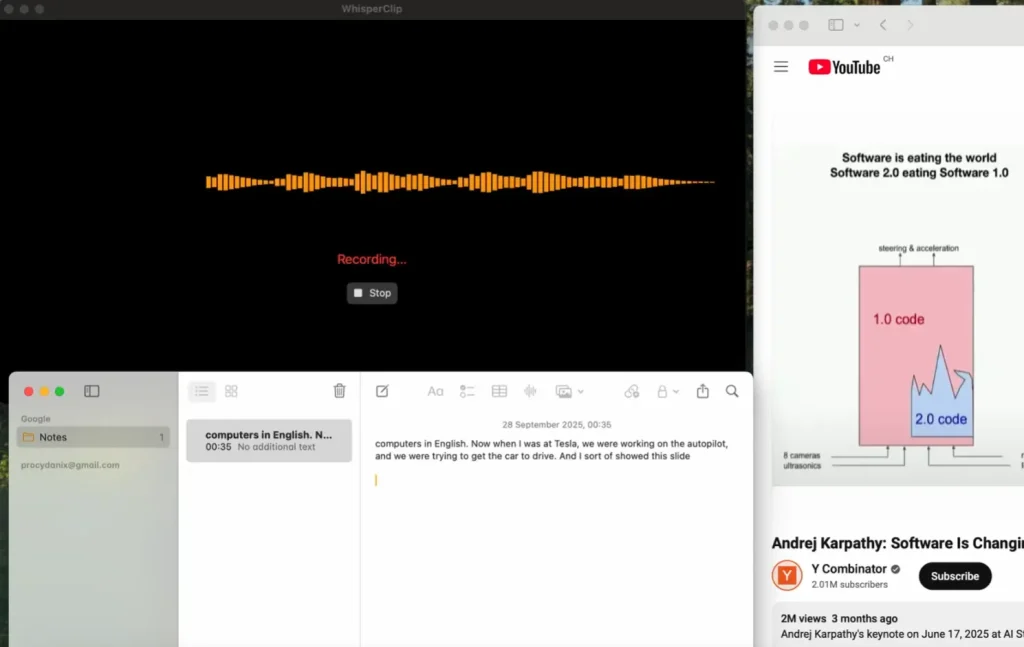
WhisperClip is a free, open-source voice-to-text application for macOS that processes everything locally on your device.
The app converts speech to text using OpenAI’s Whisper models and includes built-in AI text enhancement through local language models. All without sending your data to the cloud.
Features:
- Hotkey-triggered real-time speech transcription
- Direct text paste into any active application without manual copy-paste steps
- Local or cloud transcription modes
- Automatic punctuation and grammar correction in output text
Free Plan Details:
- A free entry tier is available
- Exact usage limits are not clearly published; check the official site for current plan details before committing
Use Cases: Writing emails by voice, dictating code documentation, composing messages in chat applications without switching windows.
Pros:
- There are no ads, subscriptions, or premium features. It’s 100% free forever.
- You can change the hotkey, create custom AI prompts for different tasks, and choose from a variety of local AI models.
Cons:
- It only works on newer versions of macOS.
- The AI models take up a significant amount of disk space (20GB recommended).
Website: https://whisperclip.com
9. Maivi: Open-Source Self-Hosted Transcription
Best for: Developers who need full control over their transcription pipeline and data.
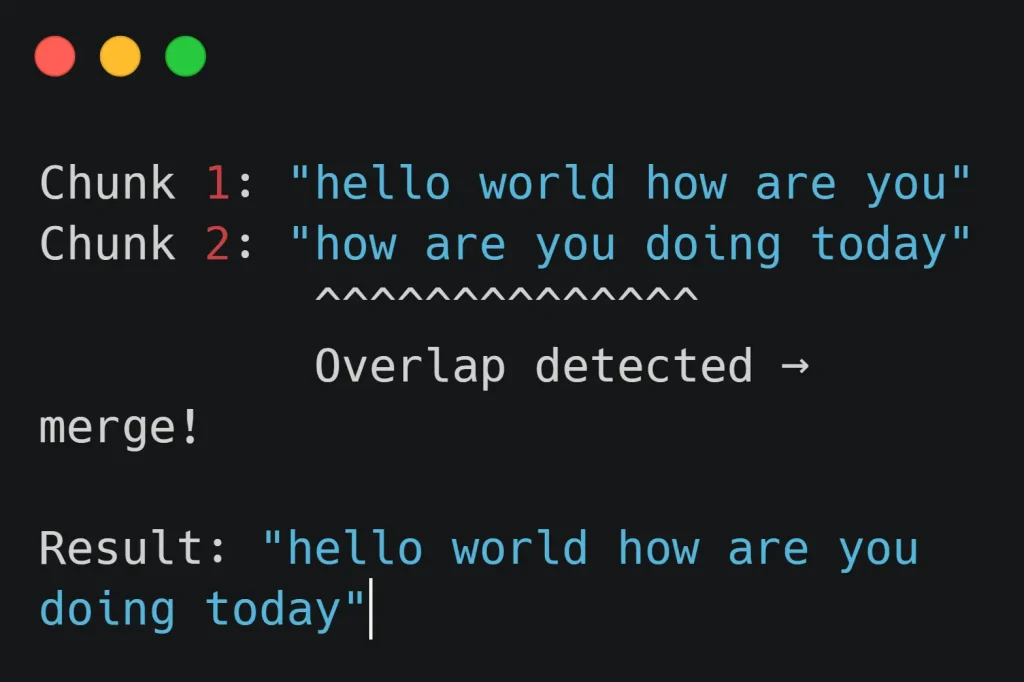
Maivi (My AI Voice Input) is a free, open-source, AI-powered desktop application that converts voice to text in real time directly on your computer.
It processes audio locally using AI models (NVIDIA Parakeet model). This means your voice data never leaves your machine.
This tool works on Windows/macOS/Linux and transcribes your speech in real-time as you talk into your microphone.
Press Alt+Q once to start recording, speak naturally, and press Alt+Q again to stop.
Features:
- Open-source codebase
- Self-hosted deployment for complete data privacy
- Whisper-compatible model backend
Free Plan Details:
- Free to use with no subscription
- GPU or CPU compute and storage costs fall on the user
Use Cases: Privacy-sensitive transcription for legal, medical, or confidential content; custom transcription pipelines in developer projects where data cannot leave the organization.
Pros:
- It’s completely free and open-source.
- All transcription happens locally on your machine.
- Fully customizable to fit specific pipeline requirements.
Cons:
- The AI model requires about 2.5GB of RAM to run.
- You’ll need to proofread and edit transcriptions.
Website: https://github.com/MaximeRivest/maivi
10. Note67: Open-Source Transcription and Note-Taking
Best for: Developers building transcription and note-taking apps.
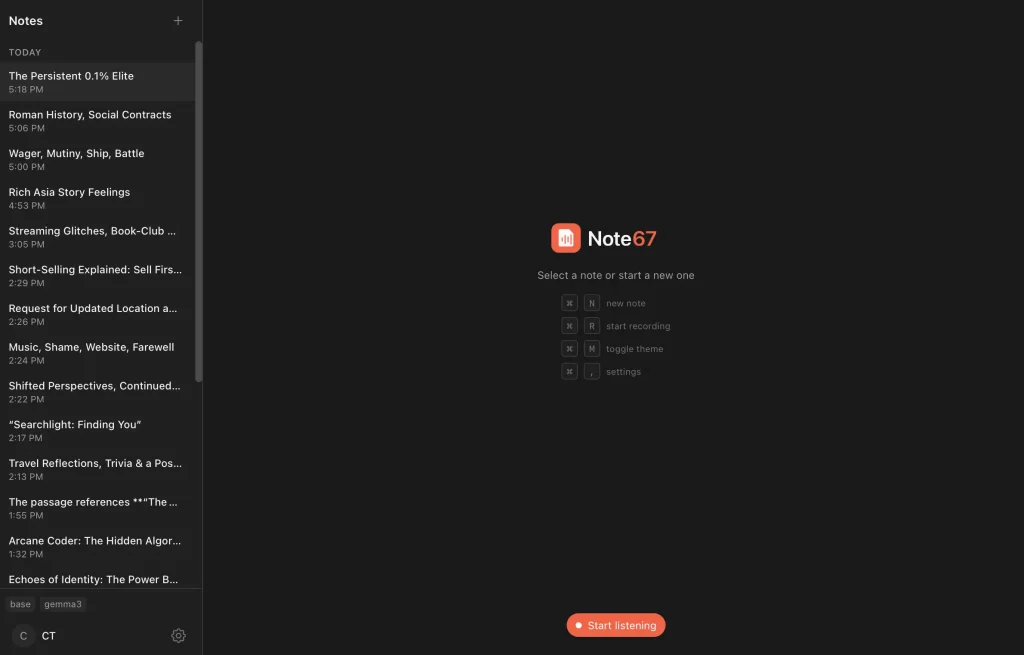
Note67 is a free, open-source meeting notes assistant that records audio, transcribes it locally using Whisper, and generates AI-powered summaries through Ollama. It runs entirely on your Mac. No cloud services, no data uploads, no subscriptions.
Features:
- AI-driven transcription combined with note organization
- Self-hosted deployment
- Open-source codebase for modification and integration
Free Plan Details:
- Free to use; compute cost is the user’s responsibility
- No SaaS subscription required
Use Cases: Developer integrations, offline transcription pipelines, custom AI note-taking applications built on top of open-source components.
Pros:
- Open-source and free to use without recurring fees
- Combines transcription output with note management in a single project
Cons:
- No hosted service; requires developer-level setup and maintenance
Website: https://github.com/ZapYap-com/note67
Best AI Transcription Tools by Use Case
Best for meetings: Fathom works well for individual use. Otter.ai offers strong English accuracy with speaker labels.
Best for podcast transcription: TurboScribe handles file-based transcription with reliable Whisper-based accuracy and clear free limits.
Best for video subtitles: VideoToWords.ai exports SRT and VTT files without watermarks on the free tier.
Best for multi-language transcription: Yescribe.ai supports more than 98 languages. VideoToWords.ai covers over 100 languages.
Best for simple audio-to-text conversion: AudioConverter.ai runs in the browser and does not require an account.
Best for developers and self-hosted setups: Maivi and Note67 provide full data control with open-source codebases.
What Are AI Audio Transcription Tools?
AI audio transcription tools take audio or video files and return a text transcript. They rely on automatic speech recognition. The AI analyzes audio waveforms, identifies phonemes, and maps them to words with trained language models.
Most tools operate in two modes. Real-time transcription processes speech as it happens, which fits live meetings and dictation. File-based transcription works on recorded audio or video and returns a complete transcript after processing.
How to Choose the Right Transcription Tool?
Accuracy matters most. Tools built on models like Whisper or strong proprietary engines perform well on clear audio. Performance drops with background noise, strong accents, or overlapping speakers.
Language support varies across tools. Some support dozens of languages, while others focus on English. Multi-language support is important for global teams and subtitle workflows.
Workflow also matters. Meeting tools require real-time transcription. Podcast or interview workflows usually rely on file uploads.
Export formats affect how the transcript is used later. TXT and DOCX work for editing and storage. SRT and VTT are standard for subtitles. Tools that support multiple formats cover more scenarios.
Free plans vary widely. Limits may include monthly minutes, file duration caps, or upload quotas. These constraints directly affect usability.
Collaboration features matter for teams. Shared workspaces, comments, and searchable archives help manage large volumes of transcripts.
FAQs
Q: How accurate are AI transcription tools?
A: Modern AI transcription tools built on models like OpenAI Whisper achieve strong accuracy on clear speech in standard accents, typically between 85% and 95% for real-world recordings. Accuracy decreases with heavy background noise, overlapping speakers, or uncommon accents.
Q: What is the best free AI transcription tool?
A: Fathom offers the most generous free plan for meeting transcription, with unlimited recordings and no hard minute cap for individual users. TurboScribe is the strongest option for file-based transcription.
Q: Can AI transcription tools handle long audio recordings?
A: Most tools support long recordings on paid plans. On free plans, limits vary. Otter.ai caps individual sessions at 30 minutes. TurboScribe caps free files at 30 minutes per upload. VideoToWords.ai and TurboScribe’s paid plans both handle files up to approximately 10 hours.
Q: Do AI transcription tools support multiple languages?
A: Most modern tools support many languages. Yescribe.ai and VideoToWords.ai both support 98 to 100+ languages. Otter.ai’s free plan covers English, French, and Spanish. Open-source tools using Whisper backends inherit Whisper’s multilingual support, which spans about 99 languages.
Q: Are free transcription tools suitable for professional use?
A: Free plans work well for low to moderate transcription volumes. Otter.ai’s 300 minutes per month suits light meeting users. Fathom’s unlimited individual plan suits solo professionals with frequent calls. High-volume users, teams that need advanced integrations, and organizations requiring SLA guarantees will reach the practical limits of free tiers.