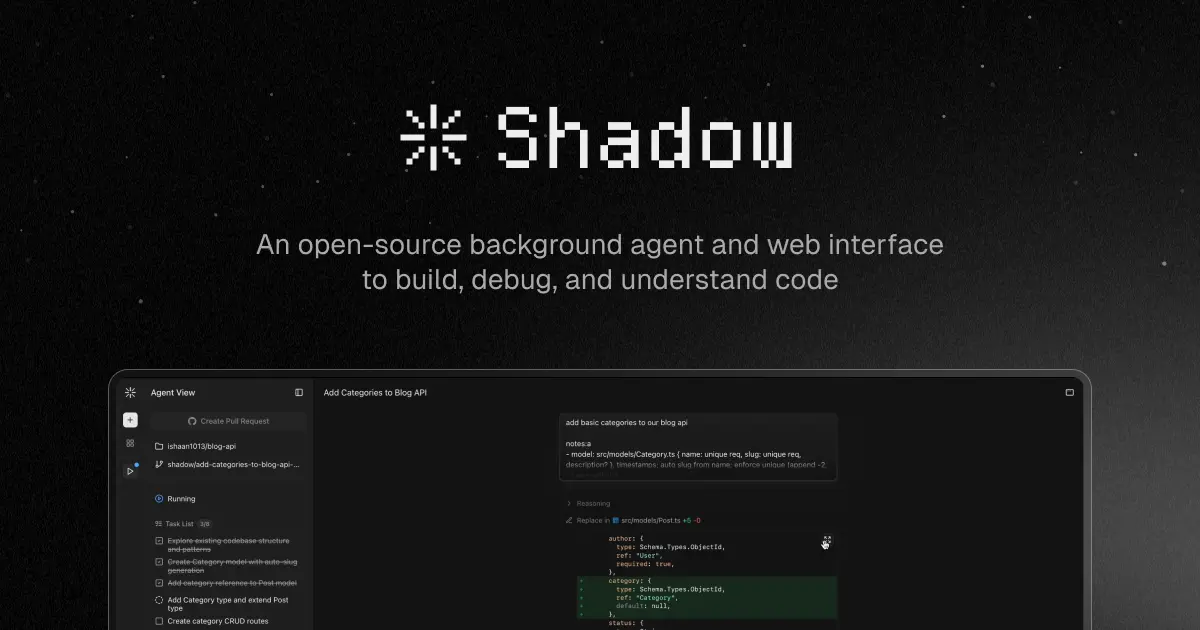
Shadow is an open-source background coding agent that understands, reasons about, and contributes to existing codebases.
It provides isolated execution environments for AI agents to work on GitHub repositories, complete with tools for code comprehension, file editing, and more.
Features
- GitHub Repository Integration: Full branch management, automated pull request creation, and real-time task tracking with AI-authored commits.
- Multi-Provider LLM Support: Compatible with Anthropic, OpenAI, and OpenRouter APIs.
- Isolated Execution Environments: Runs in secure, hardware-isolated containers using Kata QEMU technology for complete workspace protection.
- Real-Time Web Interface: Next.js frontend with streaming chat interface, terminal emulator, file explorer, and comprehensive task management.
- Semantic Code Search: AI-powered search capabilities that understand code context and meaning, not just keyword matching.
- Memory System: Repository-specific knowledge retention that builds understanding of your codebase over time.
- Comprehensive Tool Suite: File operations, terminal commands, code search, and task management all integrated into one platform.
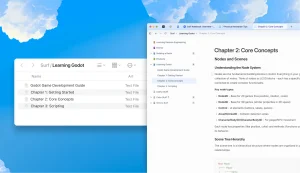
- Shadow Wiki Generation: Automatically creates lightweight documentation for codebase understanding.
- Command Security: Built-in validation and sanitization for all executed commands, with path traversal protection.
- Dual Execution Modes: Choose between local filesystem execution or remote hardware-isolated containers based on your security needs.
Use Cases
- Legacy Codebase Analysis: When inheriting unfamiliar codebases, Shadow can analyze the entire project structure, understand relationships between components, and generate comprehensive documentation that helps new team members get up to speed quickly.
- Background Bug Fixing: Assign specific issues to Shadow and let it work autonomously to identify root causes, implement fixes, and submit pull requests while you focus on feature development or other high-priority tasks.
- Code Refactoring Projects: Large-scale refactoring becomes manageable when Shadow can understand existing patterns, identify inconsistencies, and systematically apply changes across multiple files while maintaining code quality.
- Documentation Generation: Shadow analyzes your codebase to generate accurate, contextual documentation that stays synchronized with actual implementation details rather than becoming outdated like manually written docs.
- Technical Debt Resolution: Point Shadow at areas of technical debt, and it can systematically work through improvements, optimization opportunities, and code standardization tasks that often get postponed in busy development cycles.
How to Use It
1. Clone the repository and install dependencies:
git clone https://github.com/ishaan1013/shadow.git
cd shadow
npm install
2. Copy the example environment files for the server, frontend, and database.
cp apps/server/.env.template apps/server/.env
cp apps/frontend/.env.template apps/frontend/.env
cp packages/db/.env.template packages/db/.env
3. Create a local PostgreSQL database and update the .env file in packages/db/ with your database URL. Then, generate the Prisma client and push the schema.
psql -U postgres -c "CREATE DATABASE shadow_dev;"
npm run generate
npm run db:push
4. You can start all services at once or start specific services individually.
# Start all services
npm run dev

# Or start specific services
npm run dev --filter=frontend
npm run dev --filter=server
npm run dev --filter=sidecar
5. For a quick start in local mode, you can use a personal GitHub access token. Create a token with repo and read:org scopes and add it to your environment variables.
6. Available tools:
- read_file: Reads the contents of a file, with support for specifying line ranges.
- edit_file: Writes to and modifies existing files.
- search_replace: Performs precise string replacements within files.
- delete_file: Safely deletes files from the workspace.
- list_dir: Explores and lists the contents of a directory.
- grep_search: Executes pattern matching using regular expressions.
- file_search: Conducts a fuzzy search for filenames.
- semantic_search: Uses AI to perform searches based on code meaning and context.
- run_terminal_cmd: Executes terminal commands and provides real-time output, subject to security checks.
- todo_write: Manages tasks in a structured manner.
- add_memory: Stores repository-specific knowledge for later use.
- list_memories: Retrieves the knowledge that has been stored.
Pros
- Open-source: MIT license allows unrestricted use and modification.
- Flexible deployment options: From local development to Kubernetes orchestration.
- Comprehensive tooling: File operations, terminal commands, and semantic search in one package.
- Real-time feedback: Streaming responses and progress tracking prevent uncertainty.
- Knowledge retention: Memory system learns your codebase over time.
Cons
- Technical setup complexity: Requires comfort with Node.js, PostgreSQL, and environment configuration.
- Hardware requirements: Remote mode needs specific Amazon Linux 2023 nodes for Kata Containers.
- Learning curve: Understanding the tool system and custom rules takes experimentation.
- No hosted option: Must self-host rather than using a cloud service.
Related Resources
- Prisma Documentation: Since Shadow uses Prisma for database operations, understanding Prisma concepts helps with troubleshooting and customization.
- Kata Containers Project: Learn more about the container technology Shadow uses for hardware-level isolation in production deployments.
- Next.js Documentation: Understanding Next.js helps with frontend customization and development since Shadow’s interface is built with this framework.
FAQs
Q: Can Shadow work with private repositories?
A: Yes, Shadow supports private repositories through GitHub personal access tokens or by installing the GitHub App. You’ll need appropriate repository permissions (repo and read:org scopes) for full functionality.
Q: What’s the difference between local and remote execution modes?
A: Local mode runs Shadow directly on your host machine’s filesystem, which is simpler to set up but less secure. Remote mode uses hardware-isolated Kata QEMU containers with Kubernetes orchestration, providing true VM-level isolation but requiring more complex infrastructure.
Q: How much does it cost to run Shadow?
A: Shadow itself is completely free as open-source software. Your only costs are the AI provider APIs you choose (Anthropic, OpenAI, or OpenRouter) and any cloud infrastructure if you deploy in remote mode. Local development incurs no additional costs beyond your existing development environment.
Q: Can I use Shadow with programming languages other than JavaScript/TypeScript?
A: While Shadow’s core is built with Node.js and TypeScript, the agent can work with any programming language since it operates at the file and repository level. The semantic search and code understanding capabilities work across different programming languages.
Q: Do I need a powerful computer to run Shadow?
A: For local mode, a standard development machine should be sufficient. For remote mode, you will need access to bare metal nodes that support Kata QEMU containers.