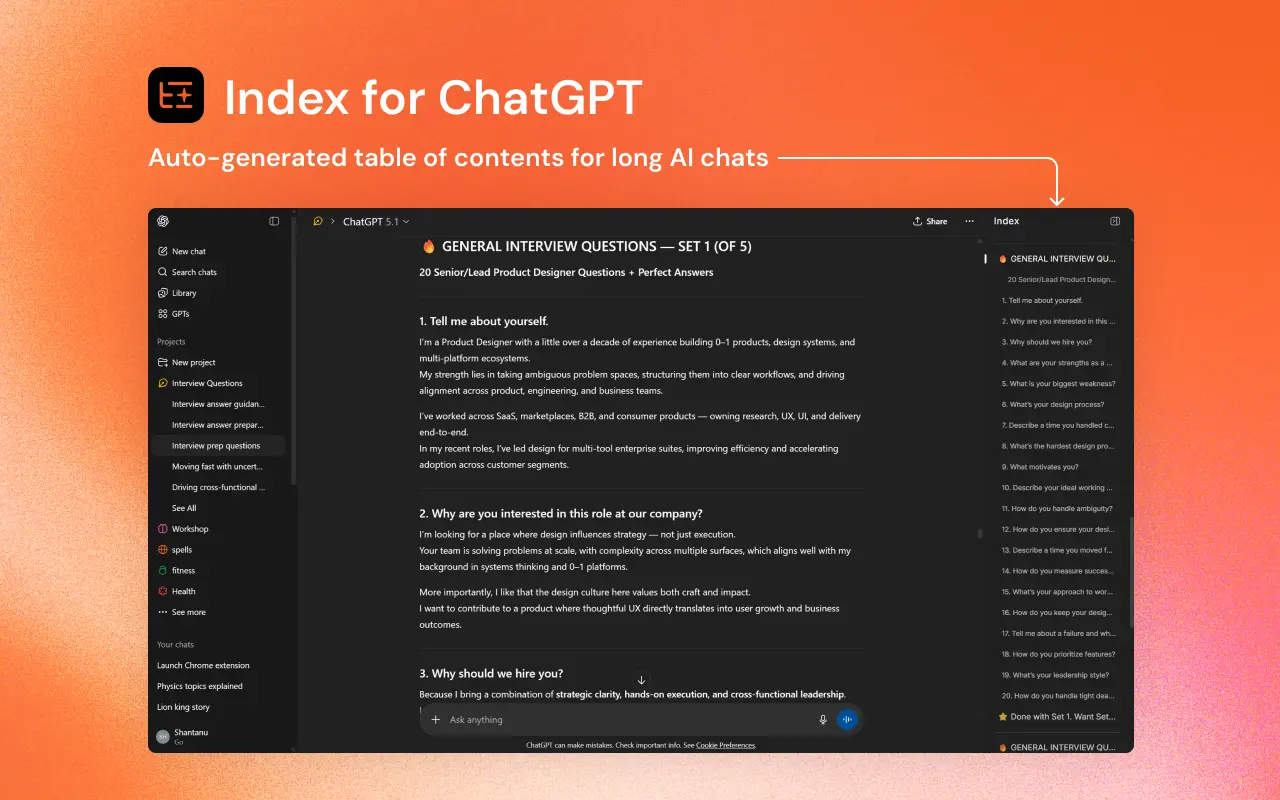
Index for ChatGPT is a free Chrome extension that automatically generates a table of contents for your long ChatGPT conversations. It creates a clickable sidebar index that lets you jump to any section of a chat thread instantly.
Long ChatGPT conversations become difficult to navigate after just a few exchanges. You scroll endlessly through prior messages trying to find that code snippet from 20 minutes ago or the specific explanation buried somewhere in the middle.
This extension solves that by parsing your conversation and creating an organized index with clean headings. Each heading links directly to its corresponding section in the chat.
Features
- Automatic Index Generation: Scans your conversation and creates an index with readable headings extracted from the chat context.
- Real-Time Updates: The index refreshes as your conversation grows. New sections appear in the table of contents without any manual action.
- One-Click Navigation: Click any heading in the sidebar to jump directly to that section of the conversation.
- Compatibility with All Chats: The extension works with both existing conversations and new chats you start after installation.
- Zero Data Collection: No tracking scripts, no analytics, no external API calls.
- Lightweight Performance: The extension runs fast and doesn’t slow down your ChatGPT page.
Use Cases
- Coding and Debugging: Developers can jump back to the initial version of a code block or a specific error message explanation without manual scrolling.
- Content Writing: Writers can navigate between different sections of a blog post or outline generated within a single long thread.
- Academic Research: Students can locate specific citations or summaries within a massive research discussion.
- Roleplay and Storytelling: Users can track plot points or character descriptions in long-running narrative threads.
How to Use It
1. Install the extension from the Chrome Web Store. Click the “Add to Chrome” button and confirm the installation when prompted. The extension requires permission to access chatgpt.com pages so it can inject the index functionality.
2. Navigate to chatgpt.com in your browser. You’ll see a new orange icon appear on the right side of your screen (centered vertically).

3. Click the orange index icon to toggle the sidebar. The index panel slides out from the right side of your screen.
4. Open any ChatGPT conversation (existing or new). The extension automatically generates the table of contents based on your conversation structure. For new chats, the index builds as you continue the conversation.
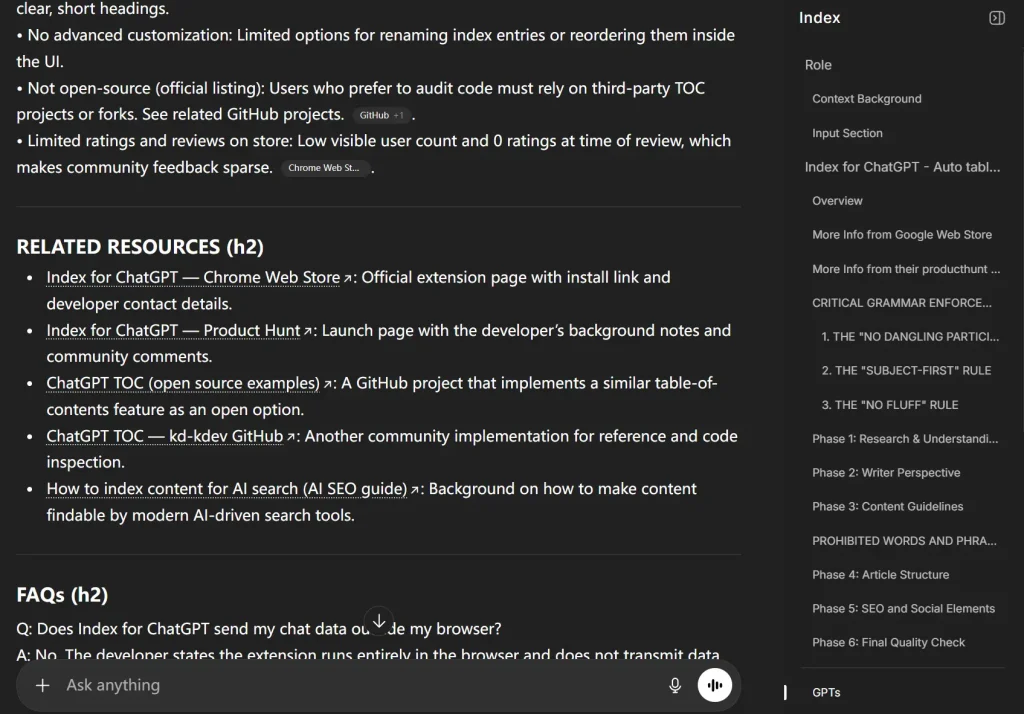
5. Click any heading in the index to jump directly to that section.
6. If you encounter any display issues, refresh your browser tab. The extension should reinitialize properly.
Pros
- Speed: You can locate specific conversation sections in seconds.
- Privacy Protection: All processing happens locally in your browser.
- Zero Configuration: The extension works immediately after installation.
- Non-Intrusive Design: The index appears only when you activate it.
Cons
- Chrome Only: The tool currently works exclusively with Chrome and Chromium-based browsers. Firefox and Safari users cannot install it.
- No Customization: You cannot modify how the extension generates headings or organize the index structure manually.
Related Resources
Several tools and documentation can enhance your ChatGPT experience:
- ChatGPT on ScriptbyAI: Discover more tools and resources that enhance your ChatGPT experience.
- Chrome Extensions: Explore more AI-powered Chrome browser extensions on our website.
FAQs
Q: Does this extension work with ChatGPT Plus or free accounts?
A: The extension works with both ChatGPT Plus and free accounts. Your subscription level doesn’t affect its functionality.
Q: Can I use this extension with other AI chat interfaces like Claude or Bard?
A: No. The extension is specifically built for ChatGPT’s website. It won’t function on other AI chat platforms.
Q: How does the extension decide which parts of my conversation become headings?
A: The extension analyzes your conversation structure and extracts natural breaking points based on topic shifts and message patterns.
Q: Does the extension work on mobile devices?
A: No. This is a Chrome browser extension for desktop computers. Mobile browsers don’t support Chrome extensions.