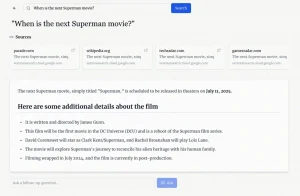
Ask Brave is a free AI-powered search interface that merges traditional web search with conversational chat responses.
It generates answers grounded in web information, reducing the likelihood of AI hallucinations or irrelevant responses, and lets you follow up with questions without jumping between different platforms.
Ask Brave launched in late September 2025 as an evolution of Brave’s earlier AI Answers feature. You can interact with it in a chat-style format and follow up on search queries, getting detailed AI explanations alongside videos, articles, products, and other actionable links.
Features
- Unified Search and Chatbox: Get AI-generated answers and traditional search results (videos, articles, products) in the same view without switching between tools.
- Deep Research Mode: The system issues dozens of queries and analyzes thousands of pages from Brave’s index of over 35 billion webpages for thorough research on complex topics.
- Privacy-First Architecture: Conversations are encrypted, ephemeral, and automatically deleted after 24 hours of inactivity with no IP address retention.
- Grounded Responses: All answers are based on information found on the web, with sources cited throughout responses.
- Follow-Up Conversations: Ask additional questions based on initial results without starting over or reformulating your entire query.
- Multiple Access Methods: Use double question marks (??) in your browser’s address bar, click the Ask button on search.brave.com, or switch to the Ask tab on any search results page.
- Real-Time Web Data: Answers pull from Brave’s independent search index rather than relying solely on static AI training data.
Use Cases
- Complex Research: When you need to understand a multifaceted topic, you can use the Deep Research feature to get a thorough overview compiled from numerous sources. For instance, researching “the impact of climate change on supply chains” would yield a detailed report instead of just a list of articles.
- Quick Fact-Finding: For simple questions like “What is the capital of Australia?”, Ask Brave provides a direct answer, saving you the time of clicking through multiple links.
- Product Comparisons: If you’re trying to decide between two products, you could ask, “Compare the latest iPhone and Samsung Galaxy models.” Ask Brave will generate a summary of specs, features, and prices, along with links to reviews and places to buy them.
- Travel Planning: Planning a trip? You could ask, “What are the top things to do in Tokyo for a week?” The tool would give you an itinerary, complete with descriptions, links to attractions, and maybe even video tours.
- Learning a New Skill: If you’re trying to learn something new, like “how to code in Python,” you can ask for beginner tutorials, and then ask follow-up questions as you learn, all within the same chat.
How to Use It
1. If you already use Brave Search as your default search engine, type any question into your browser’s address bar and end it with two question marks (??). The system automatically redirects your query to Ask Brave’s chat interface. For instance, typing “best programming languages for beginners??” takes you straight to a detailed answer with follow-up options.
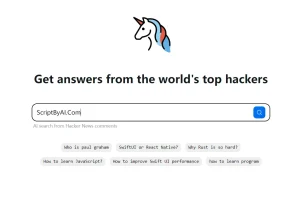
2. For those not using Brave Search as default, visit search.brave.com directly. You’ll notice an “Ask” button next to the standard search button on the homepage. Click it to access the chat interface. Type your question naturally (no need for specific keywords or Boolean operators) and click the Ask button. The search engine processes your query and returns both an AI-generated answer and relevant web resources.

3. A third option exists for users who prefer starting with traditional search. Perform a normal search on Brave, then click the “Ask” tab at the top of the results page. This converts your standard search into a conversational format where you can refine your query or ask related questions. Similar to Google’s AI mode.
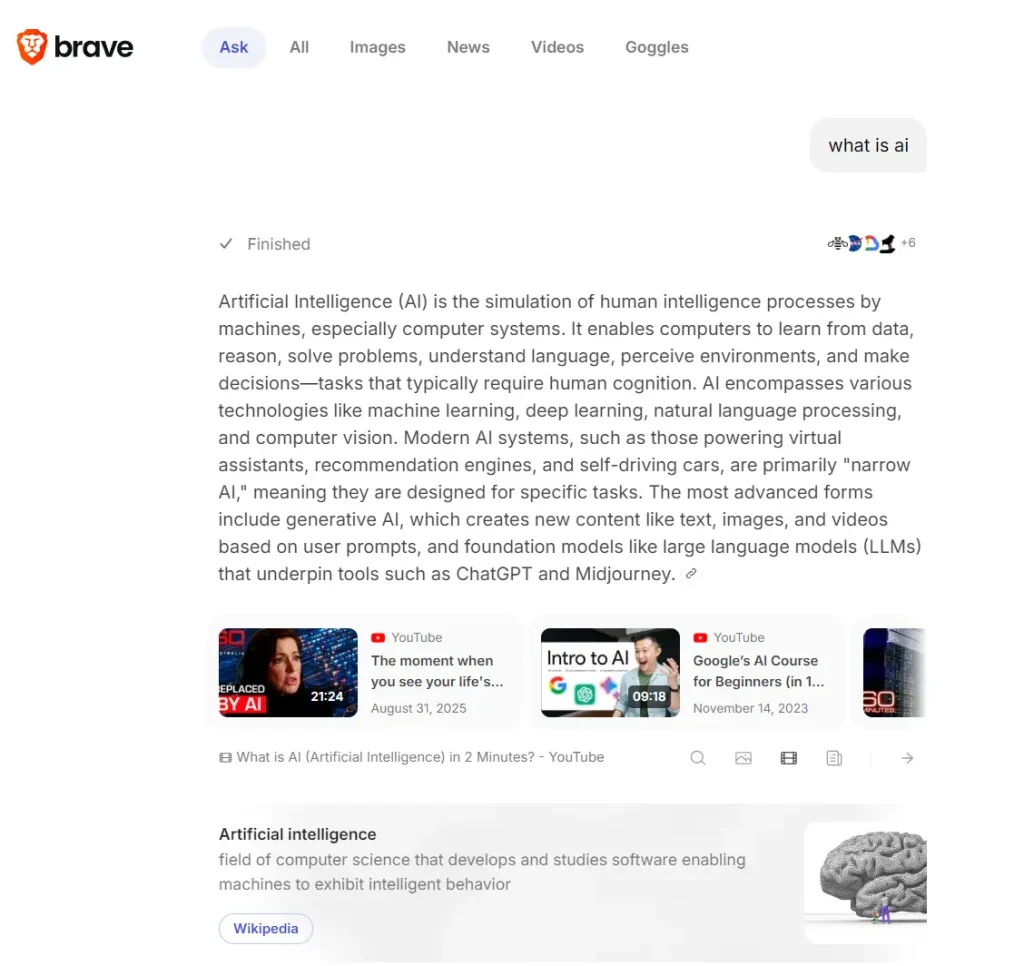
5. Your conversations expire after 24 hours of inactivity. If you’re working on long-term research, save important information externally rather than relying on conversation history.
Pros
- No Account Required: Access the full feature set without creating an account, logging in, or providing personal information.
- Privacy Protection: User data isn’t used to train AI models, and no IP addresses are stored.
- Cross-Platform Availability: Works on any browser or device, not just the Brave browser.
- Transparent Sourcing: Every claim in AI-generated answers includes citations.
- Independent Search Index: Brave maintains its own index of 35+ billion webpages.
- Contextual Enrichments: Answers include relevant videos, news articles, products, and businesses placed strategically within responses rather than in separate sections.
Cons
- 24-Hour Conversation Limit: Chats automatically delete after 24 hours of inactivity, so you can’t build a persistent research archive or return to old queries weeks later.
- Search Result Quality: While Brave’s search index is large, some users have reported that its search results are not always as relevant as Google’s for certain queries.
Related Resources
- Brave Search: The underlying private search engine that powers Ask Brave, useful for quick searches when you don’t need AI analysis.
- Brave Search API Documentation: Technical documentation for developers who want to integrate Brave’s search capabilities into their own applications or AI systems.
- Brave Privacy Policy: Detailed explanation of how Brave handles (or rather, doesn’t handle) your search data and conversation history.
- SimpleQA Benchmark Results: Research demonstrating Brave’s 94.9% factual accuracy score on the SimpleQA benchmark.
- Brave Browser: The privacy-focused browser that integrates Ask Brave natively.
FAQs
Q: How does Ask Brave differ from AI Answers?
A: AI Answers provides quick summaries directly on search results pages for fast information retrieval. Ask Brave offers longer, more detailed explanations with conversation capabilities. Think of AI Answers as the quick-reference option and Ask Brave as the deep-dive alternative. Both features coexist, so you can choose based on how much detail you need.
Q: Will my search history be used to train AI models?
A: No. Brave explicitly states that your questions and conversations are never used for AI training. Conversations are encrypted and automatically deleted after 24 hours of inactivity, and the company doesn’t retain IP addresses. This distinguishes Ask Brave from many AI chat tools that do use conversation data for model improvement.
Q: How accurate are the answers compared to other AI search tools?
A: Brave’s grounding technology scored 94.9% accuracy on the SimpleQA factual accuracy benchmark. The system reduces hallucinations by requiring all answers to be based on actual web sources rather than pure language model generation. That said, you should still verify important information through the cited sources, just as you would with any search result.