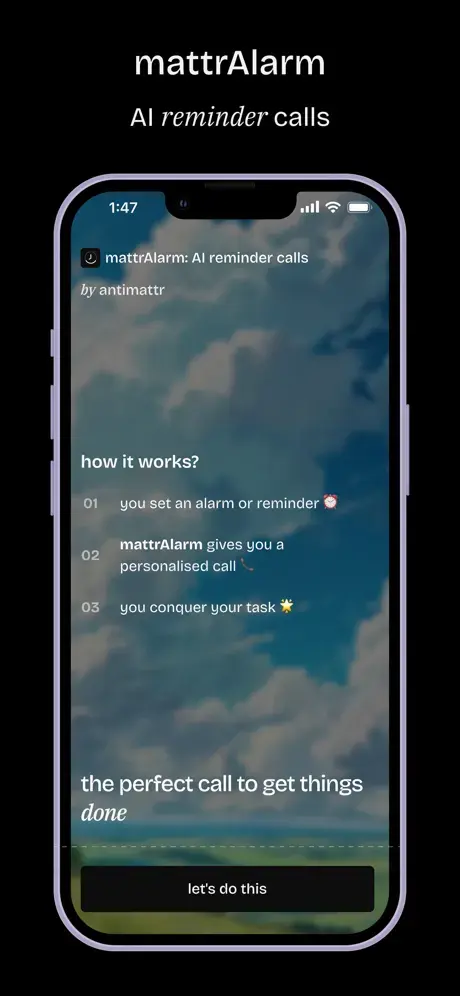
mattrAlarm is a free AI-powered alarm and reminder app that makes actual phone calls to wake you up and remind you of important tasks. Available for iOS and Android.
Most of us have become experts at dismissing alarms without fully waking up. I’ve lost count of how many times I’ve snoozed an alarm only to wake up 30 minutes late with no memory of turning it off.
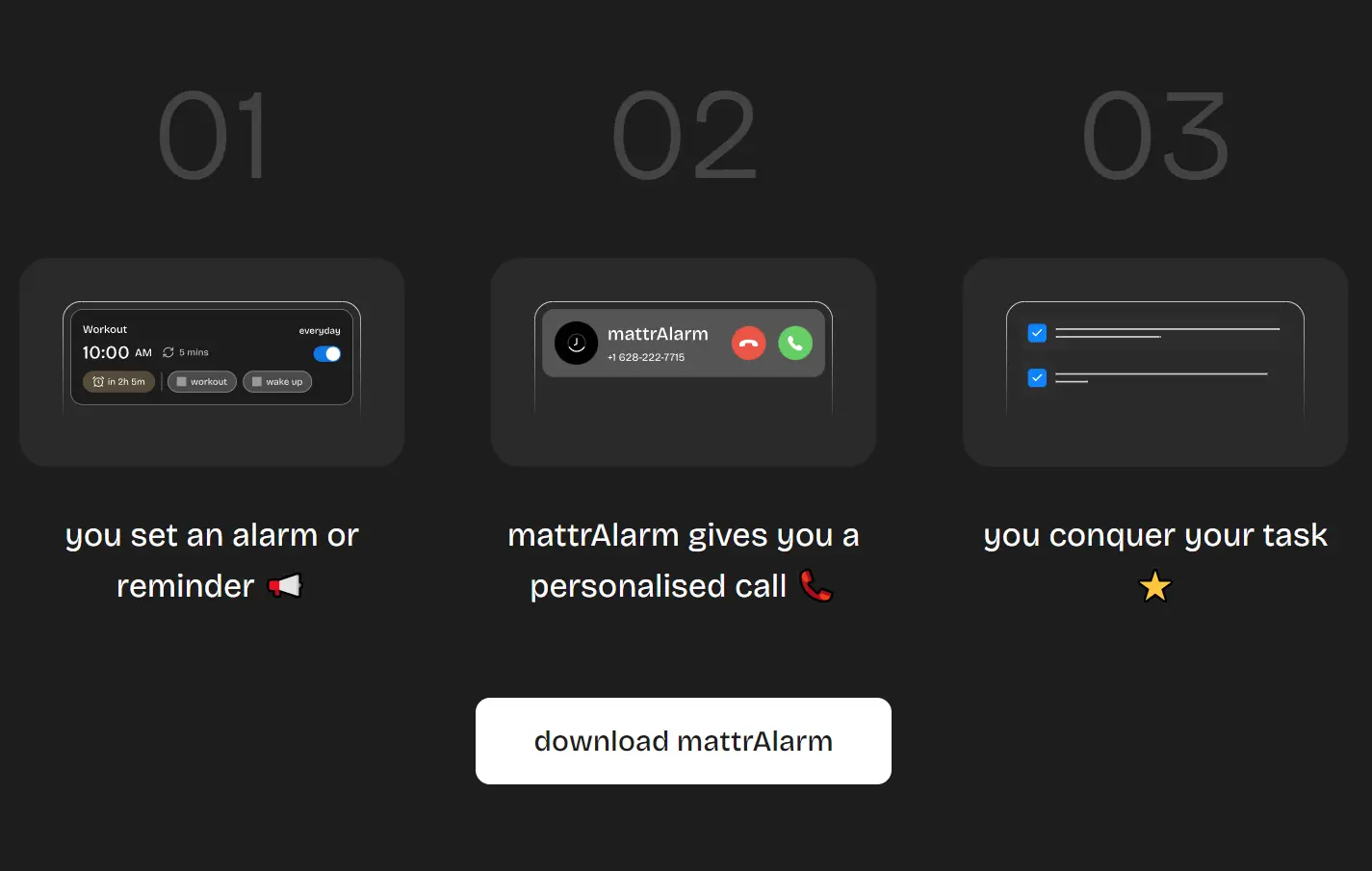
mattrAlarm solves this by requiring genuine interaction. You answer the call, speak with an AI that verifies you’re alert, and only then does the reminder stop. It’s accountability through technology.
Features
- AI Alarm Calls: The app calls your phone at wake-up time and uses natural conversation to confirm you’re conscious and alert.
- AI Reminder Calls: Schedule personalized calls for medications, meetings, gym sessions, deadlines, or any task you need to remember.
- Routine Builder: Create morning routines, daily habits, study blocks, or bedtime reminders with AI calls that hold you accountable.
- Heavy Sleeper Mode: This mode calls you five times and requires you to pick up and speak before it stops.
- Customizable Experience: Select your preferred call voice and language to match your communication style.
- Habit Tracking: Log completed tasks and receive motivational calls with tips to reinforce productive habits.
- Global Compatibility: Works with major smartphones and international phone numbers across the US, UK, India, and Australia.
Use Cases
- College students who need to wake up for early lectures: Set multiple AI calls that won’t stop until you’re demonstrably awake and speaking coherently.
- Medical reminders for elderly parents: Schedule calls to remind them to take medications at specific times, with the AI confirming they’ve heard and understood the reminder.
- Remote workers establishing consistent start times: Get called at the exact moment your workday should begin.
- Parents managing family routines: Set reminder calls for school pickups, meal times, or children’s activity schedules.
- Entrepreneurs with back-to-back meetings: Receive calls before each commitment.
How to Use It
1. Download the app from the Play Store (Android) or App Store (iOS). Open it and create an account using your phone number.
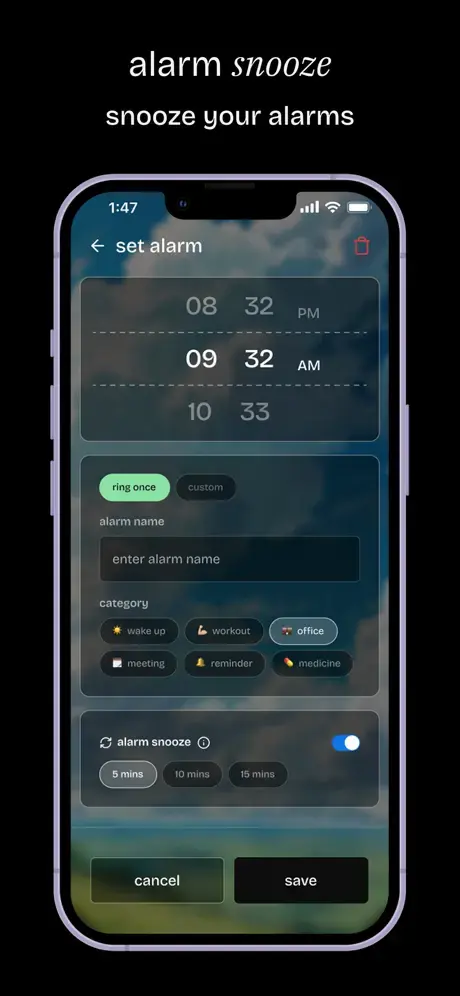
2. Tap the option to set a new alarm or reminder. Choose the time and date for your reminder. Add any details about what you need to remember.
3. Select whether you want a standard reminder or enable Heavy Sleeper Mode if you have trouble waking up. This mode will call you five times and requires you to answer and speak before it stops.
4. Customize your experience by choosing your preferred call voice and language. The app currently offers English (US, UK, India) and Hindi (India).
5. When the scheduled time arrives, mattrAlarm calls you from +1-628-222-7715. Answer the call and engage with the AI. It will ask questions or make comments to confirm you’re awake and have registered the reminder.
6. The app logs your completed tasks and can provide motivational feedback over time. Keep using it consistently to build better morning routines and task completion habits.
Pros
- Verification through conversation: The call requirement ensures you’re actually conscious and engaged, not just mechanically dismissing another alert.
- No subscription cost: 100% free service with all core features accessible without payment barriers.
- Multiple call attempts: Heavy Sleeper Mode addresses the fundamental weakness of single-notification alarm systems.
- Practical habit reinforcement: The combination of scheduled calls and progress tracking creates genuine behavioral momentum over weeks of use.
Cons
- Geographic limitations: Currently only available to users in the US, UK, India, and Australia.
- Requires phone number registration: Some privacy-conscious users may hesitate to provide their personal number for the service.
- Dependence on phone service: Unlike device-based alarms, mattrAlarm requires cellular or WiFi calling capability to function properly.
FAQs
Q: How is this different from my phone’s built-in alarm?
A: Traditional alarms send notifications that you can dismiss while half-asleep. mattrAlarm makes an actual phone call that requires you to answer and engage in conversation before it stops.
Q: What is Heavy Sleeper Mode?
A: Heavy Sleeper Mode is a feature for alarms that calls you five times consecutively and only stops when you answer and respond to the call. It’s designed for people who sleep through standard alarms.
Q: Do I need to give mattrAlarm my phone number?
A: Yes, you must sign up with your phone number since the app needs it to call you with reminders.
Q: What number will mattrAlarm call from?
A: All calls come from +1-628-222-7715. You may want to save this number in your contacts.
Q: Can I use mattrAlarm if I live outside the US, UK, India, or Australia?
A: Currently, mattrAlarm only serves users in those four regions. If you’re elsewhere, you can contact [email protected] to inquire about availability.